Hi,
Is it possible to generate alerts based on throughput thresholds?
e.g.: my upstream providers give us 1 Gbps each one.
I want to receive alerts when traffic is too high or low.

Hi,
Is it possible to generate alerts based on throughput thresholds?
e.g.: my upstream providers give us 1 Gbps each one.
I want to receive alerts when traffic is too high or low.
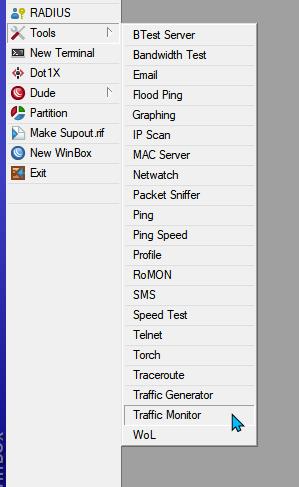
/tool traffic-monitor
https://wiki.mikrotik.com/wiki/Manual:Tools/Traffic_Monitor
http://bfy.tw/Dr12
Just setup a script to email you and place it in the “on event”
Thank you! This tool helps a lot 
The only problem I see is:
the tool doesn’t have a delay parameter to avoid congestion of alerts.
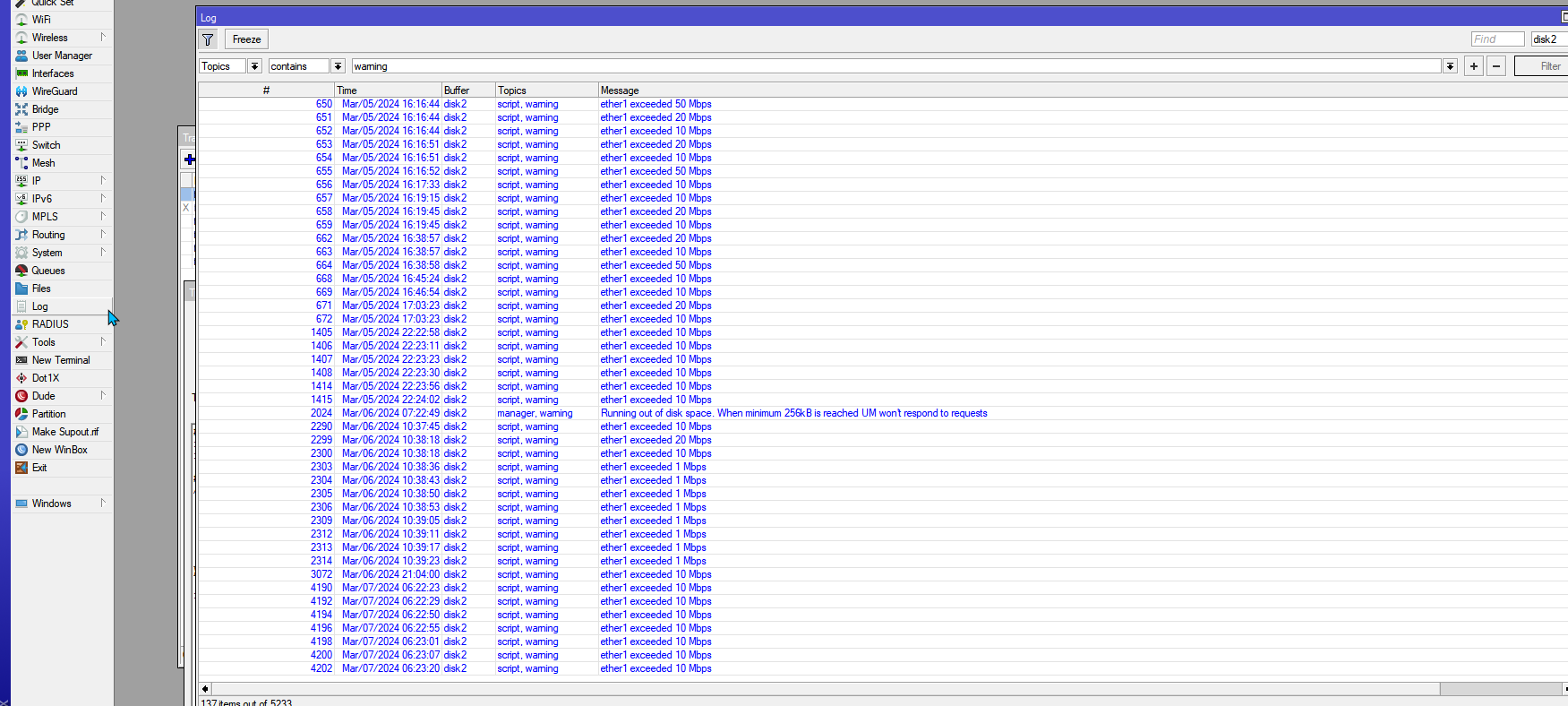
I’ve tried to generate a warning log every time interface traffic crosses thresholds (above 960M or below 1M).
The logs were generated correctly, but my Slack channel was overflowed.
Is there a way to improve the usage of this tool?
Which method do you use to send alerts to smartphone when traffic crosses these thresholds?
With scripting on Mikrotik’s you can generally accomplish anything if you are willing to dive in and experiment a bit.
Just off the top of my head - Probably could do better with more time
You could place the following in your monitor script area:
Add your alerting code where indicated or call a script whatever method you prefer.
This code will check to see if it has already ran and if so it will discard the alert until the global variable is set to “Normal”
If the global is “Normal” and the bandwidth alert is triggered after executing will set the global to “Alerting” thus preventing additional runs until the scheduler makes its rotation and resets the global to “Normal” thus enabling alerts again.
:global lastbwStatus

# check to see if global exists and if not create default value
:if (($lastbwStatus != "Normal") && ($lastbwStatus != "Alerting")) do={
:set $lastbwStatus Normal
}

# check to see if it has already alerted this cycle & if so discard alert
:if ($lastbwStatus = "Normal") do={
# alert script here
:log warning "Bandwidth Alert"
:set $lastbwStatus Alerting
} else={
:log info "System already has already alerted - discarding alert"
}
Now you can run system scheduler at the desired interval to clear the “Alerting” status and enable another alert.
/system scheduler
add interval=15m name=Bandwidth-Alerting-Interval on-event=":global lastbwStatus\r\
    \n:set \$lastbwStatus Normal;" policy=ftp,reboot,read,write,policy,test,password,sniff,sensitive,romon start-time=startup
It does not work on 6.39.2
Nor does this:
https://wiki.mikrotik.com/wiki/Manual:Scripting-examples#Check_bandwidth_and_add_limitations
Here is what I have built from jspool’s head start (thanks, I owe you a beer). I hope this helps someone else. It is a high bandwidth alert with secondary alert when bandwidth has returned to normal levels…
(it assumes you have Tools > Email worked out and you have created your own Traffic Monitor items for inbound / outbound, high / normal)
################ BW Alert Scheduler (enter in console) ################

/system scheduler add interval=5m name=High-BW-Alert-Int on-event=":global lastHbwStatus;\r\
    \n:set \$lastHbwStatus Normal;" policy=read,write,policy,test start-time=startup

################ In ether1 High Script (on event, Traffic Monitor)################

# check to see if global exists and if not create default value
:if (($lastHbwStatus != "Normal") && ($lastHbwStatus != "Alerting")) do={
:global lastHbwStatus
:set $lastHbwStatus Normal
}

# check to see if it has already alerted this cycle & if so discard alert
:if ($lastHbwStatus = "Normal") do={
# alert script
/interface monitor-traffic [/interface find name=ether1] once do={
	:local tx (tx-bits-per-second / 1024 / 1024);
	:local rx (rx-bits-per-second / 1024 / 1024);
	:local txp (tx-packets-per-second);
	:local rxp (rx-packets-per-second);

:log error "Inbound Traffic Too High on ether1 $rx Mbps";

/tool e-mail send body="Inbound Traffic Too High on ether1 at $[/system clock get time] \r\n \r\n Inbound BW: $rx Mbps \r\n Inbound PPS: $rxp \r\n Outbound BW: $tx Mbps \r\n Outbound PPS: $txp" subject="Inbound Traffic Too High on ether1" to="email@yourcompany.com";
}
:set $lastHbwStatus Alerting
:set $lastNbwStatus Ready
} else={
:log info "System already has already alerted - discarding alert"
}

################ In ehter1 Normalized Script (on event, Traffic Monitor) ################

# check to see if global exists and if not create default value
:if (($lastNbwStatus != "Paused") && ($lastNbwStatus != "Ready")) do={
:global lastNbwStatus
:set $lastNbwStatus Paused
}

# check to see if it has high alert has triggered & if not discard alert
:if ($lastNbwStatus = "Ready") do={
# alert script
/interface monitor-traffic [/interface find name=ether1] once do={
	:local tx (tx-bits-per-second / 1024 / 1024);
	:local rx (rx-bits-per-second / 1024 / 1024);
	:local txp (tx-packets-per-second);
	:local rxp (rx-packets-per-second);

:log error "Inbound Traffic Normalized on ether1 $rx Mbps";

/tool e-mail send body="Inbound Traffic Normalized on ether1 at $[/system clock get time] \r\n \r\n Inbound BW: $rx Mbps \r\n Inbound PPS: $rxp \r\n Outbound BW: $tx Mbps \r\n Outbound PPS: $txp" subject="Inbound Traffic Normalized on ether1" to="email@yourcompany.com";
}
:set $lastNbwStatus Paused
} else={
:log info "High alert not triggered - discarding alert"
}

################ Out ether1 High Script (on event, Traffic Monitor) ################

# check to see if global exists and if not create default value
:if (($lastHbwStatus != "Normal") && ($lastHbwStatus != "Alerting")) do={
:global lastHbwStatus
:set $lastHbwStatus Normal
}

# check to see if it has already alerted this cycle & if so discard alert
:if ($lastHbwStatus = "Normal") do={
# alert script
/interface monitor-traffic [/interface find name=ether1] once do={
	:local tx (tx-bits-per-second / 1024 / 1024);
	:local rx (rx-bits-per-second / 1024 / 1024);
	:local txp (tx-packets-per-second);
	:local rxp (rx-packets-per-second);

:log error "Outbound Traffic Too High on ether1 $tx Mbps";

/tool e-mail send body="Outbound Traffic Too High on ether1 at $[/system clock get time] \r\n \r\n Inbound BW: $rx Mbps \r\n Inbound PPS: $rxp \r\n Outbound BW: $tx Mbps \r\n Outbound PPS: $txp" subject="Outbound Traffic Too High on ether1" to="email@yourcompany.com";
}
:set $lastHbwStatus Alerting
:set $lastNbwStatus Ready
} else={
:log info "System already has already alerted - discarding alert"
}

################ Out ether1 Normalized Script (on event, Traffic Monitor) ################

# check to see if global exists and if not create default value
:if (($lastNbwStatus != "Paused") && ($lastNbwStatus != "Ready")) do={
:global lastNbwStatus
:set $lastNbwStatus Paused
}

# check to see if it has high alert has triggered & if not discard alert
:if ($lastNbwStatus = "Ready") do={
# alert script
/interface monitor-traffic [/interface find name=ether1] once do={
	:local tx (tx-bits-per-second / 1024 / 1024);
	:local rx (rx-bits-per-second / 1024 / 1024);
	:local txp (tx-packets-per-second);
	:local rxp (rx-packets-per-second);

:log error "Outbound Traffic Normalized on ether1 $tx Mbps";

/tool e-mail send body="Outbound Traffic Normalized on ether1 at $[/system clock get time] \r\n \r\n Inbound BW: $rx Mbps \r\n Inbound PPS: $rxp \r\n Outbound BW: $tx Mbps \r\n Outbound PPS: $txp" subject="Outbound Traffic Normalized on ether1" to="email@yourcompany.com";
}
:set $lastNbwStatus Paused
} else={
:log info "High alert not triggered - discarding alert"
}
Hi there
Thank you for this script, I am just having a few issues, but it is my lack of understanding
(it assumes you have Tools > Email worked out and you have created your own Traffic Monitor items for inbound / outbound, high / normal)
regards
i added 4 thresholds about 2M just to test. for In ether1 High Script i added above 2M threshold and for In ether1 Normalized i added below 2M threshold for traffic received, and for traffic transmitted i added Out ether1 Normalized and Out ether1-GW1 High Script I got 2 emails that one is that Inbound Traffic Too High and Inbound Traffic Normalized at the same time
Hello tomislav91
What do you mean by “created your own Traffic Monitor items for inbound / outbound, high / normal)”? What did you label/name the traffic monitor items in your example? Can you at least provide an example with screenshots? Thanks a lot. Regards, M
Thats it?
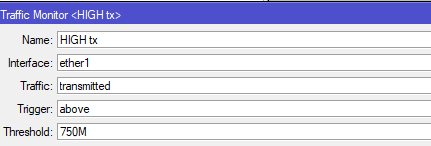
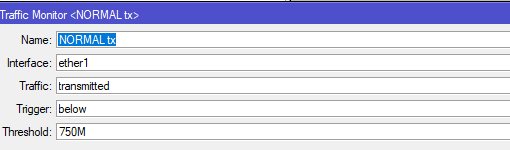
and for HIGH tx i am using
################ Out ether1 Normalized Script (on event, Traffic Monitor) ################

# check to see if global exists and if not create default value
:if (($lastNbwStatus != "Paused") && ($lastNbwStatus != "Ready")) do={
:global lastNbwStatus
:set $lastNbwStatus Paused
}

# check to see if it has high alert has triggered & if not discard alert
:if ($lastNbwStatus = "Ready") do={
# alert script
/interface monitor-traffic [/interface find name=ether1] once do={
	:local tx (tx-bits-per-second / 1024 / 1024);
	:local rx (rx-bits-per-second / 1024 / 1024);
	:local txp (tx-packets-per-second);
	:local rxp (rx-packets-per-second);

:log error "Outbound Traffic Normalized on ether1 $tx Mbps";

/tool e-mail send body="BG Master CCR Outbound Traffic Normalized on ether1 at $[/system clock get time] \r\n \r\n Inbound BW: $rx Mbps \r\n Inbound PPS: $rxp \r\n Outbound BW: $tx Mbps \r\n Outbound PPS: $txp" subject="Outbound Traffic Normalized on ether1" to="myemail@something.rs";
}
:set $lastNbwStatus Paused
} else={
:log info "High alert not triggered - discarding alert"
}
and for normaltx
################ Out ether1 High Script (on event, Traffic Monitor) ################

# check to see if global exists and if not create default value
:if (($lastHbwStatus != "Normal") && ($lastHbwStatus != "Alerting")) do={
:global lastHbwStatus
:set $lastHbwStatus Normal
}

# check to see if it has already alerted this cycle & if so discard alert
:if ($lastHbwStatus = "Normal") do={
# alert script
/interface monitor-traffic [/interface find name=ether1] once do={
	:local tx (tx-bits-per-second / 1024 / 1024);
	:local rx (rx-bits-per-second / 1024 / 1024);
	:local txp (tx-packets-per-second);
	:local rxp (rx-packets-per-second);

:log error "Outbound Traffic Too High on ether1 $tx Mbps";

/tool e-mail send body="BG Master CCR Outbound Traffic Too High on ether1 at $[/system clock get time] \r\n \r\n Inbound BW: $rx Mbps \r\n Inbound PPS: $rxp \r\n Outbound BW: $tx Mbps \r\n Outbound PPS: $txp" subject="Outbound Traffic Too High on ether1" to="myemail@something.rs";
}
:set $lastHbwStatus Alerting
:set $lastNbwStatus Ready
} else={
:log info "System already has already alerted - discarding alert"
}
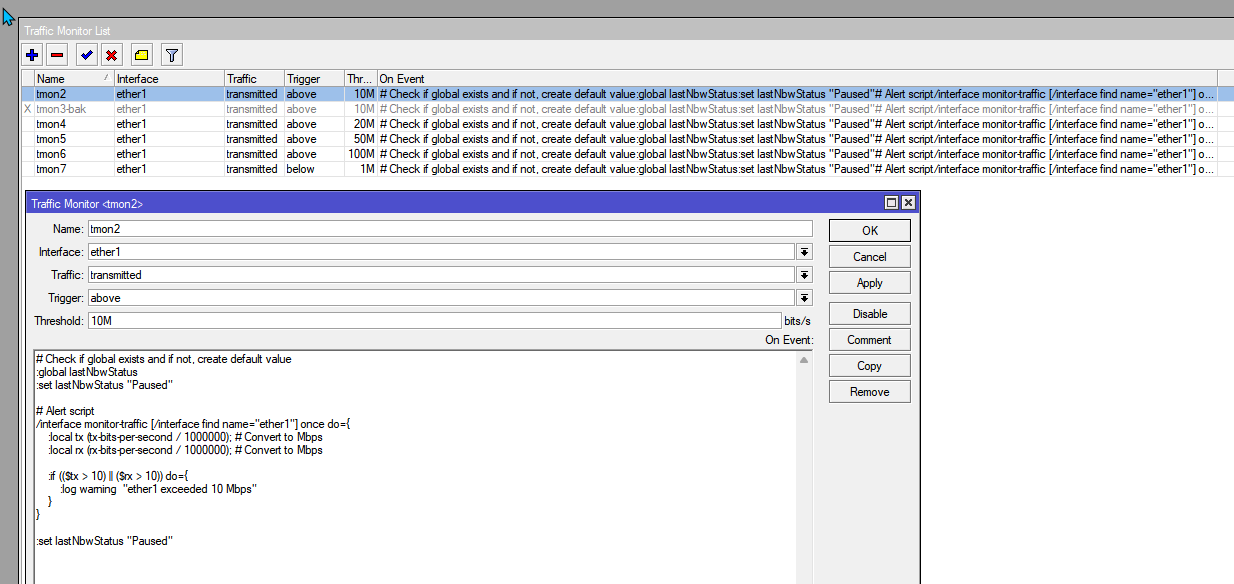
post from @tomislav91 helped me tune my version of script.
:global lastNbwStatus
:set lastNbwStatus "Paused"
/interface monitor-traffic [/interface find name="ether1"] once do={
:local tx (tx-bits-per-second / 1000000); # Convert to Mbps
:local rx (rx-bits-per-second / 1000000); # Convert to Mbps
:if (($tx > 10) || ($rx > 10)) do={
:log warning "ether1 exceeded 10 Mbps"
}
}
:set lastNbwStatus "Paused"