I don’t see any posts about experience with Android tethering. looking to use this feature as a backup to my main link. From what I have read USB Modems are “dicey” at best regarding particular make/model/version/carrier.
I assume the Android tethering is a way to side step these issues because the software in android should be the same with regards to the modem on most models but this begs the question from what version of android forward does RouterOS support? is it limited to certain chipsets? models?
If anyone has any experience with this feature it would be great to hear about it. especially AT&T customers here in the U.S.
I just tried it with my Samsung Galaxy S3, android version 4.1.2 and RB951G.
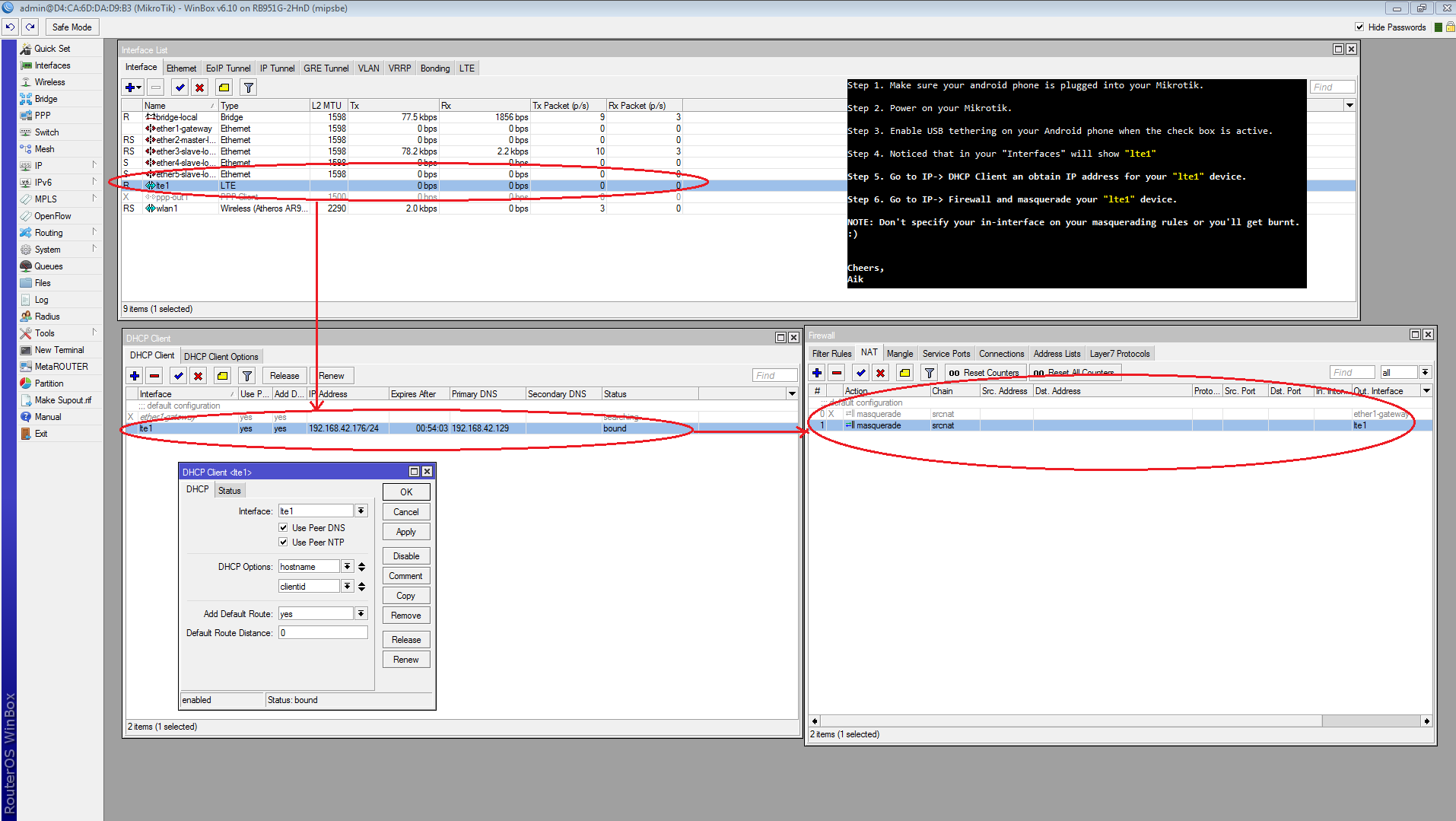
In the router it will add an interface lte1, then just add a dhcp client on this interface and you’re done.
Thanks for sharing, yeah I managed to get it working. I did some silly mistakes. I’m sharing my steps for those who finds it hard to get things around and need more specific details.
Step 1. Make sure your android phone is plugged into your Mikrotik.
Step 2. Power on your Mikrotik.
Step 3. Enable USB tethering on your Android phone when the check box is active.
Step 4. Noticed that in your “Interfaces” will show “lte1”
Step 5. Go to IP-> DHCP Client an obtain IP address for your “lte1” device.
Step 6. Go to IP-> Firewall and masquerade your “lte1” device.
NOTE: Don’t specify your in-interface on your masquerading rules or you’ll get burnt.