Hi,
can you please look at my config, I’m playing with VLANs and I’m not sure about the next step.
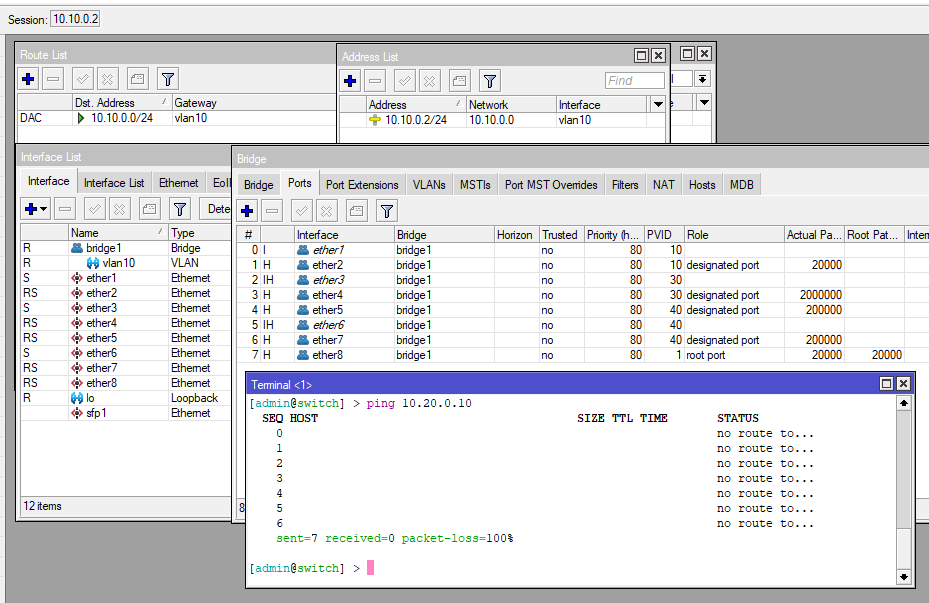
I’m using hAPax3 as a router and L009 as a switch. I made it almost working, but I’m missing connection of the switch itself to network (if that makes sence).
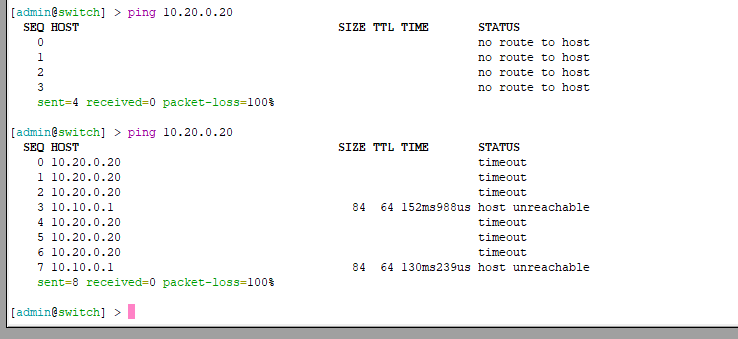
If I try to ping gateway, from the switch, at 10.10.0.1 I get reply, If I try to ping DNS server at 10.20.0.10 I get error that route does not exists (base on that, I think that I’m missing some route )
So I tried to add route 0.0.0.0/0 with gateway vlan10 and then with bridge1 but as you can guess I was unsuccessful.
Question is, what should I do to get the connection? Because I basically don’t have any more interfaces to try.
MT is very forgiving in that it allows you to setup stuff in many ways, and not necessarily the optimal or right way.
As for are reading you missed the fact that your entry is not in the reference.
/interface bridge
add frame-types=admit-only-vlan-tagged name=bridge1 vlan-filtering=yes
Dont need ether2 source nat rule, its covered by the VDSL one.
For the switch.
Same issue get rid of frame-types on BRIDGE SETTING itself, you have them correctly stated on the right place /interface bridge ports, however you are missing ingress-filtering=use on all the bidge ports ( both router and switch).
Why not use the NTP server function available on the router???
Add the following to switch /interface list
add name=MGMT
/interface list members
add interface=vlan10 list=MGMT
/ip neighbor discovery-settings
set discover-interface-list=MGMT
/ip dns
set allow-remote-requests=yes servers=10.10.0.1
/ip route
add dst-address=0.0.0.0/0 gateway=10.10.0.1 routing-table=main
/system ntp client servers { comment if you elect to use router ntp services }
add address=10.10.0.1
+++++++++++++++++++++++++++++++++++++++++++++++++
Fix the above and see what transpires.
For NTP, set the NTP client on the router to the external sites desired
Set it up as NTP server for the network.
on the input chain make a firewall list of all devices that should be allowed to access NTP time.
frame-types on both bridges changed to admit-all, anyway official guide which I followed, says admit-only-vlan-taggedDOCS
nat removed
ingress-filtering is and was on, may be its default value, if not changed then not in the config? (I’m using Winbox/GUI)
I’m actually using NTP server on the router, router is also gateway for all the VLANs so I’m using VLAN gateway IPs as NTP server address if that makes sense
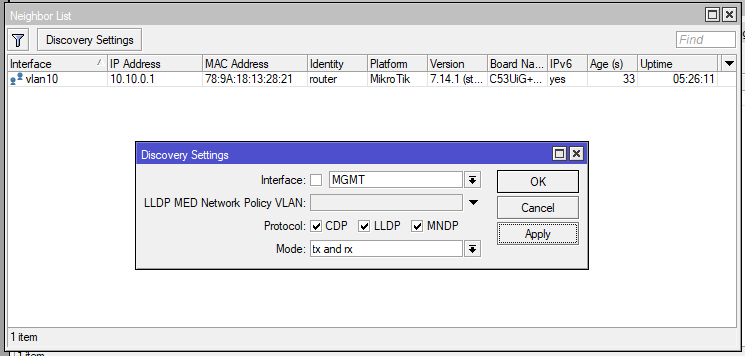
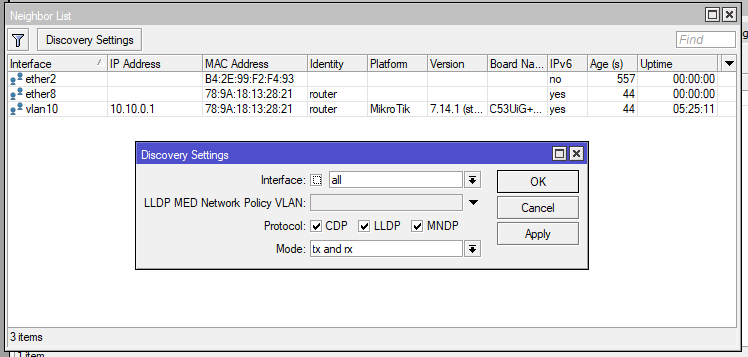
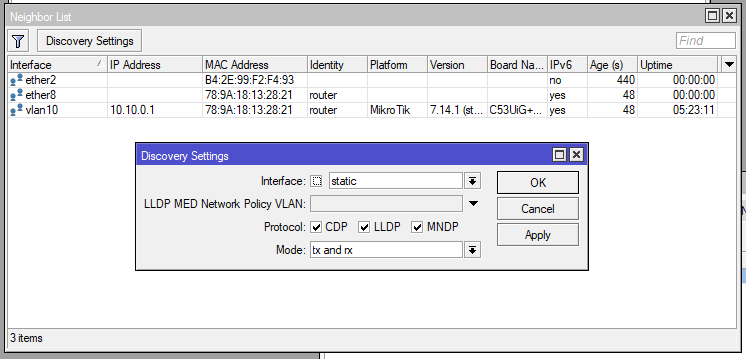
neighbor discovery was originally set to static
this is ping before/after route change
I did not change the DNS settings, I’m not able to get out of VLAN10, so I don’t need more IPs, those I know are enough for now
I did not mention it, but I cut some parts of the config: NTP, WIFI and DHCP leases
AND… as I was prepairing for posting this reply I noticed that after the route change I was pinging wrong IP, the route change actually solved the issue, which is weird because I would swear that I tried it before, but… what ever… may be typo
I reverted all the chages back, even the frame-types, as I mentioned, it is in official guide and it is working..
(1) Its perfectly valid to put the NTP server on each DHCP interface but its really not required if you have input chain rules in the format of
add chain=input action=accept in-interface-list=LAN dst-port=53,123 protocol=udp comment=“allow users to DNS/NTP services”
add chain=input action=drop comment=“drop all else”
or the more default weaker general rule… add chain=input action=drop in-interface-list=!LAN
In both cases any LAN device now has access to the NTP server you dont need to put in DHCP, its redundant really.
I actually prefer to limit NTP to only the devices that need it so I have’
add chain=input action=accept in-interface-list=LAN dst-port=53 protocol=udp comment=“allow users to DNS services - udp”
add chain=input action=accept in-interface-list=LAN dst-port=53 protocol=tcp comment=“allow users to DNS services - tcp”
add chain=input action=accept in-interface-list=LAN dst-port=123 protocol=udp src-address-list=Permitted-NTP comment=“allow specific devices to NTP”
add chain=input action=drop comment=“drop all else”
(2) You really need to pay attention better!
First the article I noted is by an experienced MT coder and his article has garnered praise from many.
Second, you quoted documentation NOT for routers, but for switches, so really barking up the wrong tree - https://help.mikrotik.com/docs/display/ROS/Basic+VLAN+switching
( the clue is its called VLAN Switching )
I don’t want to argue and I’m really grateful for your help (and patience with us, begginers..) but I’m really trying to pay attention..
The article Basic VLAN switching is divided to four sections, in my case the first and the last are valid.
The first is for XYZ switches and XYZ switch chips, among the switch chips is listed 88E6190, and that is the switch chip in L009 that I’m using
Hahah,
Yes I will eat humble pie, I only looked at the example on the first page of the article…
Where it says to create the bridge and its very simple and notes add vlan-filtering=yes at the end. /interface bridge
add name=bridge1
It later shows this setup as follows: /interface bridge set bridge1 vlan-filtering=yes
Then they get into side niche examples where they put a different PVID on the bridge itself other than the default 1,
and after they show an example of setting frame types on the bridge itself, which is more of a switch approach and
by the way removes functionality… This does not only drop untagged packets, but disables the feature that dynamically adds untagged ports to the bridge VLAN table. If you print out the current bridge VLAN table you would notice that bridge1 is not dynamically added as an untagged port:**********
Neither of these side examples are needed in your simple case. All they serve to do is confuse the reader IMHO. As i stated, there doc are NOT to be used verbatim in your configs, but are presented for an overall understanding, often convoluted or confusing, of the available functionality.
What you should do is apply ingress filtering and frame types on each port ( /interface bridge ports ) and you are good to go.
********** I suspect this may have some negative effects sooner or later on your traffic… especially because you do not manually untag ports (like I always do) and assume that the router will do it dynamically !!!
/interface bridge vlan
add bridge=bridge1 tagged=ether1,bridge1 vlan-ids=10
add bridge=bridge1 tagged=ether1,bridge1 vlan-ids=20 ( you assume untagged on ether3 )
add bridge=bridge1 tagged=ether1,bridge1 vlan-ids=30 ( you assume untagged on wifi1,wifi2 )
add bridge=bridge1 tagged=ether1,bridge1 vlan-ids=40 ( you assume untagged on wifi3 )
add bridge=bridge1 tagged=ether1,bridge1 vlan-ids=50 ( you assume untagged on wifi4 )
Hi anav i no this is a old post but someone mentioned on the forum that you did a step by step guide to setup vlans on ros??
is this true and can u point me to it as i cant find anything im new to vlans and would like to try and test it out
cheers pete
 )
) I red that topic several times actually..