Preface with saying that I’ve searched for days with no resolution. The closest thing I could find to my issue was in this link
http://forum.mikrotik.com/t/dhcp-server-on-bridge-interface-issue/136970/1
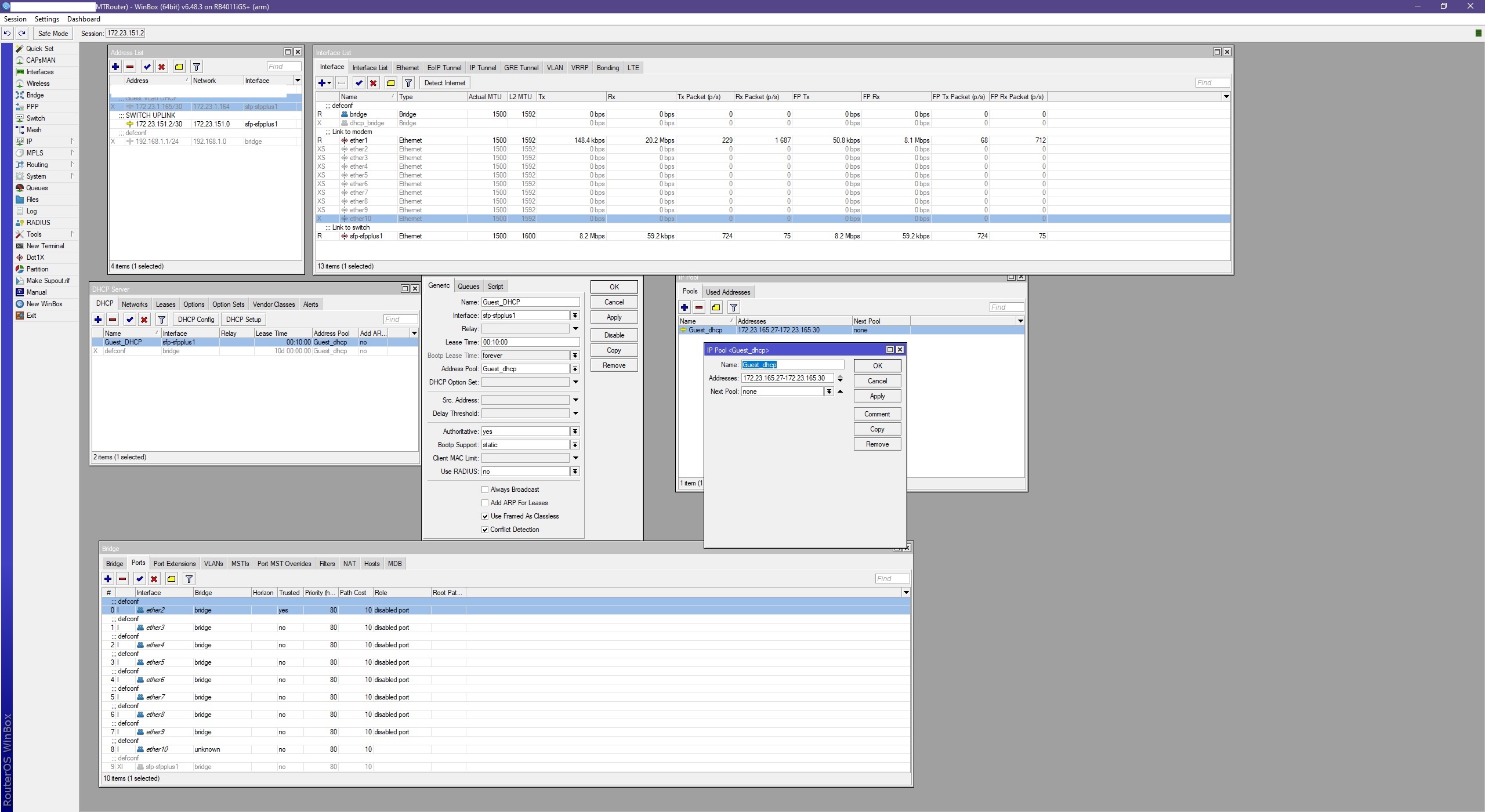
And at the end, I tried what they did. Tore my DHCP servers apart and rebuilt them from WinBox instead WebFig.
I’ll also preface by saying I’ve been around networks for a while, so while my skillset is beginner at best, I have a general understanding of fundamentals (I think). Started to take the CCNA, past the first test, then life work and all things other prevented me from ever going back (4 years ago)
The setup I’m using (not all inclusive) is the RB4011, Netgear/Xfinity on port 1, DAC on SFP to Cisco 3560X (10g module installed). Two Pi’s, one of which is PiHole (the other is PiKVM (jury still out on that)).
What I’m after
The RB4011 to be used only as a router, firewall and DHCP server for my VLans (stick with me here, I don’t think this is a typical question, but maybe). All my devices are on the Cisco and as of now, I plan to stay that way. Don’t have intentions of using the ports on the RB unless a need arises. The 3560X is a 48PoE+ switch, so I have more than enough. And if I really need more ports, I have an older 3560E 48PoE sitting in a box (I say older as if the X is new lol )
The problem
The 4011 DHCP isn’t handing out addresses (again, stick with me)
I’m fully aware of RoaS, but that’s not what I’m looking to do.
The Cisco is working perfectly. All my devices talk to each other (haven’t done anything about blocking vlan traversal as of yet). Because I couldn’t get the 4011 to hand out addresses, the 3560X is currently pulling DHCP duty. Works great and all, but, for me, pulling DHCP information is a bit of a PITA. Very doable, and I can get everything I want, but I very much prefer to grab all my analytics from something like the MT GUI (WinBox, WebFig, either or) than logging into the switch and digging my way through while looking for something (eg; IP assigned to a freshly added headless device, etc). So, bluntly, it’s a preference thing. Not a OMG my stuff is broken and I need help! Every one can get out on the internet and do what they need, so all is right in the world (well, sort of, but that’s for a different forum).
I’ve tried putting the IP helper address in, and it’s definitely doing it’s job. Using Packet Sniffer on the RB, I can see the packets coming in and hitting the IP/DHCP I setup, just the server NEVER responds. In coming packets count goes up, responding packet count stays and a nice solid, circular 0 (guess that’s more oblong).
I’ve tried all combinations that make sense to me. Doesn’t mean I’ve tried them all, just everything that looks like it should work. Crumb and crackered my DuckDucks until I had no crackers and crumbs left. Tried every solution that I’ve found on the nets that was even remotely close to what I’m trying to do.
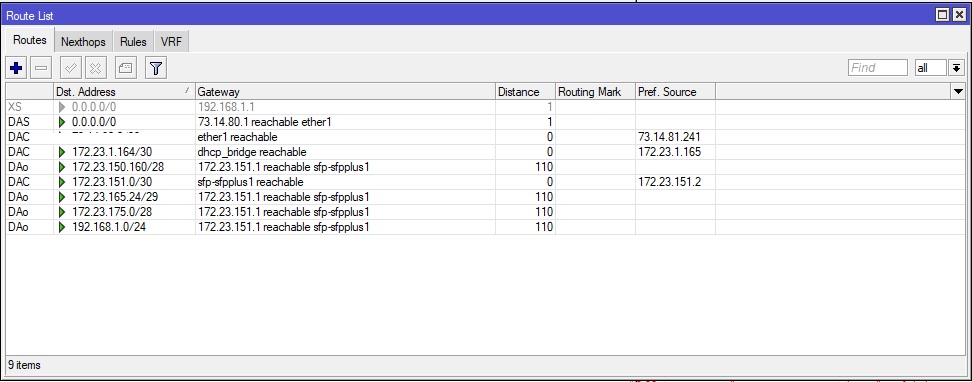
I’ve tried creating VLans, even though I’m not trunking (uplink port Cisco side is configured as a routed “no switchport” port). Put IP’s on them, put addresses on them, created the pools, networks and servers. Put the servers on the vlan interface, the SFP port itself, even created a bridge to just put the DHCP’s on.
My i’s are crossing and my t’s have all lost their dots.
I see RoaS posts all over the place, so, that leads me to believe
1- There’s not solution so everyone goes the RoaS way
2- Not many try and do what I do
D- I’m bashing my face into a wall for no reason.
In all seriousness, I don’t want anyone to spoon feed me the answer, and if there is a post I missed, just tell me where it is. I learn best by flipping switches and pushing big red buttons, but I think I’ve push flipped everything? If it can be done, if you could just point me in the right direction with a “Yeah, it’s been done.” and then tell me where I need to/should be looking, the area or thing I should be paying more attention to. That would be fee-nom-nom-a-nal.
If I can’t do it, my next solution to try will be to go the route of maybe throwing another Pi in the rack and standing up some kind of DHCP. That’s not my preferred method, but I’ll give that a go. I really want to keep all the switching/heavy lifting on the Cisco and have my stuff and household hit the router only when needed.
I haven’t tossed any config code up because I’m not sure what all anyone would want to look at? All of it (minus sensitive stuff)? Just the DHCP setup? The blonde next door?
Really appreciate anyone who looks at this and anyone who feels up to helping an old fart trying to learn a new dog.
Swany