Hey folks,
Couple of months ago I setup my wifi with 2 Audiences and 1 RB5009. Here is a topic with some questions from that time:
http://forum.mikrotik.com/t/capsmanv2-and-wireless-backhaul-with-2-audiences/174814/1
This is basically what it looks like today:
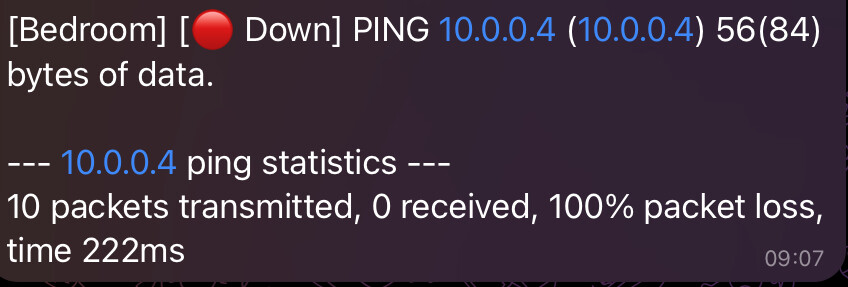
The only difference is that the backhaul internet is done using the 4x4 5GHz antennas, instead of the 2x2.
Since then, I’ve been facing a lot of issues with the Bedroom unit disconnecting. I’ve setup Uptime Kuma and a bot in Telegram to track it, and I’ve also setup a syslog to grab the logs. Matching both, I was able to see the Bedroom unit disconnects in two situations:
1. Radar detected by the Living Room unit
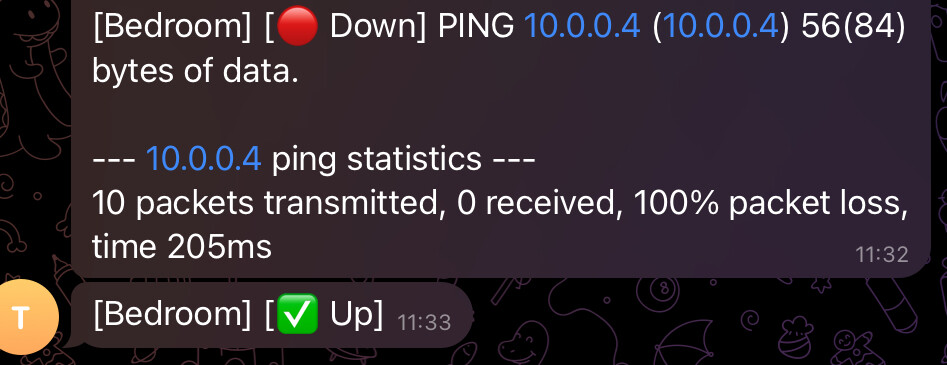
Even though I deselected the DFS channels, the Living Room unit still seem to use DFS channels, which are very prone to radar interference where I live.
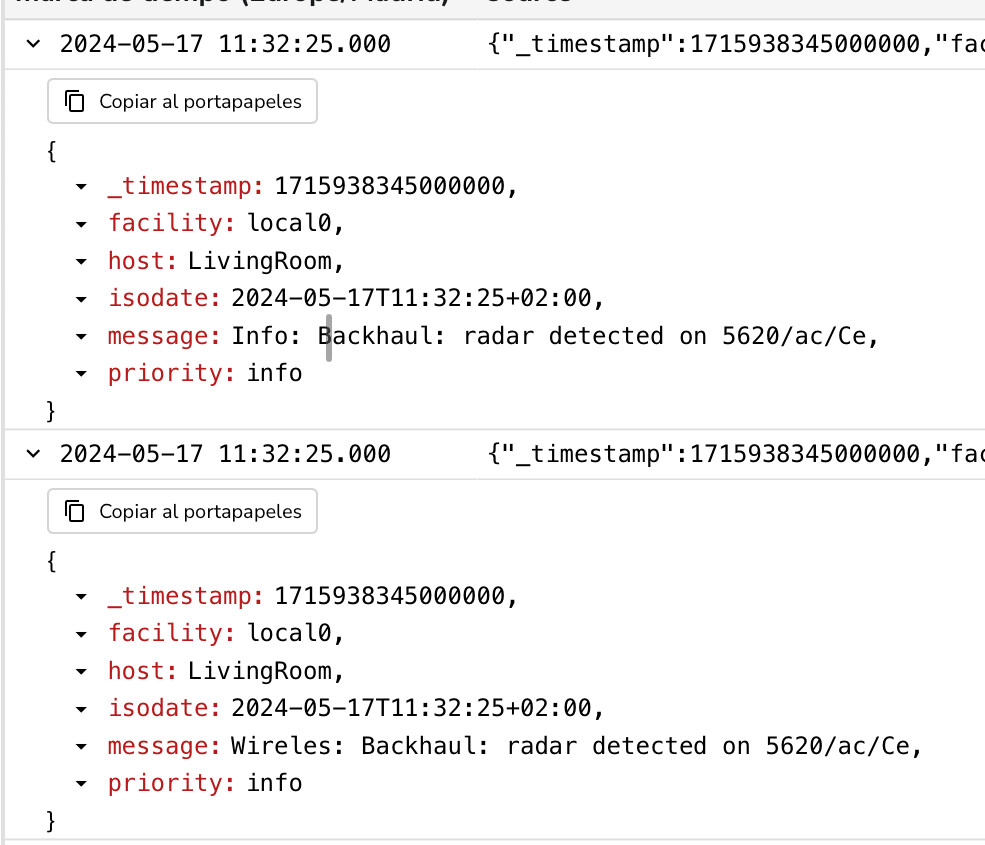
Here is the notification from Uptime Kuma:
Here are related logs from that time:
Usually this one restores itself automatically, but sometimes I also need to disable the wifi interface in the Living Room unit and enable it again. Then the Bedroom connects automatically.
2. Random disconnection
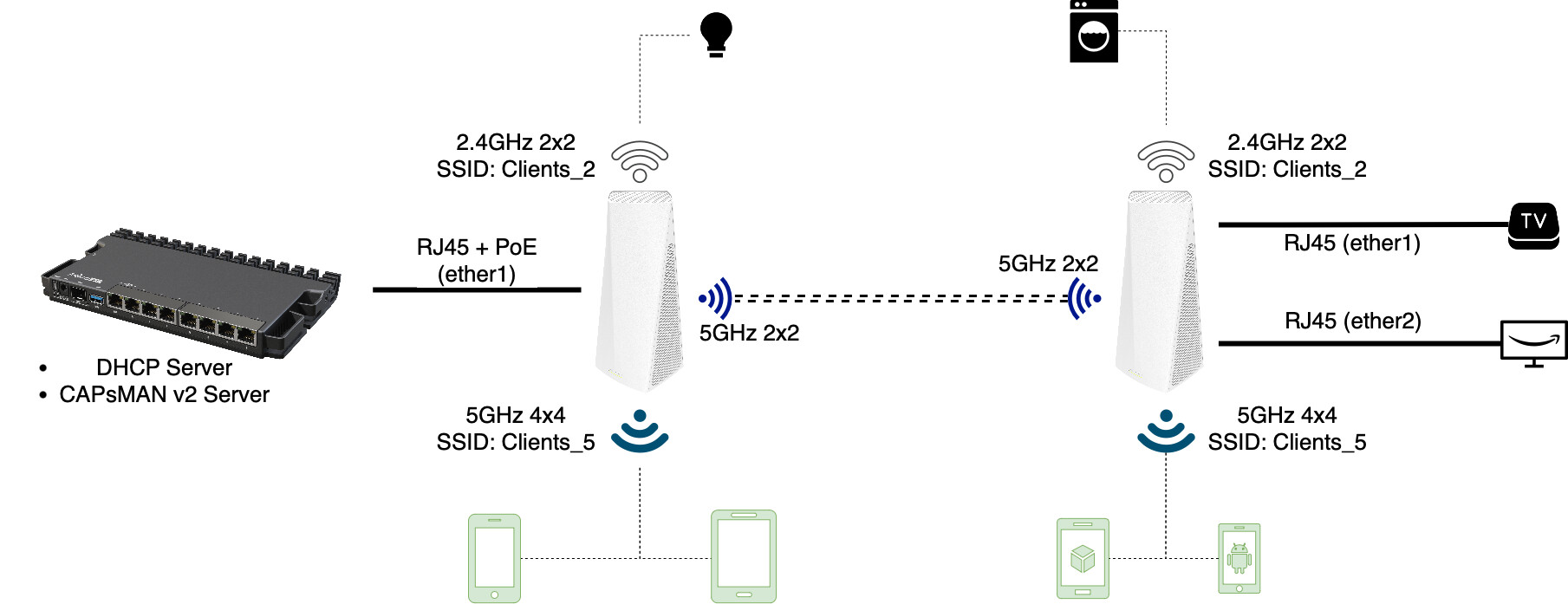
Here is the notification from Uptime
And the logs:
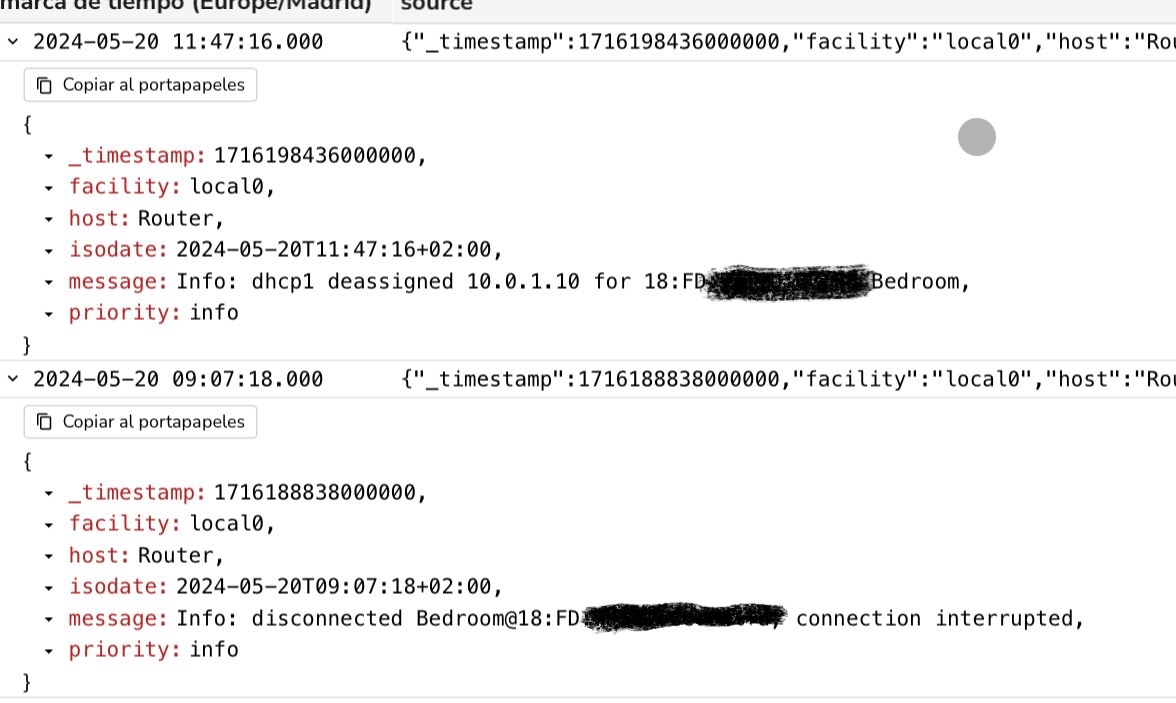
This scenario never restores itself automatically. I always need to disable the wifi interface in the Living Room unit and enable it again. Then the Bedroom connects automatically.
Even though I’m (supposedly) using non-DFS channels, I still need to wait 10 min for the DFS channel availability check. If I try to set “Skip DFS channels” to “all”, I get “no supported channels” in that wifi interface. I don’t know what I’m doing wrong here.
I’m close to put back my old Unifi APs and sell the MikroTik ones, but I’m hoping this forum can help me fixing it. 
Living Room backhaul config
/interface wifi
set [ find default-name=wifi3 ] channel="Non DFS" channel.reselect-interval=1h configuration.antenna-gain=30 .country=Spain .hide-ssid=yes .manager=local .mode=ap \
    .ssid=Backhaul_Wireless disabled=no mtu=1500 name=Backhaul security.authentication-types=wpa3-psk .connect-priority=0 .encryption=gcmp-256

/interface/wifi/channel print
Flags: X - disabled
 0   name="Non DFS" frequency=5580-5700 band=5ghz-ac width=20/40mhz
Bedroom backhaul config
 /interface/wifi/ print
2 MBR Backhaul  station-bridge      Backhaul_Wireless        20/40mhz

