I have an hAP ax3, which I used as my home router for a while. However, I now have a new use case where I need to set it up in repeater mode. I’m struggling with the setup and feel like I’m missing something obvious.
However, I’m stuck. I’ve tried using the command /interface wireless setup-repeater wlan1, but it doesn’t seem to work. Additionally, it’s irrelevant in my case since I can’t use WPS.
The network I’m trying to repeat is open and doesn’t have a password, so this should be a straightforward setup.
Any advice would be appreciated.
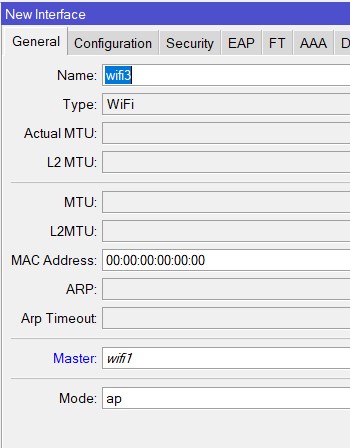
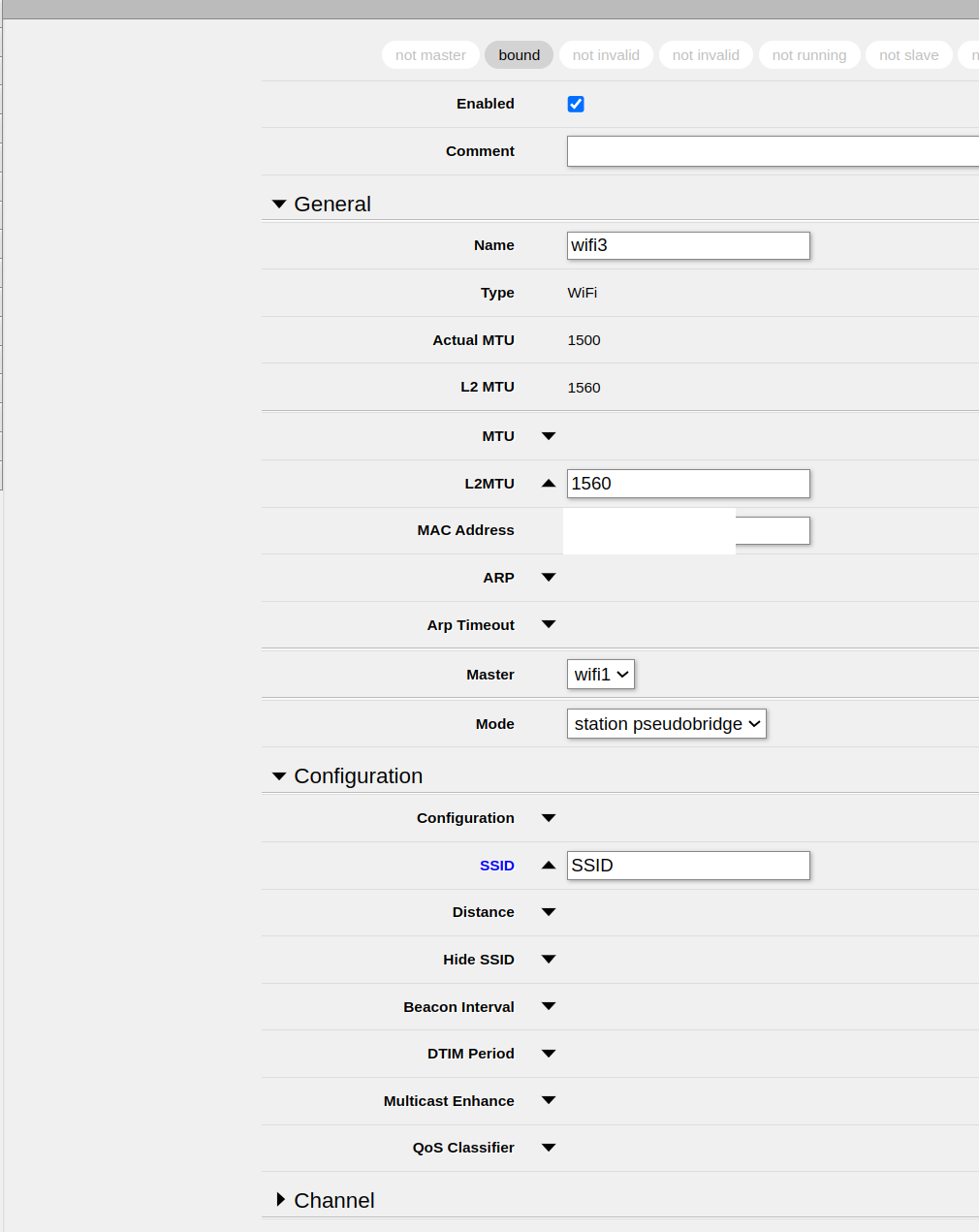
Honestly I feel stupid, as I am not sure how to set it up properly. The steps you’ve mentioned and the ones that are in documentation are similar but yet I am failing to see the buttons I need to click. It sounds like I need to set up something along these lines, but this ain’t working.
Could you point on the screenshot where am I going wrong? Is there something else I need to select? I can’t see my new (replicated) SSID being broadcasted.
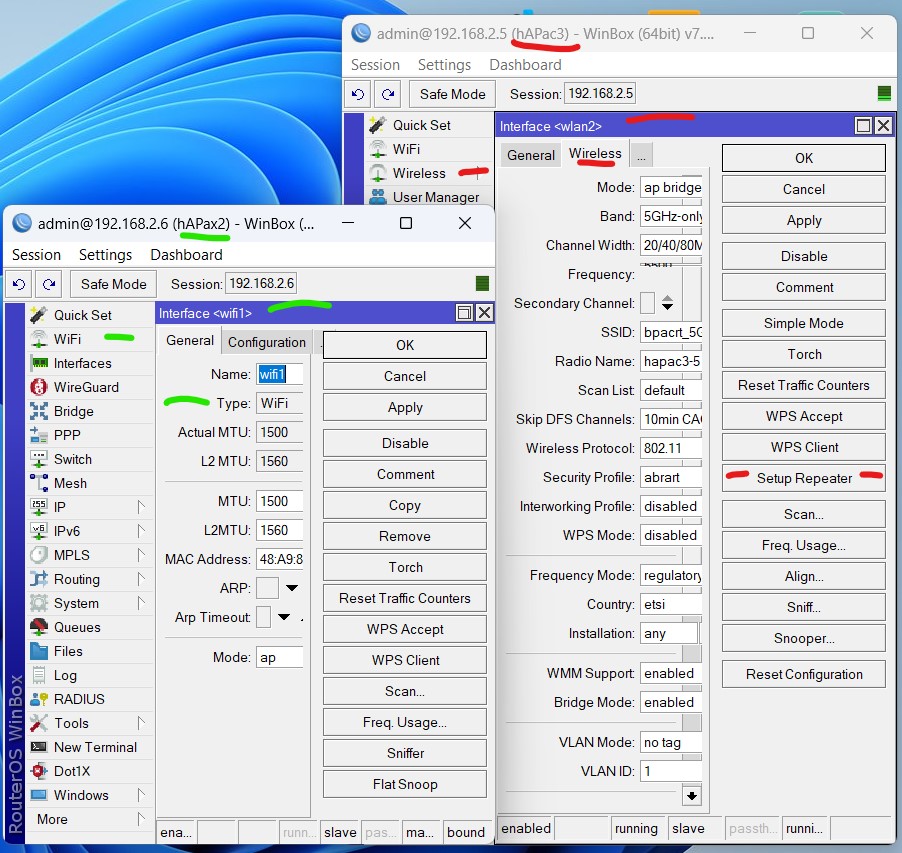
WLAN driver (wireless) and wifi driver (wifi) are quite different. !!!
You read the wireless documentation, but have wifi installation (ax is only wifi, cannot run older wireless software for it’s interfaces)
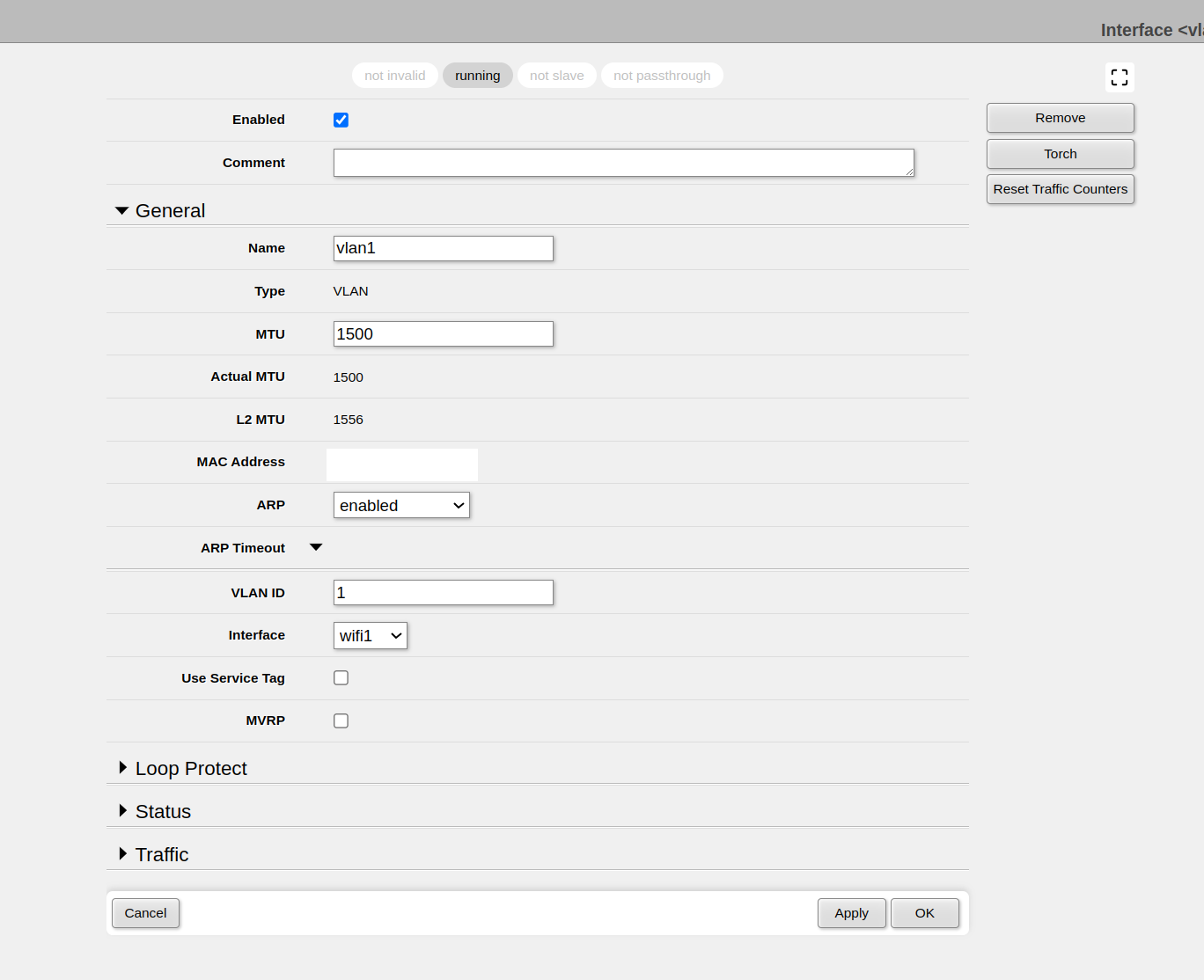
VLAN is not WLAN !
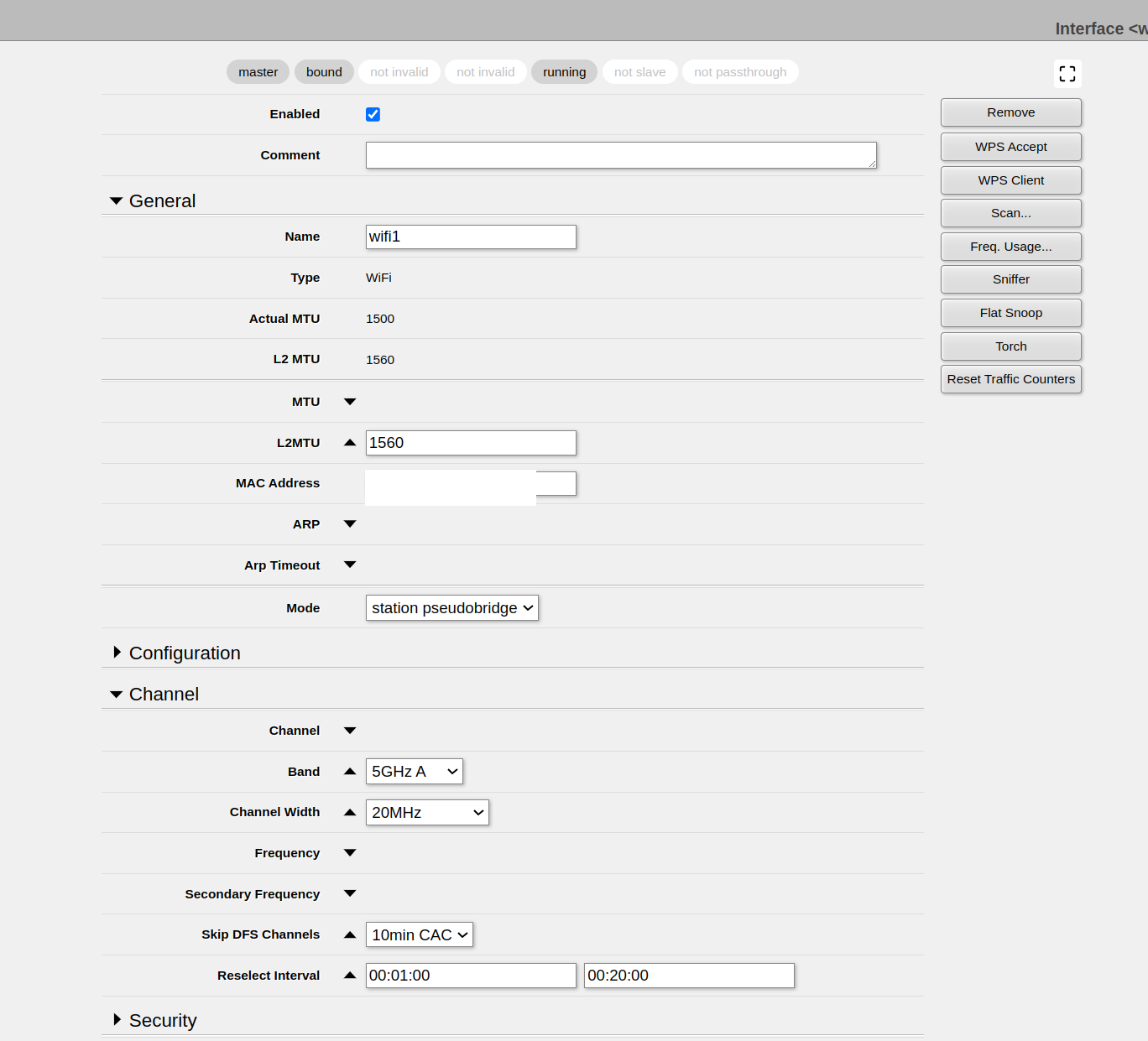
Aha , I see now, … wifi has also “station pseudobridge” . “Repeater Setup” button is available with the WLAN interface, but I don’t know if it exists for the wifi interface.
hAPax2 is wifi only (ax hardware)
hAPac3 can either load wifi or wireless drivers.(ac hardware) Here it is loaded with the wireless drivers (WLAN interfaces)
Could you please clarify the steps for me? Is there a guide I could follow? I attempted to follow your instructions, but I may have misunderstood some parts. Would you be able to point me to a guide or explain what I need to configure?
I’m currently having trouble finding the option to set up a VLAN. I understand that enabling VLAN and turning on repeater mode might seem simple from your perspective, but I’m not sure where to start. Could you kindly provide more detailed instructions?
I’ve attached some screenshots, but I’m struggling to locate the WLAN interface. I also tried installing the ‘wireless’ package as you suggested, but it seems incompatible with the ax3. Any help would be greatly appreciated.
WLAN package is indeed incompatible with ax hardware. So you have no WLAN possibility.
VLAN is nowhere part of this simple repeater setup.
You will have to do it with “wifi” interfaces. (No WLAN and no VLAN)
I’m not a regular wifi user, but a WLAN user.
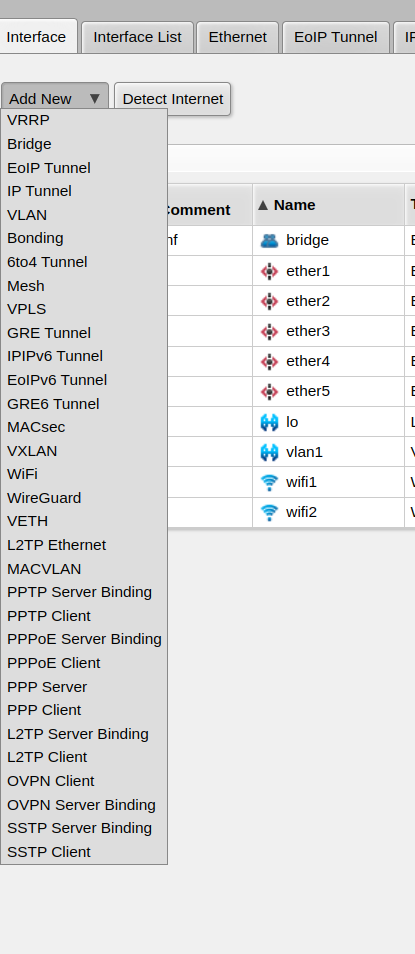
So had to look where that virtual wifi interface could be found.
It’s probably is just adding an extra wifi interface, with a master interface set (wifi1 or wifi2 are mostly the 5GHz and 2.4GHz interfaces, to be used as “master”)
Yeah, I did that I can create new WiFi interface but that on it’s own doesn’t repeat the signal, hence me asking for detailed guide. I have setup wifi interface 3, gave it SSID, Reselect Interval, how do I make it repeat the signal from other SSID?
I’ve put wifi 1 master as the pseudo bridge and wifi 3 WLAN as station bridge. Where do I need to put the MAC address or SSID or any other details of the network I am trying to propagate?
Create a bridge (if there is none already), and add wifi1 and wifi3 to that bridge as bridge ports.
Normally wifi1 and wifi2 are already ports on a bridge, then just add wifi3 as port
Set wifi3 up as any normal AP with SSID (MAC, no need to set, will come automatic)
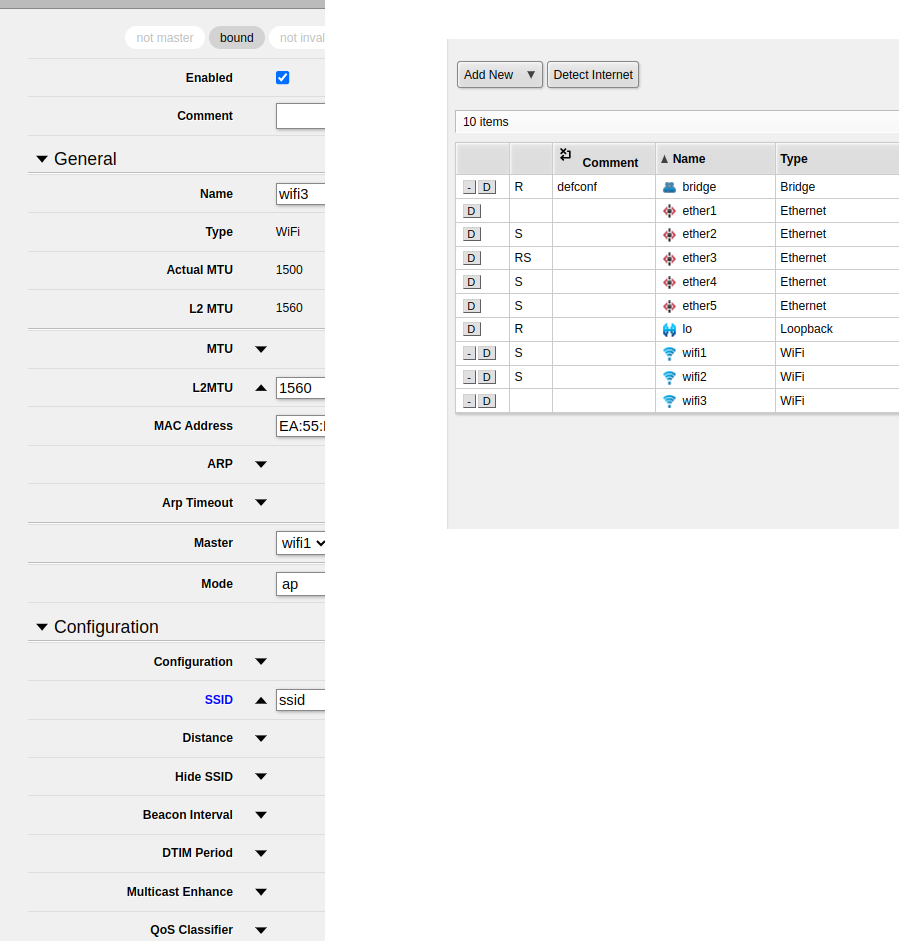
Caution: wifi1 has mode “station pseudobridge”, wifi3 has mode “ap” and master “wifi1”. Your screenshot above is the reverse however!
wifi3 will wait untill wifi1 is connected (active) , because that sets the correct channel for wifi1.
(wifi3 has no channel selection, it takes the master settings)
Create a bridge (if there is none already), and add wifi1 and wifi3 to that bridge as bridge ports.
Normally wifi1 and wifi2 are already ports on a bridge, then just add wifi3 as port
Set wifi3 up as any normal AP with SSID (MAC, no need to set, will come automatic)
Thank you for your patience, I tried following the steps you’ve mentioned, does the screenshot looks correct? Maybe I should export the config or specific part of it? Now I assume I would have to connect wifi1 to the other SSID I am planning to connect to? My other SSID has no WPS functionality but it’s also open network so no password needed.