We have the Dude running on a windows PC and want to back it up in case of Pc failure. How do I go about backing it up so I can restore it later?
Thanks
We have the Dude running on a windows PC and want to back it up in case of Pc failure. How do I go about backing it up so I can restore it later?
Thanks
In terminal (CLI) …
DUDE
dude export
dude export-db
dude import-db
So, i went to the windows command prompt, went to the dude folder and ran the command you said. It flashed the screen but I’m not sure if it backup up anything and if so, where did it place it? Very new to the Dude and all of this.
Thanks
It is in Routeros terminal.
" Dude > export ?
" dude > export file=flash/myfilename"
“Dude > export_db=flash/mydbfilename”
RouterOS terminal via SSH , WinBox or browser … to RouterOS device or VM (CHR) with DUDE server. (It is not in the DUDE client on the PC !)
.E.G. browser.
.
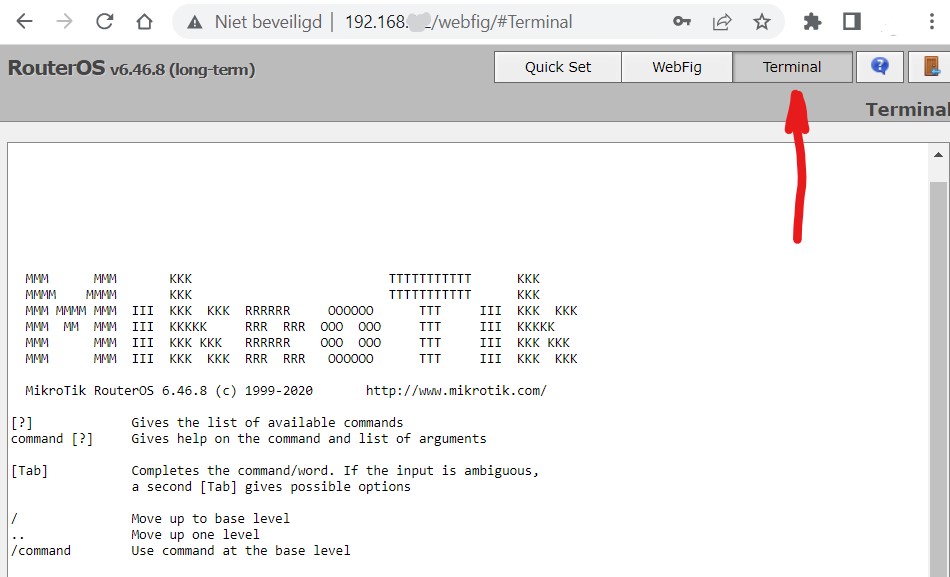
You mean that you run Dude v3/v4 server on Windows? Can you please specify your Dude version.
We are running Dude version 6.45.8 on a Windows 7 PC.
It means that you are running Dude v6 Server on ROS and Dude v6 Client on Windows 7 PC - Manual:The Dude v6/Installation.
And solution posted above is right for your case.
For more automated way, you may consider to look at Dude v6 - Backup locally and Dude v6 - Backup to FTP.