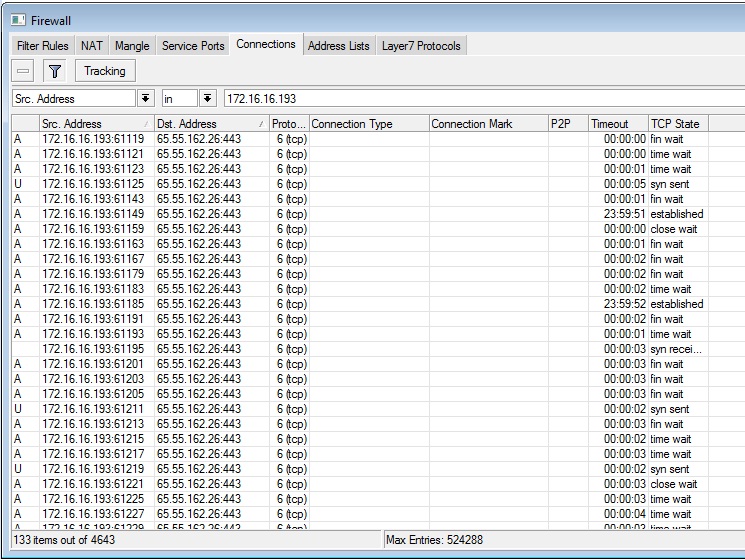
Some times RB1000 cpu usage is increases 100% during whole day. I found a reason. Some unauthorized DHCP clients PC tries to create over 100 same SSL connections. I can find those connections from /ip firewall connection print, then I can block client MAC address. But that is too manual way to find that attackers. Please see the below ScrnShot.
I tried to catch those packets and connections by firewall mangle and filter rules, but it not successful.
How can I reject those packets or add those attackers to address list or create script, that print /ip firewall connections then analyze and find same src-address, dst-address SSL connections over 50 then to add src-address to address list?
It doesn`t work. I think, maybe this connection limit is only for established or new connection. Those attackers connection is not established and just try to establish.
Now I think only one way to solve it. Find from connection list and catch IP address then block it temporary.
Please help me to create script for it.
/ip firewall connection find src-address, if dst-address-port=0.0.0.0/0:443, connection-count>70
Then need to add this src-address to address-list=BadIP time-out=00:10:00
The firewall filter rule would probably work fine. You are using the ‘input’ chain, which is for traffic destined directly to the router. Unless that destination IP is on a router interface that obviously won’t work. Try the ‘forward’ chain instead.
If you have found the right chain then try to restricting all https traffic from one host to say about 20 connections?
Skip adding them to a list just drop them.
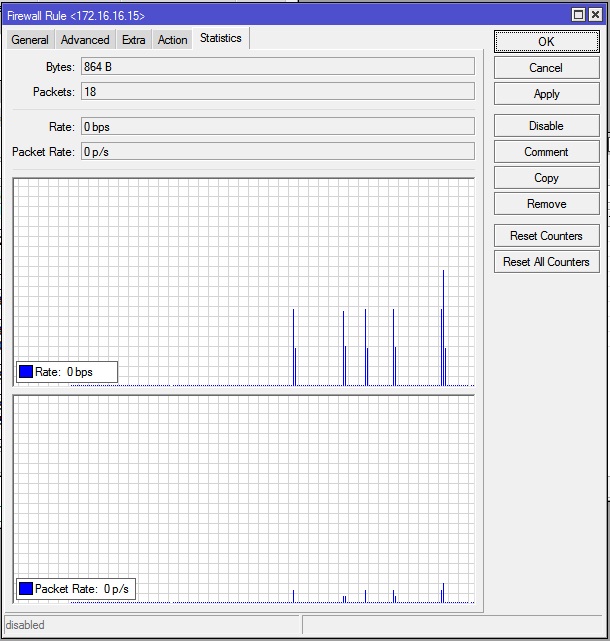
Yes, But most interesting of those traffics is “forward” chain cant catch it. Only "hs-unauth" chain can catch not authorized tcp connection tries, but not stable (see the screenshot). Okay, it doesnt work stable but works. Then next step is try to catch any tcp 443. Woow. But can`t. Just no traffic catch. But bad connections still in firewall connections and CPU load 100%.
Can you please show us your rules and also point out where the packets hit.
That way we might be able to construct a rule in the right order that will help.
Also is there any known similarity between the attacks? The same dest-ip or just https?
I found the reason, As you know when using Hotspot service, it creates dynamic Filter and NAT rules. One of them is:
14 D chain=hs-unauth action=redirect to-ports=64875 protocol=tcp dst-port=443
So some applications (maybe bad applications) installed on user PC tries to establish HTTPS connection every moment and RouterOS redirects all those requests to port 64875 (hotspot login page). Therefor CPU usage increases 100%. When user logged in, it stops. Or when I remove this NAT rule, it stops. But without this rule, can`t redirect HTTPS request to login page.
Now I removed this dynamic rule (because can`t change dynamic rules) and added new one like that but changed connection limit:
Don’t delete the dynamic rules. You are breaking your Hotspot. You should delete the Hotspot instance and recreate it to get the rule back. Never touch the dynamic rules.
Woow Thanks fewi, it is very very useful document for me. Ill try using pre-hotspot chain. But I think, I can delete all dynamic rule and create those rules manually. But its very bad when router restarts and hotspot creates dynamic rules again.