I have a script/function for sending messages to Telegram. It generally works well, but if I try to send more than 2 messages in a row from a third-party script, a phantom empty message appears. This only happens between the 2nd and 3rd messages. After the third message, there can be a couple dozen more, and no more phantom messages appear. This issue only occurs when sending from a single third-party script. If I place the sending logic within the script containing the function, this problem doesn’t happen. For now, I’ve come up with a few workarounds to deal with this phantom message: 1. Add a check for empty messages in the function. 2. Create some kind of wrapper when sending messages from a third-party script. Here is the text of my script with the message-sending function:
I apologize. I respect you very much, you have done a lot for the forum, but I don't write code often. I understand that there may be an easier way to send a message, but I don't know it and do it the way I know how/invented. Could you please tell me how to do it easier and more correctly? Or give me a link to the correct option, because what I found is at least based on GET requests, which in my opinion is not correct.
Yes, progress does not stand still. I will try to update and test, but at first glance the risk of phantom messages remains. But I will try and write. The main thing is to update without problems )))
It's a pity that you don't use Telegram. And you're right, there are many topics on the forum about Telegram bots. But they all have their downsides. For example, tech support suggested using a script from Christian Hesse. With all due respect to the man's work, his version of the script suffers from many downsides. First of all, the complexity of installation and configuration. Too many dependencies. It's like if I wanted to drive a certain brand of car, I would have to make a separate road for it or even set up my own traffic police. In addition, in the version proposed by tech support, a string is sent to Telegram, not JSON. And in my version, I send JSON. Which is more correct according to the standard. So far, I have not met Telegram bots for Mikrotik that would send JSON. I'm not even talking about the backup in case the power goes out. In Hesseth's script, the deferred messages in the queue will disappear, but I made it so that they don't disappear. There are other differences. So not always, when it seems to you that a person wants to add 2 + 2 and get 4, he really wants it. For 2 + 2, the script of the same Heseth will do. But I want more.
Thanks for the advice. I was wrong with the first glance. The proposed version does not have such a problem. But there are a lot of others. But thanks anyway. Now I know that Mikrotik already has some ways to work with JSON. And now I have something to look at to finish what I want.
Probably this version is still subject to the same problem, only apparently it has filters for such situations. But I can be wrong about the filters, because sometimes phantom messages slip through in Hesse’s script. And it seems to be a problem (BUG) of Mikrotik. And here is a simple test for this.
Run this code and see if there are gaps or not.
I get the same result no matter how many experiments I do.
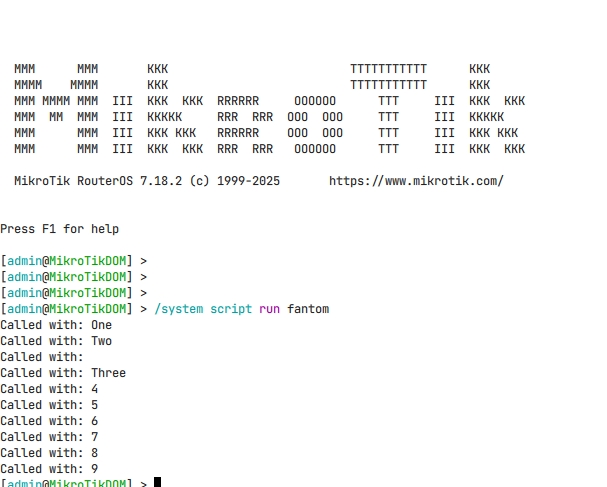
/system script run fantom
Called with: One
Called with: Two
Called with:
Called with: Three
Called with: 4
Called with: 5
Called with: 6
Called with: 7
Called with: 8
Called with: 9
You are not telling us the truth.
Only that line cannot give that result.
I have already seen errors on the second run, they depend on syntax errors made previously, but if you only show that line, no one can help you… or not?
[rex@test] > :global testFunc do={ :put “Called with: $1” }
[rex@test] > [$testFunc “One”]
Called with: One
[rex@test] > [$testFunc “Two”]
Called with: Two
[rex@test] > [$testFunc “Three”]
Called with: Three
[rex@test] >
[rex@test] > {
{… :global testFunc do={ :put “Called with: $1” }
{… [$testFunc “One”]
{… [$testFunc “Two”]
{… [$testFunc “Three”]
{… }
Called with: One
Called with: Two
Called with:
Called with: Three
[rex@test] >
[rex@test] >
Error: double execution on 2nd run, like another 2nd run without parameters.
[rex@test] > :global testFunc do={ :return “Called with: $1” }
[rex@test] > {
{… :put [$testFunc “One”]
{… :put [$testFunc “Two”]
{… :put [$testFunc “Three”]
{… }
Called with: One
Called with: Two
Called with: Three
[rex@test] >
[rex@test] > :global testFunc “nothing, just for example”
[rex@test] > {
{… :set testFunc do={ :return “Called with: $1” }
{… :put [$testFunc “One”]
{… :put [$testFunc “Two”]
{… :put [$testFunc “Three”]
{… }
Called with: One
Called with: Two
Called with: Three
[rex@test] >
The three rules for prevent that error are very simple, one mandatory, the other almost, the last one depends:
:global should never be created inside any parenthesis or any subscript called inside parenthesis (updated is not the same as created)
always use :return at the end of a function, “” suffice, and avoid empty :return for exit prematurely from a function.
if is present something in function like :if (x) do={:return y} else={:return z}, this rule obviously is not applied.
do not use “do { }” to completely enclose a script or similar bulls–t.
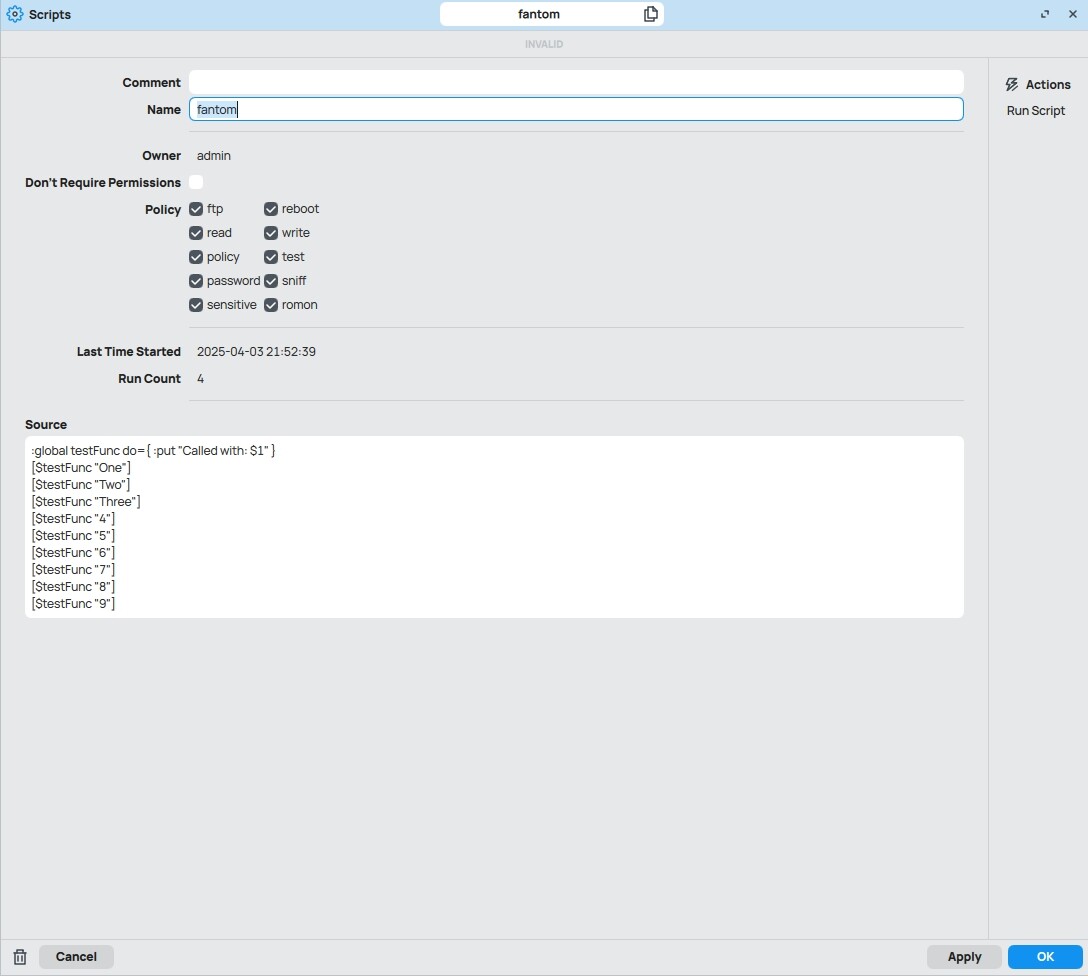
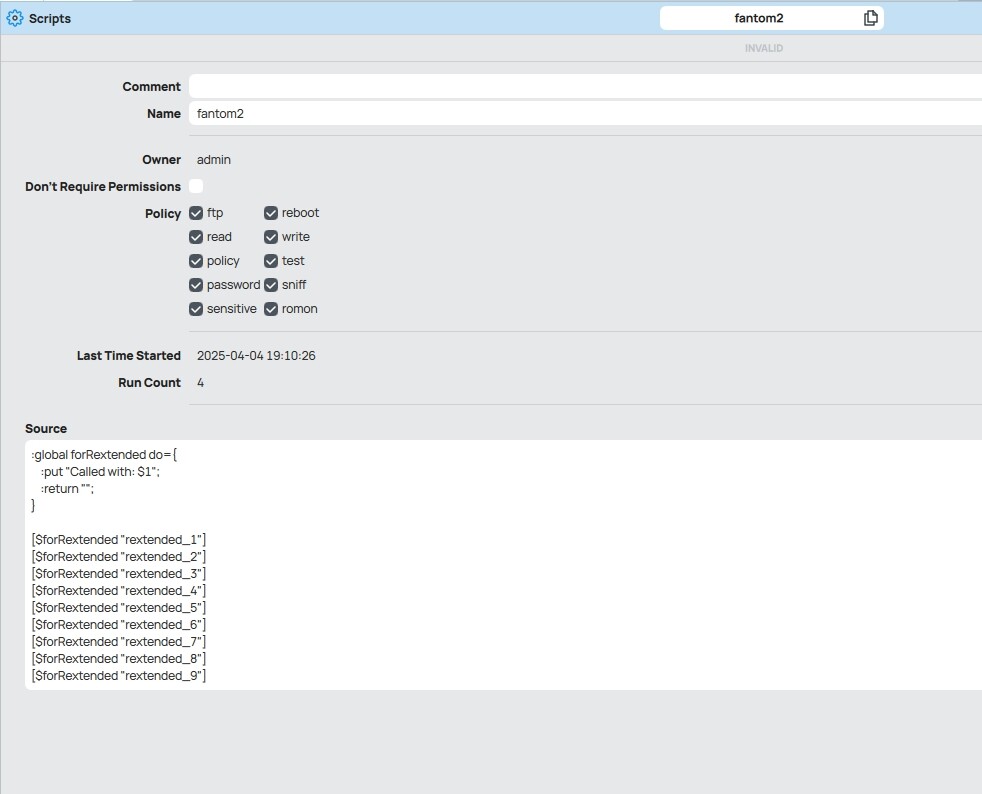
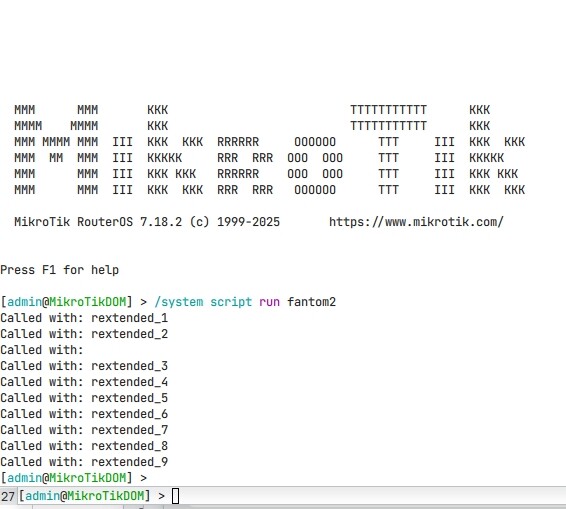
The only thing I hid was not showing the entire code, considering that the call in the script is repeated further and there is no point in it. To make it clearer, here are the screenshots. And I want to say that I apply your rules, but it looks more like fighting symptoms, not the disease. Maybe I'm wrong, unfortunately, this week has been very busy and there is no time to delve into your examples.
Did I understand correctly how the function should be formatted? Or am I doing something wrong again? I don't understand how the function, the "do" block, can't be wrapped in curly brackets "{}"
I apologize for using your nickname in the function, but I wanted to make it clear that I don't have anything like that hanging in my global variables.
/system script
add dont-require-permissions=no name=script1 owner=admin policy=
ftp,reboot,read,write,policy,test,password,sniff,sensitive,romon source=":glo
bal echo do={\r
\n :put "Called with: $1"\r
\n :return ""\r
\n}\r
\n[$echo "A"]\r
\n[$echo "B"]\r
\n[$echo "C"]\r
\n[$echo "D"]\r
\n[$echo "E"]\r
\n[$echo "F"]\r
\n"
[rex@test-v7] /system/script> run script1
Called with: A
Called with: B
Called with:
Called with: C
Called with: D
Called with: E
Called with: F
[rex@test-v7] /system/script> export
2025-04-04 17:46:40 by RouterOS 7.16.2
software id = CHR
/system script
add dont-require-permissions=no name=script1 owner=admin
policy="ftp,reboot,read,write,policy,test,password,sniff,sen
sitive,romon" source=":global echo do={\r
\n :return "Called with: $1"\r
\n}\r
\n:put [$echo "A"]\r
\n:put [$echo "B"]\r
\n:put [$echo "C"]\r
\n:put [$echo "D"]\r
\n:put [$echo "E"]\r
\n:put [$echo "F"]\r
\n"
[rex@test-v7] /system/script> run script1
Called with: A
Called with: B
Called with: C
Called with: D
Called with: E
Called with: F
[rex@test-v7] /system/script>
Rex answered you.
This is a long-known bug of RouterOS, which I described, for example, here https://habr.com/ru/articles/646663/. It concerns not your function for Telegram, but all functions in general. If you call any function twice in a row (without assigning a result), it will be executed three times! You can check it yourself on any of your functions. A simple check in the function body fixes the problem: :if ([$len $0]!=0) do={ }.
Am I missing something or why just not call function without placing it in square brackets [$echo “”] and there is no issue with return value if called multiple times?
:local echo do={
  :put "Called with: $1"
  <also can be here useless return>
}
$echo "A"
$echo "B"
$echo "C"
$echo "D"
$echo "E"
$echo "F"

> /system/script/run script1
Called with: A
Called with: B
Called with: C
Called with: D
Called with: E
Called with: F
or some combination like this:
:local echo do={
  :return "Called with: $1"
}
:put [$echo "A"]
$echo
:put [$echo "B"]
$echo 1
:put [$echo "C"]
$echo "something"
:put [$echo "D"]
$echo nil
:put [$echo "E"]
$echo [:nothing]
:put [$echo "F"]

> /system/script/run script1
Called with: A
Called with: B
Called with: C
Called with: D
Called with: E
Called with: F
Anyway, calling function inside square brackets should be used only when return value is handled…
Honestly, I’m tired of writing the same thing a hundred times everywhere on the forum.
Make do.
I’m tired of always having to prove everything and that people constantly try to refute (even writing wrong things before even checking them, like the post before yours).
If you’re so good at trying endlessly to disprove the obvious, you also know how to make your own scripts.
Regarding useless return placeholder, I was just trying to point out that it doesn’t make affect on producing “bug” even if exists for some reason when function is called without square brackets, not related to your example.