after upgrading the os of 133 to 3.x i cant find the wireless interface button to configure the wireless card
what do u think the problem is?
You are in “Simple Mode” by default which hides many options. On the wireless tab press the “Advanced Mode” button.
Tom
sorry i cant find the button at all
and if i use the command line its the same not that it comes up and i cant configure it
it not there at all
is the card appears in the interface list?
no. this is how the winbox look like
winboainterface.docx (108 KB)
What model radio card are you using? Perhaps they dropped support in RouterOS version 3.x.
Tom
i have tried various cards but they dont work
cm9
r52
r5
ubiqut
they all dont work on the card
I’m guessing you haven’t installed the wireless Mikrotik package when upgrading… Go to System > Packages and check if it’s there. If it’s not, download it from mikrotik.com, copy it to your file list and reboot the router to install it so you can get your card properly recognized.
can u please give me the exact file name?
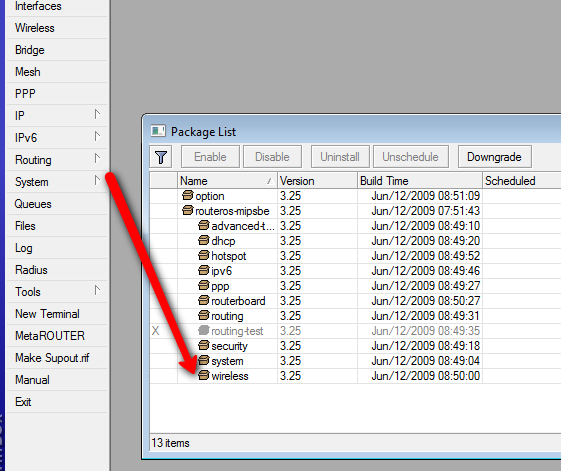
if i put this file in the file list and reboot the rb nothing happens.
what version of RouterOS do you use? make sure to put the SAME VERSION package and it must be the MIPS-LE type (as you have RB133). For example if you use v3.25 this package is needed:
its still the same
ah sorry i just saw that the version of the OS is 3.13
can i please have the link for this version?
it’s easier to upgrade your router, just install this package and everything will be there, including wireless:
wow finally it worked and the 133 rb is back in good shape
i will go up the tower and install it
then i will be ready to share this experience in the forum
Thanks very much 