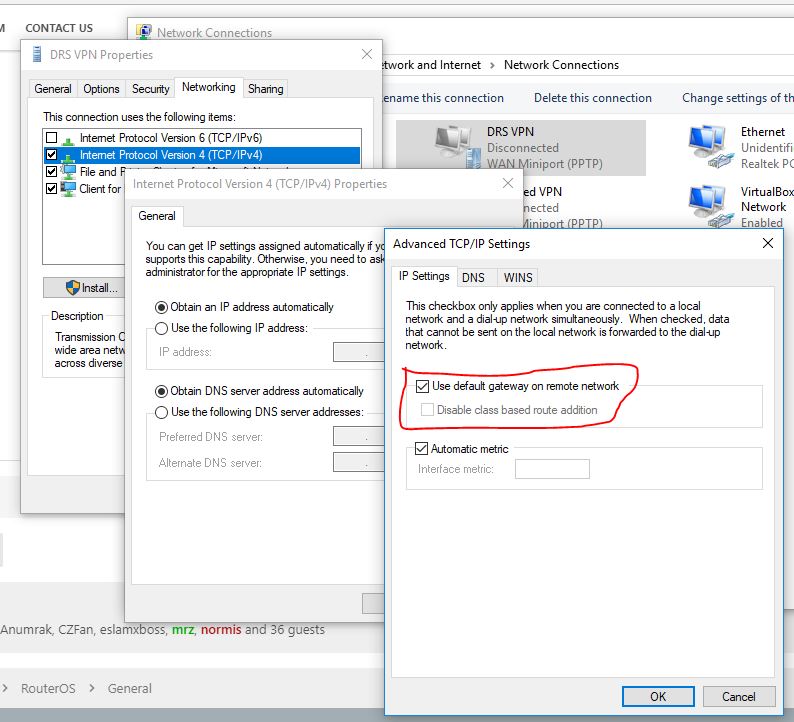
Hello All
/interface ethernet
set [ find default-name=ether10 ] arp=proxy-arp name=LAN
set [ find default-name=ether1 ] name=WAN1
set [ find default-name=ether2 ] name=WAN2
set [ find default-name=ether3 ] name=WAN3
set [ find default-name=ether4 ] name=WAN4

/ip pool
add name=dhcp_pool1 ranges=10.0.0.2-10.0.0.254

/ip dhcp-server
add address-pool=dhcp_pool1 authoritative=after-2sec-delay disabled=no \
    interface=LAN lease-time=1w name=dhcp1

/ppp profile
add dns-server=8.8.8.8,8.8.4.4 idle-timeout=1h local-address=10.0.0.1 name=\
    VPN_Profile remote-address=dhcp_pool1

/interface pptp-server server
set enabled=yes

/ip address
add address=192.168.0.2/24 interface=WAN1 network=192.168.0.0
add address=192.168.2.2/24 interface=WAN2 network=192.168.2.0
add address=192.168.3.2/24 interface=WAN3 network=192.168.3.0
add address=192.168.4.2/24 interface=WAN4 network=192.168.4.0
add address=10.0.0.1/16 interface=LAN network=10.0.0.0

/ip dhcp-server network
add address=10.0.0.0/16 dns-server=8.8.8.8,8.8.4.4 gateway=10.0.0.1

/ip firewall mangle
add action=accept chain=prerouting disabled=yes dst-address=\
    192.168.0.0-192.168.4.255 in-interface=LAN
add action=mark-connection chain=prerouting connection-mark=no-mark \
    dst-address-type=!local in-interface=LAN new-connection-mark=ISP1_conn \
    passthrough=yes per-connection-classifier=both-addresses-and-ports:4/0
add action=mark-connection chain=prerouting connection-mark=no-mark \
    dst-address-type=!local in-interface=LAN new-connection-mark=ISP2_conn \
    passthrough=yes per-connection-classifier=both-addresses-and-ports:4/1
add action=mark-connection chain=prerouting connection-mark=no-mark \
    dst-address-type=!local in-interface=LAN new-connection-mark=ISP3_conn \
    passthrough=yes per-connection-classifier=both-addresses-and-ports:4/2
add action=mark-connection chain=prerouting connection-mark=no-mark \
    dst-address-type=!local in-interface=LAN new-connection-mark=ISP4_conn \
    passthrough=yes per-connection-classifier=both-addresses-and-ports:4/3
add action=mark-routing chain=prerouting connection-mark=ISP1_conn \
    in-interface=LAN new-routing-mark=to_ISP1
add action=mark-routing chain=prerouting connection-mark=ISP2_conn \
    in-interface=LAN new-routing-mark=to_ISP2
add action=mark-routing chain=prerouting connection-mark=ISP3_conn \
    in-interface=LAN new-routing-mark=to_ISP3
add action=mark-routing chain=prerouting connection-mark=ISP4_conn \
    in-interface=LAN new-routing-mark=to_ISP4
add action=mark-connection chain=prerouting connection-state=new \
    in-interface=WAN1 new-connection-mark=ISP1_conn passthrough=no
add action=mark-connection chain=prerouting connection-state=new \
    in-interface=WAN2 new-connection-mark=ISP2_conn passthrough=no
add action=mark-connection chain=prerouting connection-state=new \
    in-interface=WAN3 new-connection-mark=ISP3_conn passthrough=no
add action=mark-connection chain=prerouting connection-state=new \
    in-interface=WAN4 new-connection-mark=ISP4_conn passthrough=no
add action=mark-routing chain=output connection-mark=ISP1_conn \
    new-routing-mark=to_ISP1 passthrough=no
add action=mark-routing chain=output connection-mark=ISP2_conn \
    new-routing-mark=to_ISP2 passthrough=no
add action=mark-routing chain=output connection-mark=ISP3_conn \
    new-routing-mark=to_ISP3 passthrough=no
add action=mark-routing chain=output connection-mark=ISP4_conn \
    new-routing-mark=to_ISP4 passthrough=no

/ip firewall nat
add action=masquerade chain=srcnat out-interface=WAN1
add action=masquerade chain=srcnat out-interface=WAN2
add action=masquerade chain=srcnat out-interface=WAN3
add action=masquerade chain=srcnat out-interface=WAN4

/ip route
add check-gateway=ping distance=1 gateway=192.168.0.1 routing-mark=to_ISP1
add check-gateway=ping distance=1 gateway=192.168.2.1 routing-mark=to_ISP2
add check-gateway=ping distance=1 gateway=192.168.3.1 routing-mark=to_ISP3
add check-gateway=ping distance=1 gateway=192.168.4.1 routing-mark=to_ISP4
add check-gateway=ping distance=1 gateway=192.168.0.1
add check-gateway=ping distance=2 gateway=192.168.2.1
add check-gateway=ping distance=3 gateway=192.168.3.1
add check-gateway=ping distance=4 gateway=192.168.4.1

/ppp secret
add local-address=10.0.0.1 name=eslam password=123123 profile=VPN_Profile \
    service=pptp
You won’t recieve IP from dhcp server. ROS can’t do such thing. What route do you have on pptp client to reach 10.0.0.0/16? And what IP addresses your LAN devices have?
I receive IP from DHCP server: 10.0.0.2
/ip route
add check-gateway=ping distance=1 gateway=192.168.0.1 routing-mark=to_ISP1
add check-gateway=ping distance=1 gateway=192.168.2.1 routing-mark=to_ISP2
add check-gateway=ping distance=1 gateway=192.168.3.1 routing-mark=to_ISP3
add check-gateway=ping distance=1 gateway=192.168.4.1 routing-mark=to_ISP4
add check-gateway=ping distance=1 gateway=192.168.0.1
add check-gateway=ping distance=2 gateway=192.168.2.1
add check-gateway=ping distance=3 gateway=192.168.3.1
add check-gateway=ping distance=4 gateway=192.168.4.1
LAN Adress: 10.0.0.0/16
I receive IP from DHCP server: 10.0.0.2
/ip route
add check-gateway=ping distance=1 gateway=192.168.0.1 routing-mark=to_ISP1
add check-gateway=ping distance=1 gateway=192.168.2.1 routing-mark=to_ISP2
add check-gateway=ping distance=1 gateway=192.168.3.1 routing-mark=to_ISP3
add check-gateway=ping distance=1 gateway=192.168.4.1 routing-mark=to_ISP4
add check-gateway=ping distance=1 gateway=192.168.0.1
add check-gateway=ping distance=2 gateway=192.168.2.1
add check-gateway=ping distance=3 gateway=192.168.3.1
add check-gateway=ping distance=4 gateway=192.168.4.1
LAN Adress: 10.0.0.0/16
10.0.0.2 is IP from pool, but it’s not mean dhcp server gave that to you. You using ptp protocol. DHCP server not working that way on Router OS. Do you see an active lease in dhcp-server tab?
This is a routing table from you pptp server(Tik). And I need to see routing table in your device which connects to Tik.
Do you see an active lease in dhcp-server tab? No
 #      DST-ADDRESS        PREF-SRC        GATEWAY            DISTANCE
 0 A S  0.0.0.0/0                          192.168.0.1               1
 1 A S  0.0.0.0/0                          192.168.2.1               1
 2 A S  0.0.0.0/0                          192.168.3.1               1
 3 A S  0.0.0.0/0                          192.168.4.1               1
 4 A S  0.0.0.0/0                          192.168.0.1               1
 5   S  0.0.0.0/0                          192.168.2.1               2
 6   S  0.0.0.0/0                          192.168.3.1               3
 7   S  0.0.0.0/0                          192.168.4.1               4
 8 ADC  10.0.0.0/16        10.0.0.1        LAN                       0
 9 ADC  192.168.0.0/24     192.168.0.2     WAN1                      0
10 ADC  192.168.2.0/24     192.168.2.2     WAN2                      0
11 ADC  192.168.3.0/24     192.168.3.2     WAN3                      0
12 ADC  192.168.4.0/24     192.168.4.2     WAN4                      0
C:\Users\eslam>route print
===========================================================================
Interface List
 16...00 23 24 7e e2 7d ......Intel(R) Ethernet Connection I217-LM
 30...........................Mega
  9...00 ac 32 ff 06 3d ......VPN Client Adapter - VPN
  1...........................Software Loopback Interface 1
===========================================================================

IPv4 Route Table
===========================================================================
Active Routes:
Network Destination        Netmask          Gateway       Interface  Metric
          0.0.0.0          0.0.0.0       172.16.0.1     172.16.0.110   4250
          0.0.0.0          0.0.0.0         On-link          10.0.0.2     26
         10.0.0.2  255.255.255.255         On-link          10.0.0.2    281
     41.49.42.38  255.255.255.255       172.16.0.1     172.16.0.110   4251
        127.0.0.0        255.0.0.0         On-link         127.0.0.1   4556
        127.0.0.1  255.255.255.255         On-link         127.0.0.1   4556
  127.255.255.255  255.255.255.255         On-link         127.0.0.1   4556
       172.16.0.0    255.255.252.0         On-link      172.16.0.110   4506
     172.16.0.110  255.255.255.255         On-link      172.16.0.110   4506
     172.16.3.255  255.255.255.255         On-link      172.16.0.110   4506
        224.0.0.0        240.0.0.0         On-link         127.0.0.1   4556
        224.0.0.0        240.0.0.0         On-link      172.16.0.110   4506
        224.0.0.0        240.0.0.0         On-link          10.0.0.2     26
  255.255.255.255  255.255.255.255         On-link         127.0.0.1   4556
  255.255.255.255  255.255.255.255         On-link      172.16.0.110   4506
  255.255.255.255  255.255.255.255         On-link          10.0.0.2    281
===========================================================================
Persistent Routes:
  None

IPv6 Route Table
===========================================================================
Active Routes:
 If Metric Network Destination      Gateway
  1    331 ::1/128                  On-link
 16    281 fe80::/64                On-link
 16    281 fe80::2889:aa16:c350:989d/128
                                    On-link
  1    331 ff00::/8                 On-link
 16    281 ff00::/8                 On-link
===========================================================================
Persistent Routes:
  None
Do traceroute from PC to 8.8.8.8.
C:\Users\eslam>tracert 8.8.8.8

Tracing route to google-public-dns-a.google.com [8.8.8.8]
over a maximum of 30 hops:

  1    37 ms    30 ms    32 ms  10.0.0.1
  2    29 ms    30 ms    29 ms  192.168.0.1
  3    84 ms     *       87 ms  10.45.5.65
  4   153 ms   129 ms    75 ms  10.36.13.65
  5    86 ms    90 ms    94 ms  10.37.89.249
  6    72 ms    96 ms   105 ms  10.36.11.14
  7    55 ms    54 ms    52 ms  10.37.87.158
  8    52 ms    56 ms    52 ms  10.37.32.170
  9    53 ms    54 ms    60 ms  host-163.121.219.170.tedata.net
 10    54 ms    89 ms    58 ms  10.37.32.173
 11    50 ms    51 ms    73 ms  10.37.87.145
 12    87 ms    73 ms    71 ms  10.37.85.101
 13   112 ms   102 ms    99 ms  72.14.205.68
 14   146 ms   118 ms   115 ms  108.170.252.225
 15     *      110 ms   168 ms  216.239.35.197
 16    80 ms    83 ms    80 ms  google-public-dns-a.google.com [8.8.8.8]

Trace complete.
C:\Users\eslam>tracert 8.8.8.8

Tracing route to google-public-dns-a.google.com [8.8.8.8]
over a maximum of 30 hops:

  1    37 ms    30 ms    32 ms  10.0.0.1
  2    29 ms    30 ms    29 ms  192.168.0.1
  3    84 ms     *       87 ms  10.45.5.65
  4   153 ms   129 ms    75 ms  10.36.13.65
  5    86 ms    90 ms    94 ms  10.37.89.249
  6    72 ms    96 ms   105 ms  10.36.11.14
  7    55 ms    54 ms    52 ms  10.37.87.158
  8    52 ms    56 ms    52 ms  10.37.32.170
  9    53 ms    54 ms    60 ms  host-163.121.219.170.tedata.net
 10    54 ms    89 ms    58 ms  10.37.32.173
 11    50 ms    51 ms    73 ms  10.37.87.145
 12    87 ms    73 ms    71 ms  10.37.85.101
 13   112 ms   102 ms    99 ms  72.14.205.68
 14   146 ms   118 ms   115 ms  108.170.252.225
 15     *      110 ms   168 ms  216.239.35.197
 16    80 ms    83 ms    80 ms  google-public-dns-a.google.com [8.8.8.8]

Trace complete.
Okay, seems you going through the tunnel. Look for firewall settings on 10.0.0.211 or Tik filter for forwarding. Try to ping another device in home LAN.
In LAN working
I mean ping from vpn PC another LAN device. Aka 10.0.0.145 or whatever you have.
He done it
I cant ping from VPN to any device in LAN
Can LAN device ping vpn PC? 10.0.0.2.
Your logic is more adapted for L2 VPN. And you have here L3 vpn with ppp base. You already have LAN on Tik with 10.0.0.0/16. Make in ppp profile local address 10.10.10.1 and remote from pool 10.10.10.2-10.10.10.255.
Show traceroute from 10.10.10.2 to 10.0.0.211.
Tracing route to 10.0.0.211 over a maximum of 30 hops

  1    29 ms    29 ms    30 ms  10.0.0.1
  2     *        *        *     Request timed out.
  3     *        *        *     Request timed out.