CAP ac bad Antenna design?

Most users in this forum are experiencing the same issue.
A don’t say that all cAP ACs are bad, I think this is a great product.
But I ordered 2, tried every wireless config possibility, and can’t get normal throughput.

If someone has a working wireless config with 6.42rc, please post it.

We will check your device, but please contact support with supout.rif file.

Here is another topic with good results from other people, so saying “most” is not correct:
http://forum.mikrotik.com/t/mikrotik-cap-ac-performance-review/117477/1

Ticket#2018032022003899

I’ve got pretty decent results on my iPhone X over cAP AC. What is interesting for me, my iPhone is connected on 433Mbps link speed. Why not 866 if I got both chains enabled ?

Greg
IMG_7251 2.jpg

That other thread starts out with the exact throughput I had.

Hi,

This is your max net speed?
Can you post your wireless config?
Mikrotik SW version?

Thanks!

Those who have good transfers are You using a capsman or standalone AP?

Eventually my iPhone X negotiated 866Mbps with my cAP AC and works flawlessly.

My SW ver and wireless configuration:

-- CUT HERE --

mar/26/2018 11:30:07 by RouterOS 6.42rc49

software id = M86M-TALT

model = RouterBOARD cAP Gi-5acD2nD

serial number = XXXXXXXXXXX

/interface wireless security-profiles
set [ find default=yes ] supplicant-identity=MikroTik
add authentication-types=wpa2-psk management-protection=allowed mode=dynamic-keys name=pass_profile supplicant-identity=MikroTik wpa2-pre-shared-key=#########
/interface wireless
set [ find default-name=wlan1 ] band=2ghz-b/g/n channel-width=20/40mhz-Ce disabled=no distance=indoors frequency=auto mode=ap-bridge security-profile=pass_profile ssid="MYNET 2.4GHz"
wireless-protocol=802.11 wmm-support=enabled
set [ find default-name=wlan2 ] antenna-gain=3 band=5ghz-a/n/ac channel-width=20/40/80mhz-XXXX country=poland disabled=no distance=indoors frequency=auto frequency-mode=superchannel mode=
ap-bridge security-profile=pass_profile ssid="MYNET 5GHz" wireless-protocol=802.11 wmm-support=enabled
/interface wireless access-list
add disabled=yes signal-range=-70..120 vlan-mode=no-tag
add allow-signal-out-of-range=1s authentication=no forwarding=no interface=all signal-range=-120..-75 vlan-mode=no-tag

--- CUT HERE ---

I believe in my case this "20/40/80mhz-XXXX" channel width setting was key to get best connection with my Apple/Samsung devices. I hope this helps.

Regards,
Greg

I had a load of disconnects / reconnects from a netatmo camera. I then check ked the firmware and realised that I could not update the firmware, or when I did, it would not stick. I eventually got it accept the latest RC firmware by using the tik app. If you are experiencing disconnects make sure your CAP AC device is actually using the most recent firmware. Once I got this done the disconnect / reconnect issue has gone.

I’ve tried the same settings, max throughput I can get is 90Mbit, but the average is about 60Mbit. Tested with MacBook Pro and iPad Pro.

No improvement for me, even with the lastest RC…

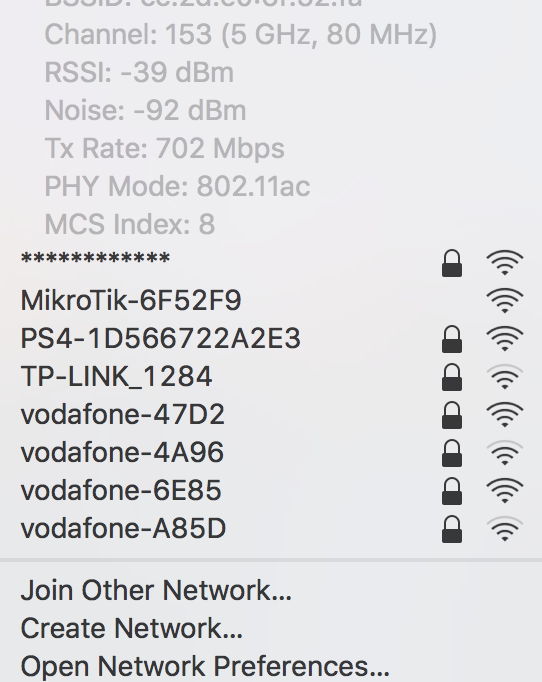
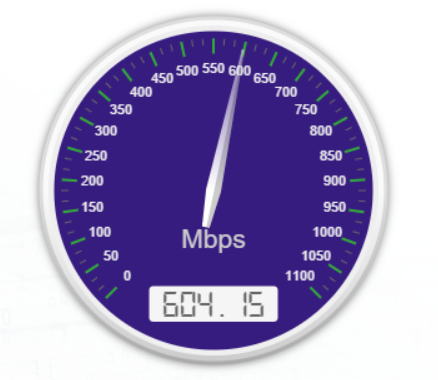
Anyways, I still bought the cap ac. I think I made a very big mistake. I put the Cap ac up on the ceiling. And right now I’m sitting in the same room about 4 meters from the cap ac. And I got the results
Screen Shot 2018-03-29 at 19.59.23.png
any advice, return???
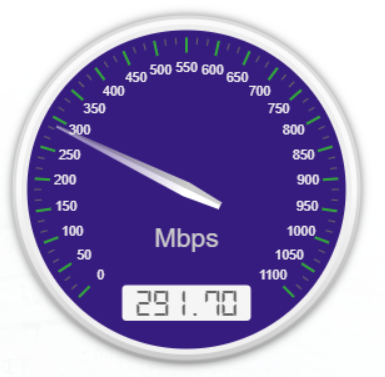
Different room 1,5 metres away
Screen Shot 2018-03-29 at 20.14.42.png

Have you actually tried pushing traffic through it? Most devices won’t try to negotiate higher rates until it’s needed. Simply associating and looking at speed often provides misleading results.

Ruckus R510

hAP AC

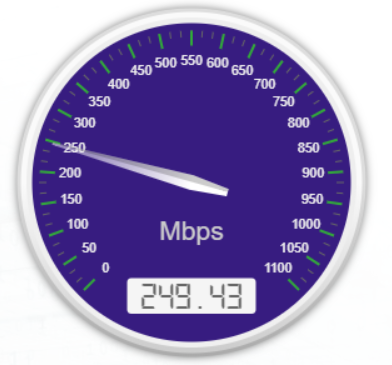
Just updated the cAP AC to the latest RC. My last test with the cAP AC was topping out in the 189 range. So… its getting better.

5 client on the APs. Each AP swapped in one at a time. Same radio settings on each unit.
RuckusR5100627.png
Screenshot 2018-04-03 11.32.51.png
Screenshot 2018-04-03 11.35.39.png

6.42rc52 ?

Yup

apr/04/2018 14:47:08 by RouterOS 6.42rc52

New RC same old performance. I am getting bored of this now…

I would sell my CAP AC but I can’t do it with good conscience knowing the new owner would not be happy with the purchase.

I will put in a drawer and come back to it later. Have just bought a second hand Ruckus R500 to keep me going for now.

Will keep an eye here to see if things change.

Come on Mikrotik…

I hate having to use these guys radios.

https://unifi-nanohd.ubnt.com

I didn’t see this thread before and was just hungry for the hap ac² and the cap ac by looking at the specs. they arrived yesterday.

for me the signal strength improved a bit on both devices. however, i confirm from my side that the throughput is much slower.

i am not using yet the RC firmware. i have the 6.41.4 running.

I really hope this will be solved very soon. I don’t want to be forced to return the devices, since the specs and price were exactly what my wet dreams were about the whole last year.
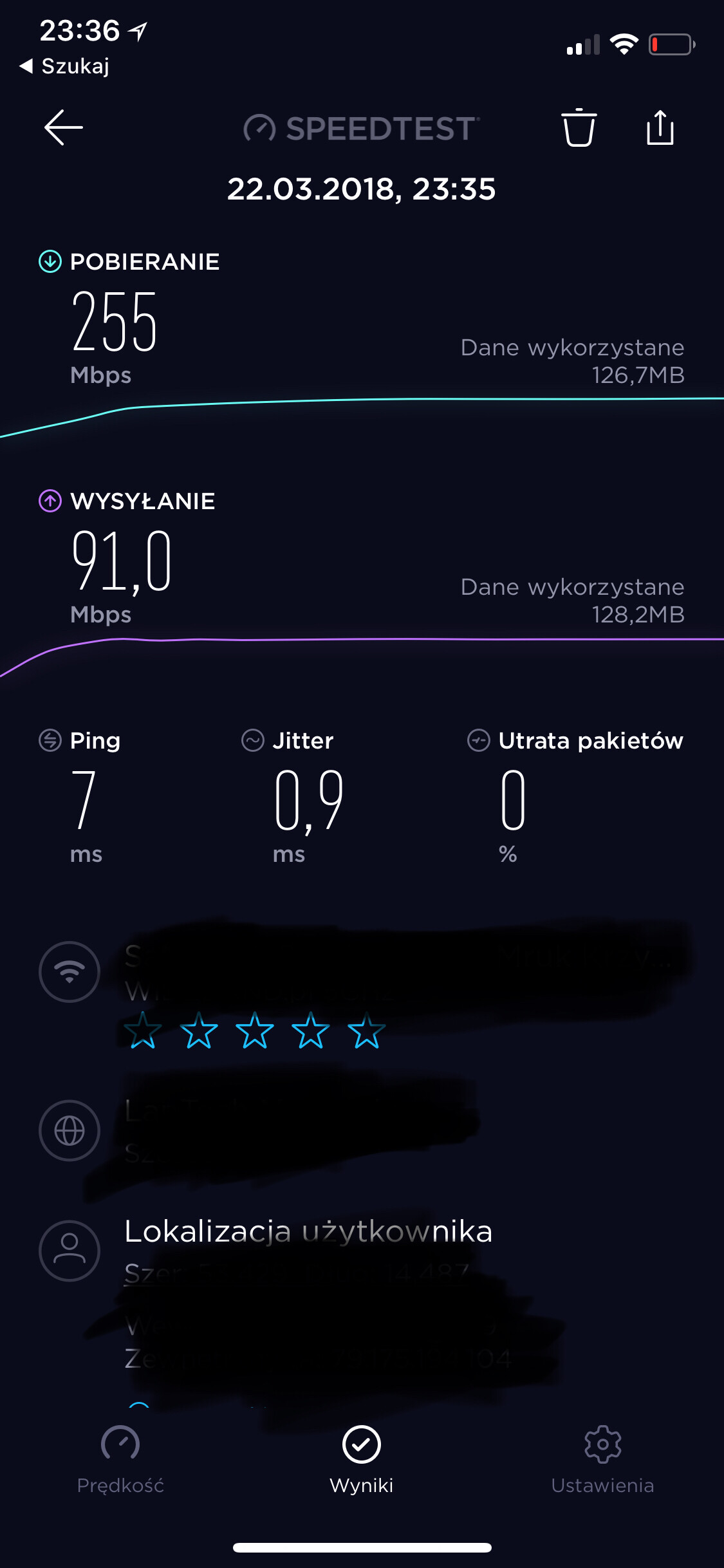
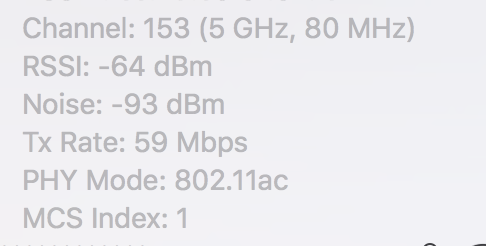
any news for fix?