CAPsMAN Management RB5009 -> MikroTik hAP ax³

Hi guys,

I am experiencing problems with setting up the CAPsMAN management on my RB5009UPr+S+ to control two C53UiG+5HPaxD2HPaxD – MikroTik hAP ax³ units. I have installed the WiFi packages from the extended version all_packages-arm-7.19.4 on the RB5009UPr+S+. As far as I understand, the Wireless / CAPsMAN section is outdated for WiFi 6 and no longer manages newer access points.

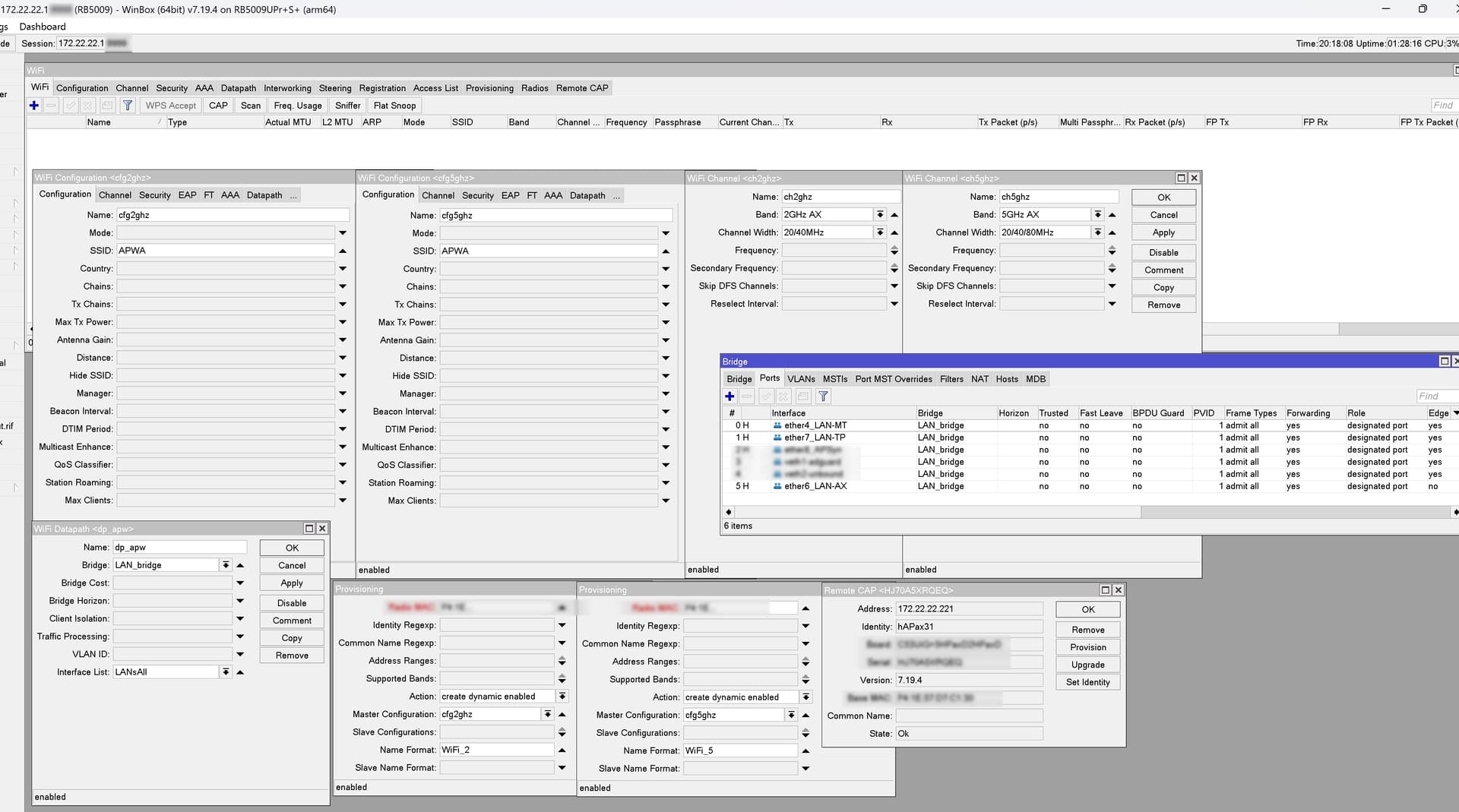
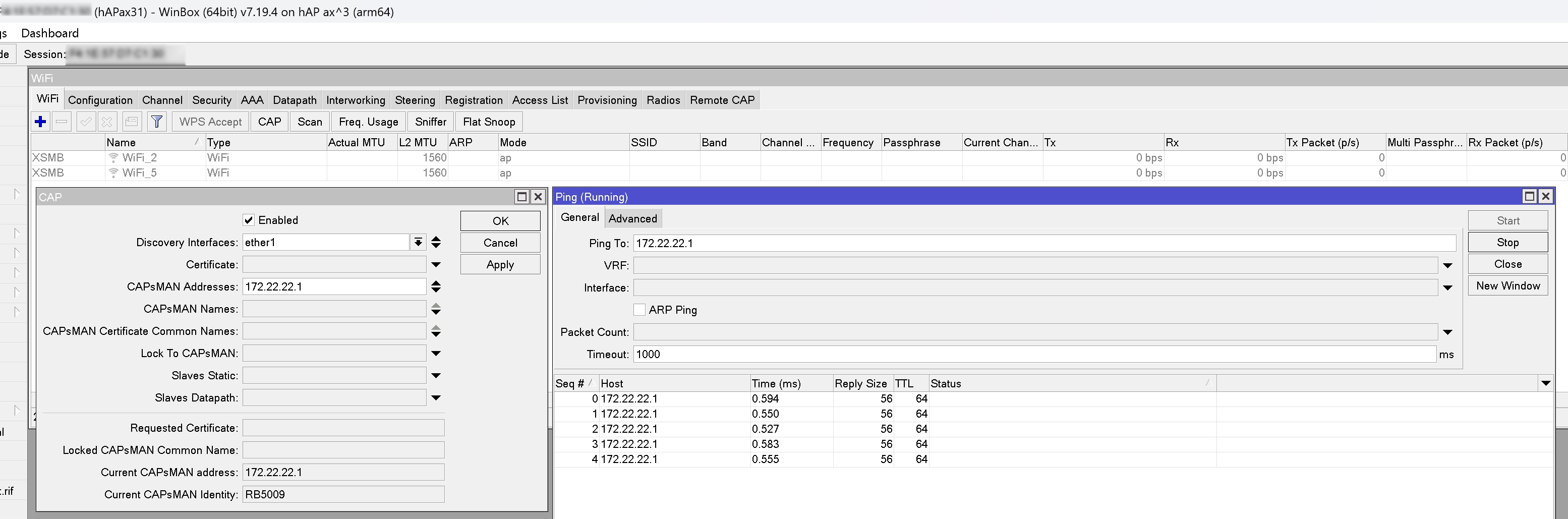
In the WiFi section of the RB5009UPr+S+, under Remote CAP, I can see the MikroTik hAP ax³, and on the hAP ax³ itself I can see the RB5009UPr+S+ listed under the CAP section. However, all my efforts over the past two days to get the hAP ax³ to receive the configuration from the RB5009UPr+S+ have failed.

What I do wrong? Thx.

On RB5009:

interface wifi provisioning print          
# RADIO-MAC          ACTION                  MASTER-CONFIGURATION
0 F4:1E:...36  create-dynamic-enabled  cfg2ghz             
1 F4:1E:...35  create-dynamic-enabled  cfg5ghz   

interface wifi capsman print
                   enabled: yes                         
                interfaces: LAN_bridge                  
  require-peer-certificate: no                          
              package-path:                             
            upgrade-policy: none                        
  generated-ca-certificate: WiFi-CAPsMAN-CA-48...
     generated-certificate: WiFi-CAPsMAN-48...

interface wifi datapath print
# NAME    BRIDGE    
0 dp_apw  LAN_bridge

interface wifi channel print 
0  name="ch2ghz" band=2ghz-ax width=20/40mhz 
1   name="ch5ghz" band=5ghz-ax width=20/40/80mhz 

interface wifi configuration print 
 0   name="cfg2ghz" ssid="MyWiFi" security=sec_apw 
     security.authentication-types=wpa2-psk .group-encryption=ccmp .group-key-update=5m .passphrase="MyPassword" 
     datapath=dp_apw 
     datapath.bridge=LAN_bridge .interface-list=LANsAll 
     channel=ch2ghz 
     channel.band=2ghz-ax .width=20/40mhz 

 1   name="cfg5ghz" ssid="MyWiFi" security=sec_apw 
     security.authentication-types=wpa2-psk .group-encryption=ccmp .group-key-update=5m .passphrase="MyPassword" 
     datapath=dp_apw 
     datapath.bridge=LAN_bridge .interface-list=LANsAll 
     channel=ch5ghz 
     channel.band=5ghz-ax .width=20/40/80mhz

On hAP ax3:

Difficult to say from screenshots/print results, you should post the configuration of the Rb5009 and of one of the two Ax3's for review.
Instructions here:

I’m not a novice user — this is my personal account, and I had to start from scratch. I have some experience with MikroTik and hold MTCNA and MTCRE certifications, but CAPsMAN is a new area for me. I’ve managed to resolve the initial issue, but now I can’t force users to get DHCP from the RB5009 through hAP ax³ access points. I just get an error. I’m aware of the bridge domain concept, and yes — I have the same bridge domain on both the RB5009 and the hAP ax³, but I still can’t get DHCP working. All interfaces are in the LAN bridge, there are no firewall rules blocking it, but I need some help. Thanks.

Good :smile:, so you should understand how the members of the forum willing to help (and expert with caps/capsman) don't usually like to play guessing games, and they generally want to see the full configuration of the devices involved to be able to find (hopefully) where the problem might be.

You seem to me (but what do I know? I don't hold anyhting.) right in the "I'm ill Doctor, help!" stage, JFYI:
http://jdebp.uk/FGA/problem-report-standard-litany.html

For help, please share your current config (of both CAPsMAN and CAP):

/export file=anynameyoulike

Remove serial and any other private info, post between Preformatted text by using the </> button.

Strange but hAP ax³ alone working well with dhcp itself... But when DHCP on CAPsMAN - not working... and this is so old issues, I remind on cAP ac... but was resolved, now hAP ax³ can't connect... 2 days tried... Who can help?

GOTO CAPsMAN Management RB5009 -> MikroTik hAP ax³ - #5 by erlinden

Yes, thx. But already all config and screenshots are top of this topic... Really need all exported configuration? )

No, on top is NOT config.
Those are screenshots.

It is not working for you. So you can not decide what is needed or not, can you ?

@Alex-Pebody, have you checked the link?

Sry I can't

Summary
> hAP ax3:
> # RouterOS 7.19.4
> # model = C53UiG+5HPaxD2HPaxD
> /interface bridge
> add name=LAN_bridge
> /interface wifi
> # managed by CAPsMAN 48:A9:8A:D7:87:A4%LAN_bridge, traffic processing on CAP
> # mode: AP, SSID: APWT, channel: 2422/ax/Ce
> set [ find default-name=wifi2 ] configuration.manager=capsman .mode=ap \
>     disabled=no name=WiFi2
> # managed by CAPsMAN 48:A9:8A:D7:87:A4%LAN_bridge, traffic processing on CAP
> # mode: AP, SSID: APWT, channel: 5200/ax/eCee
> set [ find default-name=wifi1 ] configuration.manager=capsman .mode=ap \
>     disabled=no name=WiFi5
> /interface bridge port
> add bridge=LAN_bridge interface=ether1
> add bridge=LAN_bridge interface=WiFi2
> add bridge=LAN_bridge interface=WiFi5
> /interface wifi cap
> set caps-man-addresses=172.22.22.1 discovery-interfaces=LAN_bridge enabled=\
>     yes
> /ip address
> add address=172.22.22.221/24 interface=LAN_bridge network=172.22.22.0
> /ip dns
> set allow-remote-requests=yes cache-max-ttl=1w3d cache-size=4096KiB \
>     max-concurrent-tcp-sessions=200 servers=172.22.22.1
> /ip firewall filter
> add action=accept chain=input
> add action=accept chain=forward
> /ip firewall service-port
> set irc disabled=no
> set rtsp disabled=no
> /ip route
> add disabled=no dst-address=0.0.0.0/0 gateway=172.22.22.1 routing-table=main \
>     suppress-hw-offload=no
> /ip service
> set ftp disabled=yes
> set ssh disabled=yes
> set telnet disabled=yes
> set www disabled=yes
> set api disabled=yes
> set api-ssl disabled=yes
> /system clock
> set time-zone-name=Europe/Helsinki
> /system identity
> set name=hAPax31
> /system routerboard settings
> set auto-upgrade=yes
> 
> RB5009:
> # RouterOS 7.19.4
> # model = RB5009UPr+S+
> /interface bridge
> add name=LAN_bridge port-cost-mode=short
> /interface ethernet
> set [ find default-name=ether4 ] auto-negotiation=no name=ether4_LAN-MT poe-out=off
> set [ find default-name=ether6 ] name=ether6_LAN-AX
> /interface wifi channel
> add band=2ghz-ax disabled=no name=apw-channel-2ax width=20/40mhz
> add band=5ghz-ax disabled=no name=apw-channel-5ax width=20/40/80mhz
> /interface wifi datapath
> add bridge=LAN_bridge disabled=no name=apw-datapath
> /interface wifi security
> add authentication-types=wpa2-psk disabled=no ft=yes ft-over-ds=yes name=\
>     apw-security
> /interface wifi configuration
> add channel=apw-channel-2ax country=Finland datapath=apw-datapath disabled=no \
>     mode=ap name=apw-config-2ax security=apw-security ssid=APWT
> add channel=apw-channel-5ax country=Finland datapath=apw-datapath disabled=no \
>     mode=ap name=apw-config-5ax security=apw-security ssid=APWT
> /ip pool
> add name=LAN_pool ranges=172.22.22.11-172.22.22.253
> /ip dhcp-server
> add add-arp=yes address-pool=LAN_pool interface=LAN_bridge lease-time=6h \
>     name=LAN_dhcp
> /interface bridge port
> add bridge=LAN_bridge interface=ether4_LAN-MT
> add bridge=LAN_bridge interface=ether6_LAN-AX
> /interface list member
> add interface=LAN_bridge list=LANsAll
> add interface=ether4_LAN-MT list=LANsAll
> add interface=ether6_LAN-AX list=LANsAll
> /interface wifi capsman
> set enabled=yes interfaces=LAN_bridge package-path="" \
>     require-peer-certificate=no upgrade-policy=none
> /interface wifi provisioning
> add action=create-dynamic-enabled disabled=no master-configuration=\
>     apw-config-2ax name-format=WiFi_2GHz-%I-AX supported-bands=2ghz-ax
> add action=create-dynamic-enabled disabled=no master-configuration=\
>     apw-config-5ax name-format=WiFi_5GHz-%I-AX supported-bands=5ghz-ax
> /ip address
> add address=172.22.22.1/24 comment="Home LAN" interface=LAN_bridge network=\
>     172.22.22.0
> /ip dhcp-server network
> add address=172.22.22.0/24 comment="Mikrotik LAN" dns-server=\
>     172.22.22.1 gateway=172.22.22.1

Don't upload.

Post between code quotes please.


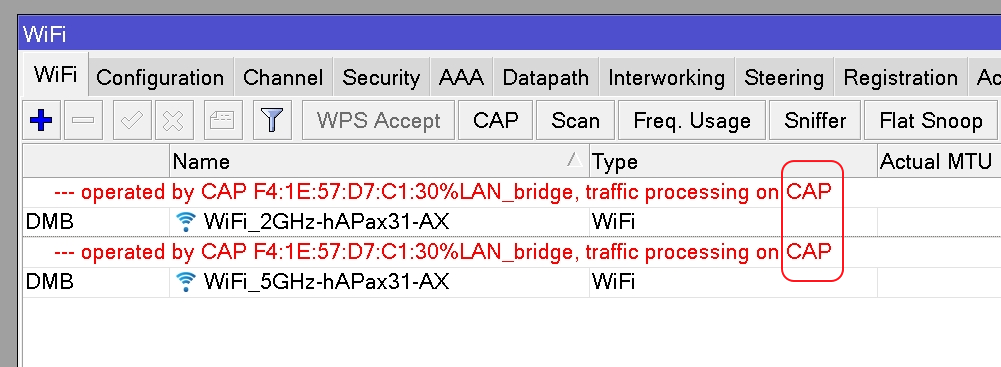
Main issue - traffic processing on CAP, but CAP hasn't DHCP, and when I select processsing on CAPsMAN - exactly in RB5009 config not working with datachannel... And I want to know, really new CAPsMAN can't working with DHCP processin on CAPsMAN and I must using DHCP relay? ( Thx.

Yes here CAPsMAN Management RB5009 -> MikroTik hAP ax³ - #11 by Alex-Pebody summary hided.

If you hold MTCNA and MTCRE certifications yet don't know how to show config... nice.

I checked all parameters... all what I can... and:

  1. If the same config = set to ax3 ap => all is good

  2. If the same config = set to 5009 cia capsman => not working:

    • yes dhcp is leased and I think not in this issue...
    • yes I see all trying to connect (iPhone 16pro and macbook m1 and nothing not complite connection ti wifi 2.4 or 5 ghz...)
  3. Something else... because some times ago I complitely configuration 4011 with cAP ac and all working well, but 5009 with ax3 I can't setting, something bug or I can't understand what...

Sad, I bought 2 ax3 and cant use.

Put your CAP (both hAP AX2 and hAP AX3) in CAPS Mode. Then continu. Will check your routers config later.

Yes, I did it… and nothing. But then I started thinking about what’s really wrong — and what you knew… ))))))))))))))))))) OMG! It was a CCMP issue! I unchecked it, and the connection worked perfectly! Facepalm… What the hell… Why could it even be here? Wow.

Guys, as I seen, this CAPsMAN can't split DHCP's right? Because my config has split and guest wifi SSID and home SSID got the same IP's... and yes I set datapath different bridges and nothing... vLAN way only? Thx.
Sad Capsman 7.19.3 - data channel not supported when setting traffic processing to on-Capsman