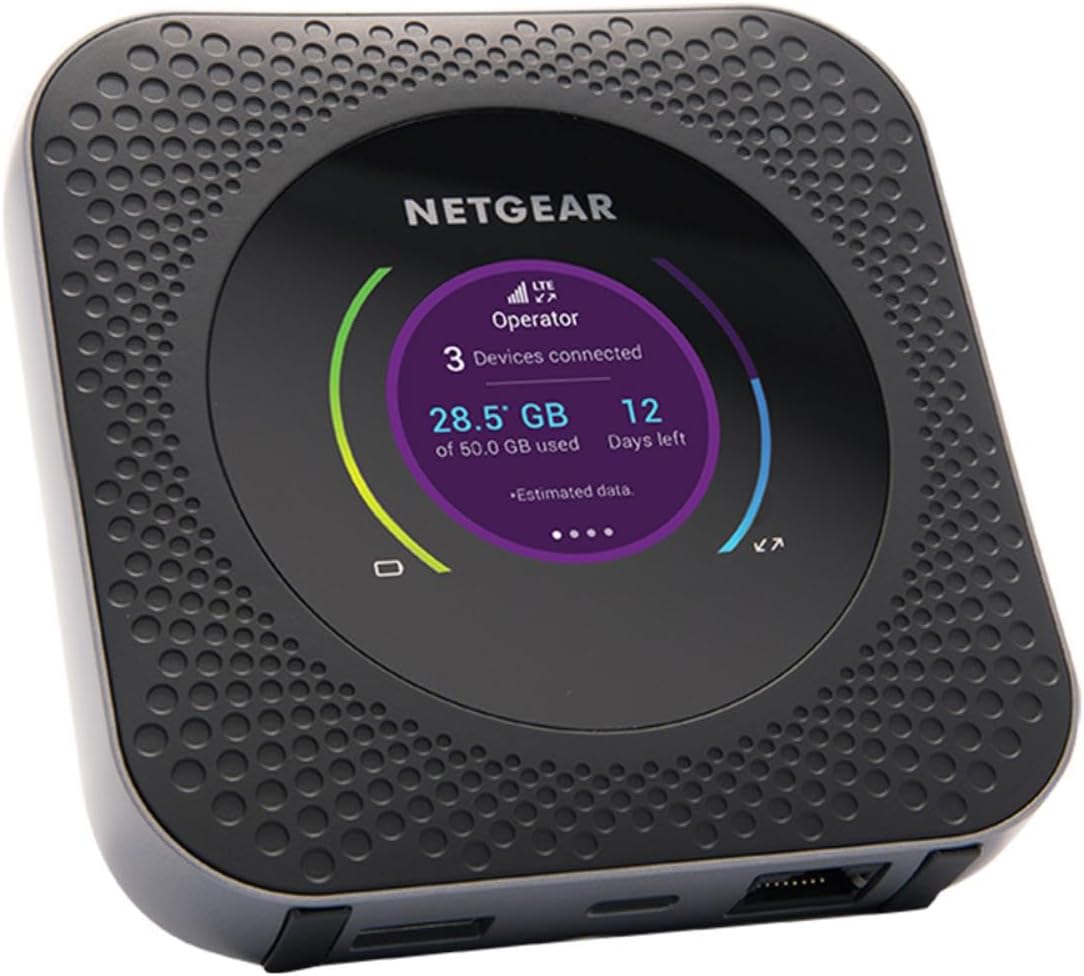
I have 2x Chateau 5G R17 ax routers and 2x Netgear Nighthawk M1 MR1100 LTE pucks.
Site 1 will be using FTTH as the main source of internet with LTE as a failover.
Site 2 will be using LTE as the primary internet source.
I originally ordered the Chateau 5G R17 ax for the built-in LTE interface only to find that it doesn’t work with AT&T as of yet. I have a Site 3 where I did get a fully functioning ZeroTier network up and running (See ISP --> PoE Switch --> hAP ax3).
For the moment, I’m using Site 1 as my test bed to get LTE running as a primary internet source, but it keeps failing to allow anything other than DNS through. One of the pucks will be on AT&T Cellular and the other will be on US Mobile DarkStar. For the moment, I’ve been doing all my testing on the AT&T one. In the past, I’ve used the AT&T puck with a Windows laptop via the ethernet port and had no problems with internet.
There are 2 ways the puck can work with the Chateau 5G R17 ax: via USB Tethering, or via Ethernet (port 2 on Chateau 5G R17 ax). I’ve tried both. On the puck, I’ve tried turning IP Passthrough on and I’ve tried having it off; I’ve tried turning tethering on/off (Ethernet only really works with tethering off); I’ve tried having the DMZ on/off; I’ve tried every combination of the above switching between Ethernet and USB Tethering. For some reason, this doesn’t want to work. Below is my Site 1 Chateau 5G R17 ax config:
# 2026-01-17 17:27:39 by RouterOS 7.21
# software id = IIV7-ARBJ
#
# model = S53UG+5HaxD2HaxD&RG650E-EU
# serial number = {redacted}
/interface bridge
add admin-mac=04:F4:1C:E5:5E:F1 auto-mac=no comment=defconf name=bridge
/interface ethernet
set [ find default-name=ether1 ] mac-address=00:E0:12:34:56:78
/interface wifi
set [ find default-name=wifi1 ] channel.skip-dfs-channels=10min-cac \
    configuration.mode=ap .ssid=AY-Home5 disabled=no \
    security.authentication-types=wpa2-psk,wpa3-psk .ft=yes .ft-over-ds=yes
set [ find default-name=wifi2 ] channel.skip-dfs-channels=10min-cac \
    configuration.mode=ap .ssid=AY-Home2 disabled=no \
    security.authentication-types=wpa2-psk,wpa3-psk .ft=yes .ft-over-ds=yes
/interface list
add comment=defconf name=WAN
add comment=defconf name=LAN
/interface lte apn
set [ find default=yes ] apn=Broadband ip-type=ipv4 name=ATT use-network-apn=\
    no
add apn=broadband comment="AT&T Tablet" ip-type=ipv4 name="ATT Broadband"
add apn=ENHANCEDPHONE comment=AT&T5G ip-type=ipv4 name=ENHANCEDPHONE \
    use-network-apn=yes
/interface lte
set [ find default-name=lte1 ] allow-roaming=no apn-profiles="ATT Broadband" \
    band="" disabled=yes nr-band=""
set [ find default-name=lte2 ] apn-profiles="ATT Broadband" comment=\
    "Netgear Nighthawk MR110 LTE Mobile Hotspot Router"
/ip pool
add name=dhcp ranges=10.1.1.1-10.1.1.199
add name=vpn ranges=192.168.89.2-192.168.89.255
/ip dhcp-server
add address-pool=dhcp interface=bridge lease-time=1d name=defconf
/ppp profile
set *FFFFFFFE local-address=192.168.89.1 remote-address=vpn
/queue type
add fq-codel-ecn=no kind=fq-codel name=fq-codel-ethernet-default
/queue interface
set ether1 queue=fq-codel-ethernet-default
set ether2 queue=fq-codel-ethernet-default
set ether3 queue=fq-codel-ethernet-default
set ether4 queue=fq-codel-ethernet-default
set ether5 queue=fq-codel-ethernet-default
/zerotier
set zt1 disabled=no disabled=no
/zerotier interface
add instance=zt1 name=zerotier1 network={redacted}
/disk settings
set auto-media-interface=bridge auto-media-sharing=yes auto-smb-sharing=yes
/interface bridge port
add bridge=bridge comment=defconf interface=ether3
add bridge=bridge comment=defconf interface=ether4
add bridge=bridge comment=defconf interface=ether5
add bridge=bridge comment=defconf interface=wifi1
add bridge=bridge comment=defconf interface=wifi2
/ip neighbor discovery-settings
set discover-interface-list=LAN
/ipv6 settings
set disable-ipv6=yes
/interface l2tp-server server
set use-ipsec=yes
/interface list member
add comment=defconf interface=bridge list=LAN
add comment=defconf interface=lte1 list=WAN
add interface=ether1 list=WAN
add interface=lte2 list=WAN
add interface=ether2 list=WAN
/ip address
add address=10.1.0.1/22 interface=bridge network=10.1.0.0
add address=172.22.0.1/24 interface=wg1 network=172.22.0.0
/ip cloud
set ddns-enabled=yes
/ip dhcp-client
add interface=ether1
# Interface not active
add comment=lte2 interface=ether2
/ip dhcp-server lease
add address=10.1.0.42 client-id=1:4:42:1a:7:e6:76 comment=MythTV mac-address=\
    04:42:1A:07:E6:76
add address=10.1.0.70 client-id=1:f8:75:a4:a9:99:2c comment="Work Computer" \
    mac-address=F8:75:A4:A9:99:2C server=defconf
add address=10.1.0.65 client-id=1:fc:c2:de:59:1d:81 comment=\
    "AT&T Samsung Galaxy S5" mac-address=FC:C2:DE:59:1D:81 server=defconf
/ip dhcp-server network
add address=10.1.0.0/22 comment=defconf dns-server=10.1.0.1 gateway=10.1.0.1 \
    netmask=22
/ip dns
set allow-remote-requests=yes cache-size=20480KiB servers=1.1.1.1,72.20.64.11
/ip dns adlist
add ssl-verify=no url=\
    https://raw.githubusercontent.com/StevenBlack/hosts/master/hosts
/ip dns static
add address=10.1.0.1 comment=defconf name=router.lan type=A
/ip firewall filter
add action=accept chain=forward in-interface=zerotier1
add action=accept chain=input in-interface=zerotier1
add action=accept chain=input comment=\
    "defconf: accept established,related,untracked" connection-state=\
    established,related,untracked
add action=accept chain=input comment="allow IPsec NAT" dst-port=4500 \
    protocol=udp
add action=accept chain=input comment="allow IKE" dst-port=500 protocol=udp
add action=accept chain=input comment="allow l2tp" dst-port=1701 protocol=udp
add action=drop chain=input comment="defconf: drop invalid" connection-state=\
    invalid
add action=accept chain=input comment="defconf: accept ICMP" protocol=icmp
add action=accept chain=input comment=\
    "defconf: accept to local loopback (for CAPsMAN)" dst-address=127.0.0.1
add action=drop chain=input comment="defconf: drop all not coming from LAN" \
    in-interface-list=!LAN
add action=accept chain=forward comment="defconf: accept in ipsec policy" \
    ipsec-policy=in,ipsec
add action=accept chain=forward comment="defconf: accept out ipsec policy" \
    ipsec-policy=out,ipsec
add action=fasttrack-connection chain=forward comment="defconf: fasttrack" \
    connection-state=established,related
add action=accept chain=forward comment=\
    "defconf: accept established,related, untracked" connection-state=\
    established,related,untracked
add action=drop chain=forward comment="defconf: drop invalid" \
    connection-state=invalid
add action=drop chain=forward comment=\
    "defconf: drop all from WAN not DSTNATed" connection-nat-state=!dstnat \
    connection-state=new in-interface-list=WAN
/ip firewall nat
add action=masquerade chain=srcnat comment="defconf: masquerade" \
    ipsec-policy=out,none out-interface-list=WAN
add action=dst-nat chain=dstnat comment="Steam Listen Servers" dst-port=27015 \
    in-interface-list=WAN protocol=tcp to-addresses=10.1.0.42 to-ports=27015
add action=dst-nat chain=dstnat comment="Steam Client Remote Play" dst-port=\
    27036 in-interface-list=WAN protocol=tcp to-addresses=10.1.0.42 to-ports=\
    27036
add action=dst-nat chain=dstnat comment="Steam Client Remote Play" dst-port=\
    27000-27050 in-interface-list=WAN protocol=udp to-addresses=10.1.0.42 \
    to-ports=27000-27050
add action=dst-nat chain=dstnat comment="Steam Voice" dst-port=3478,4379,4380 \
    in-interface-list=WAN port="" protocol=udp to-addresses=10.1.0.42
add action=dst-nat chain=dstnat comment="Unreal Server" dst-port=\
    7777,15000,15777 in-interface-list=WAN protocol=udp to-addresses=\
    10.1.0.42 to-ports=0
add action=masquerade chain=srcnat comment="masq. vpn traffic" src-address=\
    192.168.89.0/24
/ip route
add comment="Site 2" disabled=no distance=1 dst-address=10.1.4.0/24 \
    gateway=172.27.1.1 routing-table=main scope=30 target-scope=10 \
    vrf-interface=zerotier1
add comment="Site 3" disabled=no distance=1 dst-address=192.168.2.0/24 \
    gateway=172.27.50.1 routing-table=main scope=30 target-scope=10 \
    vrf-interface=zerotier1
/ip service
set www-ssl certificate="Lets encrypt1768442645"
/ip ssh
set host-key-type=ed25519 strong-crypto=yes
/ipv6 firewall address-list
add address=::/128 comment="defconf: unspecified address" list=bad_ipv6
add address=::1/128 comment="defconf: lo" list=bad_ipv6
add address=fec0::/10 comment="defconf: site-local" list=bad_ipv6
add address=::ffff:0.0.0.0/96 comment="defconf: ipv4-mapped" list=bad_ipv6
add address=::/96 comment="defconf: ipv4 compat" list=bad_ipv6
add address=100::/64 comment="defconf: discard only " list=bad_ipv6
add address=2001:db8::/32 comment="defconf: documentation" list=bad_ipv6
add address=2001:10::/28 comment="defconf: ORCHID" list=bad_ipv6
add address=3ffe::/16 comment="defconf: 6bone" list=bad_ipv6
/ipv6 firewall filter
add action=accept chain=input comment=\
    "defconf: accept established,related,untracked" connection-state=\
    established,related,untracked
add action=drop chain=input comment="defconf: drop invalid" connection-state=\
    invalid
add action=accept chain=input comment="defconf: accept ICMPv6" protocol=\
    icmpv6
add action=accept chain=input comment="defconf: accept UDP traceroute" \
    dst-port=33434-33534 protocol=udp
add action=accept chain=input comment=\
    "defconf: accept DHCPv6-Client prefix delegation." dst-port=546 protocol=\
    udp src-address=fe80::/10
add action=accept chain=input comment="defconf: accept IKE" dst-port=500,4500 \
    protocol=udp
add action=accept chain=input comment="defconf: accept ipsec AH" protocol=\
    ipsec-ah
add action=accept chain=input comment="defconf: accept ipsec ESP" protocol=\
    ipsec-esp
add action=accept chain=input comment=\
    "defconf: accept all that matches ipsec policy" ipsec-policy=in,ipsec
add action=drop chain=input comment=\
    "defconf: drop everything else not coming from LAN" in-interface-list=\
    !LAN
add action=fasttrack-connection chain=forward comment="defconf: fasttrack6" \
    connection-state=established,related
add action=accept chain=forward comment=\
    "defconf: accept established,related,untracked" connection-state=\
    established,related,untracked
add action=drop chain=forward comment="defconf: drop invalid" \
    connection-state=invalid
add action=drop chain=forward comment=\
    "defconf: drop packets with bad src ipv6" src-address-list=bad_ipv6
add action=drop chain=forward comment=\
    "defconf: drop packets with bad dst ipv6" dst-address-list=bad_ipv6
add action=drop chain=forward comment="defconf: rfc4890 drop hop-limit=1" \
    hop-limit=equal:1 protocol=icmpv6
add action=accept chain=forward comment="defconf: accept ICMPv6" protocol=\
    icmpv6
add action=accept chain=forward comment="defconf: accept HIP" protocol=139
add action=accept chain=forward comment="defconf: accept IKE" dst-port=\
    500,4500 protocol=udp
add action=accept chain=forward comment="defconf: accept ipsec AH" protocol=\
    ipsec-ah
add action=accept chain=forward comment="defconf: accept ipsec ESP" protocol=\
    ipsec-esp
add action=accept chain=forward comment=\
    "defconf: accept all that matches ipsec policy" ipsec-policy=in,ipsec
add action=drop chain=forward comment=\
    "defconf: drop everything else not coming from LAN" in-interface-list=\
    !LAN
/ipv6 nd
set [ find default=yes ] advertise-dns=yes
/ppp secret
add name=vpn
/system clock
set time-zone-name=America/Denver
/system identity
set name="MikroTik Chateau 5G R17 ax AYHome"
/system routerboard mode-button
set enabled=yes on-event=dark-mode
/system routerboard wps-button
set enabled=yes on-event=wps-accept
/system script
add comment=defconf dont-require-permissions=no name=dark-mode owner=*sys \
    policy=ftp,reboot,read,write,policy,test,password,sniff,sensitive,romon \
    source="\r\
    \n   :if ([system leds settings get all-leds-off] = \"never\") do={\r\
    \n     /system leds settings set all-leds-off=immediate \r\
    \n   } else={\r\
    \n     /system leds settings set all-leds-off=never \r\
    \n   }\r\
    \n "
add comment=defconf dont-require-permissions=no name=wps-accept owner=*sys \
    policy=ftp,reboot,read,write,policy,test,password,sniff,sensitive,romon \
    source="\r\
    \n   :foreach iface in=[/interface/wifi find where (configuration.mode=\"a\
    p\" && disabled=no)] do={\r\
    \n     /interface/wifi wps-push-button \$iface;}\r\
    \n "
/tool mac-server
set allowed-interface-list=LAN
/tool mac-server mac-winbox
set allowed-interface-list=LAN
I’m hoping a fresh set of eyes can see what I’m missing.
Thanks in advance.