No matter what kind of SCSI SATA IDE hard disk I use, or a combination of them, I can’t get into the system.
output message:
Booting from Hard Disk…
Load system
opendir: No such file or directory
opendir: No such file or directory
ERROR: no system package found!
[ 1.615547] Kernel panic - not syncing: Attempted to kill init! exitcode=0.00000000
[ 1.616049] Kernel Offset: disabled
[ 1.616238] Rebooting in 5 seconds..
Very useful informations for help you,
a post full of details…
I just tried upgrading my Dude CHR from v6 to v7 and am having this exact issue. It runs on VMware ESXi. Had to go back to a snapshot on v6.
This issue occurs if the second disk is formatted with “Partition Table” checked.
Apparently it’s been fixed in 7.4
*) chr - fixed booting with added additional SCSI disk;
Not helped by having a useless comment like yours.
This your last comment, certainly helps more, that good!
It has not been completely fixed, as this issue happened to me on a 6.49.6 → 7.4 upgrade.
Just tested on a new 7.4 VM on ESXi 6.7
Hot added a disk to the CHR and formated it as EXT4 with Partition Table enabled.
Rebooted and had no issues.
If I have a chance later I’ll try a v6 CHR and upgrade and then add a disk and see if the same thing occurs.
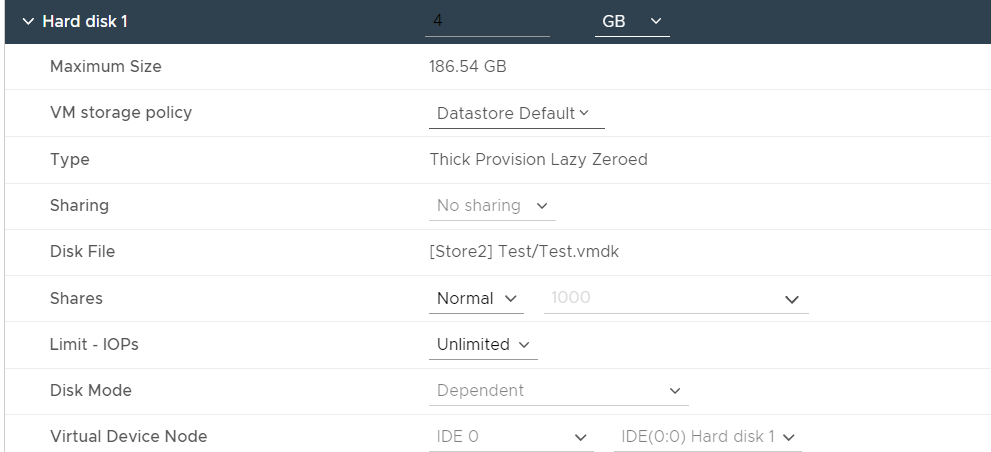
The CHR was imported from the OVA - the OVA will have the boot disk as IDE by default.
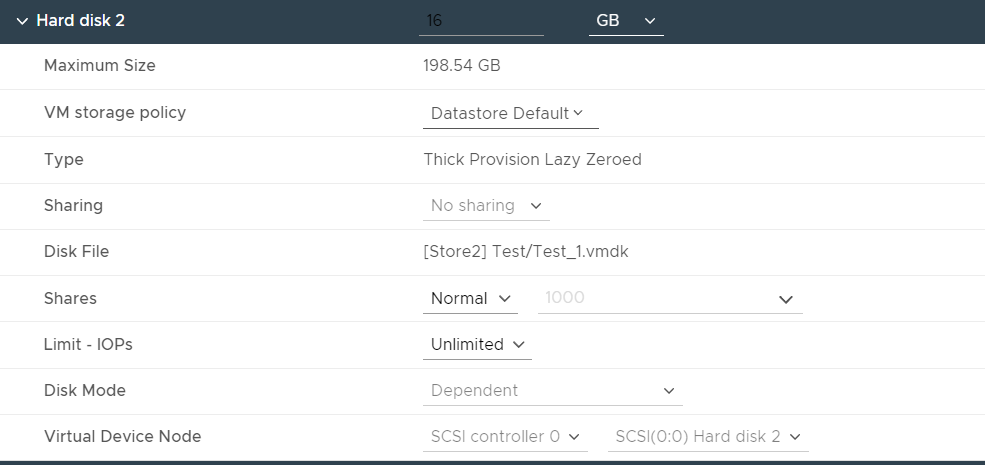
Editiing the VM and just quickly adding a new disk with the default option of 16GB adds the second disk as SCSI.
Updating to latest VirtualBox solved the problem for me