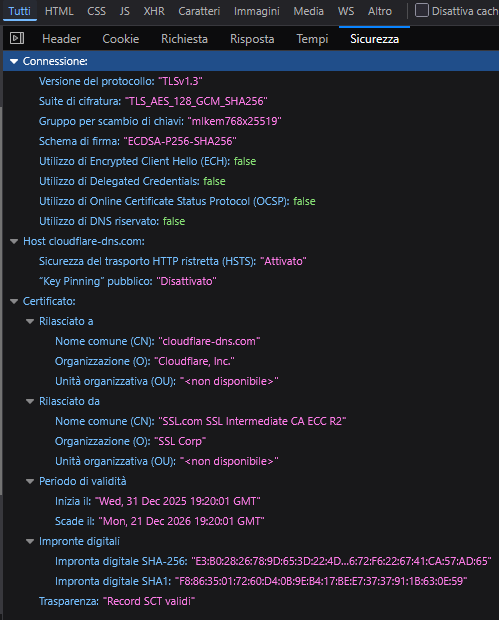
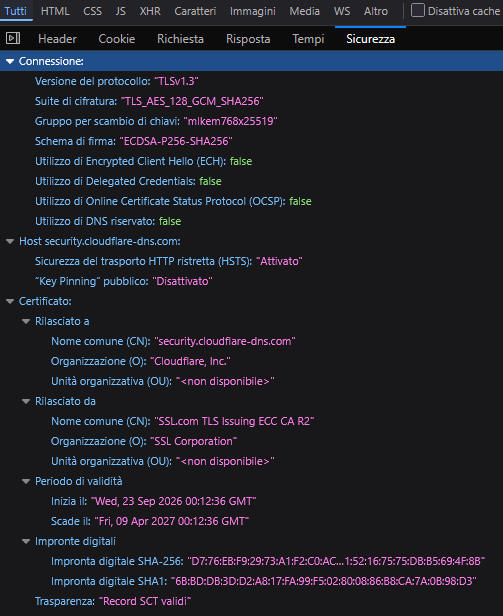
Thank you very much, the key was to use the complete address, https://security.cloudflare-dns.com/dns-query then it works.
Reading this is like wading through a sea of bum-steers. The new built in ssl.com certificate alone doesn't reliably work so you have to add this certificate below.
A certificate serial number that works is: 1403f5abfb378b17405be243b2a5d1c4
You can find it by:
- Going to https://www.ssl.com/repository/
- Put it in reader mode so it expands all the ridiculous hidden information.
- Search for 1403f5abfb378b17405be243b2a5d1c4
- Download the PEM and import it to your router.
- Here's the link anyway: https://ssl.com/repo/certs/SSLcom-TLS-Root-2022-ECC.pem
The more veiny headed amongst you can use the fetch command.
Yeah, I thought so too that this one you mention would be enough: SSL.com TLS ECC Root CA 2022
So I removed the Sectigo/Comodo AAA Certificate Services cert and replaced it with the one you linked and it does not work. It still needs the Sectigo one for some reason. So I ended up keeping both for now.
In the SSL Labs screenshot I posted above, you can see that there are two possible chains:
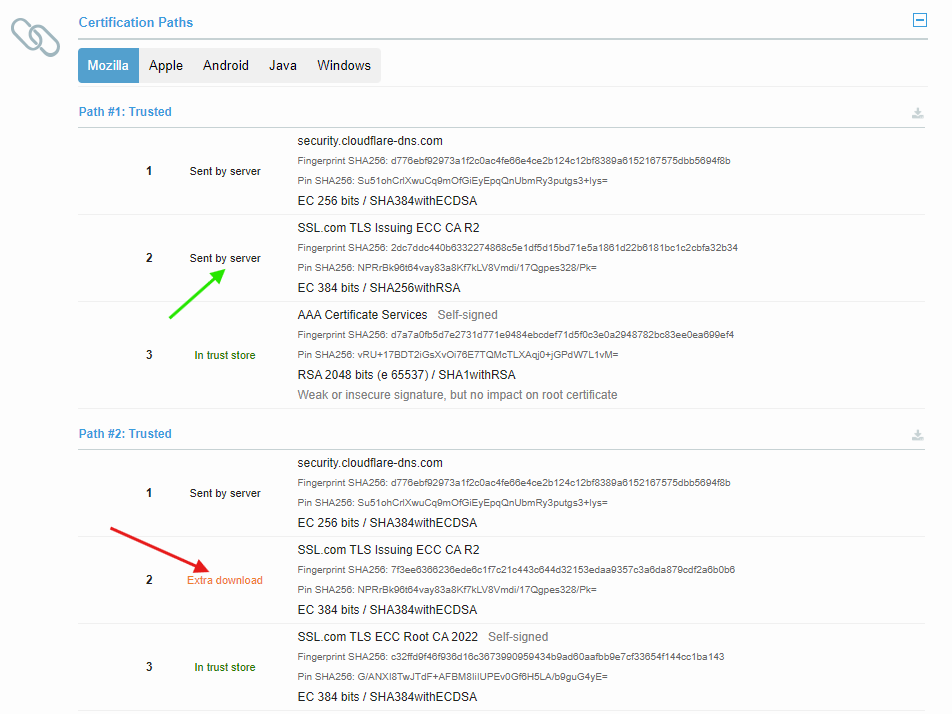
The webserver only sends the intermediate CA cert that is signed by AAA Certificate Services in the response. If you trust AAA Certificate Services then the chain is complete without anything else needing to be fetched remotely.
If your router does not trust AAA Certificate Services, only SSL.com TLS ECC Root CA 2022, then the certificate in between with the fingerprint 7f3ee6366236ede6... is not provided directly by the webserver. The clients must do extra work and fetch that intermediate certificate themselves. And this is something the DoH implementation in RouterOS probably fails to do.
So, in this case it would be more reliable to have AAA Certificate Services in the root CA list, because the full chain is complete, just by using what the webserver is sending.