Cloudflare DOH SSL.com certificate no longer accepted

Hello, anyone else has a problem since around 02:00 UTC today on 23rd of September with Cloudflare DoH SSL.com root certificate not being accepted anymore?

DoH server connection error: SSL: ssl: no trusted CA certificate found (6)

I am running LT 7.23.5 in 3 locations with previously imported SSL.com root cert and all stopped working around this time. I compared the imported certificates with the current one from SSL.com repo and they match. Not sure what is going on.

https://www.cloudflarestatus.com/incidents/rcjbfb0lyn65

Thanks, but if this incident is related to it, then it is not resolved as I am still getting the missing certificate messages everywhere. So I wanted to confirm if it is only me or other people using Cloudflare DoH are affected too.

I noticed it today after a Windows 11 pro update. For now I have to run without DoH certification. I'm on 7.24.4

If you install 7.23.7 (latest LTS) you won't need to manually add the SSL.com Root Certification Authority ECC certificate anymore, because it has been integrated in the built-in CA list of RouterOS.

Yes, I noticed that, but that is not needed for the SSL DoH to work, the certificate should be the same, right?

The certificate is the same (same serial number and everything).

Your connectivity issue to cloudflare-dns.com DoH might be regional. It's not global because currently my RouterOS instances have no issue using that.

True. But it you also encountered the issue after a Windows update, then it's a bit strange. I'm using security.cloudflare-dns.com.

True that it might be regional, I am in EU, Czech Republic, btw.

cloudflare-dns.com works fine with DoH certificate verification though.

Interesting, I am also using the security one, so it seems to be isolated to that.

Something changed, I guess.

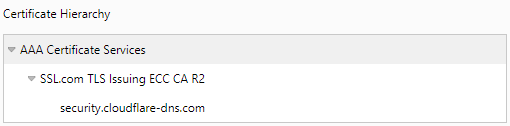
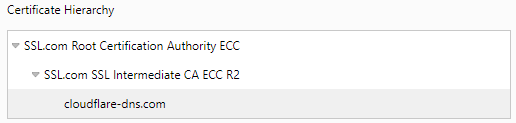
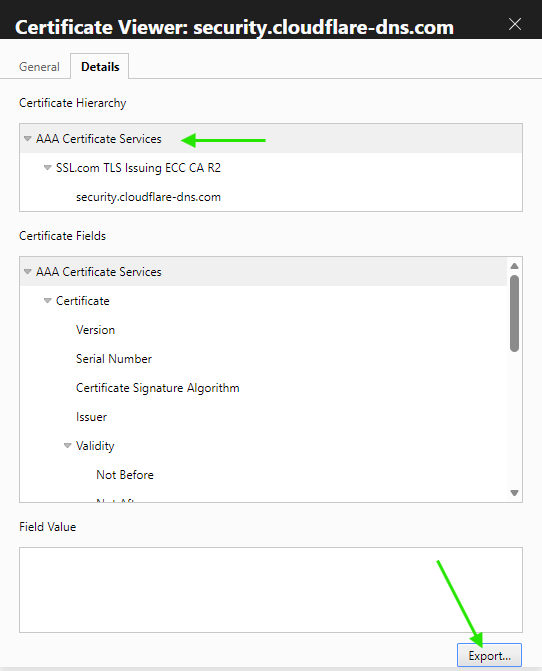
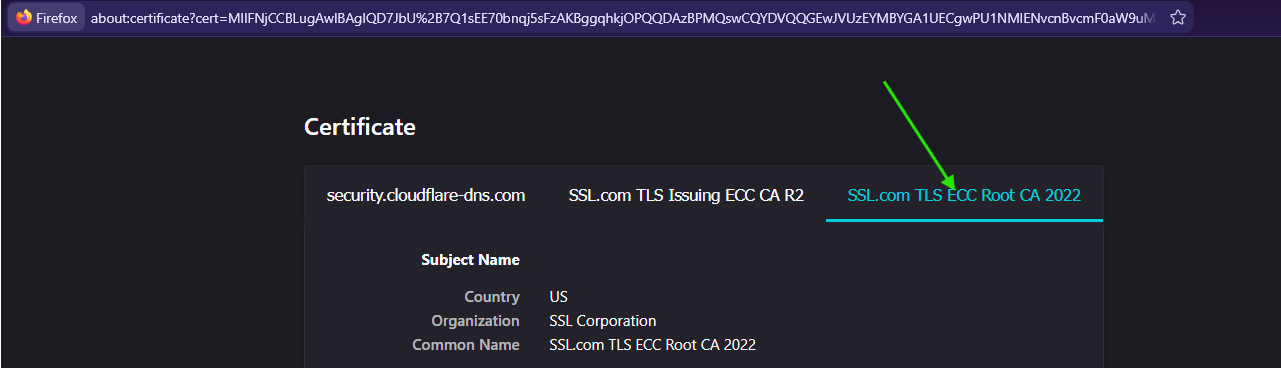
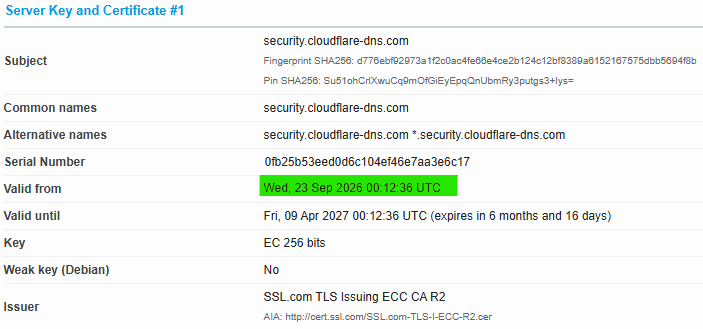
Ah, yes security.cloudflare-dns.com and cloudflare-dns.com now have two different chains:

So, you now need the root CA cert for AAA Certificate Services if you want to use security.cloudflare-dns.com.

Took me a while to find it, for anyone looking for it, it is:

Subject: C=GB, ST=Greater Manchester, L=Salford, O=Comodo CA Limited, CN=AAA Certificate Services

at: https://www.ssl.com/repository/

Also at https://www.sectigo.com/knowledge-base/detail/Sectigo-Root-Certificates

Would you be so kind and tell me how did you find out/get the screens above what root certificate is used for (security.)``cloudflare-dns.com?

Open the link and just use Firefox... fore example...

Well of course I thought of that, BUT, security.cloudflare-dns.com

takes you to https://one.one.one.one/family/ and that one still has: SSL.com Root Certification Authority ECC

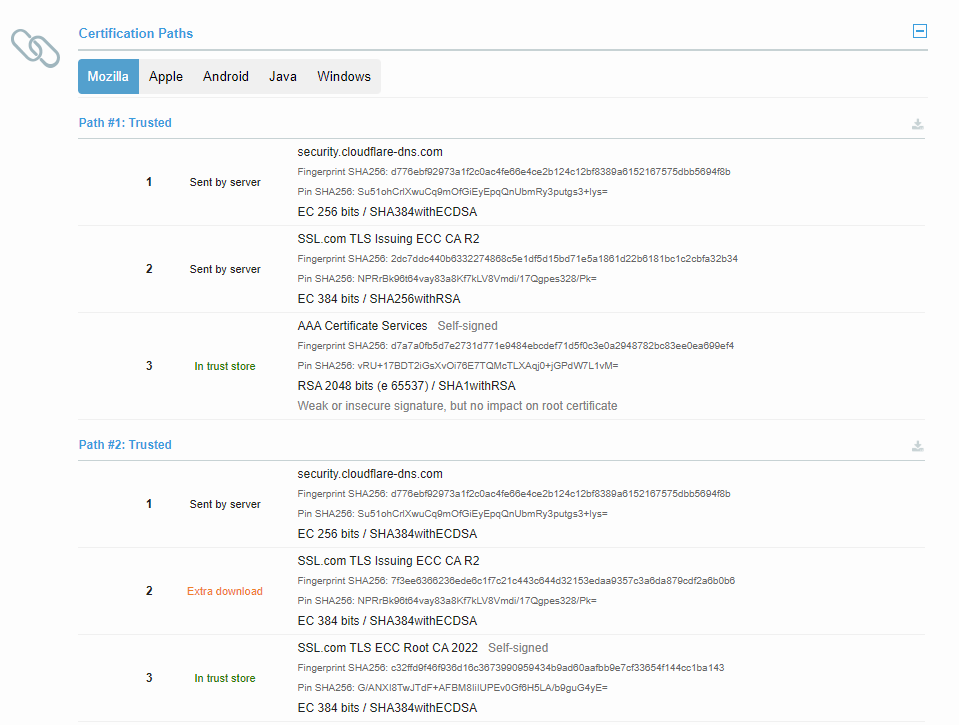
You can either use a helper site, such as this one: SSL Server Test: security.cloudflare-dns.com (Powered by Qualys SSL Labs) like @cyrq did above. When you click on one of the IP addresses for details, you'll see the chains like this:

(In the screenshot, selecting Mozilla shows the chains that Firefox will use for example).

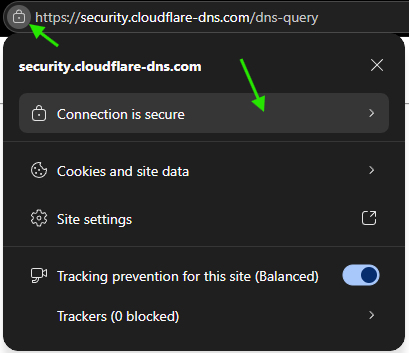
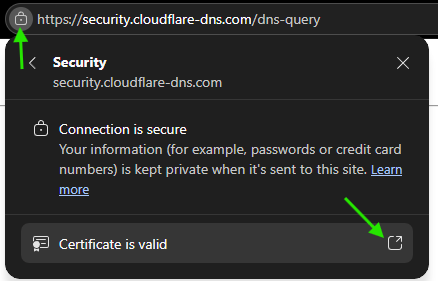
Another way without external site is to use your web browser and go directly to the link, in this case:

https://security.cloudflare-dns.com/dns-query

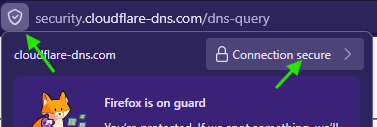
It will show a 405 error but it's not important. What you need is to click on the lock pad icon in the browser, example in Edge:

Screenshots


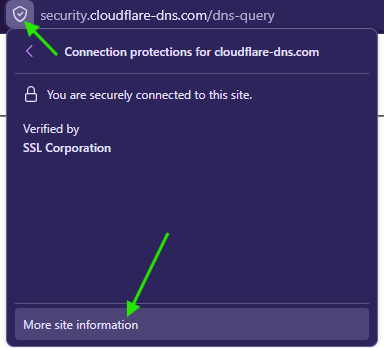
or Firefox:

Screenshots


You'll then be able to directly download the CA certificate:

Screenshots

Or

Screenshots