Hello everyone. I noticed some people having problems with DoH. Especially after a reboot. Seems https DNS query isn’t working after a reboot until the certificates are updated. Resolved by setting static DNS because it needs set to update the certificates. No issues whatsoever after implementing this. Copy/paste in terminal. Clear the DNS cache. Browse to https://1.1.1.1/help to verify DoH. Reboot if you feel the need to verify that it does still work after a reboot.
hEX S on ROS 7.12 stable
/ip dns
set allow-remote-requests=yes doh-max-concurrent-queries=100 \
    doh-max-server-connections=20 doh-timeout=6s servers=1.1.1.1,1.0.0.1 \
    use-doh-server=https://1.1.1.1/dns-query verify-doh-cert=yes
Hello wfburton. Thanks for the post. My Cloudflare DoH is working, it always has worked. I made a post to let others know that it does work along with the config. Apologies, I assumed that people would already have the security certificates installed.
Downloading certificates from other websites isn’t good practice. You can grab the actual certificates by going to the dns site you’re using. All you want is the security certificates it’s using. You can also use the IP instead of the web address and add “/dns-query” at the end. The security certificates list the IP’s or web addresses that can be used with the certificate.
Example is go to https://1.1.1.1 (Same with google, OpenDNS, etc.)
Click on the security certificate.
Go to each certificate (3 of them) and export them.
Then upload to the Mikrotik.
I use a MicroSD card to store configs & security certificates on the Mikrotik.
Mac: Safari can’t export security certificates. I used Edge for this on my Mac. Chrome can export the as well.
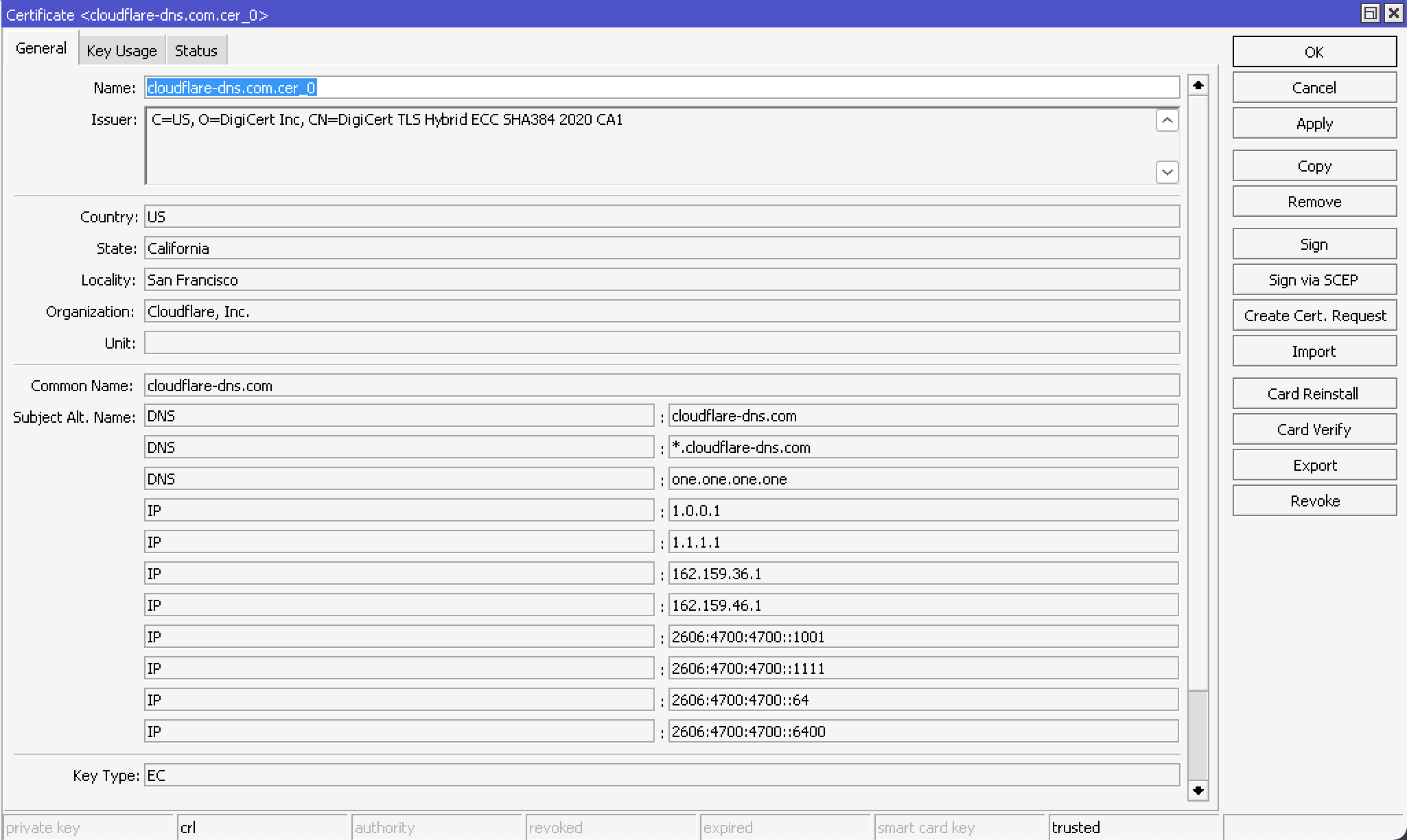
Here’s Cloudlflare’s security certificate as an example of the addresses that can be used for their DoH:
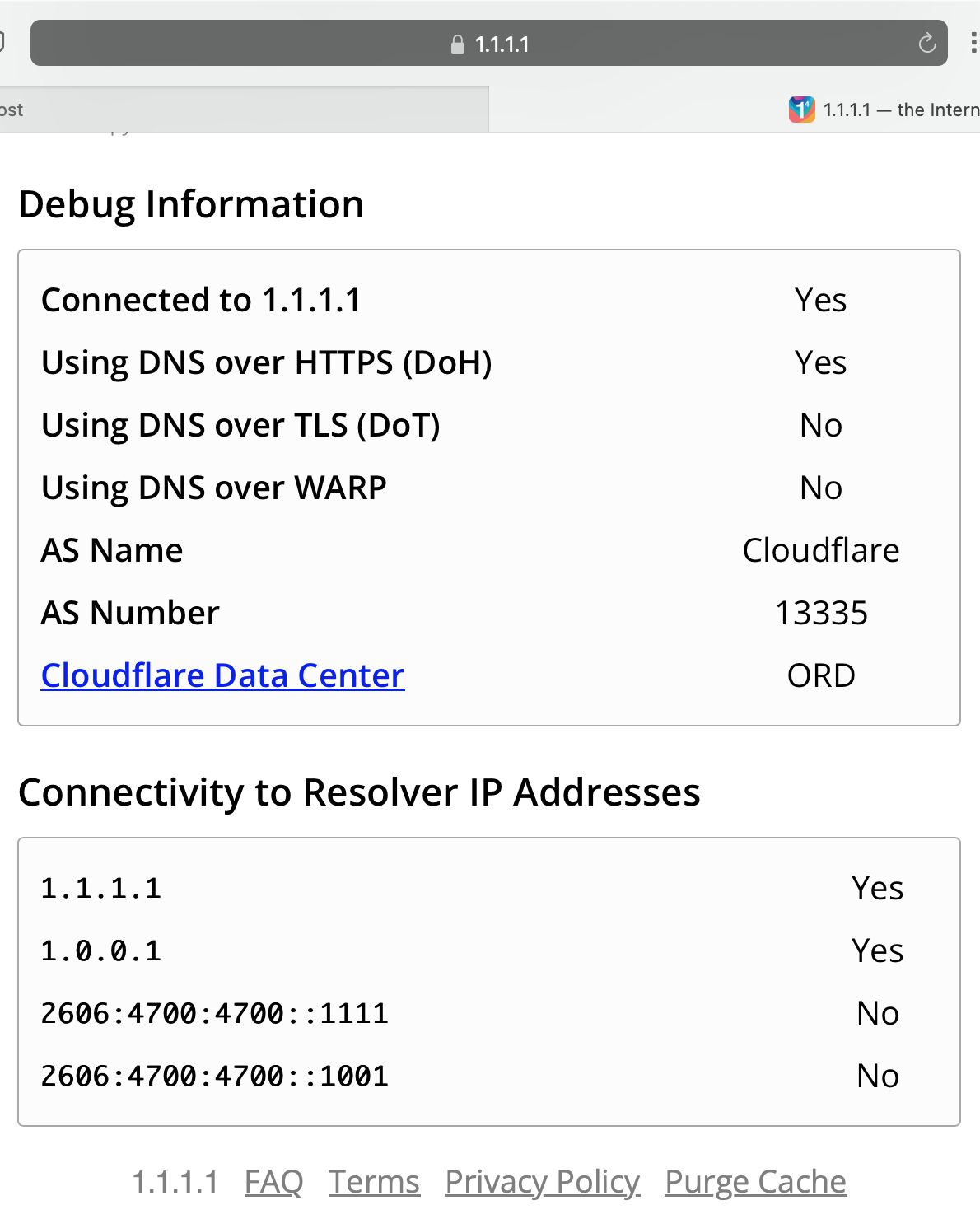
Here’s verification that’s it’s working using https://1.1.1.1/help :
According to Cloudflare, as long as you have the DigiCert Global Root G2, not the DigiCert Global Root CA, it should update automatically. Go to https://1.1.1.1, click on the lock icon & export the “DigiCert Global Root G2” certificate. Import to Mikrotik.
We did recently renewed the DoH and DoT certificate for cloudflare-dns.com 8 and the vanity IP hosts before the previous one expires. The renewed certificate was still issued by DigiCert, the problem you’ve run into was probably related to the root certificate got > switched from DigiCert Global Root CA to DigiCert Global Root G2. > So if your systems did not have the Root G2 installed, they could have the issue.
The certificate will eventually be renewed with a new certificate authority, SSL.com 25. This is due to the fact that Cloudflare is in the process of deprecating DigiCert 25 as a certificate authority.
If you are pinning the certificate chain attached to the Resolver, we highly recommend that you remove the certificate pin. > This will ensure that there will be no issues or downtime when the certificate renews> .