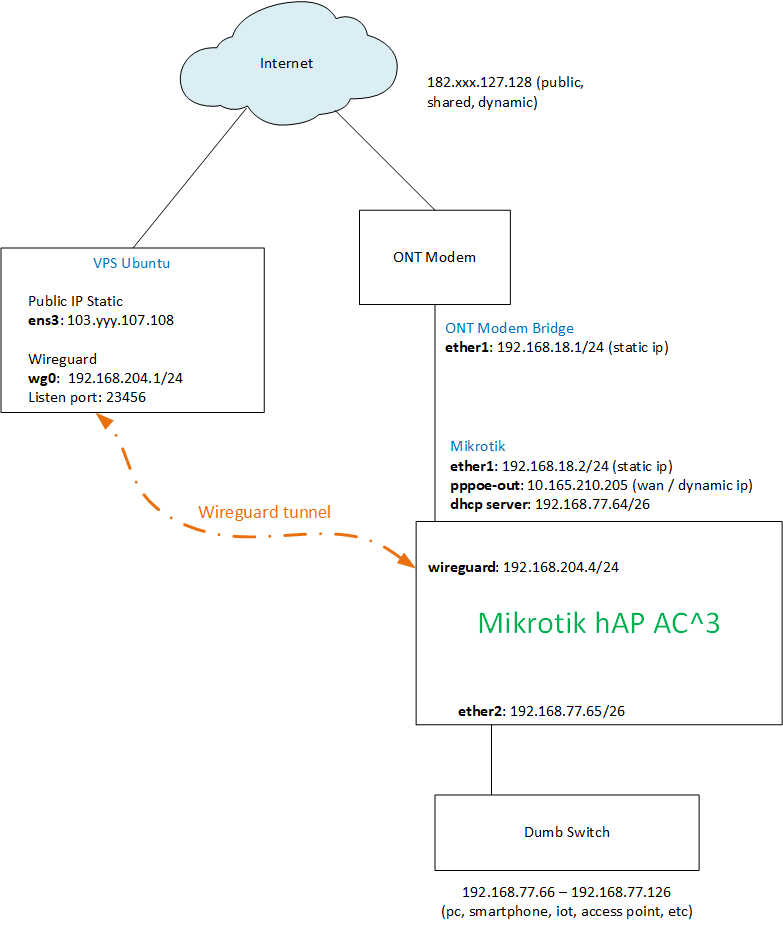
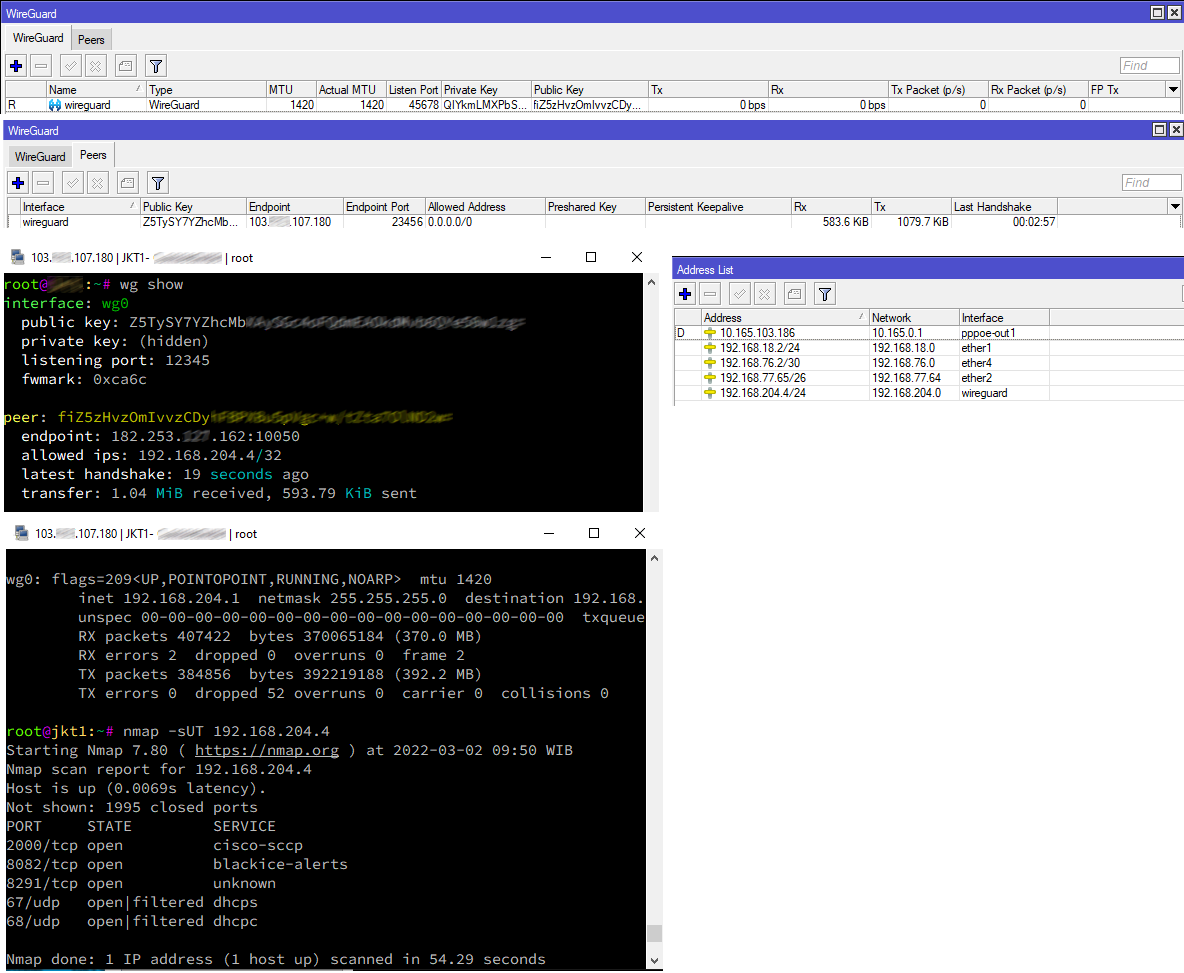
How to connecting wireguard wireguard inside mikrotik router to wireguard on the vps. The mikrotik router that I use only gets a private ip from the ISP. Detail is below:
ISP public (shared) ipv4 address: 182.xxx.127.128
Mikrotik
ether1
bridge wan (pppoe) private ip address: 10.165.210.205
Wireguard on VPS
Interface: wg0
Local address: 192.168.204.1/24
Listen Port: 23456
Endpoint: 103.yyy.107.108
Wireguard on this mikrotik router not handshaking to wireguard on VPS. On Windows, wireguard can connect even though it is behind NAT (double NAT, because the ISP I use only gives private ip) but the wireguard on mikrotik does not.
Personally, My PPPoE has a dynamic public IP. But as this connection is outgoing then your PrivateIP from your ISP should not be a problem at one point your traffic will go out to the internet from 1 public IP address. so if my assumption is correct then your problem is config, not the private IP. as you successfully connected from windows behind double-NAT.
I would recommend you to check this post. It might help you to find where is the problem. My VPS is an x86 MT. http://forum.mikrotik.com/t/route-internet-traffic-mt-via-wireguard-tunnel-through-mt-wg-peer/154825/1
Could you draw a diagram as its not clear to me what is where doing what?
If the MT is getting a private IP then it cannot be used as a SERVER for the initial connection UNLESS the ISP router can forward the listening port etc.
Then there is the issue if the MT is used for its internet access in which case one has to be able to (for return internet traffic) either create a static route from the ISP router to the MT,
OR, have the MT source-nat the traffic from the remote site heading out to the internet before it reaches the ISP router.
…once the tunnel is established, it is a bi-directional IP-Link.
Just establish the tunnel from local MT to VPS.
In local MT specify the VPS-peer as endpoint…
I’ve added the diagram. Wireguard peer on mikrotik router as “client” and wireguard on vps as “server”. The goal is forwarding mikrotik services port (winbox, ssh, www) to vps, so I can remote it via the internet.
maybe…a one-time licence, not a rented CHR on a VPS, is not what I call expensive. Actually I was able to save 1 buck a month by the ability to just use/migrate to a smaller VPS…just sayin’
@lebaran: I am facing similar problem - trying to establish WireGuard tunnel from my NATed home network to VPS server with public IP. I guess the problem is in firewall (or routing), because tunnel is never established. I noticed you use fwmark - would you be so kind to detail how you use it? Thank you!