I am complete newb when it comes to Mirkotik but am attempting to transition the items I have from Ubiquiti to Mikrotik. Can anyone help me mock this same configuration using the web gui in Mikrotik?

I hope you put in fake numbers for your IP address, otherwise you will need to change them for real…
Dont see anything thus far in your config that is difficult
Of course IPs are changed 
This is the network tab in the CPE (Station) device. Can you help?
Are you saying that this CPE device is your modem/router and then you have your MT device after that??
This device is my CPE and I am replacing it with a Mikrotik CPE
If it is easier to config with telnet/SSH, I can do that too : )
You have hardly any config. Aside from configuring wireless client (SSID, …), you just need to add addresses (just enter address/mask as you see it on your screenshot) in IP->Addresses to correct interfaces, gateway in IP->Routes and DNS in IP->DNS. And that’s all what you need for basic functionality.
Do I need to NAT or route anything?
There’s public subnet on your screenshot, you don’t need NAT for that. And the only route you need to add manually is default one.
Thank you. I will give it a try.
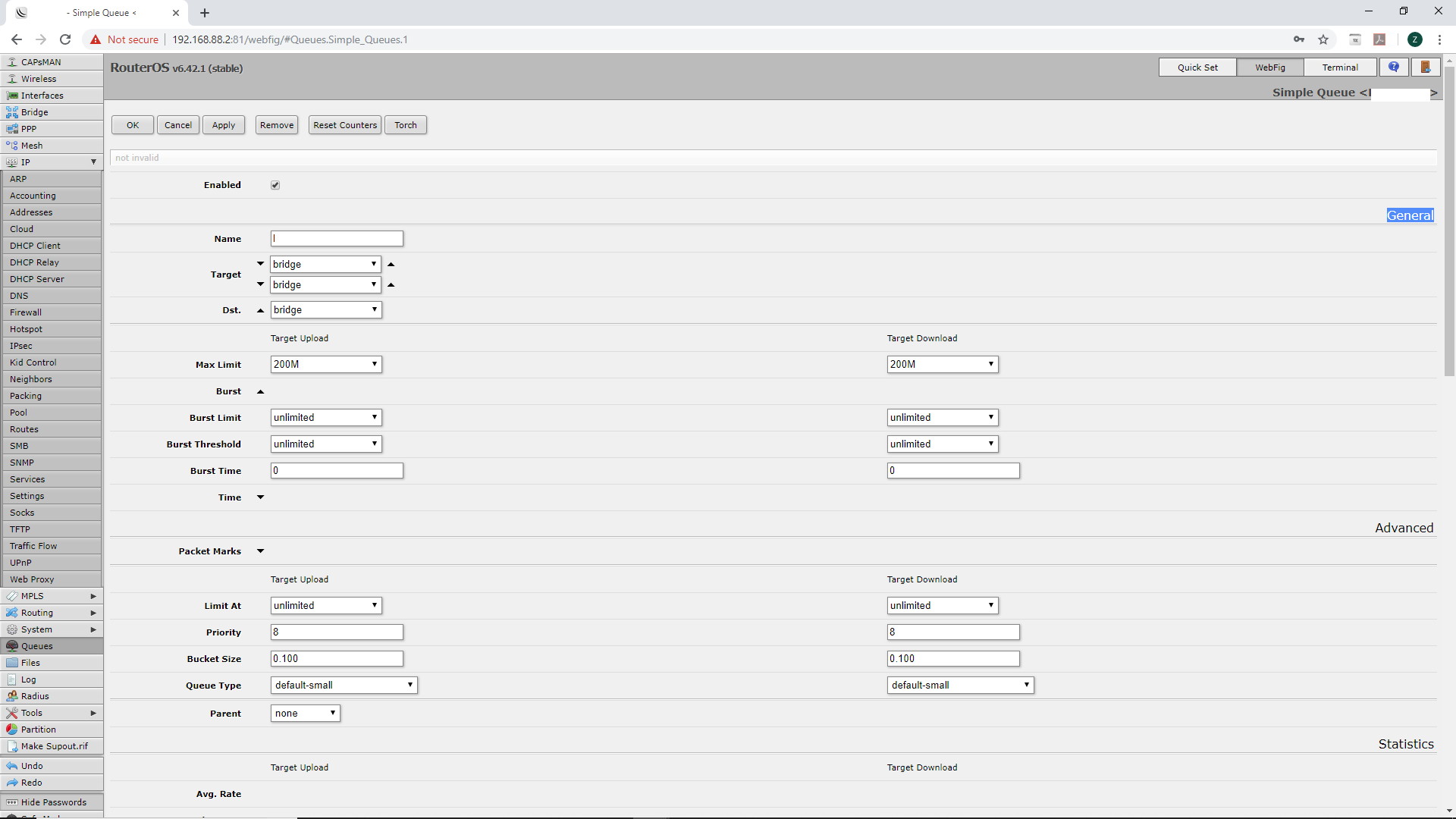
Next question - I need to limit this customer to 200Mbps. How do I accomplish this?
Show up at the door with a sawed off shotgun and explain what happens when one goes over the 200mbps limit.
Oh drats, I bet your in a civilized part of the world.
I believe simple queues is the easiest path to that requirement.
By looking on your screenshot you don’t have NAT enabled. So you don’t need it on mikrotik either.
You can use a “Quick set” in your web or winbox to setup your first basic config.
First, check for updates if you have old RouterOS version.
Next step is to select “CPE” instead of “Home AP” and choose “Router” instead of “Bridge” there.
All other settings should be intuitive to setup in this section.
This section also provides Upload/Download separated speed limitation config.
Do not forget to change admin password by pressing on “Password…”.
LOL @anav
I see the simple queues tab, but it looks vastly different than what I am used to. Any help would be greatly appreciated : )
Does this look good?