Hello all:
I have an issue I’m hoping you MikroTik professionals can help me with. My task is fairly simple: I need to have an AD server and a user on separate VLANs on a Dell 6224 switch, and then have that switch trunk those VLANs to a CRS125 for router on a stick functionality, or that’s what I’d like it to do. I’ve have gone through the wiki and set up the CRS125 in a variety of ways, following the instructions closely, and most recently used the Inter-VLAN routing setup using the switch-cpu over a bridge method, but I haven’t been able to get any talk between my two computers or internet connectivity. I know the obvious thing is to remove the managed switch (and when I do everything works fine), but I’m unable to do so as this is a project and I must set it up in this fashion. I’m fairly certain I have the Dell switch set up properly, tagging the proper ports, and I’ve tried both the general and trunking switchport modes going to the CRS125 to no avail. Any ideas on how to get the CRS125 to play nice? Sorry I can’t include any printouts of my setup as I’m not able to access it right now, but you can assume a default configuration on the CRS125 and I’ve updated RouterOS to 6.45.7. I may be missing something obvious since I’m new to the MikroTik way. Thanks for dealing with a newbie, your input is much appreciated!
I would love to post the config, but at the moment I have no access to the CRS125. Before I left I reset it back to what it defines as the default config for everything, so there is no VLAN layout, so you can consider it a blank slate. As far a physical layout goes I have my WAN connected to ether1 and the 802.1q from the Dell switch going into ether2, which because it’s back to default config, isn’t 802.1q on the CRS side of things. I don’t need it to be a speedy process, just a working process. There will only be two machines, a server and user, on this whole apparatus.
Oh I know, and I wish I could just take the Dell switch out of the situation and use the CRS alone, it would make my life immensely easier, but the project has me connecting that Dell switch to the CRS125 and having it do the router on a stick role. I just can’t get the CRS125 to perform that role is all.
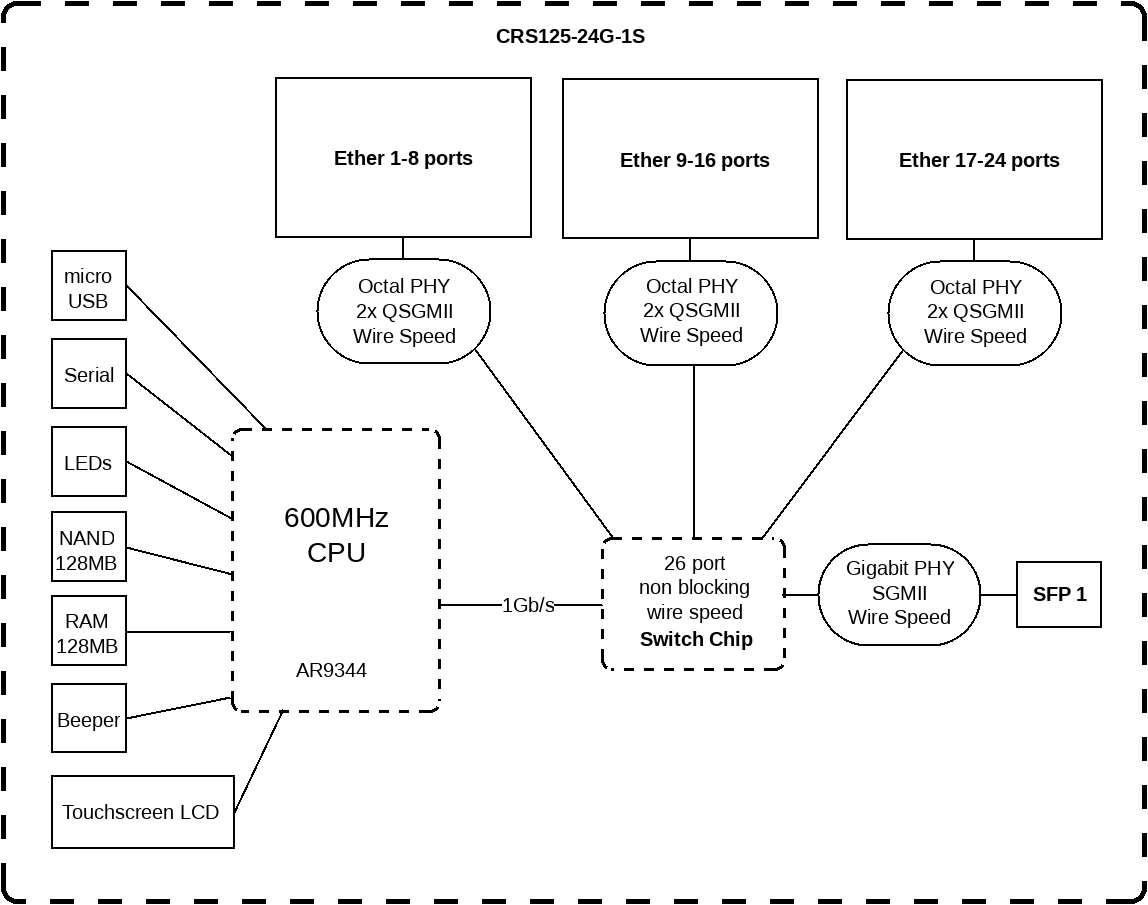
On CRS1xx there are two ways of configuring VLANs: using hardware (switch chip) or software (vlan-aware bridge). As you’re going to use CRS as a router-on-a-stick (at least initially) and as configuring vlan-aware bridge is slightly easier for a beginner in MT world, I would sugest you to read this fine tutorial which should help you understand how it’s done. As CRS will be router, you won’t be loosing any performance due to this approach. The nice thing about SW approach is that it is identical on every ROS device, one learns it once and can be used for ever.
If you later decide to use CRS as smart switch, then you will probably want to go the HW-config way.
is this possible to use even I have set only subnets on my MT router without VLANs? Or is needed to use VLANs?
And how can I set the Trunk port on the router that it can connect with Trunk port on switch?