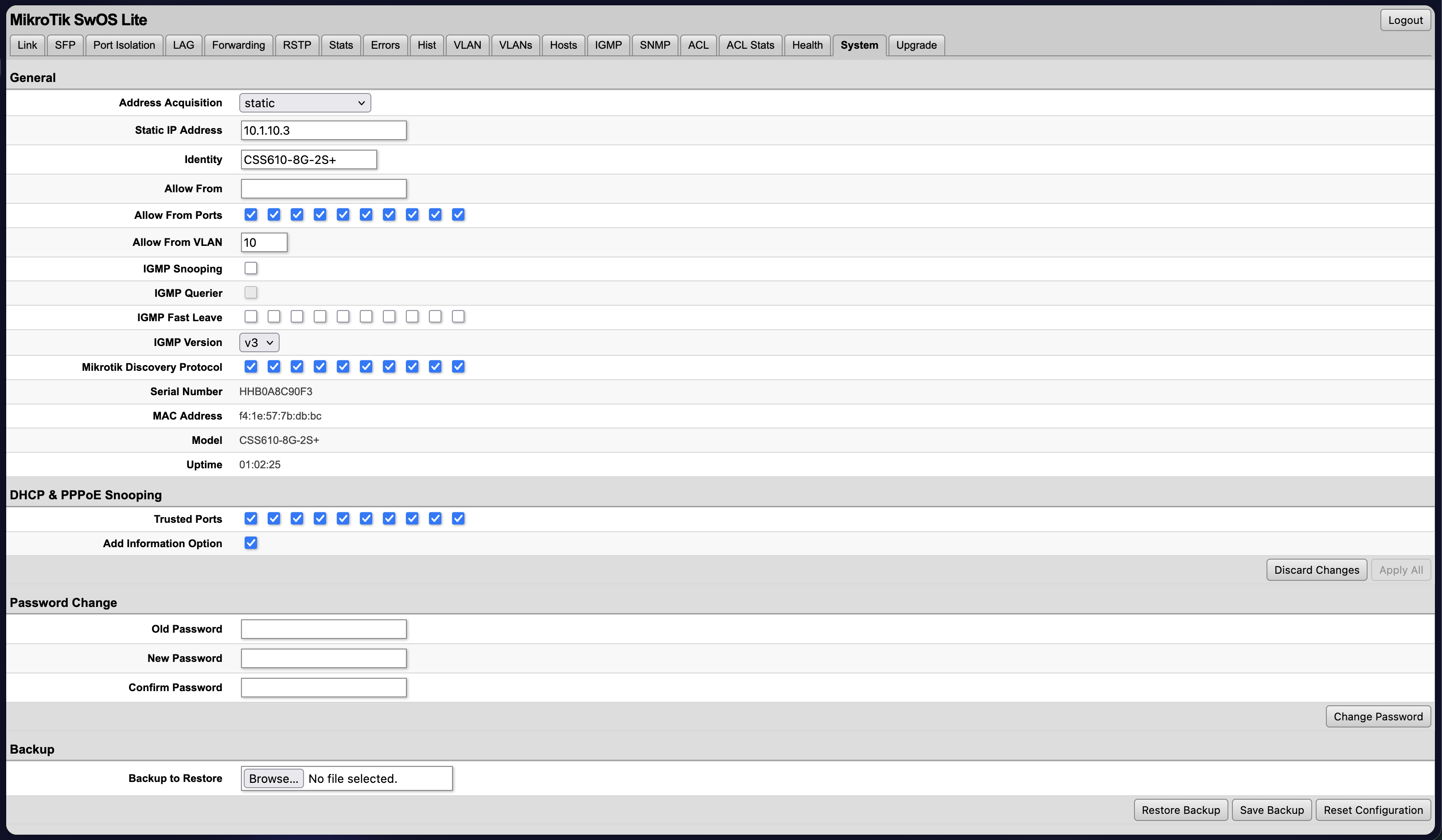
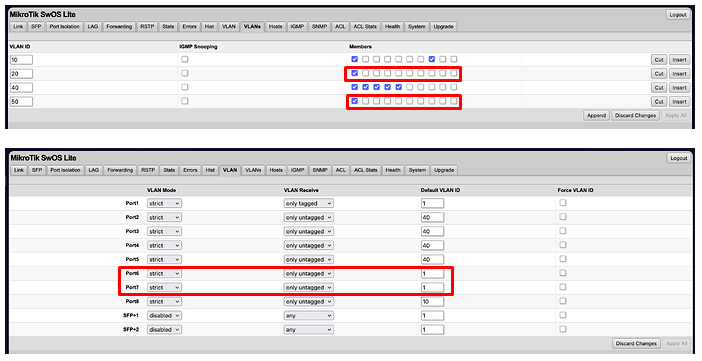
Port 1 is my trunk and a member of all 4 of my VLANs
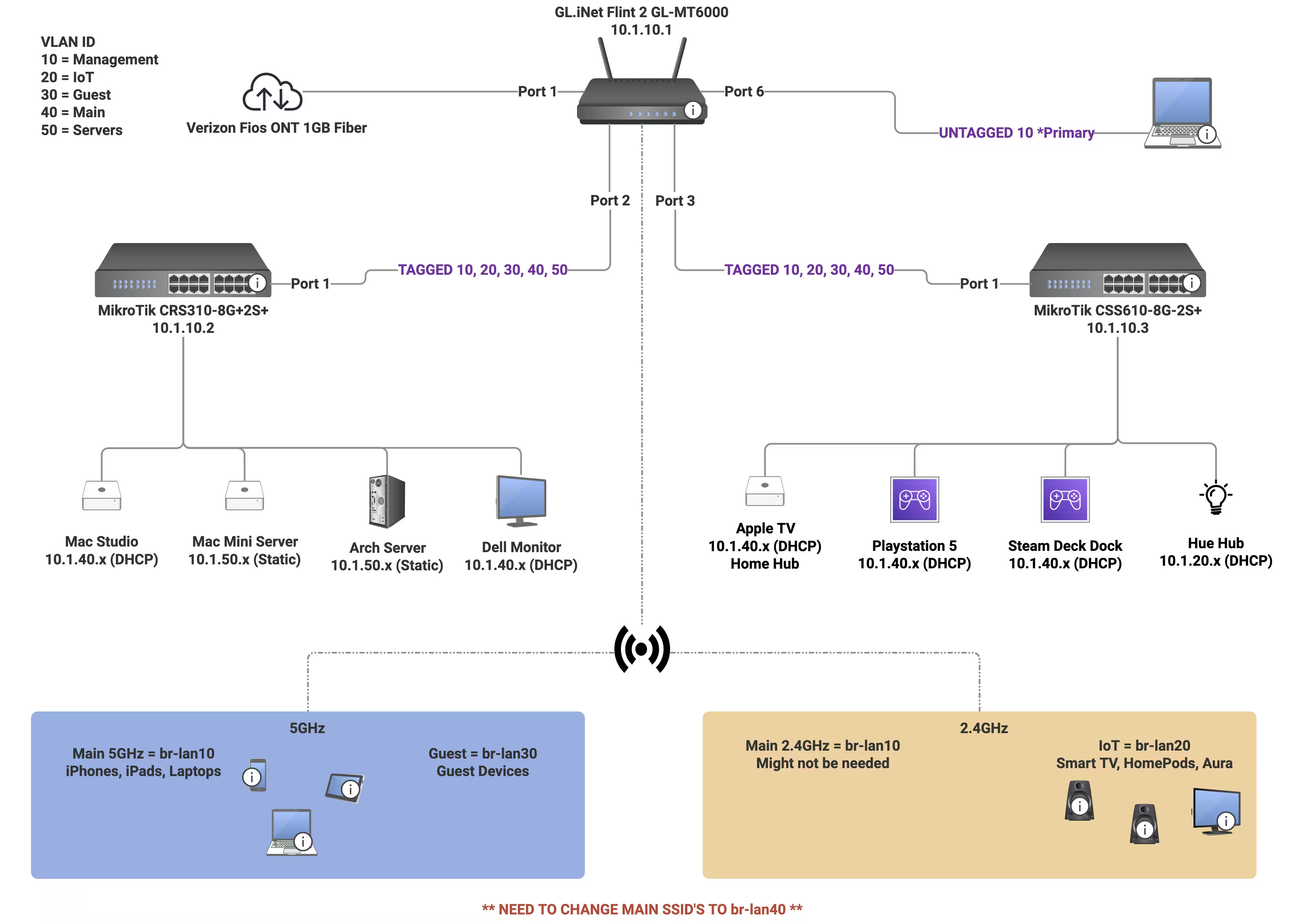
10 = LAN (Used for network devices and maintenance)
20 = IoT
30 = Guest (not configured on the switch, only for WIFI)
40 = Main (Primary VLAN for my network)
50 = Servers
Ports 2-5 are members of VLAN 40
Port 6 is a member of VLAN 10
VLAN tab
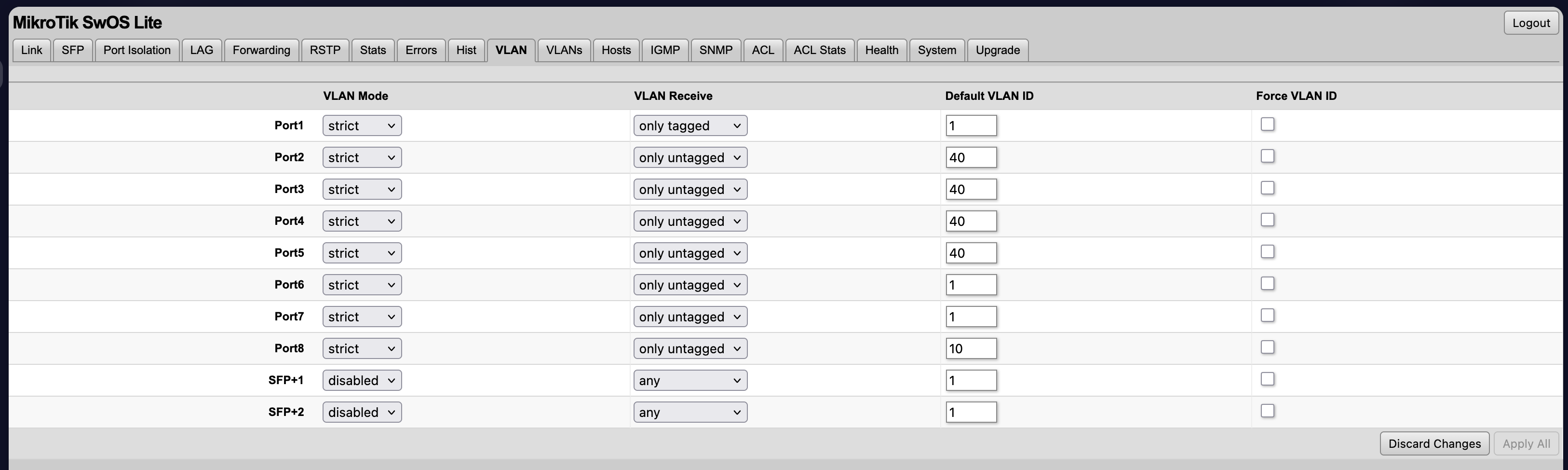
Port 1 = Strict, Only tagged, Default ID 1
Port 2 -5 = Strict, Only untagged, Default ID 40
Port 6 = Strict, Only untagged, Default ID 10
This seems to work great, devices will get 10.1.40.x IP addresses and I can connect to port 6 and get 10.1.10.x IP address. Confirmed that my firewall rules also seems to work (although I’ll probably want to run this past OpenWrt forum as well).
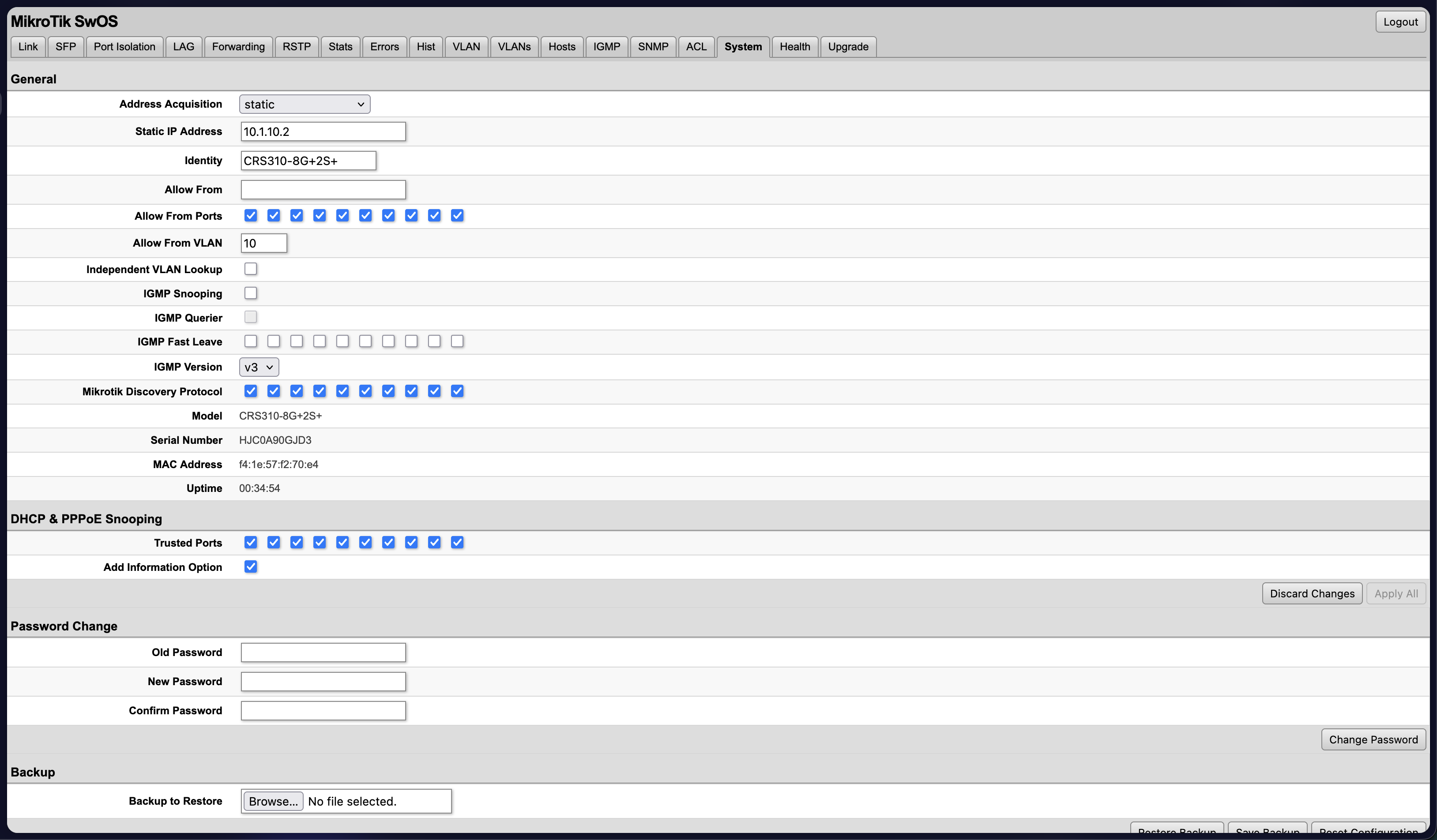
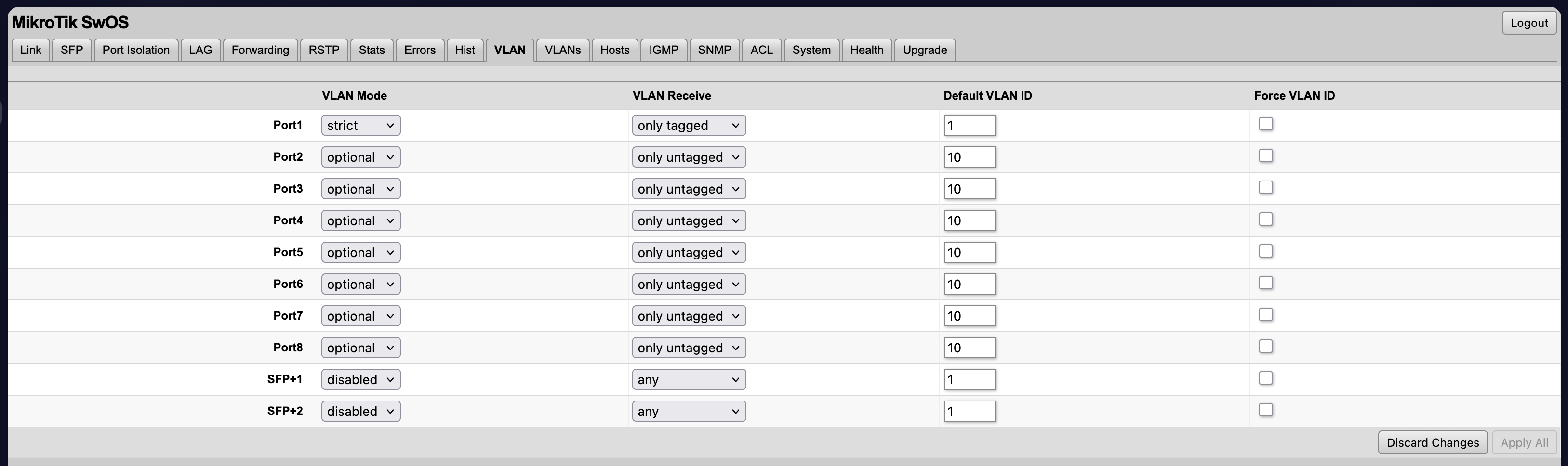
But when I go to look at the O switch (CRS310), I’ll mirror this configuration, I’ll get DHCP and DNS, but I can’t reach the WAN or ping any other devices apart from the network equipment. Most recently I tried just VLAN 10 because I figured it would be using the LAN firewall rules and work correctly, but I get the same issue… correct IP address but no traffic.
I assume you connected your Office switch to router, isn’t it?
Yep on the Flint 2 I have WAN in port1, Office switch in port2, Living Room switch in port3 and I have port6 as untagged for connecting my laptop and making edits.
Is the VLAN settings are correct to that port (should be the same as for that port that connects the Living room switch)
Yeah this is why I suspect it’s a hardware issue with this model. I can’t see why everything would look great on the CSS610 but not on the CRS310.
Trying to decide if I just bite the bullet and decide to use RouterOS instead on the CRS310 and try to turn off as much L3 functionality from the device as possible. I liked the idea of both switches mirroring each other.
Just switched them to see if that makes a difference, same results, so it’s either…
Configuration on the CRS310, which seems unlikely, not much in SwOS to change
Software bug with SwOS and the CRS310 when dual booting
Hardware issue
I did get both switches working before I added the VLANs, so I don’t think it’s hardware, but I do know a lot of devices did not support dual booting into SwOS for a few years, so maybe it’s residual
I’ll see if anyone else chimes in on this post and I’ll try RouterOS next week when I can manage the downtime appropriately.
Also in the VLANs members matrix, if you have only a single port selected, that vlan will be useless. You need at least two members per vlan for any traffic to be forwarded between ports. Just like a "single port switch" would be useless. In the example for the CSS610, vlan 20 is unusable. In the CRS310, 20, 40 and 50 are unusable. You have no access ports for Mac Studio (vlan 40), Mac Mini Server (vlan 50), Arch Server (vlan50) or Dell Monitor (vlan 40).
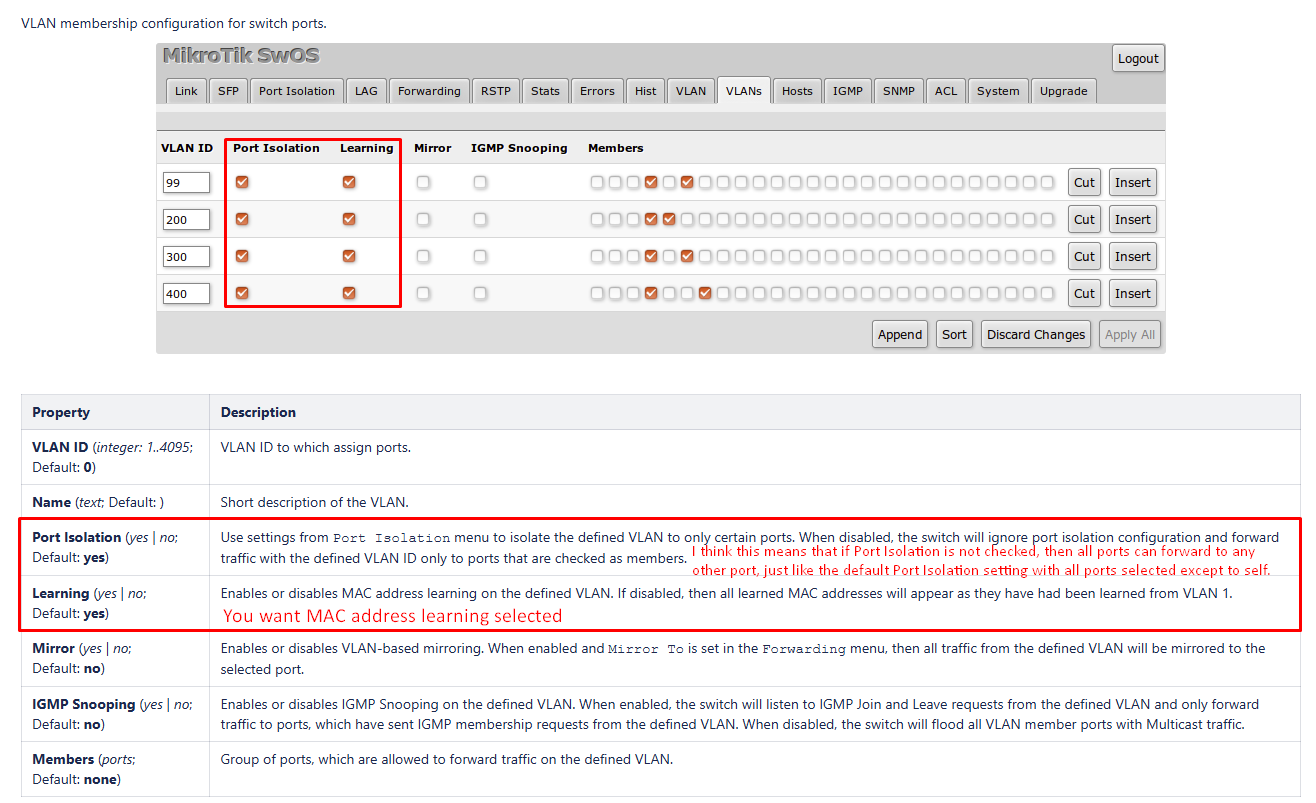
Turning on Port Isolation and Learning fixed the issue, thanks for the advice.
I have the trunk and the specific VLAN selected on each port, for example on the CSS610 port 1 is the trunk to the router so it has all VLAN’s selected. Then on the other ports I only have VLAN selected for what I want, most of those devices would be VLAN 40, so I select that VLAN and it gets the correct IP address.
This seems to work, so I’m a little confused by your comment.
I am saying that the screen shot from the CSS610 show vlan 20 (and 50) defined in the vlan table, but the only member port is the trunk port. So there currently isn't any port on the CSS610 (at the time of the screenshot) that could access either vlan 20 or vlan 50.
Also, while port 6 and 7 are configured with PVID 1 (What SwOS calls "Default VLAN ID"), the vlan 1 isn't defined in the VLAN table, and because strict is applied to the ports (what ROS calls ingress-filtering), any untagged packets being received on the port will be dropped. And tagged frames will also be dropped because VLAN Receive is set to "only untagged". So my guess is that a device plugged into port 6 or 7 will get a phy link connection, but no traffic will pass through the ports.
Not saying that is a bad thing to do, just be aware that no traffic will pass through ports 6 and 7 as configured.