Good Day All
I have purchased 2 CSS326-24G-2S+RM For use in my datacenter as a switch.
i have bought 2x 10G Fibre SFP’s to uplink the 2 switches.
All seems great,
then i have 3 Dell R710 servers, i have all 4 nics going into the “data switch”
port 13-16 Server 1
Port 17-20 Server2
Port 21-24 Server3
On my ubuntu servers i have followed the process and bonded all 3 servers with this config
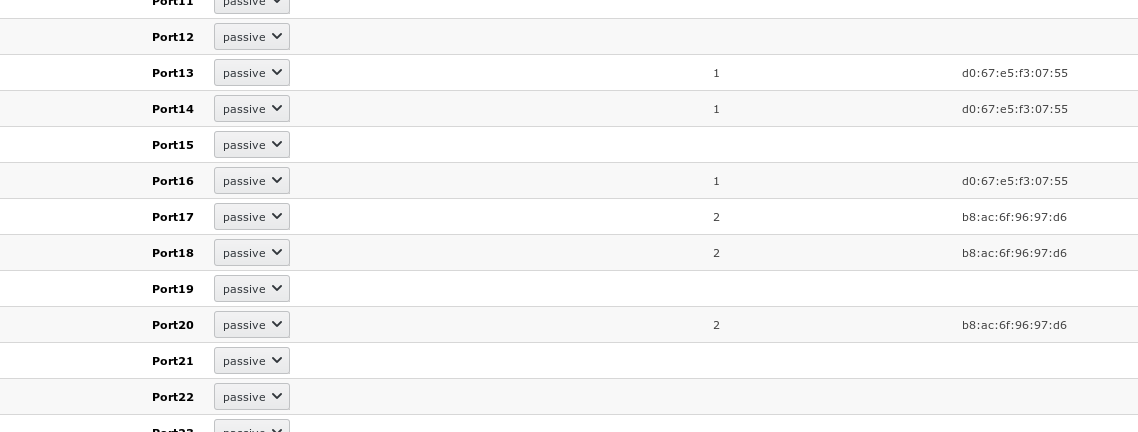
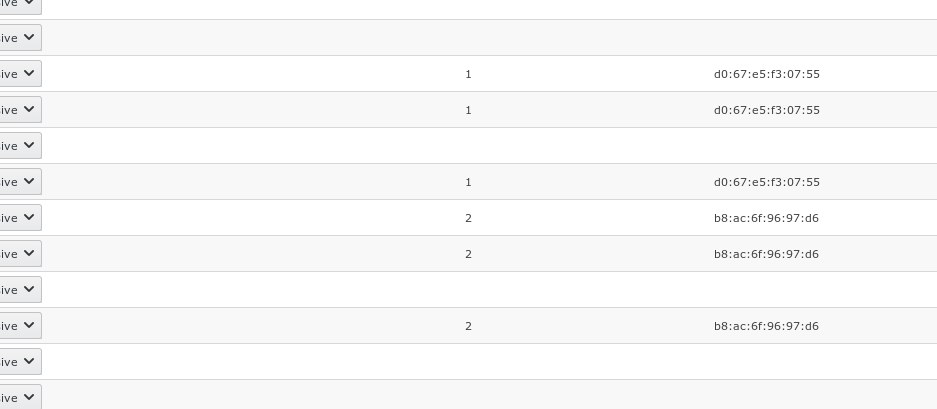
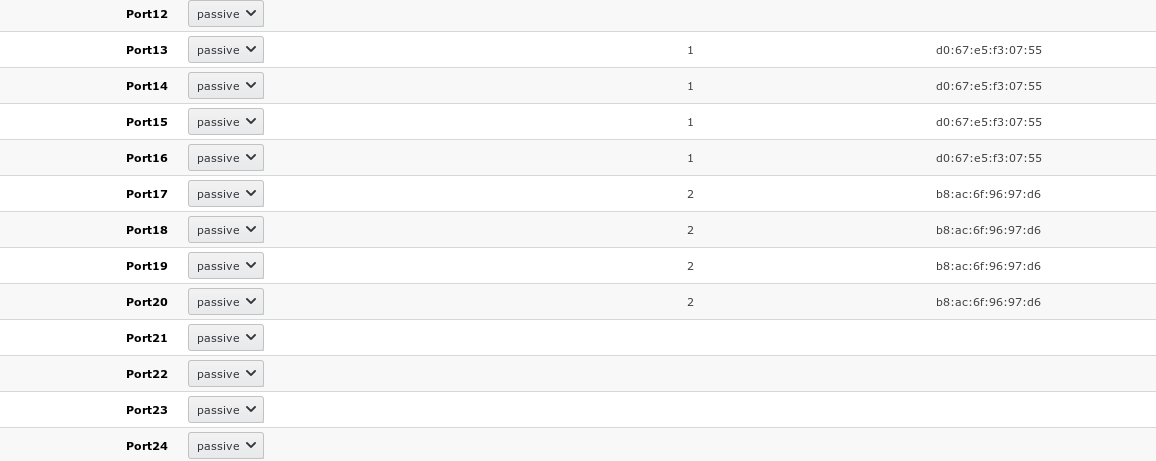
I have attached 2 screen shots taken a couple of seconds apart, that show the LAG screen and the devices.
While there is a “blank partner” pings timeout, then when all 4 show on-line again, the pigs will continue.
let me know if anyone needs more information
Ping: it misses alot of packets between 2709 and 2719
this happens a couple of times per min
64 bytes from 192.168.28.21: icmp_seq=2705 ttl=62 time=6.23 ms
64 bytes from 192.168.28.21: icmp_seq=2706 ttl=62 time=5.70 ms
64 bytes from 192.168.28.21: icmp_seq=2707 ttl=62 time=6.09 ms
64 bytes from 192.168.28.21: icmp_seq=2708 ttl=62 time=5.73 ms
64 bytes from 192.168.28.21: icmp_seq=2709 ttl=62 time=5.89 ms
64 bytes from 192.168.28.21: icmp_seq=2719 ttl=62 time=5.85 ms
64 bytes from 192.168.28.21: icmp_seq=2720 ttl=62 time=6.12 ms
64 bytes from 192.168.28.21: icmp_seq=2721 ttl=62 time=5.93 ms
64 bytes from 192.168.28.21: icmp_seq=2722 ttl=62 time=6.02 ms
ubuntu config
auto eno1
iface eno1 inet manual
bond-master bond0

auto eno2
iface eno2 inet manual
bond-master bond0

auto eno3
iface eno3 inet manual
bond-master bond0

auto eno4
iface eno4 inet manual
bond-master bond0

auto bond0
iface bond0 inet static
        address 192.168.28.20
        netmask 255.255.252.0
        network 192.168.28.0
        #broadcast 192.168..255
        gateway 192.168.30.1
        # dns-* options are implemented by the resolvconf package, if installed
        dns-nameservers 192.168.30.1
        bond-mode 4
        ##mode 4 is LACP
        bond-miimon 100
        bond-lacp-rate 1
        bond-slaves eno1 eno2 eno3 eno4
Seems that we have managed to reproduce this problem here locally. We will work on it and try to release new version with potential fix as soon as possible. Thank you for the report and additional information about the problem.
I’ve been getting very odd and strangely similar behaviour (as well as a twist)… theres not alot of info on the LACP in SwOS (not sure if the swos doco has ever been updated, but i cant find one that talks about it) and im using the same model (CSS326). Plugging into another switch that supports LACP, i end up with one up and one down interface:
{master:0}
root@ds01> show lacp interfaces ae1
Aggregated interface: ae1
    LACP state:       Role   Exp   Def  Dist  Col  Syn  Aggr  Timeout  Activity
      ge-0/0/10      Actor    No    No   Yes  Yes  Yes   Yes     Fast    Active
      ge-0/0/10    Partner    No    No    No   No  Yes    No     Slow   Passive
      ge-0/0/8       Actor    No    No    No   No   No   Yes     Fast    Active
      ge-0/0/8     Partner    No    No    No   No  Yes    No     Slow   Passive
    LACP protocol:        Receive State  Transmit State          Mux State
      ge-0/0/10                 Current   Slow periodic Collecting distributing
      ge-0/0/8                  Current   Slow periodic           Detached
So obviously it manages to talk 802.3ad… and im presuming active/passive/static in the SwOS config refers to the active/passive of LACP and static means non-802.3ad.
However it gets much stranger than that. The vlan that i’d connected that port to has about 20 devices in it and one device in it (APC power rail) then went offline… unplugging the bonded interfaces, problem goes away, and its definitely related to this switch being plugged in somehow. The only related event is that at the time it goes offline, the power rail sends a dhcpv6 solicit:
12:41:10.443622 In IP6 truncated-ip6 - 42 bytes missing!fe80::2c0:b7ff:fe5b:6270.546 > ff02::1:2.547: dhcp6 solicit
I cant see if anything is replying (cant setup a span port at the moment)
This also only occurs when both interfaces in the lacp bond are plugged in, if only one interface is connected it doesnt occur… if i get a chance later, i’ll setup a mirror port and see if i can see why this is happening, but its truly bizarre behaviour. I can say one thing for certain, Its definitely not creating a loop.
This is first time i’ve played with SwOS to be truthful so its in an interesting product… you configure it with an ip address (not subnet mask or gateway) and it finds the internet - that is extremely odd.
I can’t say anything about your LACP troubles (that behavior is truly odd), but regarding your last paragraph: The switch doesn’t find the internet. The info about changelog and latest version that can be seen in the System tab is just an iframe. All the magic happens in the browser.
Not having a gateway is actually a bit aggravating for me. I access the switch from another subnet and the only way I can do this is by setting up a masquerading NAT rule on the router between the two subnets.
SwOS can be reached from the internet just fine. The reason you don’t need to specify netmask and gateway is that switch is just responder, it sends packets back to the same gateway that sent requests to it in the first place.