Hello,
I’ve tried to setup and automated DDNS update script when the PPPOE connection is up. I’ve read all the forums, and the old scripts (that mostly use tool fetch do not work any more due to permission issues.
Basically, to update the IP address at freedns, one must fetch the following URL:
https://freedns.afraid.org/dynamic/update.php?HASH_VALUE==
In the old versions one would simply put in the PPOE profile, in the “on Up” section the fetch command and that’s all.
But these seems to not work any more due to permission rights issues.
So now I did the following.
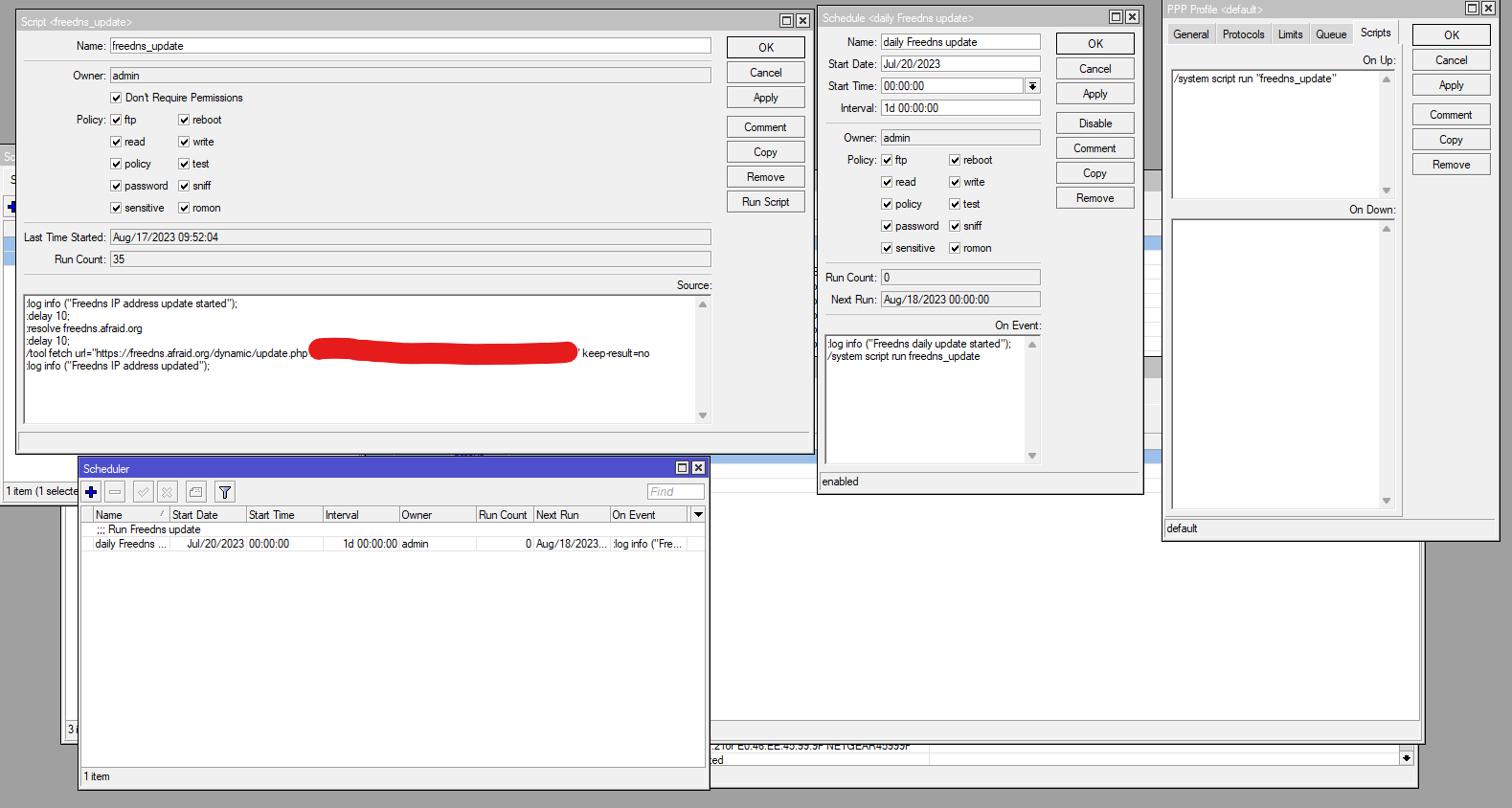
I created the following script and named it “freedns_update”:
:log info ("Freedns IP address update started");
:delay 10;
:resolve freedns.afraid.org
:delay 10;
/tool fetch url="https://freedns.afraid.org/dynamic/update.php?HASH_VALUE==" keep-result=no
:log info ("Freedns IP address updated");
The closest I got is the following:
In the System → Scripts section, for this script I’ve ticked all permissions (including ‘test’ and ‘Don’t require permissions’)
In the PPOE scripts section, at “on Up” I’ve set to run it:
/system script run "freedns_update"
When the link comes up, it indeed runs the script, but never finishes.
It displays only:
"Freedns IP address update started"
but never gets to the line which logs:
"Freedns IP address updated"
I’ve also set up a Scheduler, to run this script every day, under System-> Scheduler:
/system script run freedns_update
This runs ok, every day I see in the log both entries from above and also the IP address is kept in sync.
Here I also see that the owner is “admin” and also under policy, I’ve ticked everything.
Below are the screenshots:
What could be the problem ?