I have several MT networks, router, switch, access point, or all-in-one (like hAP ax3), all with a basic config, some with VLANs other not, LAN, GUEST, IoT Wi-Fi, other cases with a single wireless LAN.
Since few versions from the latest stable, I've been receiving feedback about slow speeds, delays and packet loss. When the AP is rebooted, the problems go away.
I can't provide full export of config at the moment but wireless settings have been carefully tested. LAN is using WPA3-PSK and GUEST WPA2-PSK. FT is enabled in all, CAPsMAN just with few larger networks.
Ethernet clients are working without any issues. In some cases, Aruba, Meraki, and TP-Link APs have performed much better. I’m not expecting MikroTik to match those brands, but I’m just wondering if anyone else is noticing the same issues.
v.7.19, v7.20, v7.21rc3 are all affected by the same problems.
v.7.19, v7.20, v7.21rc3 are all affected by the same problems.
Any sign of frequent disconnects from logs? I believe a firmware newer than 7.19.4 has already wireless driver fixed, so it is less likely related to that known (and solved) problem
I've been receiving feedback about slow speeds, delays and packet loss.
Hoe many wireless clients are connected to wireless interface at peak? How’s Tx/Rx Drop looking? How’s Tx Queue Drop and output of/queue/export are looking?
When the AP is rebooted, the problems go away.
Does it happen on both 2.4Ghz and 5Ghz interfaces? How often devices roam from one to another?
I can't provide full export of config… I can provide more details about the Wi-Fi settings if needed.
Just this part /interface/wifi/export is enough to see if power settings are configured properly and frequency is not set to Auto:
tx-power on 5GHz needs to be 7-10 db higher than 2.4Ghz to minimise wireless clients frequent roaming
the least busy frequency needs to be chosen based on spectral scan
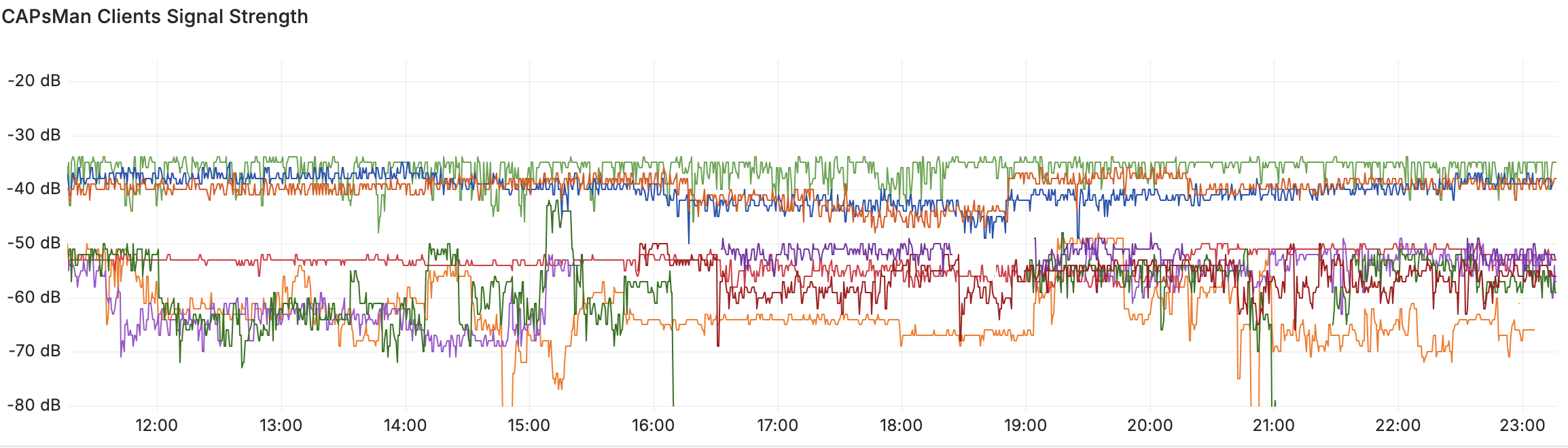
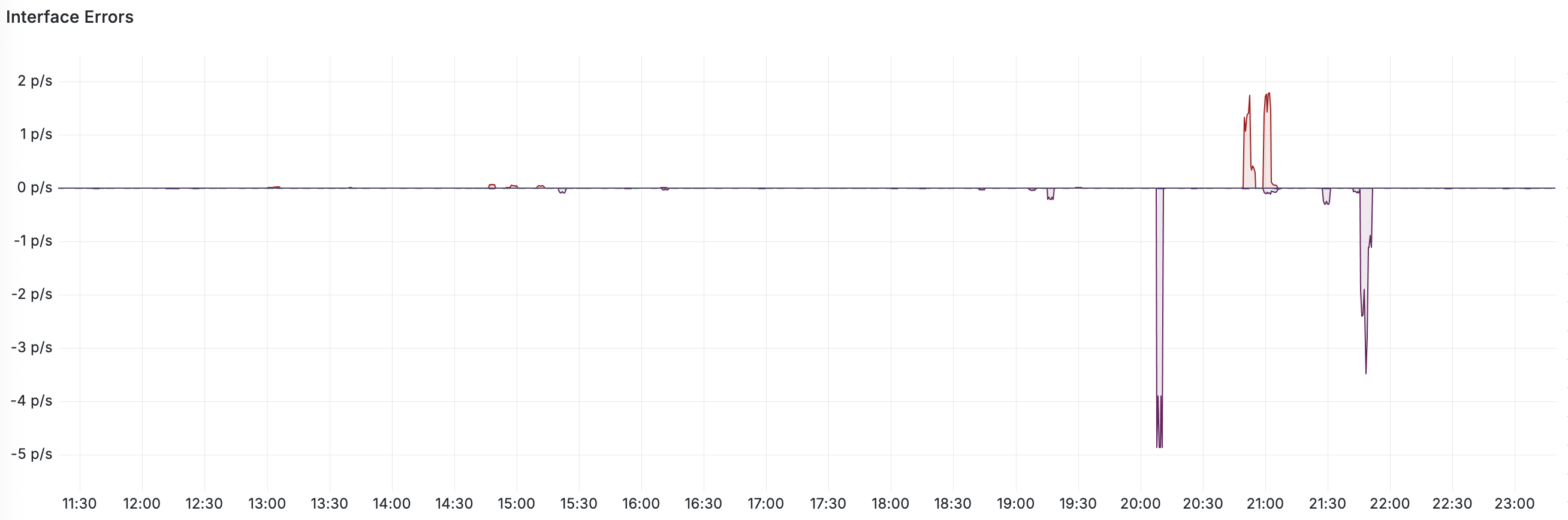
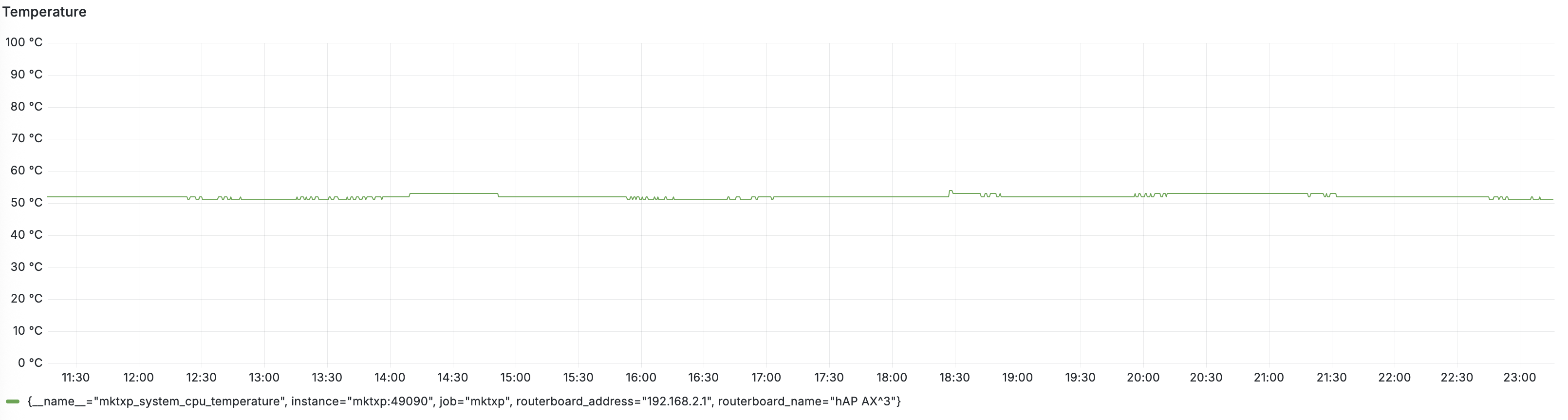
If there’s a chance setting up something like GitHub - akpw/mktxp-stack: MKTXP Exporter monitoring stack , then it will give more insights and help with troubleshooting, for example this is what I see with my AX^3 wireless clients in the past 12hr:
I'll try to be more precise as possible due to writing from mobile, but will be edited from PC if necessary.
Never noticed issues previously v7.19.4 about disconnections, except spam in the log. Nowadays roaming logs are present but nothing unusual.
Usually connected devices per AP are from 5 to 15. To be fair, I played a little bit with Interface Queue adding slightly modified FQ-Codel, restored to stock soon as complaints were received, I'll take a look at Tx/Rx Drops.
It happens both 2.4 and 5Ghz. 2.4Ghz is a mess, reaching various IoT devices with /tool ping values are from 20 to 200ms.
Mobile devices and newer Apple computers are able to roam and this is happening regular if moving away or closer. PCs with common Realtek card are not roaming.
tx-power for 2.4Ghz is set at 10 to minimize roaming. Frequency is not set to auto but with a wide range, so it's like auto. Channel bands for 5Ghz ate at 40Mhz and 2Ghz at 20Mhz. Wi-Fi configuration will be posted soon.
I'll try to take a look at the link, I may set-up this at home.
To be fair, I played a little bit with Interface Queue adding slightly modified FQ-Codel, restored to stock soon as complaints were received
After spending quite a bit of time I knew few things: 1) I need fast-track, 2) shaping WAN before leaving the interface and right after entering it is enough to prevent buffer bloat. Now queueing happens on parent interfaces exclusively, allowing fast-track to manage all of forward chain successfully
/queue type
add kind=fq-codel name=fq-codel

/queue tree
add max-limit=95M name=queue-upload packet-mark=no-mark parent=ether1 queue=fq-codel
add max-limit=600M name=queue-download packet-mark=no-mark parent=bridge queue=fq-codel
It happens both 2.4 and 5Ghz. 2.4Ghz is a mess, reaching various IoT devices with /tool ping values are from 20 to 200ms.
I can’t think of any next step other than
running “frequency usage scanner” via Winbox and switching to the least busy channel
reposition router so stock antennas has better coverage, keeping track of it with mktxp-stack or something similar can give you clear signal if it helped or not
tighten the antenna or even better replacing it, I have much better experience with this one compare to stock antenna based on the data from monitoring system mentioned above
tx-power for 2.4Ghz is set at 10 to minimize roaming. Frequency is not set to auto but with a wide range, so it's like auto. Channel bands for 5Ghz ate at 40Mhz and 2Ghz at 20Mhz. Wi-Fi configuration will be posted soon
Very good, after days of experimenting I ended up with these settings - tx-power is at 18dBi for 5Ghz and 8dBi for 2.4Ghz:
Also using a similar concept: /queue type add cake-ack-filter=none cake-bandwidth=100M cake-diffserv=diffserv4 cake-flowmode=dual-srchost cake-nat=yes cake-rtt-scheme=regional kind=cake name="CAKE-egress" /queue type add cake-ack-filter=none cake-bandwidth=300M cake-diffserv=diffserv4 cake-flowmode=dual-dsthost cake-nat=yes cake-rtt-scheme=regional kind=cake name="CAKE-ingress"
/queue tree add name="Download queue" packet-mark=no-mark parent=Bridge queue="CAKE-ingress" disabled=no /queue tree add name="Upload queue" packet-mark=no-mark parent=WAN queue="CAKE-egress" disabled=no
for Interface Queue: (restored to default for troubleshooting) /queue type set [find name=ethernet-default] fq-codel-ecn=yes fq-codel-interval=50ms fq-codel-quantum=1514 fq-codel-target=5ms kind=fq-codel /queue type set [find name=wireless-default] fq-codel-ecn=yes fq-codel-interval=100ms fq-codel-quantum=900 fq-codel-target=15ms kind=fq-codel
Yeah, it’s so stressful… I’ve spent a lot of time investigating issues that are happening randomly. APs are usually located close to devices, or at most about 10-15 meters away. When I ping my router connected to a MikroTik AP, the delay ranges from 5 to 45ms. In a previous test, when I was using an Aruba AP, the delay was a steady 5ms.
Posted configuration in the first post.
I suspect the issues are related to the ft=yes setting.