I’ve been running caddy container for a while with the script to update it every 10 days.
After last update - I realized that container is not working.
Using official docker image https://hub.docker.com/_/caddy
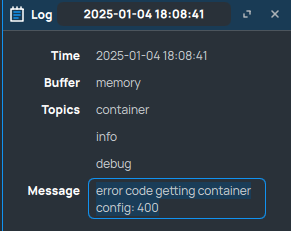
Then i’ve realized, that pulling that container - i get error “error code getting container config: 400” in around 80% of the time, because every, like fifth time, when i try to pull image - it works.
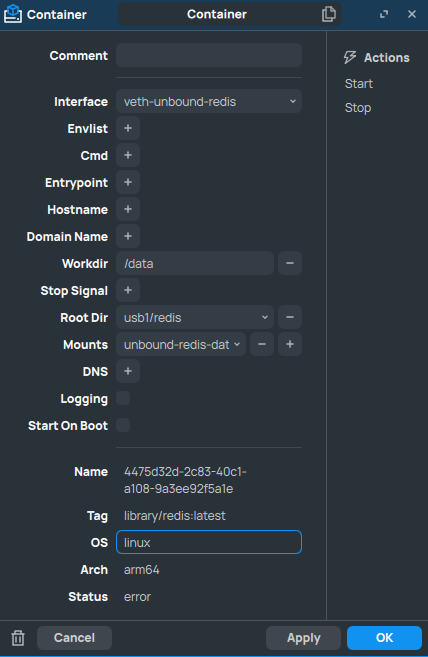
Then I’ve tried redis image: https://hub.docker.com/_/redis
Same story, succeeds like every 5th time (did not calculate exactly) and fails with the same error as caddy image.
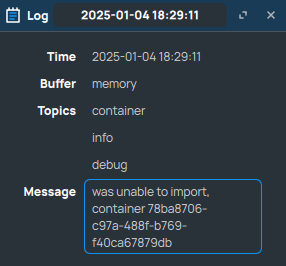
Sometimes i just get this error:
Adguard image for instance having no issues, so I assume - the problem persists only with docker official images, where there is no parent directory, but instead pulling caddy, for instance becomes this remote image “library/caddy” or “library/redis”
Same error here on 7.17.1, with an image that has been working for weeks (cloudflared 2025.1.1) and also now with cloudflared:2025.2.0, none will start with the same error message even thought the ARM64 image exists for my RB5009
yes, same with 7.17.1, I spent all night to install homeassistant. I had to install docker desktop and then download and import image directly do mikrotik … and then I found out, that in Mikrotik docker is no support for USB stick … (zigbee)
I’ve been running 7.16.2 on my RB 3011 (arm32) for about two weeks or so, and have been able to pull the official pihole image from Docker Hub several times. But today I’m getting “error code getting container config: 400” no matter how many times I try. The image installs with no issues from a locally-exported tar file. I don’t think this is an issue with a specific v7 release, but maybe Docker Hub changed something that Mikrotik needs to take a look at?
I just discovered the issue with pulling official Docker images today. Initially, I thought it was related to the upgrade of RouterOS version, so I tried downgrading to versions 7.15 and 7.12, but that didn’t solve the problem. I realized that there might be some changes in the Docker Hub network that caused this issue.
Ultimately, to get everything working again, I had to pull the images on a new VPS using Docker, then save them as tar files and upload them to RouterOS for import. This method worked successfully and saved my system, restoring its functionality!
Thanks @Clevelus, adding the "library/" for my postgres download worked on RB5009 running 7.18.2 (and v7.20rc2 which I tested in desperation before seeing your post)