Does the CCR2116 have deeper interface buffers on the SFP+ ports than the CCR2004-PC?
I am running into an issue with a tower router that is suffering from constant RX drops w/o flow control and TX pause frames w/flow control. Actual bandwidth is less than 2G but it around 20k pps TX and 50-70k pps RX.
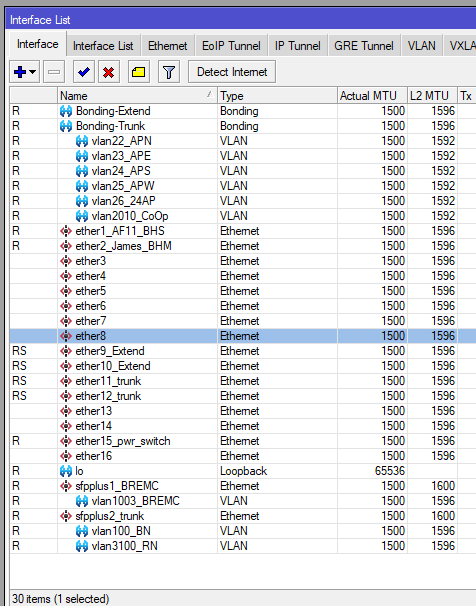
This router serves around 300 customers on various radio equipment. I have one SFP+ port as my upstream. The other to an SFP+ switch to feed Tarana radios. Then I have 2 ethernet lag to connect to two POE Switches that run Cambium/Ubiquiti WISP radios.
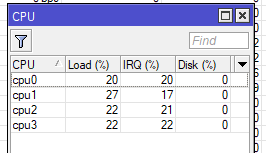
I feel the RX drops (1000-5000p/s) at peak hours is causing inconsistent TCP and one thought was the CCR2004 just is not the right router for this setup even though it has CPU room to spare.
I can't help you with your title question, but I can tell you that flow control is necessary any time you have an intermediate network device with mismatched speeds on the interfaces the flow is transiting. TCP includes flow control, which means either someone's TCP implementation is badly broken (unlikely) or you are using a protocol like raw UDP without its own flow control.
I specified "raw" UDP to rule out things like QUIC that add flow control to UDP.
At low levels, these Rx drops due to lack of flow control do not constitute a problem. They are signs of the equipment doing what it should. Adding buffers to stave this off would be wrong. Rx drops are a good thing in this context. they show the feedback loop in action, without which L3+ flow control cannot work properly.
If you are using a protocol without flow control and the effect is impacting performance, then your solution is to switch to something that does have flow control, whether that means L2 (e.g. Ethernet, WiFi…) flow control or something higher up the stack.
Besides upgrading to 7.21 (still on 7.14) is there maybe something I can do to improve efficiency of my setup? Maybe with how I am using the copper ports? I am not using any hardware bridging at the moment.
Everything connected to copper is 1G ethernet and everything on the SFP+ ports is 10G fiber.
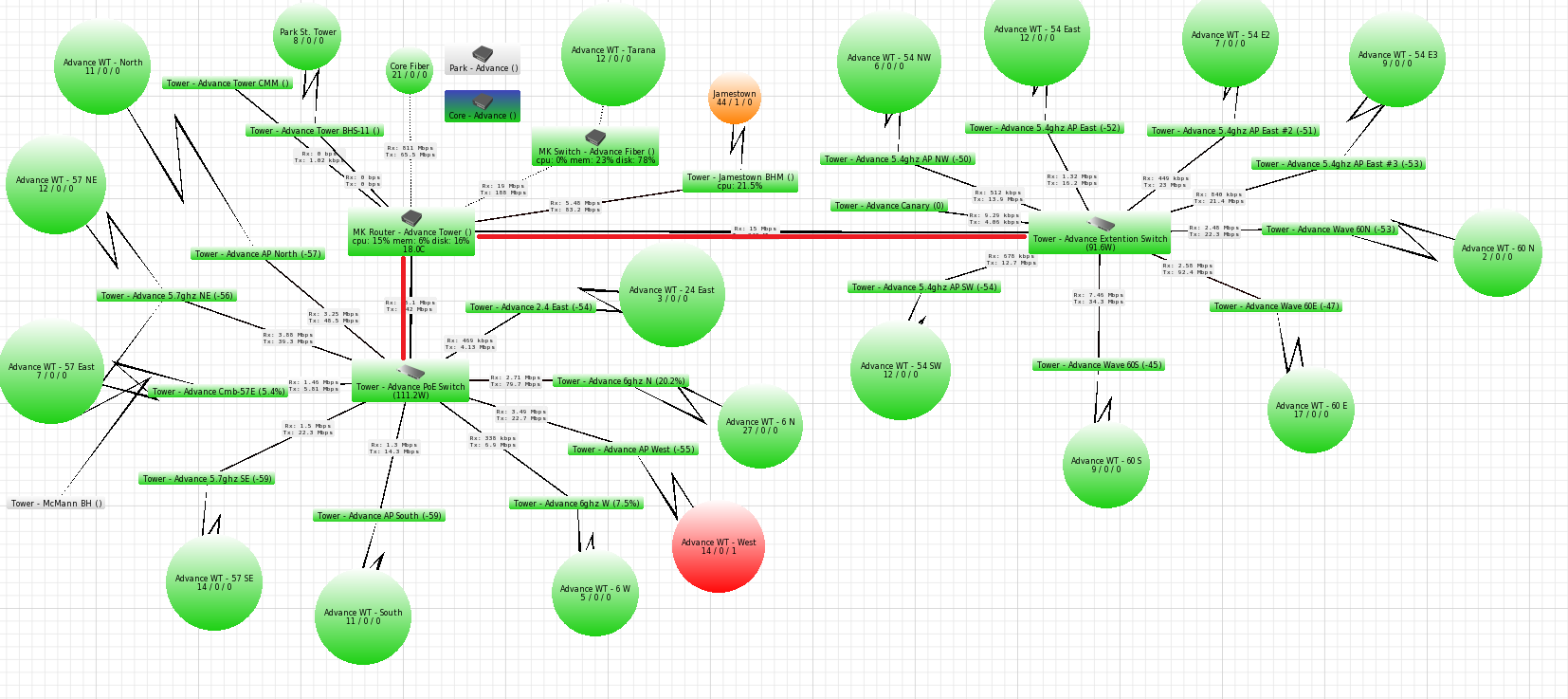
So what I have is the CCR2004 is connected with 10G fiber to my uplink path through leased 10G link back to my core (no ports drops shown on core interface). The other 10G link connects to a CRS305 where I have 2 Tarana BNs connected also via 10G fiber.
I then have 2 Netonix POE switches that power various APs. All APs are connected to switches at 1G. Switches are connected back the CCR2004 via 2x1G interfaces setup in an 802.3ab Bonding LAG (red lines).
I then have a couple of wireless backhauls connected to CCR2004 at 1G. One is a wireless backup for the tower fiber feed the other is a wireless feed to another tower.
Everthing is routed on the CCR2004 where I am using the vlans for Router-on-a-stick purposes where each AP is in a vlan on the Netonix switch and then that Vlan interface on the router is the IP gateway/DHCP server for the subnet for that AP.
I checked only around 150Mbps of traffic to the router right now is UDP the rest 600Mbps is TCP.
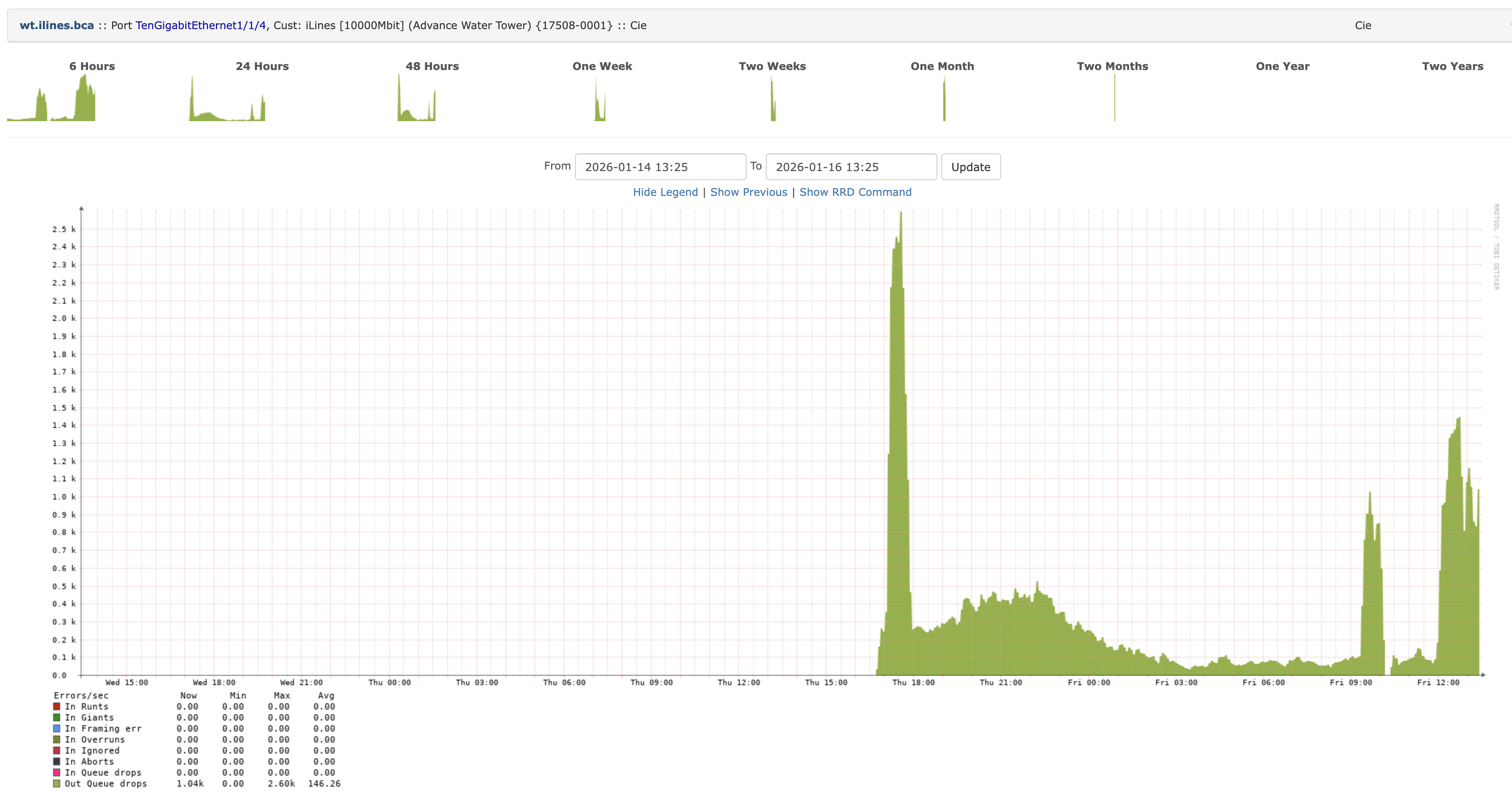
When I enable flow control on the 10G Uplink port all RX drops go away but my upstream provider’s (leased 10G transit link) cisco switch (router?) starts showing large amount of output drops while my router just shows TX pause frames. Again this is a 10G link to 10G link.
I'm seeing output drops, which happen when we try to send traffic faster than it’s being received on your end.
I'm also getting a noticeable amount of pause frames from your device, which usually means it’s getting congested and signaling that it can’t take traffic quickly enough.