That is not true. Documentation clearly says that you need to go to the address that you will use as DoH address and download the certificate from there. The name of the file that is seen in the example is irrelevant, it is an example only. The described steps are clear.
Installing this Google Trust Services Root CA bundle fixed it for me: https://pki.goog/roots.pem
It is here: https://pki.goog/faq/#faq-27
Hello @mbovenka,
I wanted to express my gratitude for sharing the information about resolving the DoH certificate issue by using the Google Trust Services Root CA bundle (https://pki.goog/roots.pem). Your suggestion has been helpful.
However, after reviewing the contents of the provided PEM file, which includes 36 certificates and weighs around 68K, I am concerned about its size and the inclusion of DigiCertGlobalRootG2. This might introduce unnecessary overhead, and there’s uncertainty about its compatibility with potential future changes from Cloudflare.
Thank you once again for your contribution, and I look forward to any further discussions on optimizing this process.
Please read this post here:
https://community.cloudflare.com/t/upcoming-certificate-renewal-for-1-1-1-1-public-resolver/594379
I installed that certificate chain as well. Didn’t fix it, which is expected, as they use GTS at the moment, and not SSL.COM. Perhaps they plan on changing again, who knows.
Hello @marsbeetle,
I appreciate your alert regarding the upcoming change in the certificate issuer for the 1.1.1.1 Public Resolver, as mentioned by a Cloudflare team member. However, the lack of specific dates, guidelines, or concrete steps for users to prepare for this transition is a bit concerning.
Understanding that Cloudflare is deprecating DigiCert as a certificate authority and will switch to SSL.com, I would appreciate any additional information or guidance on how users can proactively prepare for this change. Knowing the timeline and recommended actions would help in ensuring a smooth transition without service disruptions.
Thank you for your assistance, and I look forward to any clarifications or updates regarding this upcoming certificate renewal.
Dear @normis,
I’ve gone through the link you shared regarding the upcoming change in the certificate issuer for Cloudflare’s 1.1.1.1 Public Resolver. The Cloudflare team mentions a transition from DigiCert to SSL.com, but your post lacks specific guidance for MikroTik users on how to prepare for this change.
As someone relying on MikroTik routers and DNS over HTTPS (DoH) configurations, I am eager to ensure a smooth transition without any service interruptions. Could you please provide more context or guidance on what steps MikroTik users should take to prepare for the upcoming certificate renewal? Any insights or suggested actions would be highly appreciated.
Thank you for your attention to this matter, and I look forward to any assistance you can provide.
Maybe y’all should make a NPK extra-package with just the common Linux/whatever root/intermediate certs inside (like a branding package, but certs). So it can be installed as trusted package, rather than cut-and-paste certs from somewhere.
Hi guys,
thanks to all!
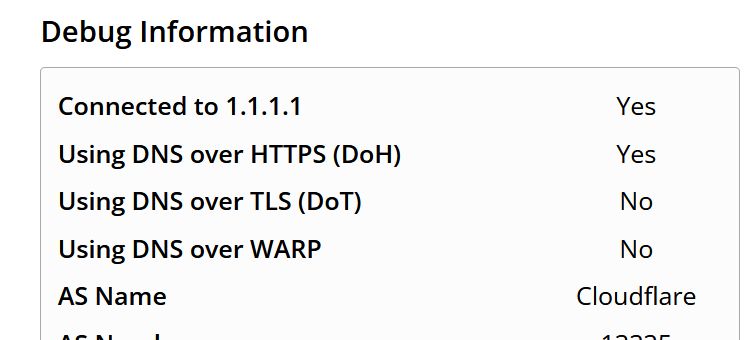
I imported 3 PEM certificates from https://1.1.1.1/help address and everything is working now.
There was no need to run /ip DNS command
Hello @01K,
Thank you for updating the community and sharing your solution! It’s great to hear that you were able to resolve the issue by importing the PEM certificates from the https://1.1.1.1/help address.
If possible, could you provide the direct links to the PEM certificates you imported? This information can be helpful for users who might be looking for a quick and direct solution. Your assistance is much appreciated!
I've imported from browser, accessing the https://1.1.1.1/help URL, click on lock, press View Certificates and download them one be one:
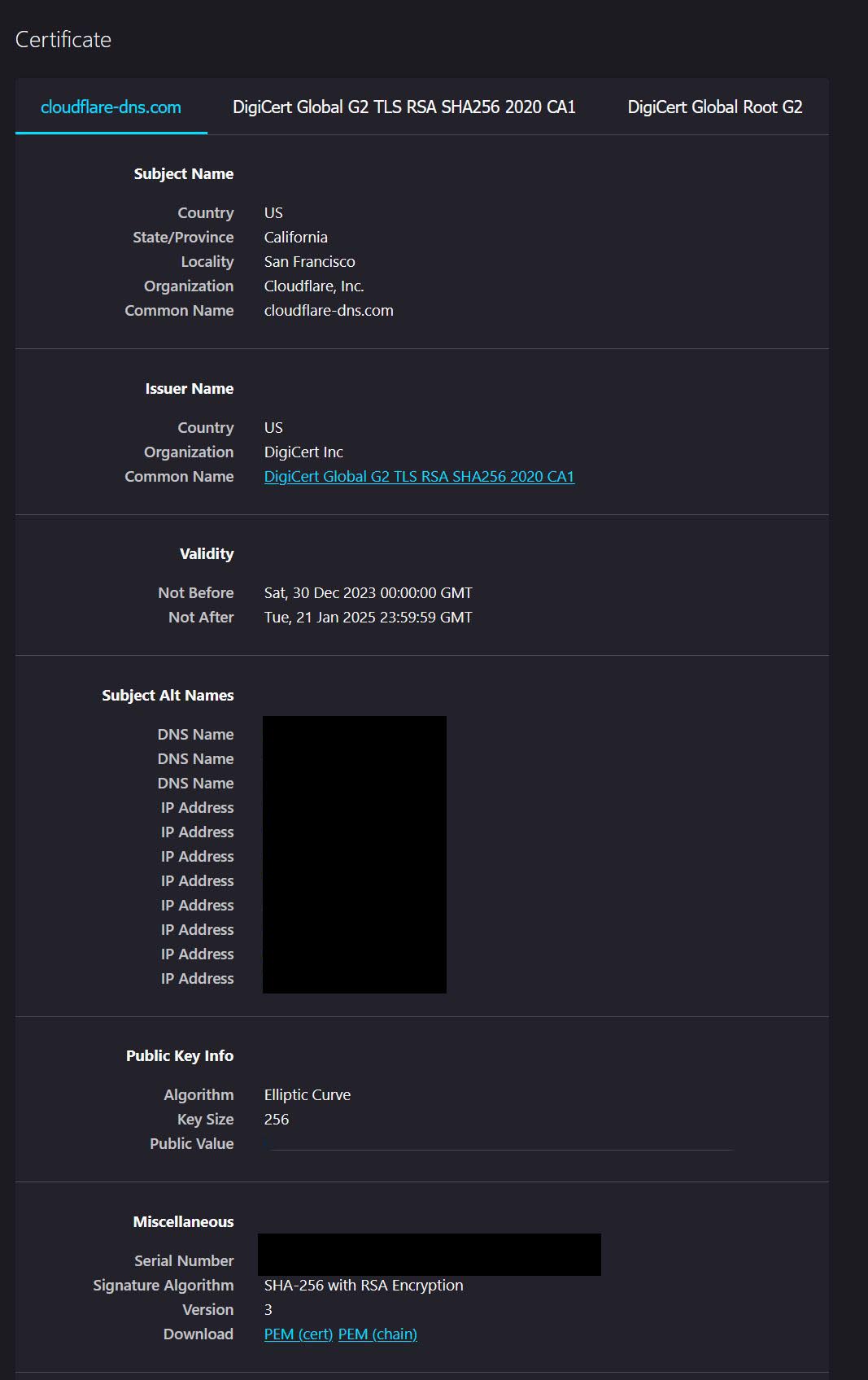
All you need is the certificate that you already put in the link in your previous post.
Who said you need to install 3 of them to make it work?
I can install up to 40 of them, but as long as there is the right one among them.
the solution is already inside the certificate
(1.3.6.1.5.5.7.48.1) URL=http://ocsp.digicert.com
(1.3.6.1.5.5.7.48.2) URL=http://cacerts.digicert.com/DigiCertGlobalG2TLSRSASHA2562020CA1-1.crt
http://cacerts.digicert.com/DigiCertGlobalG2TLSRSASHA2562020CA1-1.crt
It could be a security flaw to trust the certificate indicated by the site you are connecting to…
Strange that they allow this in certificates…
Be wary of the solutions proposed by those who obscure 1.1.1.1 and other public available data in images.
Don’t trust links in forum. Go to 1.1.1.1 yourself and download it yourself.
I’d like to point out, for the benefit of the community, that the DigiCert Global Root G2 certificate is the root certificate, and both ‘DigiCert Global G2 TLS RSA SHA256 2020 CA1’ and ‘cloudflare-dns.com’ are intermediate certificates. While this method is a good temporary solution, it’s essential to be aware that Cloudflare has announced an upcoming change to SSL.com as the certificate authority.
This means that in the near future, the current certificates may be replaced, and users will need to update them accordingly. Keeping an eye on official updates from Cloudflare and being prepared for the certificate renewal will ensure the continued smooth operation of DNS services.
Above, a member wrote about three certificates:
@01K It's not a work around. It's also one single command. You have to upload the certificates (3 of them) to Mikrotik first. Then import them in Mikrotik certificates. After that's done, run the command. To verify that you are using DoH, go to their website > https://1.1.1.1/help> . On this page, it'll tell you if you're using DoH, TLS, or just standard Cloudflare.
Correct, but if someone have problems or doubt finding it,
in the certificate properties displayed in the browser there is the precise link without going crazy looking for it…