Feature Request : OpenAPI for REST API

Finally, years after topic was opened, there is a proper OpenAPI 3.0 schema for REST API using our friend /console/inspect.

https://tikoci.github.io/restraml/7.22.1/openapi.json (routeros.npk only)
https://tikoci.github.io/restraml/7.22.1/extra/openapi.json (with all extra-packages for CHR, so most of them)

Only versions newer than 7.22.1 will have OpenAPI 3 schemes, RAML remains for older versions, and still be built. All new beta/rc and releases will include OpenAPI, so you can change the URL above to match versions (within ~24 hours of a new public RouterOS build).

RAML really only works in Postman, and slowly. Modern tools want OpenAPI format. Now OpenAPI 3 schema is still big (11MB, 5000+ methods)... so it takes most visual tools a while to render still. CLI / CI validation using the OAS3 schema works better, since it not 5000 x x UI controls to track/draw.

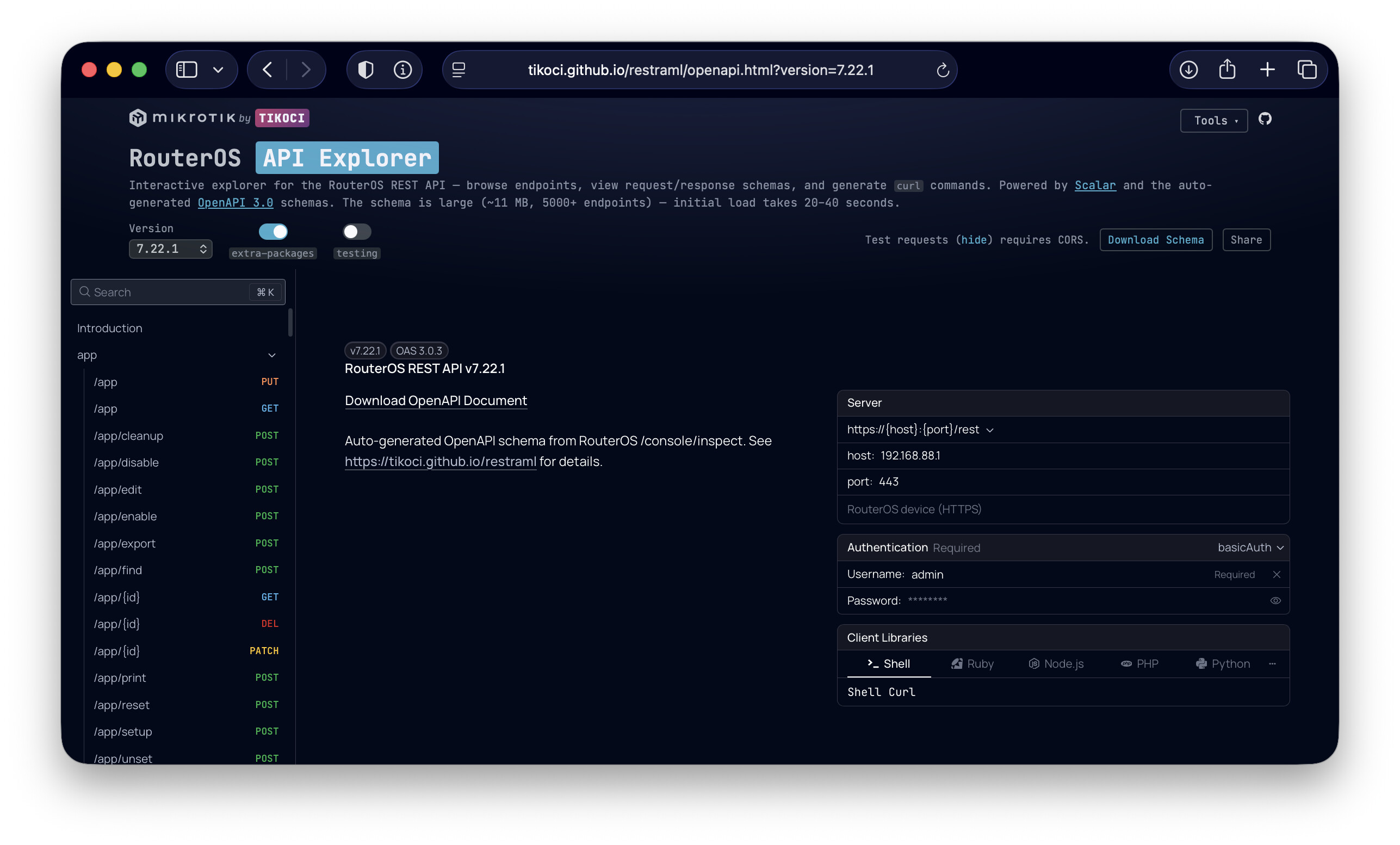
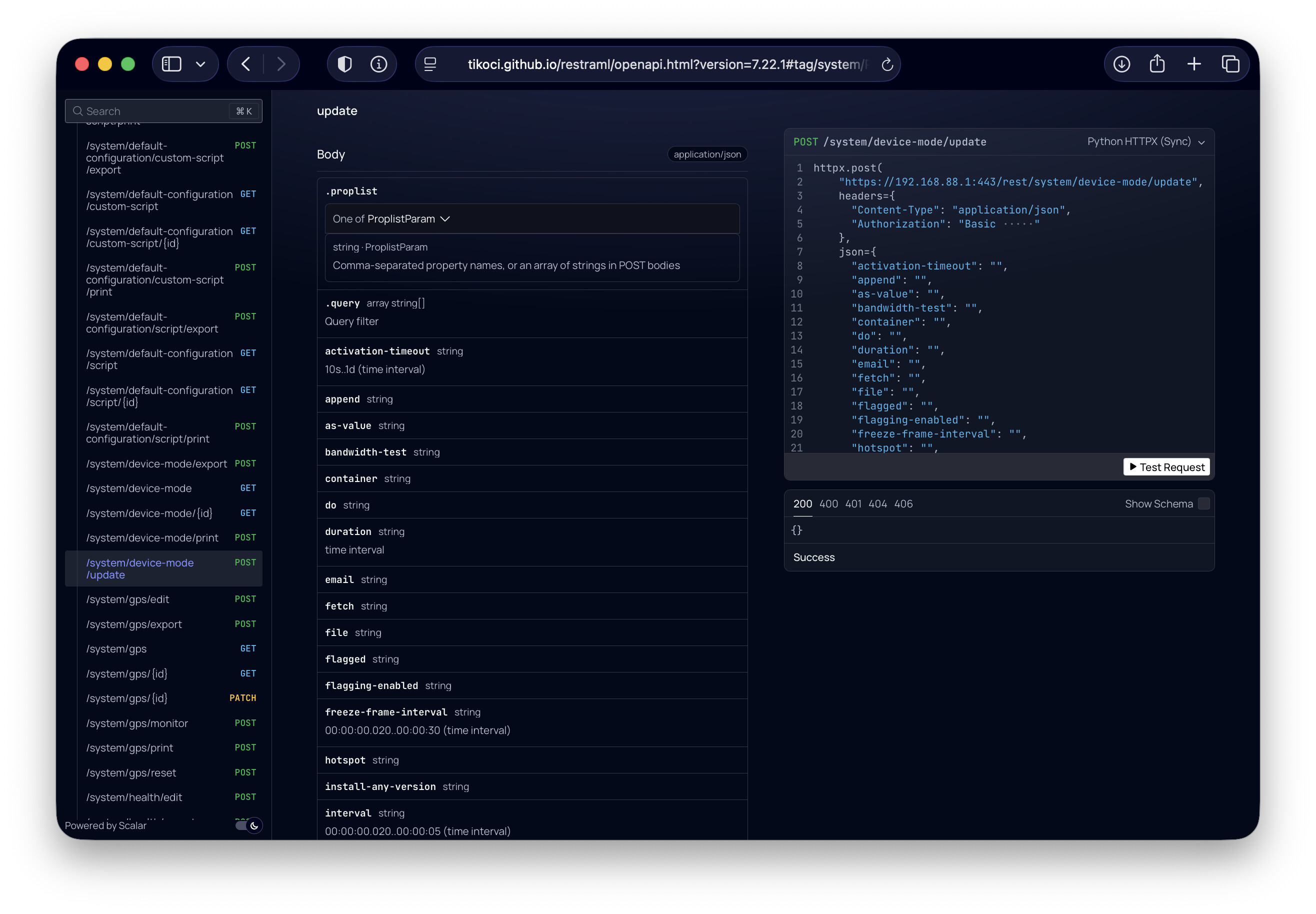
NEW REST API Explorer Webpage

There is also new Scalar-based web viewer of the schema.

Screenshot 2026-03-28 at 8.29.51 AM
Screenshot 2026-03-28 at 8.21.58 AM

"Test Request" requires CORS Proxy

You cannot "run" anything since RouterOS does not support "CORS" in REST API. You can setup a "CORS Proxy" to allow using the "Test Request" control. Search forum, you can use ngnix, Traefik, or Caddy server - all should work with the new "API Explorer". I tested Traefik as CORS Proxy, and webpage works with the requests.

Doc Links Included

The OpenAPI 3 version adds doc links to help.mikrotik.com in selected spots. It just contains links and it pretty conservative in matching them, so should generally be right... but many elements do have some doc page that could be links. This is a work in progress.

The doc links here from a SQLite database after converting the help.mikrotik.com's "monthly" PDF/HTML offline to FTS5-enabled SQLite tables, breaking out fragments, "callout", and attribute tables.

The database used is actual built in tikoci/rosetta, which is also an MCP Server that allows LLM agents can more easily consume MikrotTik's help.mikrotik.com docs. See GitHub - tikoci/rosetta: MCP Server with RouterOS docs + commands + products + changelogs, using SQLite-as-RAG, sourced from MikroTik · GitHub for details.

NOTE OpenAPI schema generation does not use an LLM for the docs. Rather it shares the same database as the MCP Server. The doc links come the table generated by Python scripts that parse Confluence HTML into SQLite.

How REST schemas are made?

For every RouterOS build, the following process essentially calls /console/inspect with ~50K request. The exact process was captured by CoPilot in GraphViz (which forum supports via [graphviz] BBtags).

How a RouterOS OpenAPI Schema Is Made How a RouterOS OpenAPI Schema Is Made cluster_trigger ⏰ 1 · VERSION DETECTION Daily at 4 AM UTC cluster_infra 🖥️ 2 · SPIN UP VIRTUAL ROUTER GitHub Actions Runner + QEMU/KVM cluster_crawl 🔍 3 · CRAWL THE ENTIRE API TREE rest2raml.js (Bun runtime) cluster_loop 🔄 Recursive Tree Walk Every command, every argument cluster_openapi ⚙️ 4 · GENERATE OpenAPI 3.0 deep-inspect.ts (Bun runtime) cluster_enrich 📚 5 · ENRICH WITH DOCUMENTATION enrich-openapi.ts + Rosetta SQLite DB cluster_publish 🚀 6 · PUBLISH TO GITHUB PAGES cron 🕐 auto.yaml Cron Trigger channels Query 4 MikroTik Channels stable · testing · development · long-term upgrade.mikrotik.com/routeros/NEWESTa7.* cron->channels check Version already built? channels->check skip ✓ Skip check->skip openapi.json exists dispatch Dispatch Build Workflow check->dispatch Missing qemu_install Install QEMU apt install qemu-system-x86 qemu-utils dispatch->qemu_install kvm Enable KVM Hardware acceleration GitHub runners have /dev/kvm qemu_install->kvm dl_chr Download CHR Disk Image chr-{ver}.vdi.zip download.mikrotik.com → cdn.mikrotik.com kvm->dl_chr convert Convert VDI → QCOW2 qemu-img convert -f vdi -O qcow2 dl_chr->convert launch Launch RouterOS in QEMU 256 MB RAM · virtio disk · user-mode net Port 9180→80 (REST) · Port 9122→22 (SSH) convert->launch wait ⏳ Wait for REST API up to 5 min launch->wait ready ✅ RouterOS REST API Ready http://localhost:9180/rest wait->ready curl succeeds start_crawl Start at Root Path POST /rest/console/inspect {request: "child", path: ""} ready->start_crawl fetch Fetch Children {request: "child", path: "ip,address,..."} Returns: name + node-type (dir│cmd│arg) start_crawl->fetch checktype Node Type? fetch->checktype recurse 📁 Directory Recurse deeper checktype->recurse dir syntax ⚡ Command / Argument {request: "syntax"} Returns type info: "0..65535" · "IP address" "string, max length 45" checktype->syntax cmd / arg recurse->fetch ~2000+ paths syntax->fetch inspect_json 💾 inspect.json Complete API tree ~5000 nodes syntax->inspect_json raml_out 📄 schema.raml RAML 1.0 schema syntax->raml_out crashwarn ⚠️ Skip Crash Paths where · do · else · rule command · on-error crashwarn->recurse parse_tree Parse Inspect Tree Map RouterOS commands → REST operations inspect_json->parse_tree raml_validate ✔️ Validate RAML 1.0 node validraml.cjs webapi-parser raml_out->raml_validate raml_validate->parse_tree map_ops Map Commands → HTTP Methods get → GET  · set → PATCH add → PUT  · remove → DELETE parse_tree->map_ops parse_types Parse Type Descriptions "0..4294967295" → integer min/max "IP address" → string format:ipv4 "time interval" → string (duration) map_ops->parse_types openapi_raw 📋 openapi.json OpenAPI 3.0 schema ~1800 paths · ~3400 params parse_types->openapi_raw openapi_validate ✔️ Validate OpenAPI 3.0 bun validate-openapi.ts swagger-parser openapi_raw->openapi_validate rosetta_dl Download Rosetta SQLite DB ros-help.db.gz Parsed from help.mikrotik.com Official RouterOS manual pages openapi_validate->rosetta_dl match_paths Match API Paths → Manual Pages /ip/address → "IP Address" page /interface/bridge → "Bridge" page Multi-strategy: path · title · abbreviation rosetta_dl->match_paths add_docs Add externalDocs Links Each operation gets a link to help.mikrotik.com documentation match_paths->add_docs add_descs Enrich Property Descriptions Merge manual descriptions with RouterOS syntax type info add_docs->add_descs enriched 📋 openapi.json ✨ Enriched with docs links ~40% operations linked ~36% args described add_descs->enriched commit Git Commit to main docs/{version}/ schema.raml · inspect.json · openapi.json enriched->commit push Push with Retry + Rebase Handles concurrent builds (base + extra packages in parallel) commit->push pages 🌐 GitHub Pages tikoci.github.io/restraml Interactive schema explorer Diff tool · Command lookup push->pages

And that whole process essentially ends up back in GitHub here: https://github.com/tikoci/restraml/tree/main/docs which is "raw" downloads for all the schemas produced.
(GitHub Pages serves same directory as normal HTTPS that download link and API Explorer use)

OpenAPI 3 and other schemas are also downloadable from the main "Schema Download" page on my TIKOCI site:
https://tikoci.github.io/restraml/