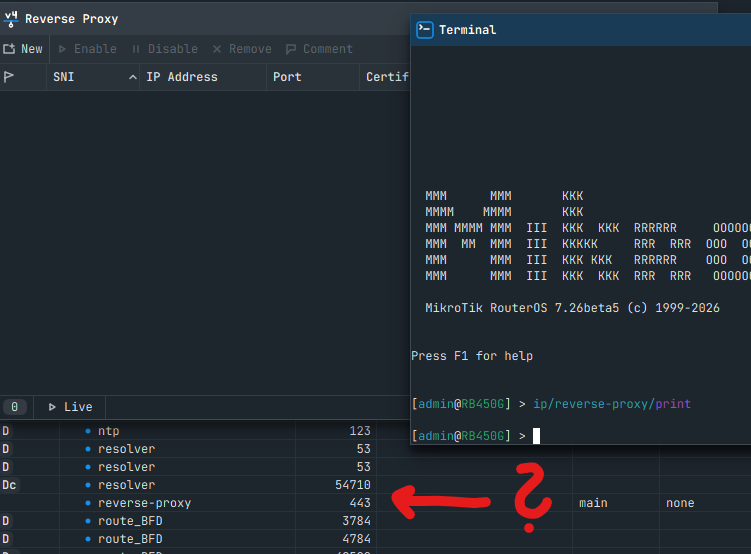
File Share on my router never switches to direct mode, although everything the documentation asks for is in place. Back To Home on the same router does go direct. It looks to me like the relay-side reachability test always answers "not reachable". I'd like to know whether direct mode for File Share was intentionally disabled, or whether there's a condition I'm missing.
Setup
hAP ac², RouterOS 7.24.2 (stable)
Public IPv4 directly on ether1 (no NAT, no CGNAT); IPv6 via a tunnel
TCP 443 is free:
www-ssl disabled, reverse-proxy disabled, no dst-nat on 443;
input accept for tcp/443 on IPv4 and IPv6 (File Share also adds its own dynamic rule).
One share in /ip cloud back-to-home-file, default settings
<serial>.routingthecloud.net resolves to the relay (78.28.208.x / 2a02:16d8:…), not to the router.
With /tool sniffer on 443 during the reach test:
The relay connects from another address of its /24 (78.28.208.98, and 2a02:16d8:2:1d:1::c for IPv6).
The TCP handshake completes: SYN, SYN-ACK, ACK.
The relay closes with FIN about 4–7 ms later, without sending any data.
The result stays "via-relay".
Same result:
after the 6-hour re-test (it runs exactly 6 h after the previous one);
with prefer-relay-code=USA1;
after toggling a service on 443, which restarts File Share and re-runs the test.
Back To Home on the same router at the same time:vpn-relay-ipv4/ipv6-status: reachable directly.
Why I think it's on the relay side
In January 2025 (7.18beta thread) normis wrote that File Share opens 443 and works directly unless something else already uses 443. In June 2025 people were asking for a way to force relay mode.
*.routingthecloud.net names that still resolve to a router's own IP appear to belong only to routers whose certificates haven't been renewed since early 2026.
So it looks as if direct mode worked until about early 2026 and the relay has answered "not reachable" ever since.
Questions
Is File Share direct mode currently disabled on the relay side, intentionally or not?
If not, what else does the relay check besides a successful TCP connect to 443?
This long AI prepared post shows that checking the proper source is crucial:
quote from it:
File Share will then automatically work ONLY though our cloud relay service, since there can not be two things using the same port in one device
If your AI points to exact answers in the historic threads then it should start with fact-checking first.
Answers to your questions:
Yes, intentionally.
--- no answer
Your AI should already know that supout.rif has no meaning for forum users as it is a file just for support: SUP(port)out.rif and do not offer sending it each time it writes a post.
Just to be clear Bartosz, being on the rusty side. Crusty always!
BTH being wireguard, traffic initially connects via relay but if a direct connection can be made
( reachable WANIP address ), then subsequent wireguard traffic goes directly does it not? ( or am I getting mixed up with something else like zerotier?)
If above is true, then we are saying fileshare is a bit different, it can only use relay service?
BTW... FileSharing on a router should be removed or never added at all. It's a router, not NAS.
Mustard should be not mixed with jam if you do not want side effects
I guess you are not familiar with the Italian Mostarda: https://en.wikipedia.org/wiki/Mostarda
though not strictly speaking jam, it is candy fruit with mustard, but in some recipes the fruits are blended, so ...
Despite the fact that I like Italian cuisine and mostarda is just a jam only flavoured with mustard seeds, I was rather reffering to a Polish song about effects of excessive "one more please consumption" that proves the rule "less is more". The most crucial part could be translated to English as
Lovely ladies, mulled wine flowing,
Lovely ladies, and me in between,
Then out of nowhere, I threw up all over the scene.
And my friends used to tell me:
Don’t mix pickles with jam.
Or mustard with jelly.
Or plums with liqueur in your belly.
Your stomach is not San Francisco.
Okay. OP has a legit issue here I think. I did a quick test of BTHF, and I see same: BTH VPN is direct, while back-to-home-files is showing via relay. Regardless if www-ssl is enabled (or reverse-proxy or none.
Now this may be by design since HTTPS server being open is kinda different the WG port being open... And the docs are not updated.
But as written in the current docs for "File Sharing":
When the router cannot be reached from the internet directly, the connection goes through a MikroTik relay server (see How the router reaches the cloud). Visitors need only the link, and you can let them upload files as well.
Now nothing suggest what it takes to make "reach[able] from the internet".
So I'd recommend filing an issue at support@mikrotik.com. Make sure to include a supout.rif and include links to docs that do suggest this is possible. But I suspect with recent round of security fixes, perhaps, BTH Files is always proxied by design now... but IDK.