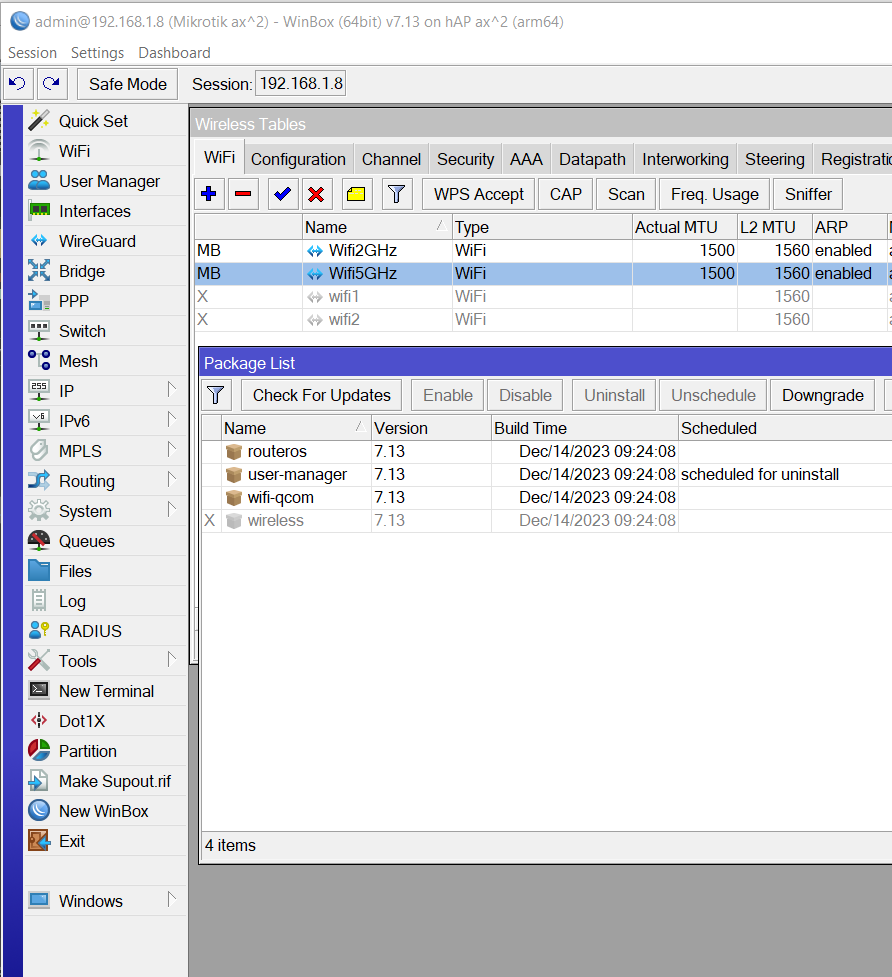
There are two distinct wireless driver packs: legacy “wireless” which supports older wirrless chipsets up to and including ac. And the new wifi (wifi-qcom and wifi-qcom-ac) which supports newer wireless chipsets from ac and upwards. The feature set of legacy is way more rich, wifi offers fewer features but much better performance. Some features are still coming to new wifi platform. But these are largely incompatible when wireless link peers run different generation of wireless.
If you decide to repkace wireless package on your hAP ac2, then the list of QuickSet profiles will be equally short on both your devices (but you’ll be able to configure both in exactly the same way). You’ll be able to provision both using CAPsMAN (run it on ax2) and roaming experience will becone stelar compared to what you get now.
When it comes to QuickSet profiles: yes, support should be better (one is sorely missing on both: AP-switch), but since features are being actively added on wifi platform, I guess that (at least some) QuickSet profiles will follow. Many of configurations, created by those profiles, are already possible, but they require painful manual config.
I prefer the painful masochistic method where I know exactly what is happening over the Quickset way where it’s usually guessing what else has been changed without anyone knowing.
Besides, Quickset is “touch once, never again or reset first”.
I knew you guys belonged to the same wifi masochist club!
Just waiting for the updated User article on how to setup vlans with new wifi and capsman… ???
There isn’t because capsman is a tab on window which opens after clicking the wifi menu item.
I wonder why you’re do stubbornly avoiding to look into the menu item I mentioned? Even if I’m wrong, simply opening it won’t kill you or make your device vulnerable …
And why would be a fire-breathing donkey be any better?
Perhaps that cat is using his chainsaw to modernize the computer by cutting in thin slices? Blade computing is newer than desktop PC stuff … fire-breathing is still fire breathing.