I'm not the expert at troubleshooting Wi-Fi wifi-qcom issues... Ironically, I'm more an expert on QuickSet.
But you can use the "Freq. Usage" to see what other signals are near you. The default use "auto" for frequency, so possible it not actually picking the best one long-term. It will reselect based on another setting, but.... You may want to pick a channel based on the what the freq. usage is telling you.
If it's just some devices, I've found disable wpa3-psk (and using just wpa2-psk) helps with some issues. Although, ideally you'd want to use both, as default. But may be helpful to test to see if that's your issue.
The other thing to try is setting 2.4Ghz to just "20Mhz", not "20/40Mhz". And I often use 20Mhz on the 5Ghz band too, since that reduces chance of interference and increases stability with non-AX devices, at expense of not be able to achieve max speed.
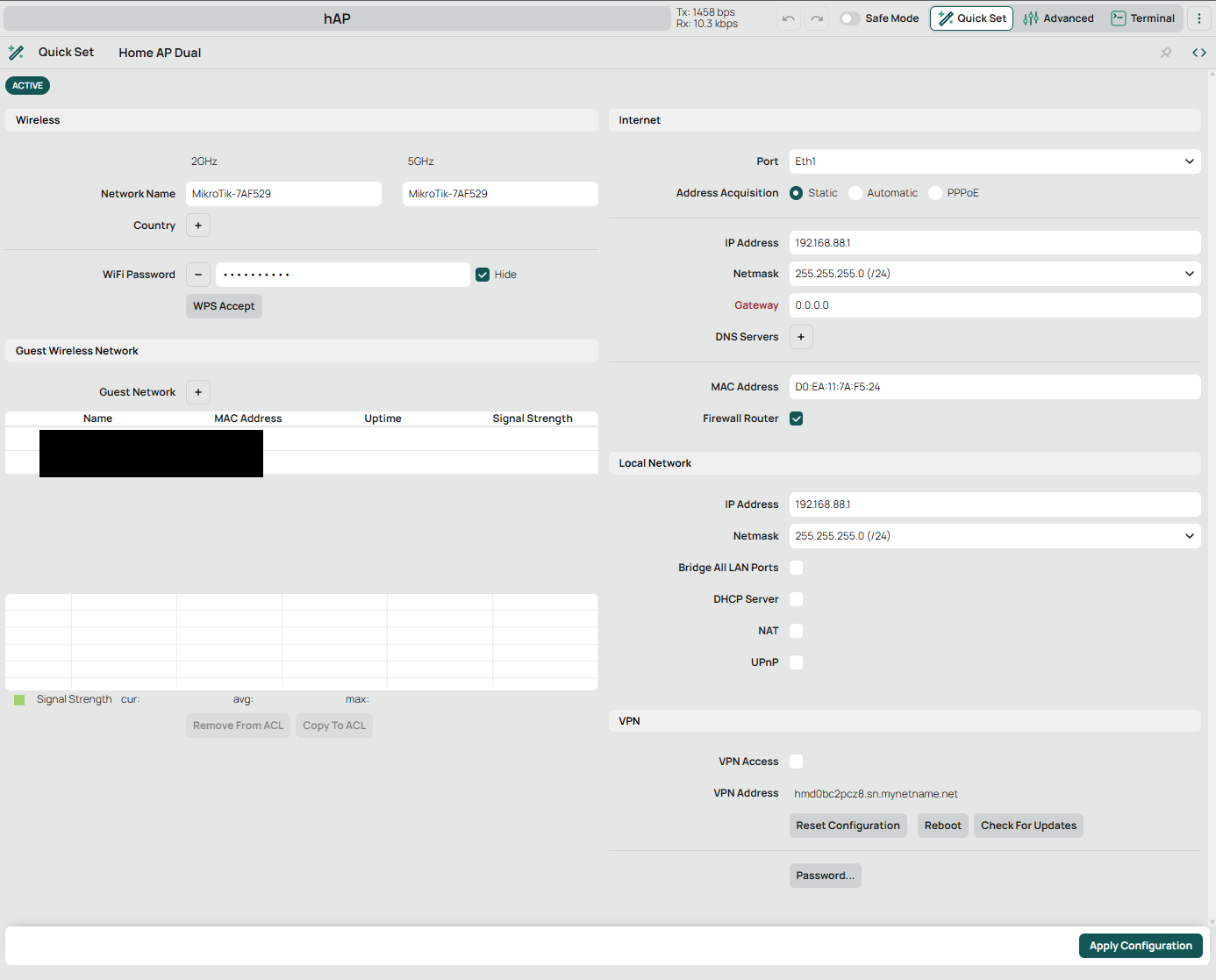
hAP ax S it seems that issue with Quick Set and it weirdly switching from Automatic ehter1 to Static to ether2, is not yet fixed - so far v7.22 - and updates?
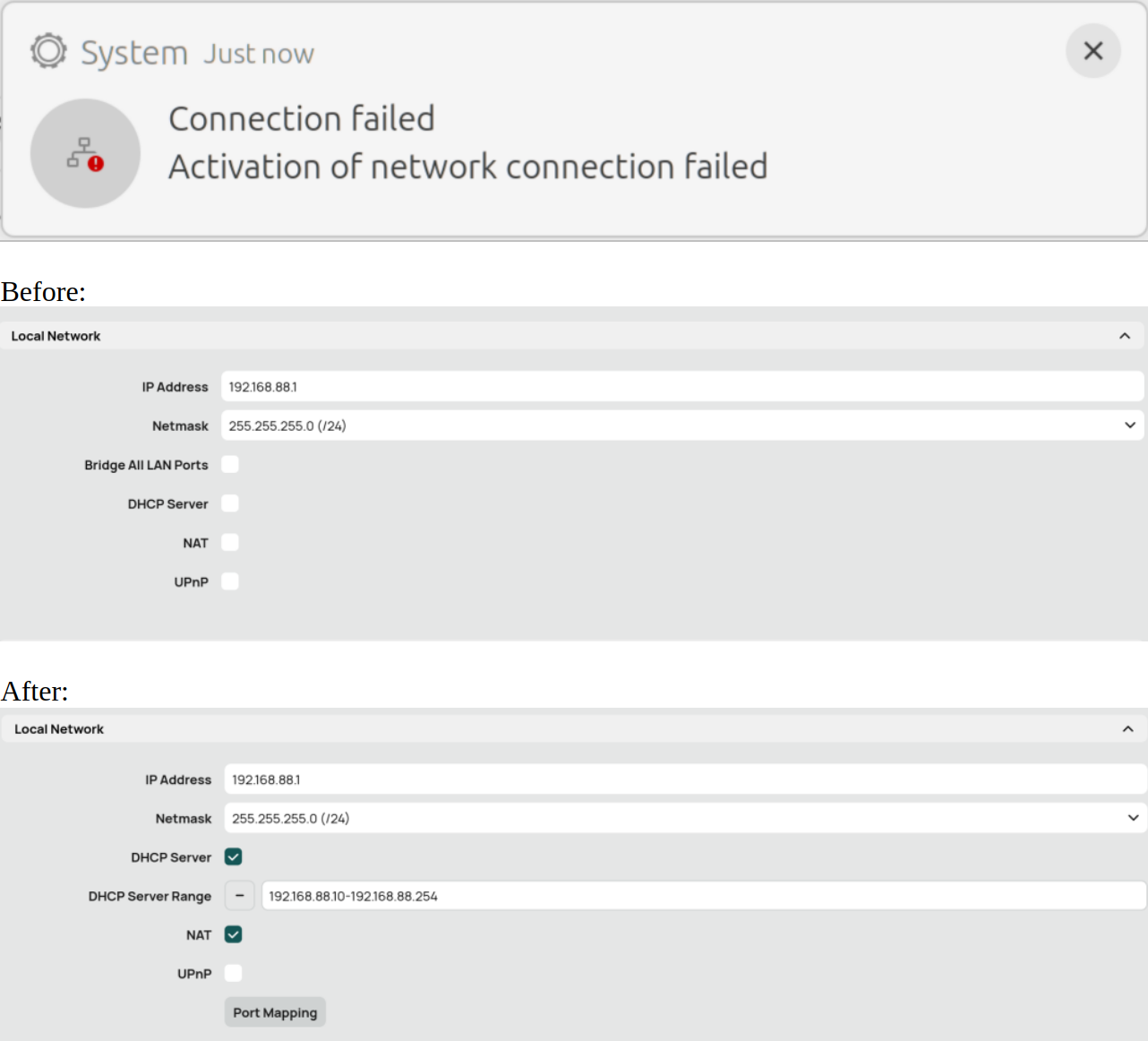
I encountered the same connectivity issue after upgrading to version 7.22.3. When I attempted to apply the default configuration in the Quick Set menu without modifying any values, I was locked out and unable to connect via either Ethernet or WiFi.
Checking further, I noticed that the default Local Network section looks like this (see below).
To fix this, navigate to System -> Reset Configuration. Ensure the 'No Default Configuration' option is unticked. Then, proceed to reset the system. This will update the default layout to match version 7.22.3 and refresh the section defaults:
I got new hap ax s after using hap ax2 for two years and the very same problem. Quick set page does not show the sane details, switching internet to automatic/dhcp just breaks configuration and makes modem unreachable without reboot. Despite DHCP server and NAT certainly works, they are not checked. It feels like Internet/Local Network do not match actual configuration.
PS: Reset to default config did not help. Also there are minor differences between hAP ax2 and hAP ax S, such as dhcp-default pool name, wifi interfaces, so reusing pieces of exported config is not straightforward.