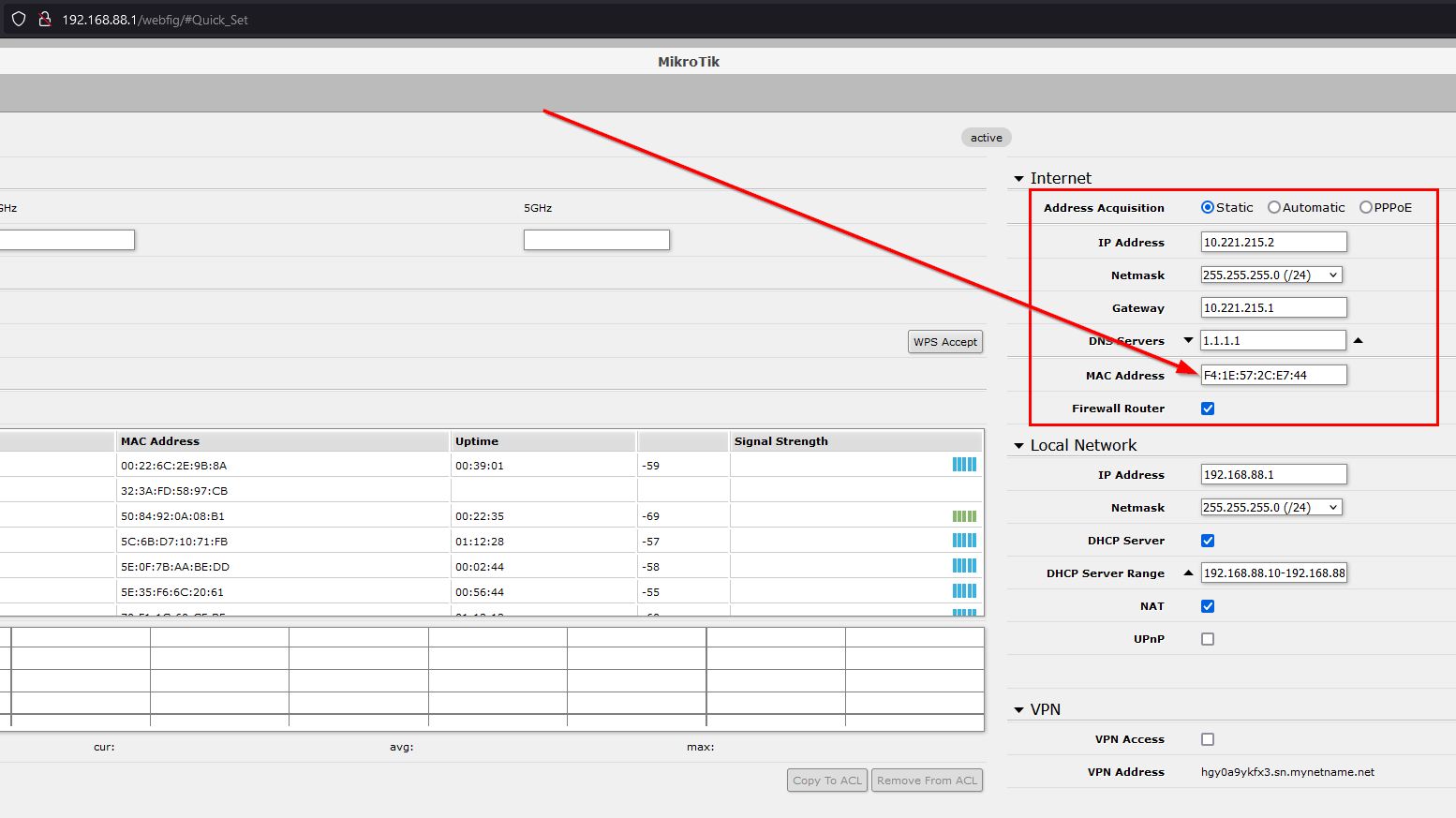
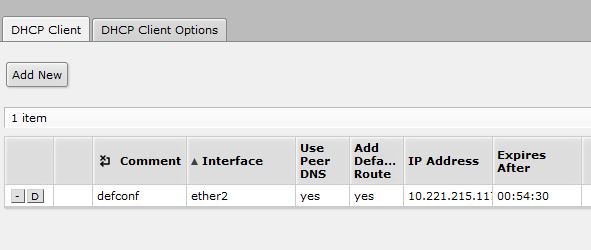
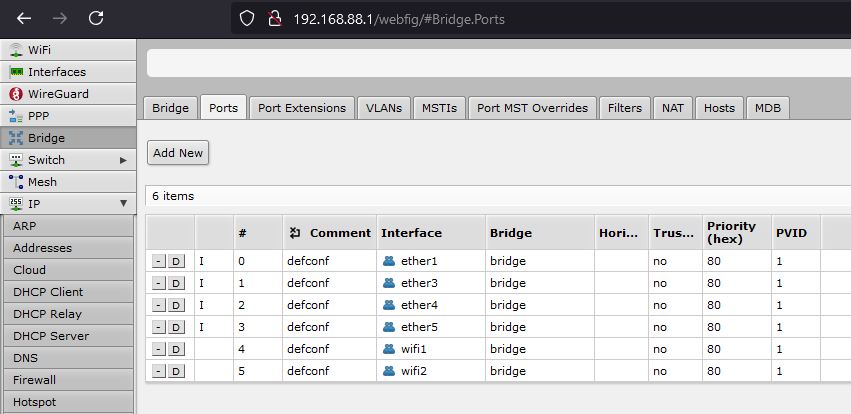
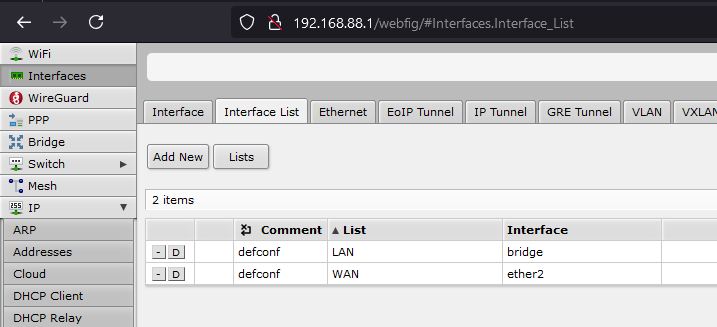
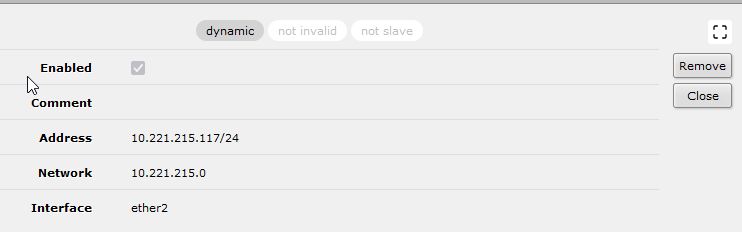
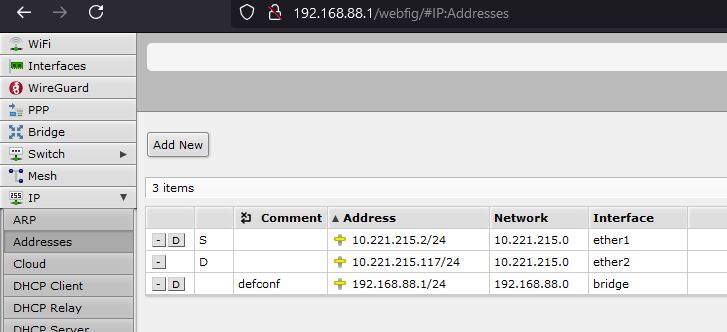
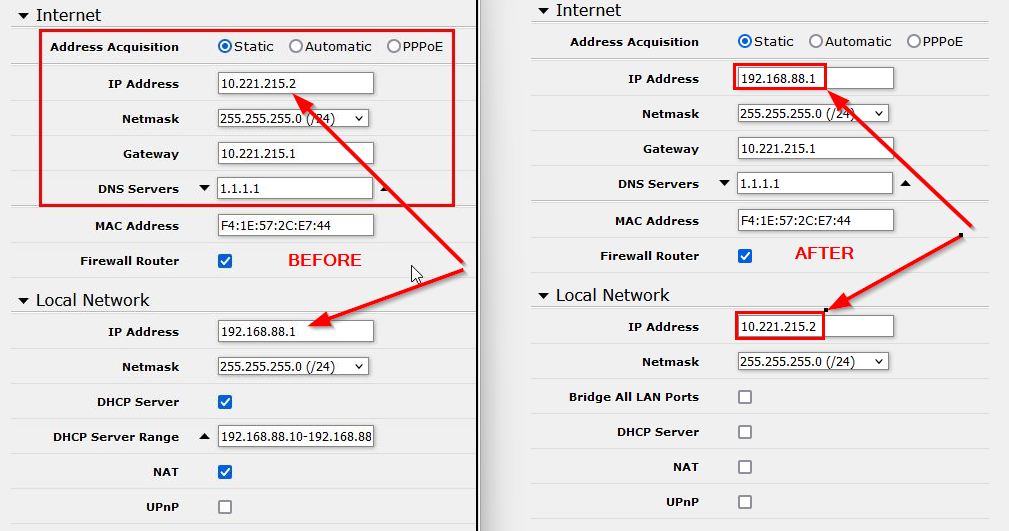
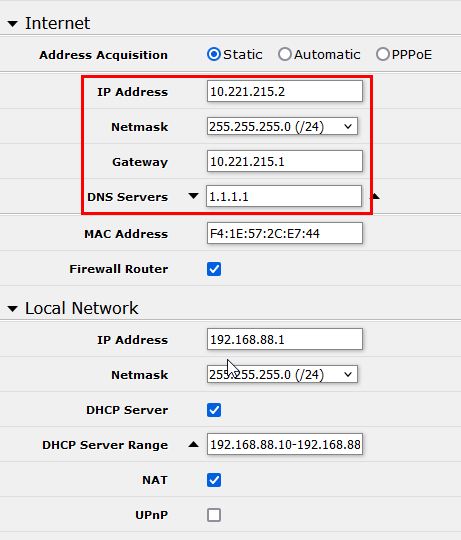
I think I managed to set it up. I have reset the config and started from sratch via winbox (no Quick Set this time).
I have set it up on ether5.
So I changed the following:
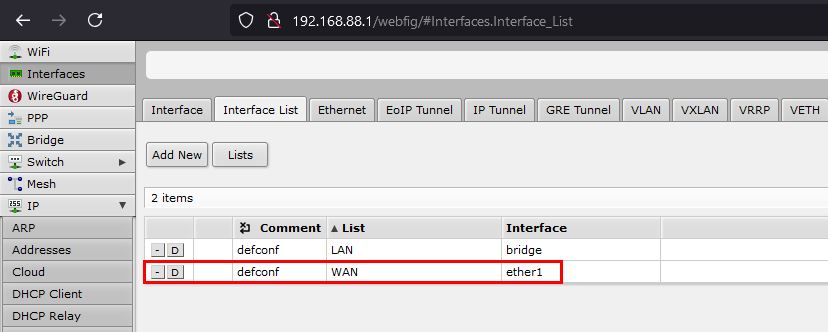
Interface List WAN → replaced ether1 with ether5
bridge ports → replaced ether5 with ether1
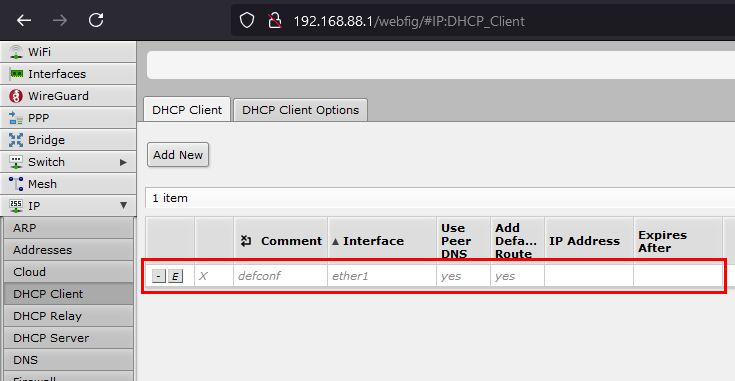
IP DHCP Client: change client to ether5
I have also added the internet provider required setup (IP address, gateway).
It seems to work fine.
Can you please check the setup if I am missing something or maybe I can improve anything?
# 2024-11-22 06:19:30 by RouterOS 7.16.1
# software id =
#
# model =
# serial number =
/interface bridge
add admin-mac= auto-mac=no comment=defconf name=bridge
/interface list
add comment=defconf name=WAN
add comment=defconf name=LAN
/interface wifi configuration
add country=Poland disabled=no name=cfg1 security.authentication-types=\
    wpa2-psk,wpa3-psk ssid=gromek
/interface wifi
set [ find default-name=wifi1 ] channel.band=5ghz-ax .skip-dfs-channels=\
    10min-cac .width=20/40/80mhz configuration=cfg1 configuration.mode=ap \
    disabled=no security.authentication-types=wpa2-psk,wpa3-psk .ft=yes \
    .ft-over-ds=yes
set [ find default-name=wifi2 ] channel.band=2ghz-ax .skip-dfs-channels=\
    10min-cac .width=20/40mhz configuration=cfg1 configuration.mode=ap \
    disabled=no security.ft=yes .ft-over-ds=yes
/ip pool
add name=default-dhcp ranges=192.168.88.10-192.168.88.254
/ip dhcp-server
add address-pool=default-dhcp interface=bridge name=defconf
/disk settings
set auto-media-interface=bridge auto-media-sharing=yes auto-smb-sharing=yes
/interface bridge port
add bridge=bridge comment=defconf interface=ether2
add bridge=bridge comment=defconf interface=ether3
add bridge=bridge comment=defconf interface=ether4
add bridge=bridge comment=defconf interface=ether1
add bridge=bridge comment=defconf interface=wifi1
add bridge=bridge comment=defconf interface=wifi2
/ip neighbor discovery-settings
set discover-interface-list=LAN
/interface list member
add comment=defconf interface=bridge list=LAN
add comment=defconf interface=ether5 list=WAN
/interface wifi provisioning
add action=create-dynamic-enabled disabled=no master-configuration=cfg1
/ip address
add address=192.168.88.1/24 comment=defconf interface=bridge network=\
    192.168.88.0
add address=10.221.215.2/24 interface=ether5 network=10.221.215.0
/ip dhcp-client
add comment=defconf interface=ether5
/ip dhcp-server network
add address=192.168.88.0/24 comment=defconf dns-server=192.168.88.1 gateway=\
    192.168.88.1
/ip dns
set allow-remote-requests=yes servers=1.1.1.1
/ip dns static
add address=192.168.88.1 comment=defconf name=router.lan type=A
/ip firewall filter
add action=accept chain=input comment=\
    "defconf: accept established,related,untracked" connection-state=\
    established,related,untracked
add action=drop chain=input comment="defconf: drop invalid" connection-state=\
    invalid
add action=accept chain=input comment="defconf: accept ICMP" protocol=icmp
add action=accept chain=input comment=\
    "defconf: accept to local loopback (for CAPsMAN)" dst-address=127.0.0.1
add action=drop chain=input comment="defconf: drop all not coming from LAN" \
    in-interface-list=!LAN
add action=accept chain=forward comment="defconf: accept in ipsec policy" \
    ipsec-policy=in,ipsec
add action=accept chain=forward comment="defconf: accept out ipsec policy" \
    ipsec-policy=out,ipsec
add action=fasttrack-connection chain=forward comment="defconf: fasttrack" \
    connection-state=established,related hw-offload=yes
add action=accept chain=forward comment=\
    "defconf: accept established,related, untracked" connection-state=\
    established,related,untracked
add action=drop chain=forward comment="defconf: drop invalid" \
    connection-state=invalid
add action=drop chain=forward comment=\
    "defconf: drop all from WAN not DSTNATed" connection-nat-state=!dstnat \
    connection-state=new in-interface-list=WAN
/ip firewall nat
add action=masquerade chain=srcnat comment="defconf: masquerade" \
    ipsec-policy=out,none out-interface-list=WAN
/ip route
add disabled=no dst-address=0.0.0.0/0 gateway=10.221.215.1 routing-table=main \
    suppress-hw-offload=no
/ipv6 firewall address-list
add address=::/128 comment="defconf: unspecified address" list=bad_ipv6
add address=::1/128 comment="defconf: lo" list=bad_ipv6
add address=fec0::/10 comment="defconf: site-local" list=bad_ipv6
add address=::ffff:0.0.0.0/96 comment="defconf: ipv4-mapped" list=bad_ipv6
add address=::/96 comment="defconf: ipv4 compat" list=bad_ipv6
add address=100::/64 comment="defconf: discard only " list=bad_ipv6
add address=2001:db8::/32 comment="defconf: documentation" list=bad_ipv6
add address=2001:10::/28 comment="defconf: ORCHID" list=bad_ipv6
add address=3ffe::/16 comment="defconf: 6bone" list=bad_ipv6
/ipv6 firewall filter
add action=accept chain=input comment=\
    "defconf: accept established,related,untracked" connection-state=\
    established,related,untracked
add action=drop chain=input comment="defconf: drop invalid" connection-state=\
    invalid
add action=accept chain=input comment="defconf: accept ICMPv6" protocol=\
    icmpv6
add action=accept chain=input comment="defconf: accept UDP traceroute" \
    dst-port=33434-33534 protocol=udp
add action=accept chain=input comment=\
    "defconf: accept DHCPv6-Client prefix delegation." dst-port=546 protocol=\
    udp src-address=fe80::/10
add action=accept chain=input comment="defconf: accept IKE" dst-port=500,4500 \
    protocol=udp
add action=accept chain=input comment="defconf: accept ipsec AH" protocol=\
    ipsec-ah
add action=accept chain=input comment="defconf: accept ipsec ESP" protocol=\
    ipsec-esp
add action=accept chain=input comment=\
    "defconf: accept all that matches ipsec policy" ipsec-policy=in,ipsec
add action=drop chain=input comment=\
    "defconf: drop everything else not coming from LAN" in-interface-list=\
    !LAN
add action=accept chain=forward comment=\
    "defconf: accept established,related,untracked" connection-state=\
    established,related,untracked
add action=drop chain=forward comment="defconf: drop invalid" \
    connection-state=invalid
add action=drop chain=forward comment=\
    "defconf: drop packets with bad src ipv6" src-address-list=bad_ipv6
add action=drop chain=forward comment=\
    "defconf: drop packets with bad dst ipv6" dst-address-list=bad_ipv6
add action=drop chain=forward comment="defconf: rfc4890 drop hop-limit=1" \
    hop-limit=equal:1 protocol=icmpv6
add action=accept chain=forward comment="defconf: accept ICMPv6" protocol=\
    icmpv6
add action=accept chain=forward comment="defconf: accept HIP" protocol=139
add action=accept chain=forward comment="defconf: accept IKE" dst-port=\
    500,4500 protocol=udp
add action=accept chain=forward comment="defconf: accept ipsec AH" protocol=\
    ipsec-ah
add action=accept chain=forward comment="defconf: accept ipsec ESP" protocol=\
    ipsec-esp
add action=accept chain=forward comment=\
    "defconf: accept all that matches ipsec policy" ipsec-policy=in,ipsec
add action=drop chain=forward comment=\
    "defconf: drop everything else not coming from LAN" in-interface-list=\
    !LAN
/system clock
set time-zone-name=Europe/Warsaw
/system note
set show-at-login=no
/system routerboard mode-button
set enabled=yes on-event=dark-mode
/system routerboard wps-button
set enabled=yes on-event=wps-accept
/system script
add comment=defconf dont-require-permissions=no name=dark-mode owner=*sys \
    policy=ftp,reboot,read,write,policy,test,password,sniff,sensitive,romon \
    source="\r\
    \n   :if ([system leds settings get all-leds-off] = \"never\") do={\r\
    \n     /system leds settings set all-leds-off=immediate \r\
    \n   } else={\r\
    \n     /system leds settings set all-leds-off=never \r\
    \n   }\r\
    \n "
add comment=defconf dont-require-permissions=no name=wps-accept owner=*sys \
    policy=ftp,reboot,read,write,policy,test,password,sniff,sensitive,romon \
    source="\r\
    \n   :foreach iface in=[/interface/wifi find where (configuration.mode=\"a\
    p\" && disabled=no)] do={\r\
    \n     /interface/wifi wps-push-button \$iface;}\r\
    \n "
/tool mac-server
set allowed-interface-list=LAN
/tool mac-server mac-winbox
set allowed-interface-list=LAN

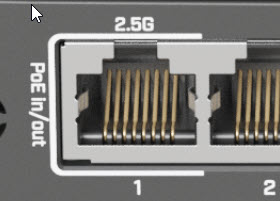

 , and of course which port has PoE IN is not specified on the Ax3 page, probably it is left as an exercise for the reader.
 ) with a SHARP TV which had on paper (ok, mistake of the seller, the original SHARP product page is actually accurate) an audio out port for earphones, but once it arrived it has none, audio out is via coaxial (ok) but physically on the device one of the HDMI ports is marked HDMI/ARC and this is nowhere written, not on the brochure, not on the technical details page, not on the manual, not on the “Technical leaflet in the accessories bag”. I do have a DAC, but I am missing a RCA/Coaxial cable. I ordered anyway also an ARC audio extractor device to see if the HDMI/ARC actually works.