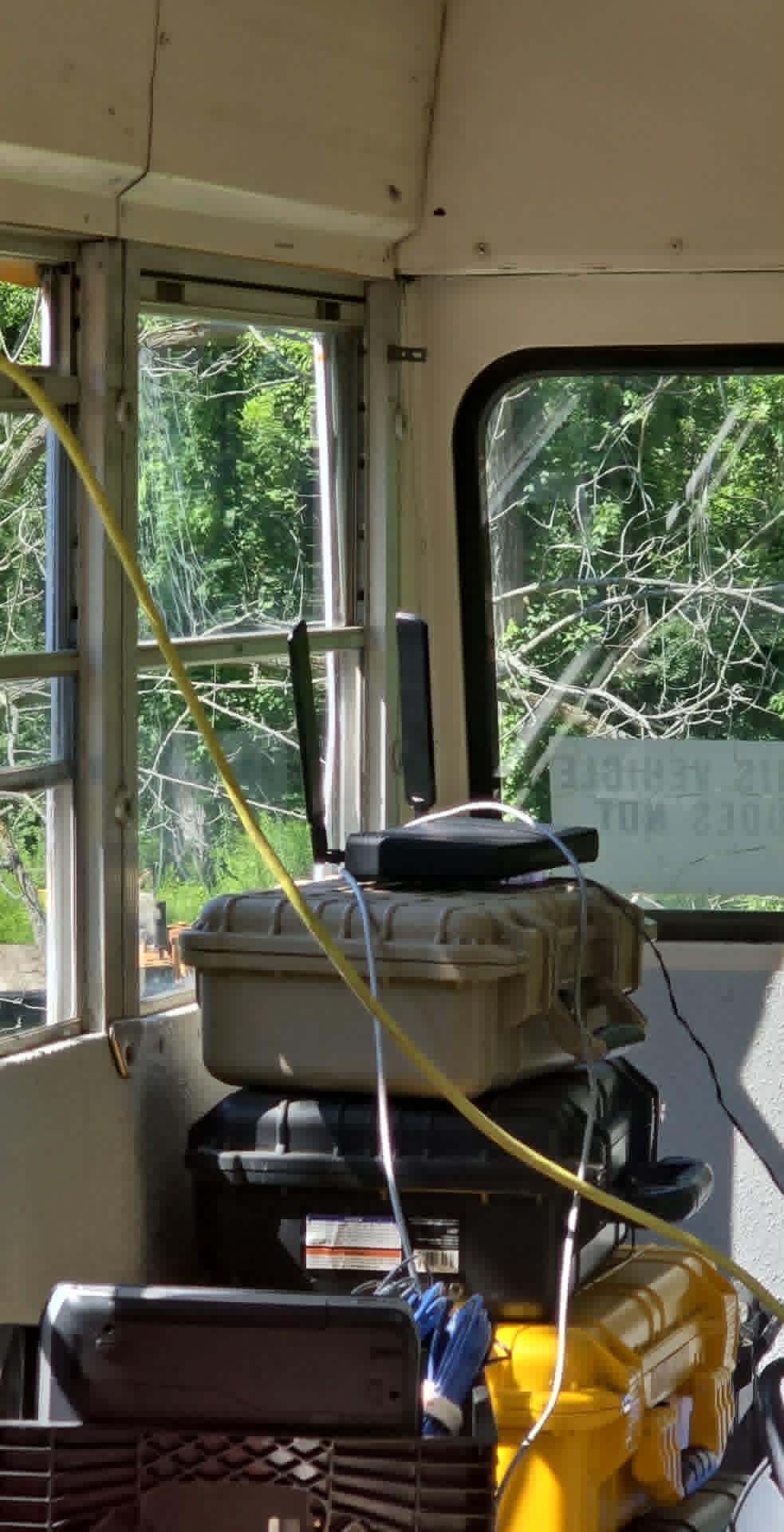
I have a retired school bus that I use for various activities. Primarily for ham radio shenanigans. I bought ah HAP-ax3 to use as the network router in said bus.
the idea being, when I am at home, the HAP can connect to my home wifi, and share that inside (and around) the bus. When I am out and about, it can use my starlink (which I generally leave on standby mode - hence the desire to use the home wifi)
I have it configured, and seems to work fine, with the minor exception.... The bus makes a great Faraday cage!!
I am looking for an antenna(s) that can be mounted to the outside of the bus to connect to the HAP, allowing me better connectivity to the house, and also providing broad coverage of wifi outside (and subsequently ok coverage inside)
There are times where wired network is also needed hence the reason for using the HAP, and not other solutions.
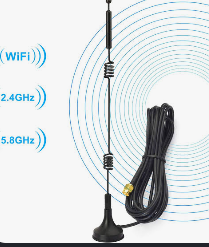
I have tried this from amazon - https://amzn.to/4yl9YAq and that was a totally useless POS - the HAP couldnt even connect to the house wifi at all with it (while the factory antennas can at least establish a weak connection)
Something like that would be ideal.... Do I need to use a mimo type antenna? or can I just use 2 dual band (2.4 and 5) antennas that are matching and spread them out?
For that matter..... can I put one antenna inside, and one outside? Do they have to match (identical?) or can they be different as long as they are dual band?
I can only advise you to buy two extension cables and determine the optimal position of the antennas through trial and error.
In your conditions, you will definitely have to make compromises—factory antennas are MIMO dual-band dipoles, meaning the optimal distance between them matters.
You can try to find the best location near a radio-transparent window or divide the antennas into external and internal ones (and lose efficiency). It's a matter of trial and error...
I had a similar problem connecting to a Wi-Fi hotspot in a car, where one of the main issues turned out to be significant signal shielding by the windshield heating elements.
Remember that glass is as bad for radio as grounded metal walls or meshes.
It's very dense and even being thin it blocks signal more than dozens of inches of bricks or concrete.
Glass (standard automotive glass) has very low signal attenuation, several times lower than that of ordinary brick wall.
Everything depends on the material's dielectric constant ( or the presence of coatings or films e.g., on car windows). A material's density does not directly affect its translucency to radio waves.
The connection here is not direct: density itself is not the only or the main factor.
For example, radio ceramics exhibit incomparably lower dielectric losses than humid air.
There was a thread where someone claimed to have worked with Mikrotik support to decide on an external antenna. They decided on this which IIRC worked very well:
Is it a problem to pass cables through the door or the window that could open and put that antenna in a waterresistant box when you stay at home?
IMHO even internal rod-like antenna like that ones:
Not really. Regular glass barely blocks radio waves. The signal usually passes through, but it may be weakened slightly.
On the other hand metal-coated energy-efficient glass, solar-control glass, glass with metallic film or mesh can weaken radio signals significantly, but ordinary glass is nowhere near as bad as grounded metal walls or meshes.
My hAP AX^3 is paired with this antenna: Alfa Network Alfa WiFi 6E Indoor Omni Antenna ARS-WiFi6E-M2 for over a year now.
Their support team confirmed that it’s worth upgrading especially when I need antenna to be not close to the access point:
the ARS-WiFi6E-M2 antenna will be a suitable choice if you're looking for an external antenna compatible with the MikroTik hAP ax³ and need to position it away from the router. It should work well with the router's Wi-Fi 6 capabilities and maintain performance while offering flexibility in placement
Right... been looking for something like this, and much like the first attempt, this one looks very 'chinesium' and I fear that it wont work any better than what I already tried and returned....
Not sure what to advice then. An antenna’s construction isn’t that complicated. There’s only one scientific way to make sure it works - is to setup radio signal monitoring and test new antenna out. I use GitHub - akpw/mktxp: Prometheus Exporter for Mikrotik RouterOS devices · GitHub and track radio signal to all wireless clients periodically. I also change antenna placement for best coverage.
I wouldn't be surprised if antennas are made in China (like everything else) but Poynting has South African origins and Is a global firm by now, they are quite reknown for nautical applications.
Besides the specific manufacturer, omnidirectonal vehicle antennas are usually with that shape or a very similar one.
Or the vertical type enclosed in a fiberglass pipe, usually with higher gain, but that doesn't seem to be suitable for a bus roof.
Sorry, my previous reply was in reference to another response. (I had erroneously thought clicking the reply button on a post would actually quote the post I was replying to as well)
The antenna you shared looks great, but does not look to be outdoor rated?
You have to take it one step at a time.
You have three tasks:
Set up Wi-Fi coverage inside the bus.
Set up Wi-Fi coverage around the bus.
Connect the bus to the internet at home.
You need to use a separate solution for each task. There is no “all-in-one” solution.
If I were to solve these tasks myself, here’s a minimal solution: 1. The HP Ah3 router provides coverage inside the bus; at home, it connects to the home network via cable. Starlink in the bus can be used as a backup for internet at home.
There are several options for solving task 2, but there’s very little information to go on: is Wi-Fi coverage sufficient on just one side of the bus, or is it needed all around? What range is required outside the bus? How many users are expected to connect to the Wi-Fi from outside the bus, and so on.
The first rule of Wi-Fi: avoid using Wi-Fi wherever possible.
First of all, I think you missed the point of "I have this working at the marginal level, I just need a better antenna"
With the router sitting in a window of the bus, I have it successfully working, connecting to the house, using 2.4 (5ghz does connect, but is quite slow) It does exactly what I am looking for, just needs a little kick (and reliability) that I feel an external antenna would solve.
Furthermore, in the past for outside the bus coverage, I have used a cradlepoint sitting on a pole about 50' in front of the bus, and have had decent wifi coverage inside the bus. Again, just trying to get the best I can all the way around.
And finally, I absolutely understand wifi is best avoided.... hence the reason for buying a solution that does have wired options.
My end goal out of this entire post.... was to be able to find outdoor rated antennas that meet this weird 'MIMO' setup that the HAP-ax3 uses. So far, it appears that my next option to try is the antenna that jaclaz listed above that he uses.
Well, I bought the Poynting antenna suggested above.... while this antenna at least does something (unlike the last) I still have better signal strength with the factory antennas on the router (with it sitting in the bus window)
I guess at this point, I may look into buying 'extension' cables for the existing antennas, and make a mount to put them outside the bus at the proper spacing.
Or, the other option would be to somehow just mount the router to the appropriate window..... (as seen below)
I even had the 'new' antenna sitting right next to it, in the same place as the factory antennas, and still no luck. 2.4ghz connection was about 1/4 the speed, the 5ghz wouldnt even connect.
On a plus note.... I do have the router configured exactly how I wanted! if I dump both the wifi connections, it fails over about instantly to the starlink.
I mentioned that there are two somewhat mutually exclusive challenges: if you were to purchase a WAP ax for roughly the same price as an antenna, you would solve the coverage issue on one side of the bus or from a support pole.
For an external vehicle antenna, the best installation location is the center of the roof, but then there would be no signal inside the bus.
The cable introduces significant attenuation, negating all of the antenna’s gain. That’s why I recommended solving the three problems with separate devices rather than a single combined unit.
Mikrotik manufactures specialized devices with built-in antennas. The SXTsq 5 ax is a directional antenna with a beamwidth of up to 60 degrees, designed for point-to-point networks or sector coverage.
The OmniTIK 5 PoE ac features an omnidirectional radiation pattern, and so on.