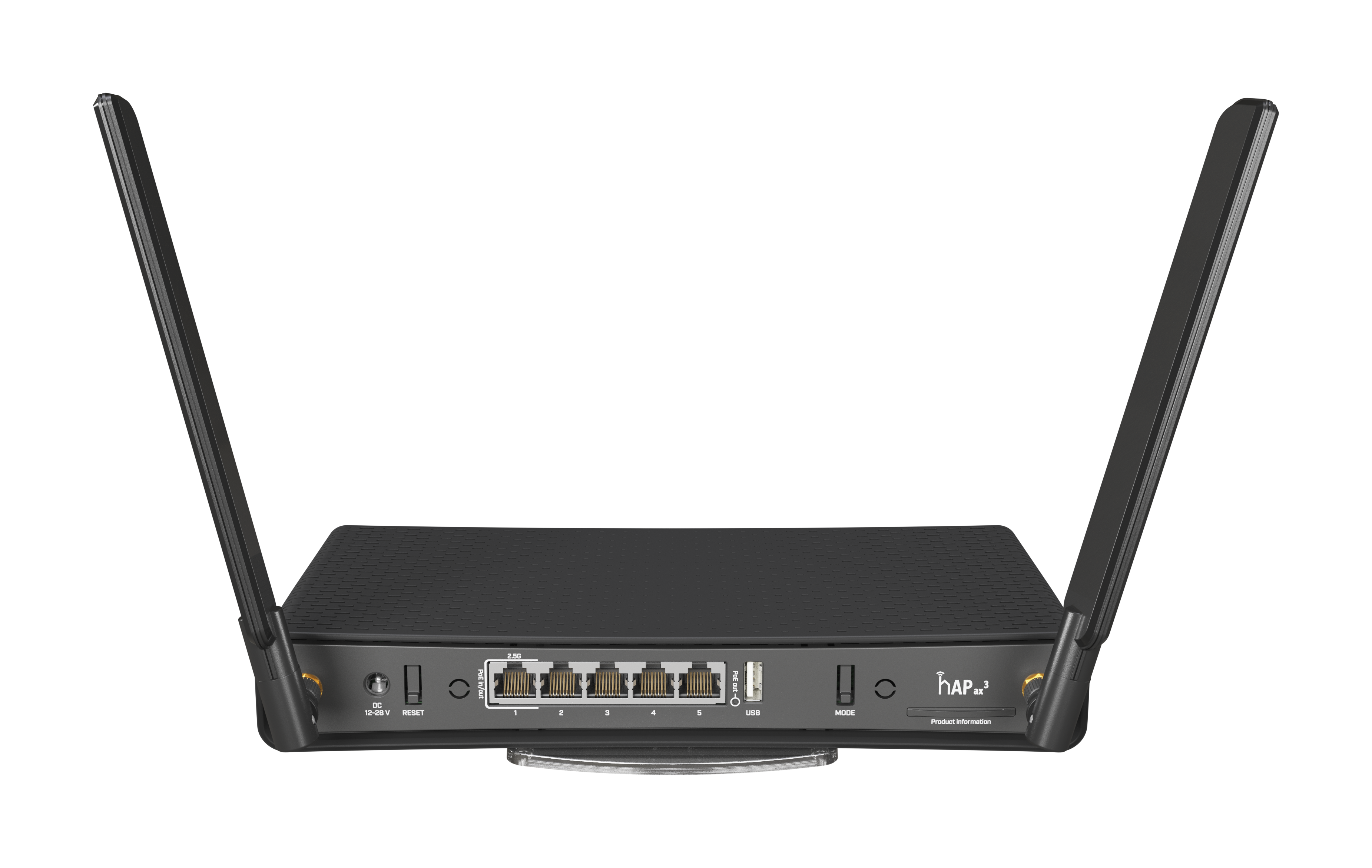
I see in the manual that the hAP ax3 has POE out, but I’m not clear on which port (or all ports).
I’ve got ether1 as my WAN port and need to connect a POE device to one of the other ports.
Thanks!
I see in the manual that the hAP ax3 has POE out, but I’m not clear on which port (or all ports).
I’ve got ether1 as my WAN port and need to connect a POE device to one of the other ports.
Thanks!
Hi,
hAP ax3 has POE out on ethr1. You can do WAN from another ether.
sorry, my unit is a hAP AC3.
I’m not at the location and am very reluctant to make changes remotely.
Does that change anything?
I see this from winbox:
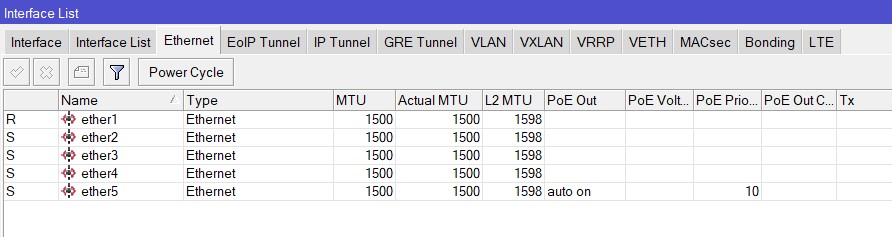
And this:
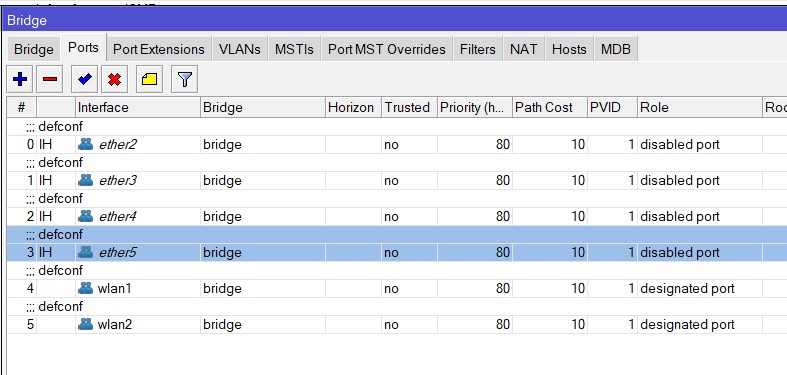
Product page says PoE out is on ether5 (only).
Yes it does, but I missed it.
Thank you.
Did you look at the ports when unpacking ?
It’s indicated what’s “POE in” and what is “POE out”, with those same wordings.
Maybe that was too easy ? 
But you’re remote … in Winbox you see the column POE Out, with Auto on for eth5. So that’s where you have to be.
Why they made ether1 POE IN AND OUT, I don’t understand …
If you have AC3, POE is on ether 5…
I don’t understand the meaning of that. On the product page it says poe in/out on ether1, but it also stated here https://mikrotik.com/product/hap_ax3#fndtn-gallery “PoE out” between ether5 and usb.
The first question: does it mean it would be possible to poe-out on ether5?
Second: whose brilliant idea was to put PoE in/out on 2.5Gbit port in ax3? Usually such speed devices doesn’t require / provide PoE (NAS, PC, copper-to-fiber). Could someone explain me the logic here?
Where do you see that ?
I think the worse part about PoE support on these devices is that it is old tech passive only which means it is pretty much useless on any modern day PoE switch unless it has some sort of legacy mode. Even on latest AX3 it is still using passive which I think is such a shame.
not to mention on the 2.5Gb port as well.
i can’t see any other logic for it other than cost saving.
https://i.mt.lv/cdn/rb_images/2212_hi_res.png between ether5 and usb.
Mikrotik hAP AX3 only has ONE POE OUT on ETHER 1.
The confusion in this thread comes from the product page of the AC3 (note C3, not X3) where it says on the product page https://mikrotik.com/product/hap_ac3 that POE out is on Ether5. What is even more confusing is, on the hardware itself, there is a POE OUT indicator located in between port 5 and the USB port https://i.mt.lv/cdn/rb_images/2212_hi_res.png. The little circle on the POE OUT indicator will light up when a POE device is attached to ETHER 1.
This has now been rectified in the AX3 (note X3, not C3) product page https://mikrotik.com/product/hap_ax3 where it states the POE OUT port is Ether 1.
So you are out of luck if you want to do what I intend to do…
Upstream POE Router > AX3 Ether 1 for Power & Data > Ether 5 for Power & Data > Indoor Intercom Display
The only fix is to power the AX3 using a DC adaptor brick..
Upstream Router > Ether 2 for data > Ether 1 for Power & Data > Indoor Intercom Display
A real shame. Mikrotik please separate the POE IN/ OUT or add another POE OUT!
Simple solution.
Add RBGPOE
https://mikrotik.com/product/RBGPOE
It’s not going to change.
Adapt and use alternative solutions to solve the problem.
Thanks for the alternative suggestion butt this does not solve my problem. I want to eliminate the need for a power adapter.
Situation:
Since, the AX3 POE IN/OUT are both on the precious 2.5GB ETHER1…
5) The only solution is to use a Power Adaptor to power up the router (which means pulling a long lead from the wall power socket)
6) Connect the CRS328-24P to ETHER2 via the RJ45 wall jack
7) Connect the video intercom screen to AX3 ETHER1
I therefore lose:
8 ) The ability to power up the AX3, and get rid of the trailing power cable
9) The 2.5G port which is used for the video intercom screen which has low bandwidth requirement
And still it is not going to change…
Thanks for the helpful comment
Exactly which version of CRS328 you have ?
Because CRS328-24P as in CRS328-24P-4S+RM has PoE out on all 24 ports.
So where is the problem then ?
Only doubt I have is that AX3 accepts passive PoE, not sure that will work with 802.3af/at provided by CRS328.
But your video screen can be powered from CRS.
Personal comment: you have a 24 port ethernet + 4 SFP cages switch in a room with only 1 available wall socket ?
Then I would make sure to add wall sockets somehow …
@shazrul wants to daisy-chain the door intercomm display off ax3 and he wants to power that display off ax3 which in turn has to be powered over PoE as well.
The way I see things, the design is flawed … IMO (but that might be my own personal understanding) 802.3 af/at is not meant to be daisy-chained because each 802.3 PoE out port is supposed to support at least 15W (802.3 af standard) … and if one adds own consumption of PoE “relay” it’s clear that master PoE device should support at least 802.3 at (up to 30W). AFAIK none of MT’s 802.3 PoE switches actually support 802.3 at (up to 30W which is at least 0.6A at 50V which is the lowest output voltage required at PSE and that requires optional power adapter for MT gear, none is supplied with 50+V power adapter as standard).
And then the final detail: hAP ax3 accepts power with voltage range 12-28V (18-28V when using PoE-in; source of information). Which means it can’t be powered from 802.3 af/at power source.