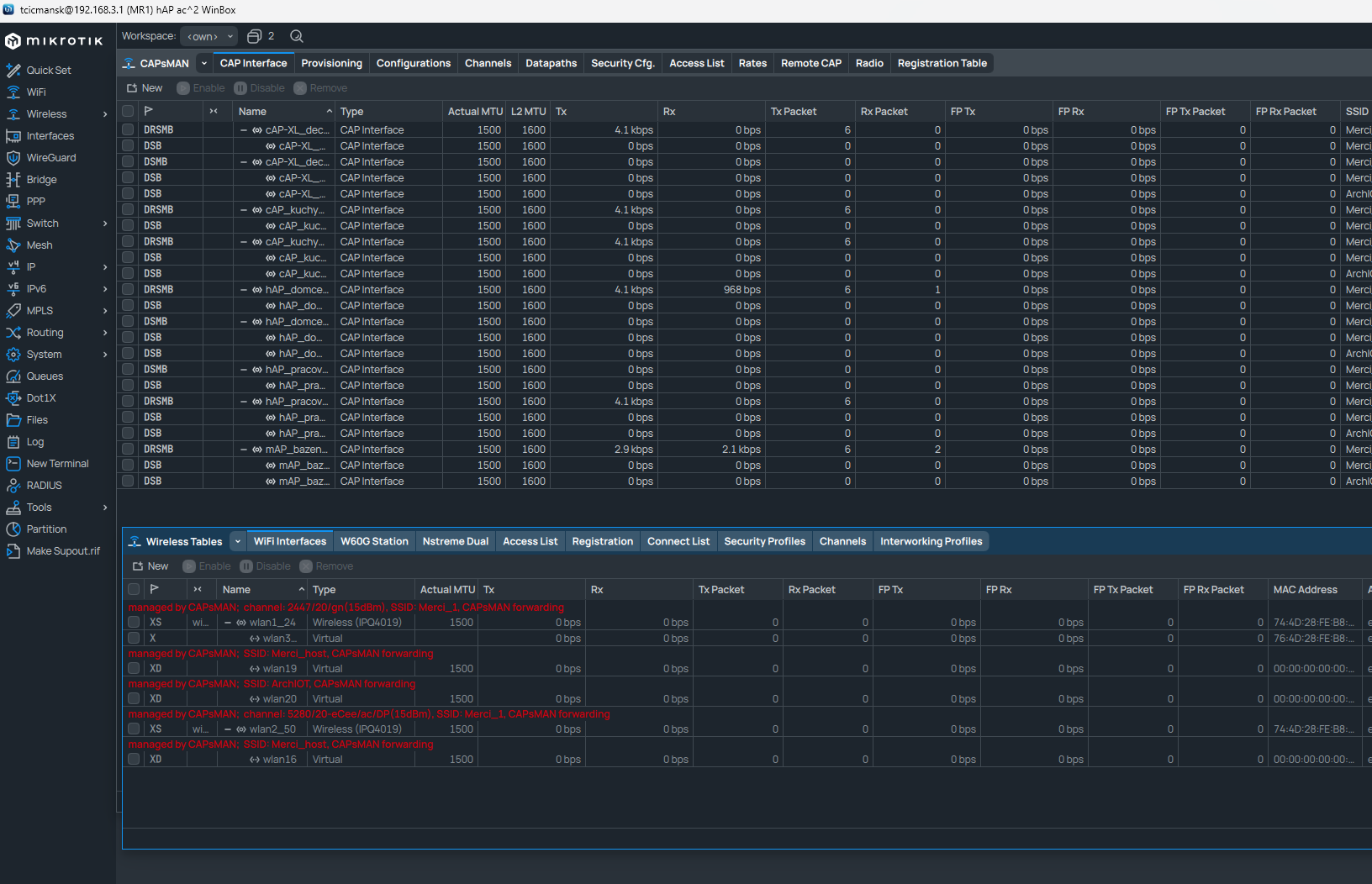
CAPsMAN cannot manage it’s own wifi interfaces using configuration.manager=capsman, it is enough to just set the same configuration profile on local interfaces manually as you would with provisioning rules, and the end result will be the same as if they were CAPs. That being said, it is also possible to provision local interfaces via /interface/wifi/radio menu, it should be noted that to regain control of local interfaces after provisioning, you will need to disable the matching provisioning rules and press “provision” again, which will return local interfaces to an unconfigured state.
I am using Capsman for managing local interfaces without any issue.
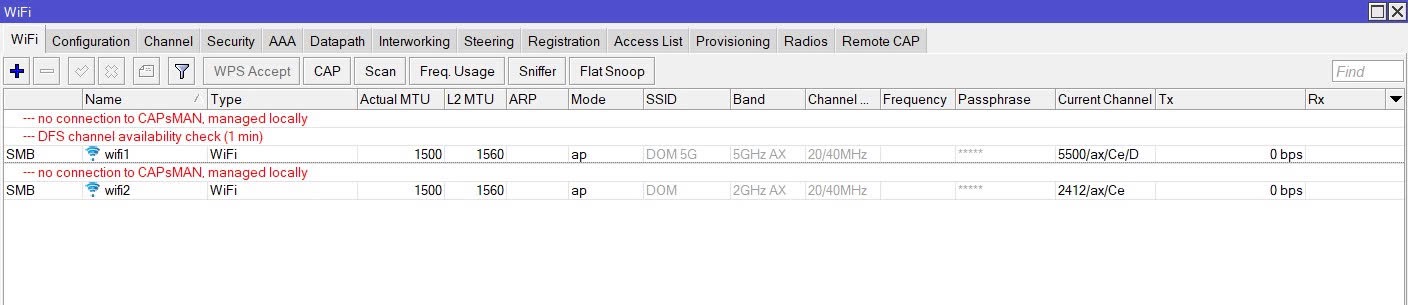
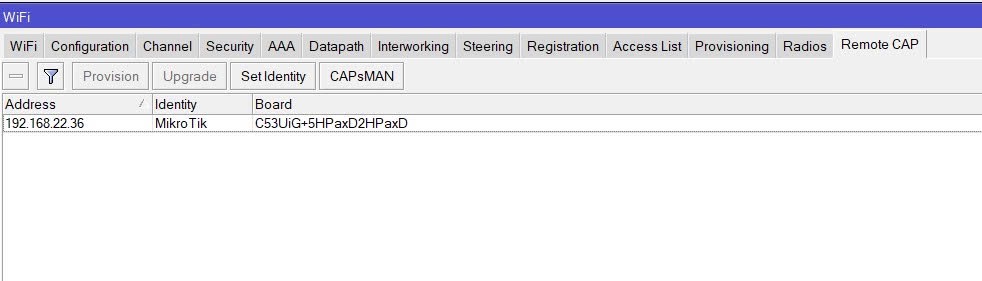
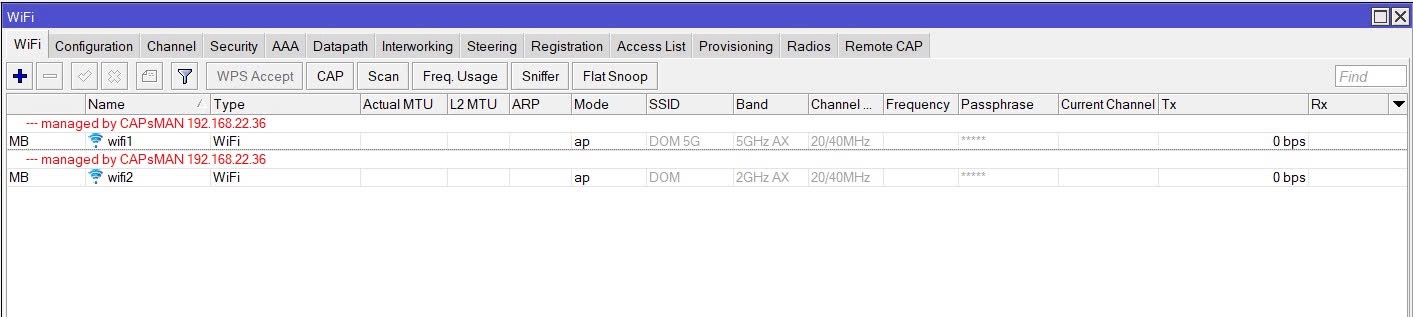
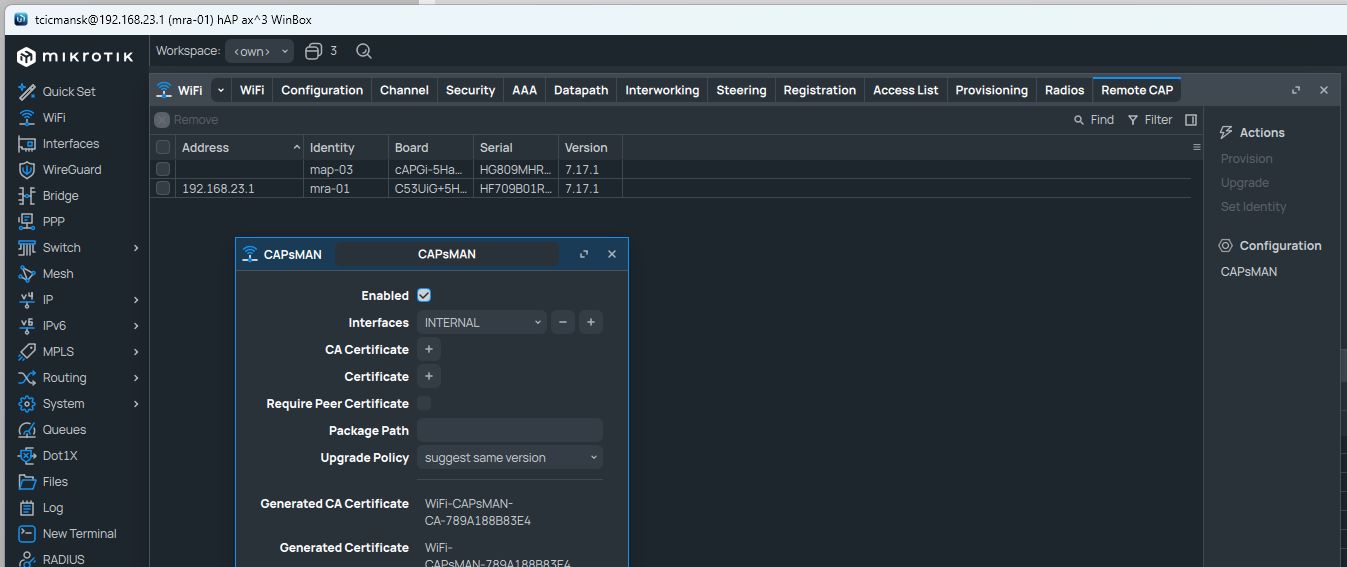
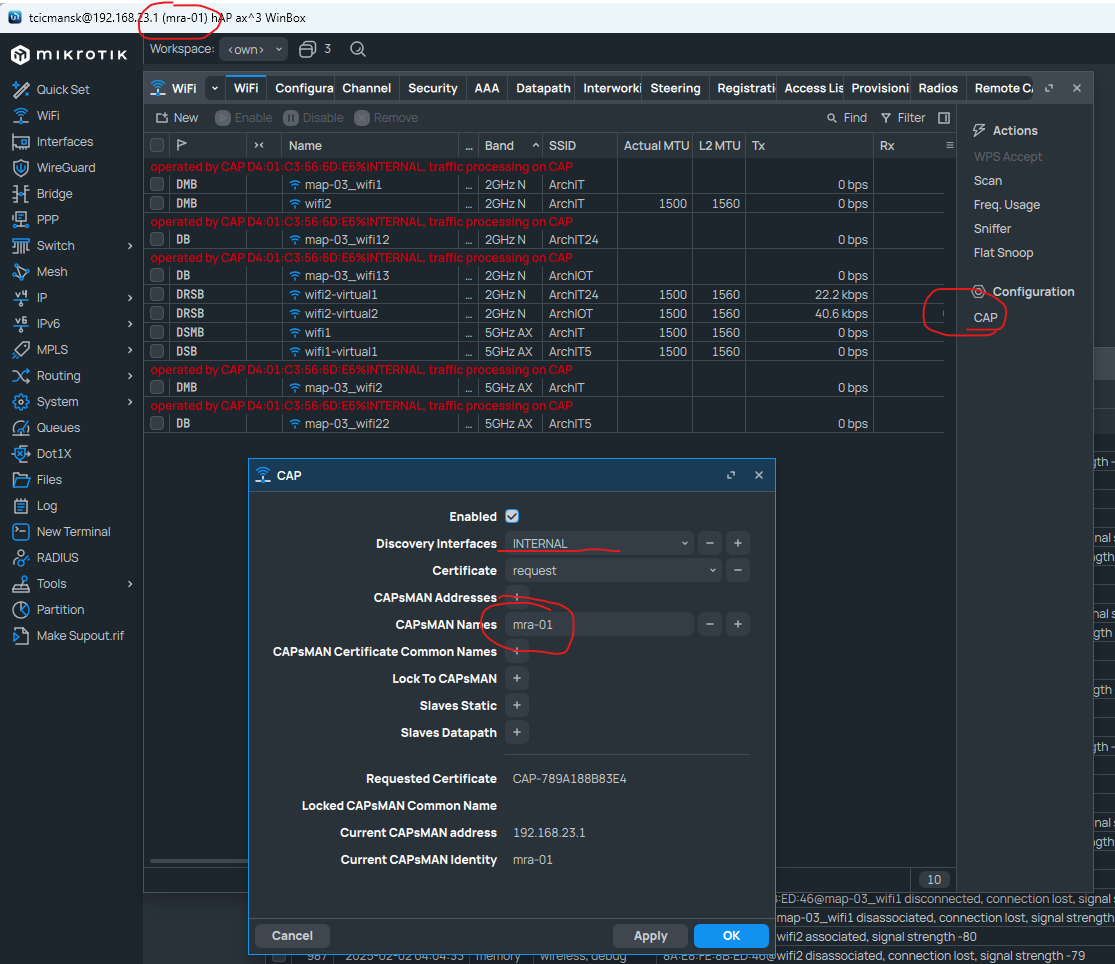
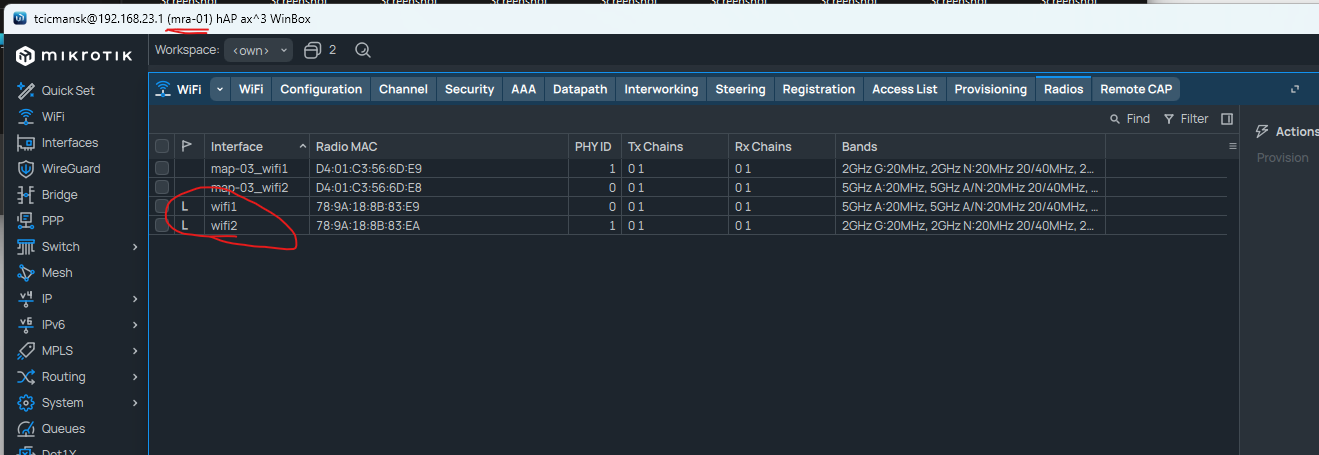
Just delete all config from local interface, click on CAP, search interface, I use local bridge interface, and I was using it with CapsMan-s IP or name as You can see. In tab Remote CAP, set up Capsman, it should connect to itself. Than go to Remote CAP, there You will see that it added itself as remote CAP, Under Radios You can see that I can see wifi1 and wifi2 interfaces.
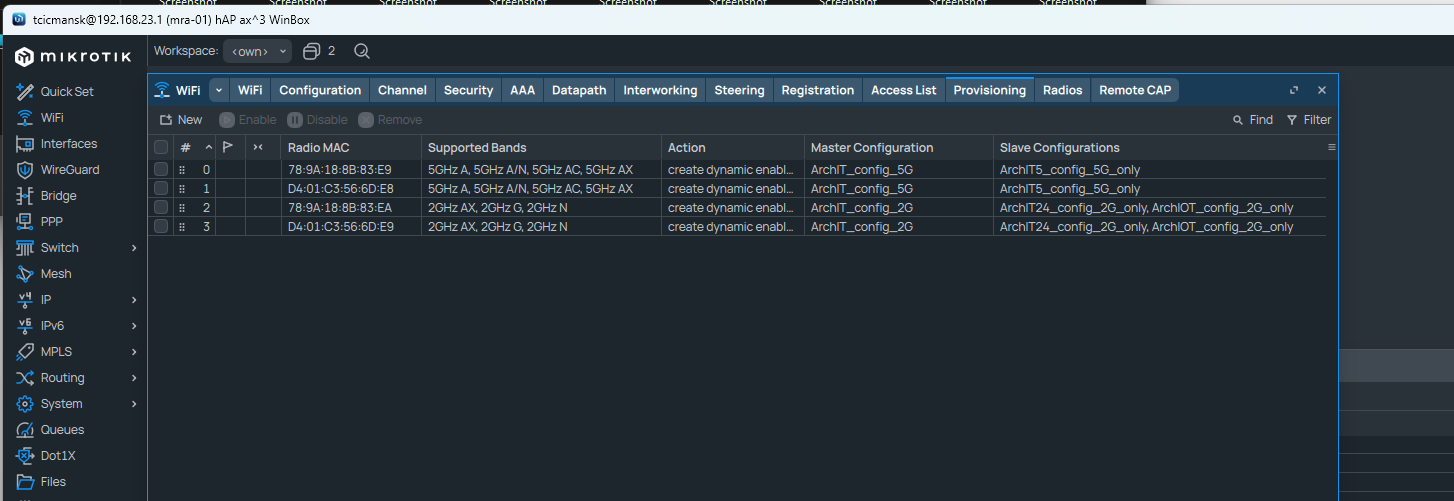
Under provisioning, I am provisioning each interface separately but 00:00:00:00:00:00 should work too I guess.
The wifi1 and wif2 interface names in those screenshots are an indication those interfaces are not managed by capsman.
They are local.
You also see it on the screenshot with the wifi interfaces. There is no red line above indicating “managed by capsman” (or operated by xx:xx:xx:xx as it is now).
At the end on the capsman controller all capsman controlled radios and local radios will appear together, yes.
But the local radios are not controlled by capsman.
Hi sorry for delay, My OS version is currently 7.17.1. I switched from old CAP ACs with wifi5 to new wifi6 APs just now, so I dont run it this way long time. But so far no issues with configuration itself, just standard problems with wifi6 on mikrotik, with AP roaming etc … but capsman works good.
I guess that You are technically right, interfaces are maybe not managed by CAPSMAN, they are just configured / managed by the same configuration profile. BUT… I can see both local and remote cap in /wifi/remote CAP, in Radios, I have it in Provisioning. I guess that as it is stated in documentation, I could just add MAC of wifi1 and wifi2 to Provisioning and it would work the same way and basically setting up CAP config on local interface and searching for CapsMan on bridge is redundant / doing basically nothing. I dont know really. I was not reading that documentation prior, I was doing it the same way as I was used to do it on wifi5 Capsman where it was working for me fine.
Yes there is no red line above that interface but I was thinking that it is just because it is local interface and for some reason it is like that. I was not thinking this is problem. What I see as problem is that for traffic info (RX/TX stats etc.) I need to log on each CAP separately because Miktoritik thinks that it is more convenient this way than sending that info to Capsman to centralize it. ( as it was before )
Capsman should be centralised wifi management. I dont see a point in capsman if I would manage 1,2 or 20 APs with it, and than manage local wifi interface separately? That does not make any sense to me. If it is meant to be like that, it is stupid design and should be changed by Mikrotik programmers. I cant think about single way how it would hurt to allow connection to capsman running on the same box. I think it made perfect sense in wifi5 and that is why I did it like this.
@anav
I have 2 “APs” HAPax3 that is router with AP functionality and CAPax that is pure AP and I am considering third CAPax in future for better coverage.
PS: this is my second site that is running wifi5 and You can see that I manage more APs there, and that Local interface is managed by CapsMan. This is how it should be Miktotik!, I dont know why You changed that for WiFi6.

 but capsman works good.