Hi! Just found those links. Never heard about this, might be of interest to someone:
https://download.axilogi.com/MikroTik/Datasheet/hAP_be_lite.pdf
Hi! Just found those links. Never heard about this, might be of interest to someone:
https://download.axilogi.com/MikroTik/Datasheet/hAP_be_lite.pdf
It's already listed and purchasable in InstantByte / CiudadWireless
This is going to be interesting "wireless duel".
Looks like it is shipping, unfortunately there are already reports of connection drops under load: https://reddit.com/gallery/1ue3dxw
I have 2 pcs, testing one of them, generally it works but I'm using it under CAPsMAN ( RB5009, v7.23.1) and I think there are bug or I'm doing something wrong.
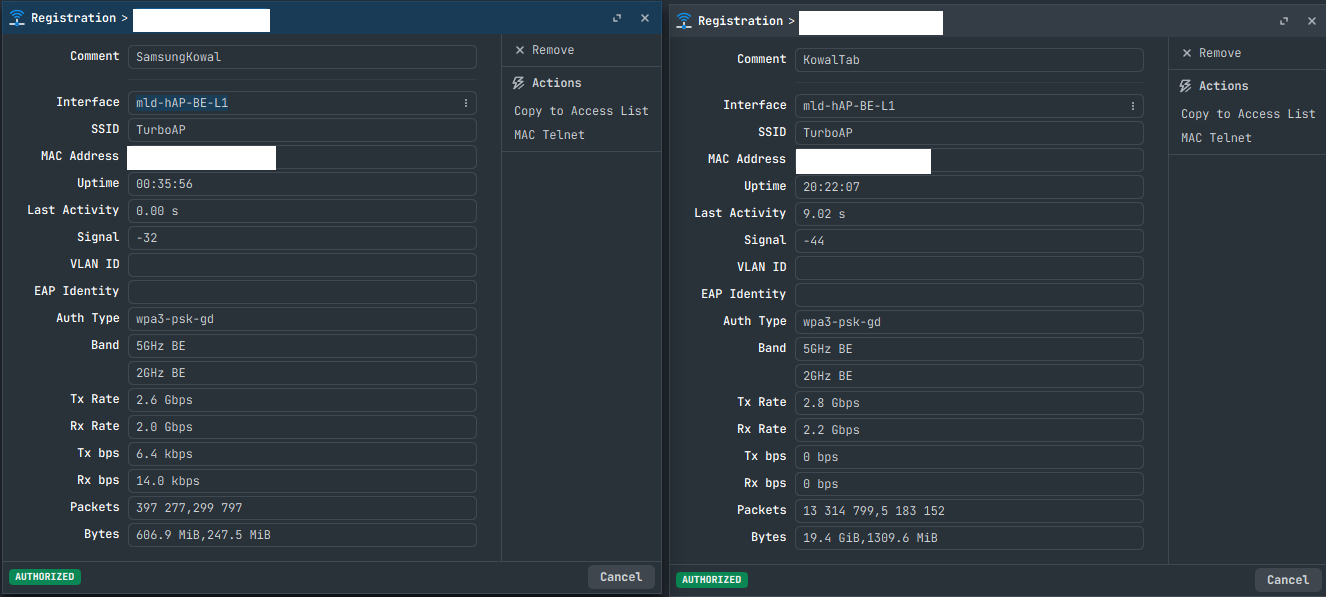
After restart, some devices connect to 2GHz BE, but some ( S24 Ultra) will not connect until DFS scan is finished and 5GHz radio comes up.
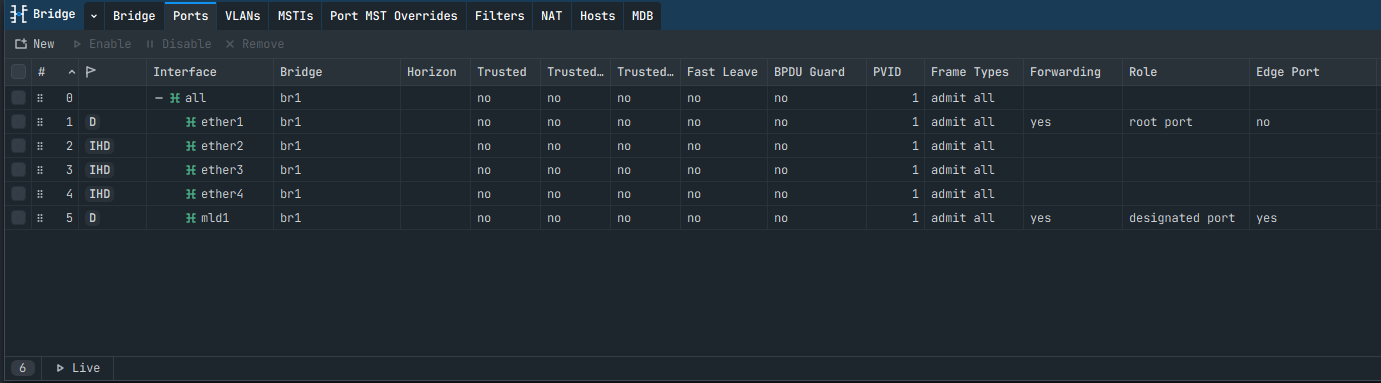
Another thing is that interface"mld" and wifiX is not added to bridge, resulting in no communication despite SSiDs being broadcasted.
Workaround:
/interface wifi cap
set discovery-interfaces=br1 enabled=yes mld-static=yes
And all ports in bridge - in case of "mld" becomes dynamic:
Is anyone using the hAP be lite as a simple cAP?
I would like to know if the wireless performance is slightly higher than the hAP ax S, which reaches (always as a cAP) 600 Mbps (100% CPU) in download/upload.
In my testing its capable to do ~700Mbps, but I plan to test it in another area, because there are almost no free channels in 2,4&5G bands
Here is my experience with the HAP be lite:
Conclusion:
I use it as capsman, access point, and small ethernet switch. I put the upstream connection to ether4, so ether2-4 can work as a HW offloaded, vlan-enabled switch.
Wifi with FT on and MLO disabled is stable and works well. The area here is crowded with many wifis, so the 700mbit/s max performance is hard to reach. Real-world throughput is around 450-600mbit/s, but that is even reached at some distance and through a wall. Which is better than the ~300-400mbit/s real-world performance my hap ax2 delivers in the same location.
The hap ax2 now became a cap, which is working well together with the be lite and smooth handover between APs.
For now I am happy with the setup and will be observing whether additional longer-term issues will show up.
Thanks for the detailed report. Did you by any chance test if the speed increases a lot with MLO?
Since even with RouterOS 7.24rc connection drops under high load for me with MLO, I couldn't properly test MLO performance.
However, since the device is reaching its CPU limit already with regular 5GHz, I would not expect any significant speed increase by MLO.
Is this happening when working as cAP? I don't have that issue, but during testing I've found one interesting:
If uplink port is 2,5G and you limit link speed to 1G, device can disconnect under havy load from capsman.
If port is at 2,5G nothing bad happens.
Also, can you look at ethernet ports and confirm that port LEDs are inactive?
I don't know since I did not try. I gave up on MLO after finding it pretty unstable with the Galaxy S26, and finding out that FT and MLO do not work together on current RouterOS. I need FT to properly support roaming across APs.
No port LEDs here as well. This is irritating when setting things up. I found it particularly confusing that sometimes the LED on the front is completely off even when the device is powered on, but currently I cannot reproduce this state.
Where can I find the block diagram because unfortunately it is missing from the product card on the website.
it is available now
So, I've got two of these at my rental house in a small multi-gig multiWAN stack;
1xRB5009 core router-on-a-stick (does all heavy lifting)
1xCRS310 2.5G switch
I started to set this up in capsman on the 5009 with the hAP's in caps mode but I couldn't get them to work; clients could connect but something was borking on the datapath config and I couldn't get it working (I have a few VLANs because of the way the core switch aggregates all my links + IoT/Secure VLAN segmentation) for some reason despite a good bit of poking at it; About 30hrs in I decided to just bridge the radios at L2; from here it's a matter of configuring them; currently I'm running MLO and get ~700Mbps total to any one device before pinning the CPU to 100%; I'm having no issues with device hand-off despite FT being disabled, but this place is small enough that sometimes my devices will choose the farther radio due to band usage/differences and noise, so I'm seeing just okay performance.
I plan to try some other configurations, like killing MLO and enabling FT and also adjusting some radio/band/channel settings (I have access to a NetAlly AirCheck G3 Pro from work that I'm going to use to heatmap the house using a floorplan lol and run it through Link-Live! mwhuahahaha!) to see what I can squeeze out of them, but so far the CPU's limit my download traffic to ~700Mbps. I think even putting the uplink on a 1Gig port prob wouldn't matter much because the radio's still have to go through the CPU 
It's just an OK deployment until the be3 media actually ships (I've had it on order w/Multilink since March!) and even that will be a bandaid until a proper enterprise cap gets released...or maybe something like a CRS418 w/be3 instead of AX radios; I refuse to pay Ubiquiti's prices lol