I have a router Mikrotik RB1100 in a hostel and since yesterday I started to get the message “excessive broadcasts/multicast, probably a loop” in the log and the whole internet connection get very slow for everyone.
I searched for a solution online and didn’t find anything! For sure is not a loop because the network topology is very simple: the router and 10 very simple APs connected to it.
The DHCP server has authoritative set Yes and there is nothing special in the configuration (i’m running a simple hotspot with a unique DHCP server on a bridge).
How can I know who is generating this broadcast? and how can I stop it?
I tried it (very hard, more than 100 users connected) and the only suspicious packages I noticed were from some iOS device doing massive mDNS (bonjour, i guess).
I tried with a rule in the firewall blocking the port 5353 but didn’t help… maybe is not enough?
Mikrotik should tell me more than just this warning, no?
Also, 5 minutes ago the error stopped so the device (and the person…) who was generating left the hotel. This is good because everything is working again but also very bad because this person will probably come back and start the problem again.
I can’t believe that Mikrotik can only give me that warning message and not more information like the IP responsible for this!!
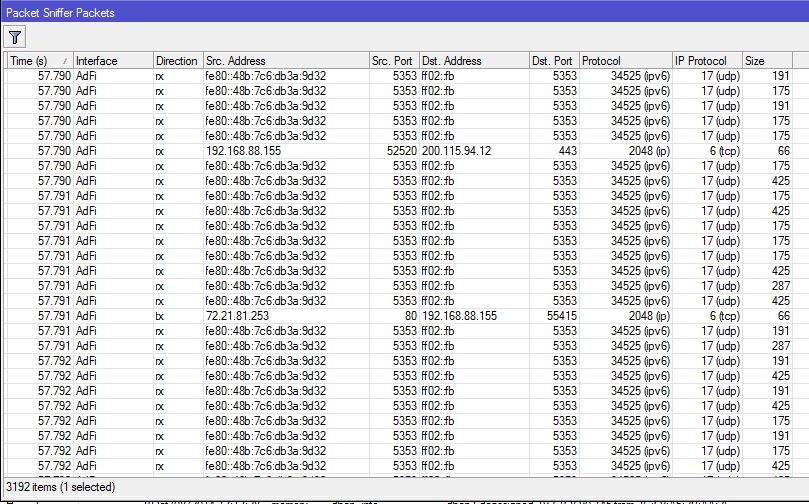
This is what I get using the Packet Sniffer:
I guess this is the responsible for the alert and the problem, right? Should I just block the Dst. Port 5353? I think it wasn’t enough when I tried… help?
I think I found a solution but not sure if it’s the best…
I created a filter in the Bridge for the MAC Protocol (ipv6) used by all these iOS devices creating the flood:
The amount of packages are crazy and they are using a lot of CPU.
I cant find RSTP on your bridge, but it could be another issue that you have…
My guess is that your client is using multiple apple products to stream music or video in your wifi network. Have you tried blocking communication between clients?
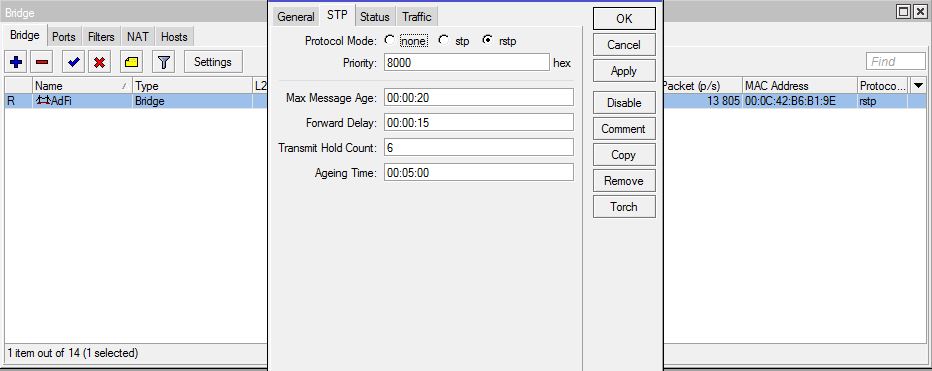
Yes, i do have RSTP enabled in the bridge:
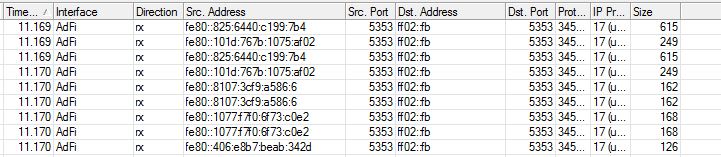
About the communication, I don’t think they are internal communications between clients but multicast performed by different iOS devices:
As you can see, I have different source addresses sending such packages.
Btw, the bridge filter blocked already more than 217 millions of packages in the last hours! it’s crazy!
Take a look how many packages were already blocked since yesterday:
The good part is that everyone is using internet without problem in the hotel but I think is crazy to keep blocking it that way.
About the APs, I have more 10 APs from different manufactures (tp-link, linksys, etc.) connected to a switch that goes to the Mikrotik, nothing special about them… all of them set as APs.
i sometimes configure netwatch to see if devices are online
then i start disabling interfaces,
last time with a customer, even if i disabled ports everything did stay online,
the customer installed a wireless sonos hifi system, connected them wireless together and then did use cable on both sides.
My guess is that there is something with the config on the AP side. AR you by any chance using a switch too?
Just plugging in 2 Sonos systems to my home lan killed it totally, turning on rstp solved it for me
After analyzing all the cables I found that they had a Cisco switch between some of the APs and the Mikrotik and it was sending all the packages to everyone, creating some kind of loop and generating the flood.
I removed it and now all the APs are connected directly to the Mikrotik, where I’m dropping such packages and controlling the problem.
Anyway I think this type of multicast iOS devices are doing is crazy because when you have such kind of switchs these packages are multiplying every second!
Since I removed that switch the problem stopped.
Thanks for all your help, I learned A LOT trying to solve it