Hi!
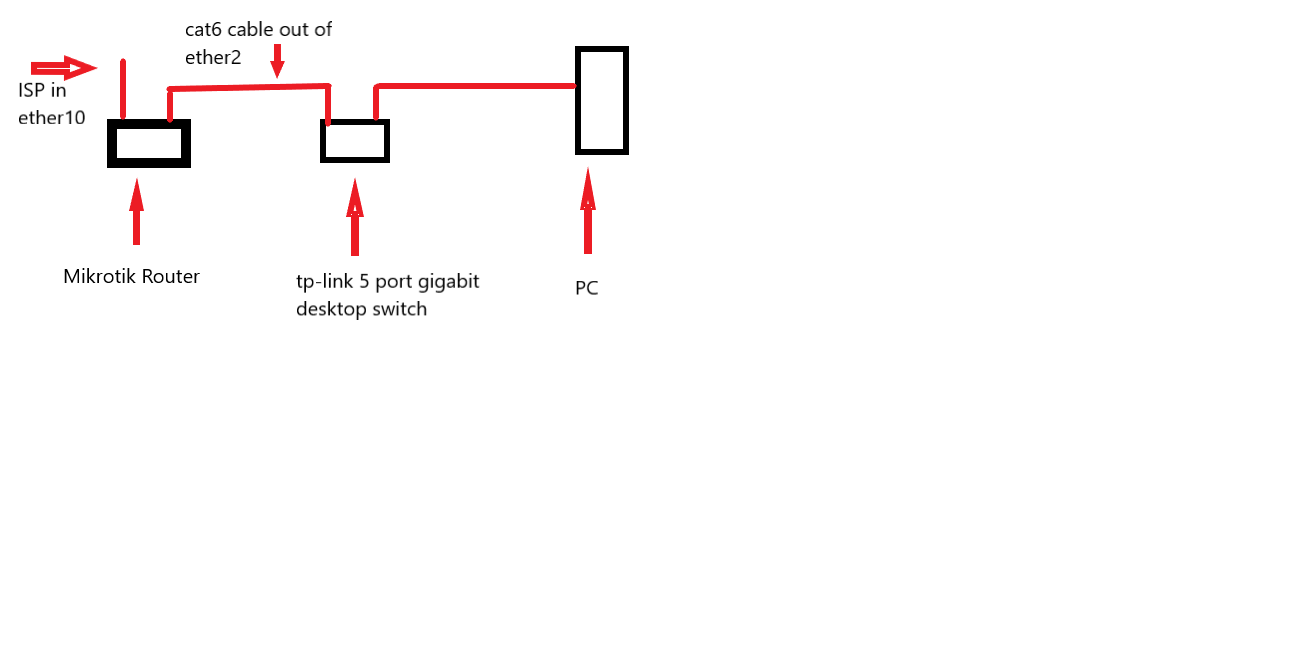
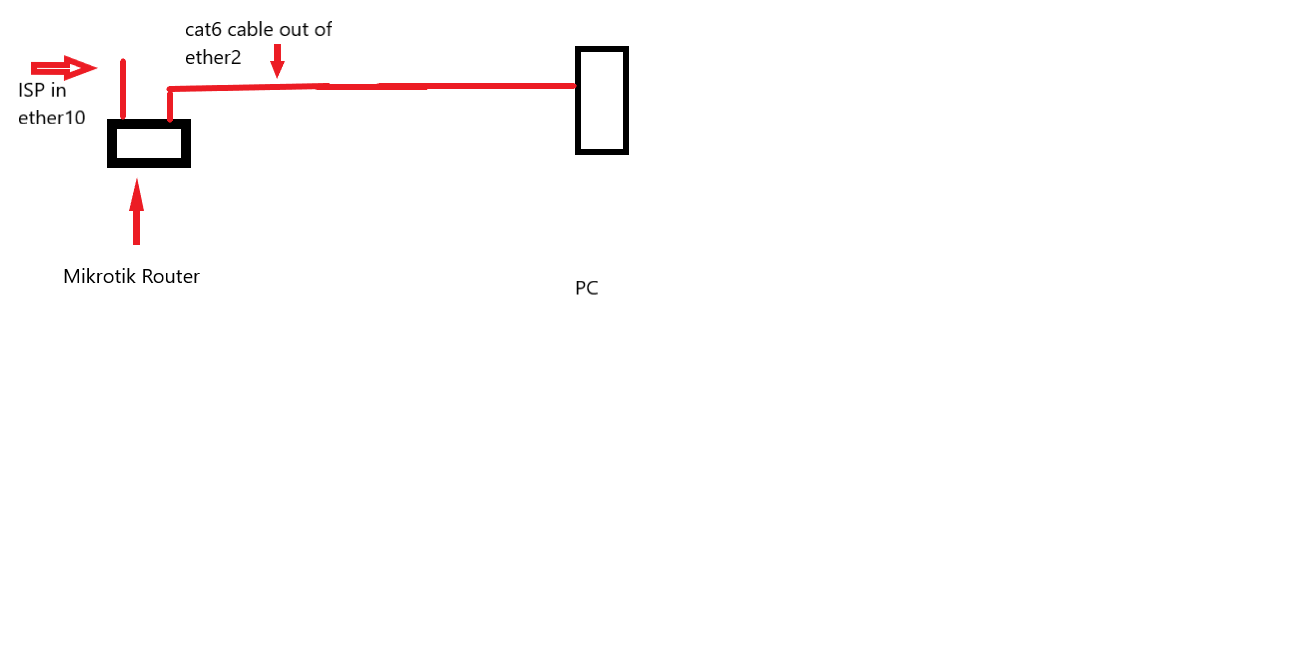
I’m new to mikrotik. I got the MikroTik RB4011iGS+5HacQ2HnD-INon the suggestion of my ISP but had no idea what I was getting into
I want to set up a guest wifi network. This is pretty much every tutorial I’ve seen on the subject on YT https://www.youtube.com/watch?v=gcwbhncwPug&list=PLYnftX296vo9vu4k_SwHhdtHFkJNf_KeD&index=3
I have done a hard reset of the router and did a soft reset with no default configuration.
But there are some odd things about my set up that don’t quite work when I try to do basic setup stuff. Here is what’s different:
- My ISP provides microwave internet. Not sure if that makes any difference. Not satellite, not cable, its passed around via microwave repeaters
- The cable providing the internet only seems to work when it is plugged into the number 10 port I have. I have followed the quick start guide and plugged the ISP cable into port 1 and tried to do set up but was unable to obtain an IP and the light for the port does not light up
- Using the Quick Set option The internet only seems to obtain an IP using the CPE option and the configuration is set to: BRIDGE. Then WinBox can acquire an IP automatically
When setup using the CPE option in Bridge mode, I can set up wifi networks in AP bridge configuration
However when I try to set up a virtual network using the same method as in the tutorial above, The devices see the network but there is no internet flowing through them
Even when I don’t use a separate bridge or DHCP or anything, it still doesn’t work
I would appreciate any help that can be offered and please remember, I’m really new to this stuff. I am using WinBox.
Here is my config file
# dec/26/2021 15:35:53 by RouterOS 6.49.2
# software id = HLWE-KMIM
#
# model = RB4011iGS+5HacQ2HnD
# serial number = D4400C5050E1
/interface bridge
add name=Bridge-Guest
add name=bridge1
/interface ethernet switch port
set 0 default-vlan-id=0
set 1 default-vlan-id=0
set 2 default-vlan-id=0
set 3 default-vlan-id=0
set 4 default-vlan-id=0
set 5 default-vlan-id=0
set 6 default-vlan-id=0
set 7 default-vlan-id=0
set 8 default-vlan-id=0
set 9 default-vlan-id=0
set 10 default-vlan-id=0
set 11 default-vlan-id=0
/interface list
add name=WAN
add name=LAN
/interface wireless security-profiles
set [ find default=yes ] authentication-types=wpa2-psk mode=dynamic-keys \
    supplicant-identity=MikroTik
add authentication-types=wpa2-psk eap-methods="" mode=dynamic-keys name=\
    SecurityPrivate supplicant-identity=""
add authentication-types=wpa2-psk eap-methods="" mode=dynamic-keys name=\
    SecurityGuest supplicant-identity=""
add authentication-types=wpa2-psk mode=dynamic-keys name=guest \
    supplicant-identity=MikroTik
/interface wireless
set [ find default-name=wlan1 ] disabled=no frequency=auto mode=ap-bridge \
    security-profile=SecurityPrivate ssid="FREE BELARUS 5GHZ"
set [ find default-name=wlan2 ] band=2ghz-b/g/n disabled=no mode=ap-bridge \
    security-profile=SecurityPrivate ssid="FREE BELARUS"
add disabled=no keepalive-frames=disabled mac-address=4A:8F:5A:76:D6:A4 \
    master-interface=wlan1 multicast-buffering=disabled name=GuestWIFI \
    security-profile=SecurityGuest ssid=WIFI-Guest wds-cost-range=0 \
    wds-default-cost=0 wps-mode=disabled
/ip pool
add name=dhcp_pool0 ranges=10.10.10.2-10.10.10.254
/ip dhcp-server
add address-pool=dhcp_pool0 disabled=no interface=Bridge-Guest name=\
    dhcp-guest
/interface bridge port
add bridge=bridge1 interface=wlan1
add bridge=bridge1 interface=ether1
add bridge=bridge1 interface=ether2
add bridge=bridge1 interface=ether3
add bridge=bridge1 interface=ether4
add bridge=bridge1 interface=ether5
add bridge=bridge1 interface=ether6
add bridge=bridge1 interface=ether7
add bridge=bridge1 interface=ether8
add bridge=bridge1 interface=ether9
add bridge=bridge1 interface=ether10
add bridge=bridge1 interface=sfp-sfpplus1
add bridge=bridge1 interface=wlan2
add bridge=Bridge-Guest interface=GuestWIFI
/interface list member
add interface=wlan1 list=WAN
add interface=ether1 list=LAN
add interface=ether2 list=LAN
add interface=ether3 list=LAN
add interface=ether4 list=LAN
add interface=ether5 list=LAN
add interface=ether6 list=LAN
add interface=ether7 list=LAN
add interface=ether8 list=LAN
add interface=ether9 list=LAN
add interface=ether10 list=LAN
add interface=sfp-sfpplus1 list=LAN
add interface=wlan2 list=LAN
/ip address
add address=10.10.10.1/24 interface=Bridge-Guest network=10.10.10.0
/ip dhcp-client
add disabled=no interface=bridge1
/ip dhcp-server network
add address=10.10.10.0/24 gateway=10.10.10.1
/system clock
set time-zone-name=America/Los_Angeles
/system identity
set name=RouterSwitchAP
/system leds
add interface=wlan2 leds="wlan2_signal1-led,wlan2_signal2-led,wlan2_signal3-le\
    d,wlan2_signal4-led,wlan2_signal5-led" type=wireless-signal-strength
add interface=wlan2 leds=wlan2_tx-led type=interface-transmit
add interface=wlan2 leds=wlan2_rx-led type=interface-receive
MyConfigDec26.rsc (3.29 KB)