Content: Hello everyone,
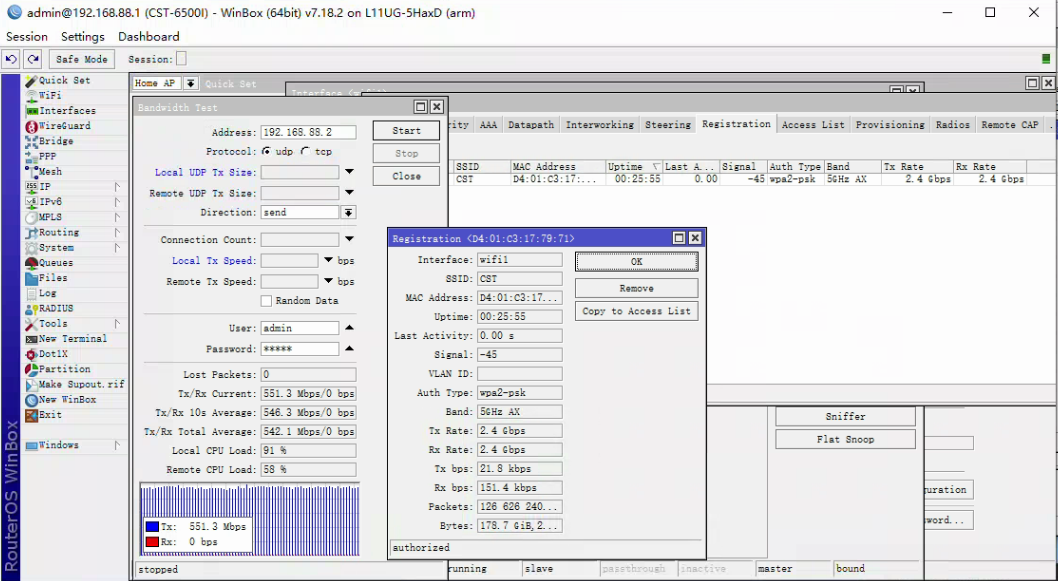
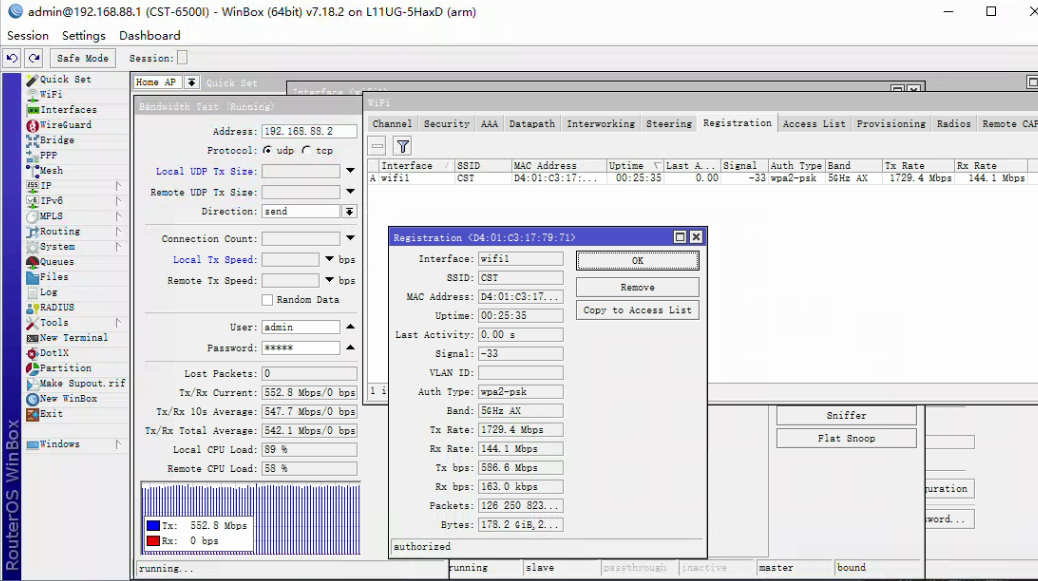
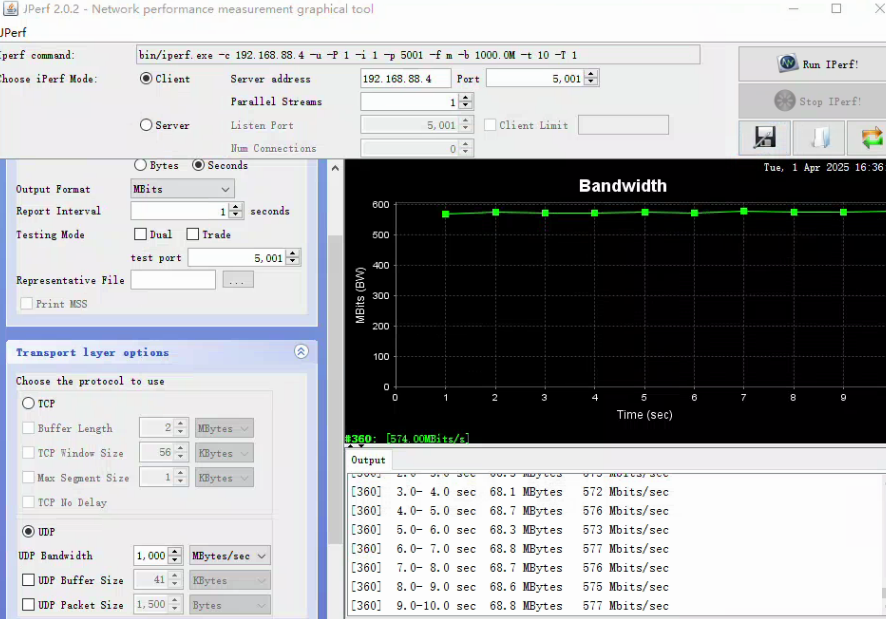
I encountered a problem when using two identical devices to test bandwidth. The theoretical rate is shown as 2.4Gbps, but when tested by the Bandwidth Test in the tool, the actual rate is only over 500Mbps, which is much lower than the theoretical rate. When the device is stationary, the signal strength and other parameters are relatively stable, but the bandwidth still cannot meet expectations.
Here are my devices and test conditions:
Device model: L11UG-5HaxD 7.18.2
Frequency band: 5GHz AX
Wireless standard: 802.11ax
Channel width: 20/40/80/160MHz
Test protocol: UDP / TCP (tried)
Test settings: device is stationary, signal strength is stable
Device configuration: two devices are exactly the same, one is AP mode and the other is Station Bridge mode
Actual speed result: about 500Mbps
Theoretical rate: 2.4Gbps
I have tried the following operations:
Make sure that both the device and the wireless network card support 802.11ax and the maximum rate.
Adjusted the channel and bandwidth settings, tried multiple channels (5500, 5320, 5805, etc.).
Used different protocols (UDP and TCP), but the rate did not increase significantly.
Checked the MTU setting and other network parameters.
Make sure the settings for AP mode and Station Bridge mode are correct.
Although the device shows that it supports 2.4Gbps, the expected bandwidth seems to be unattainable in actual testing, and the rate is around 500Mbps.
I would like to ask you:
Are there other configurations that need to be adjusted to better utilize the theoretical bandwidth?
Is the bandwidth test result not ideal due to configuration issues between AP mode and Station Bridge mode?
Are there any other diagnostic methods or experiences that can help find the bandwidth bottleneck?
Is the actual rate limited by the network environment, hardware performance, or other factors?
Thank you very much for your help!