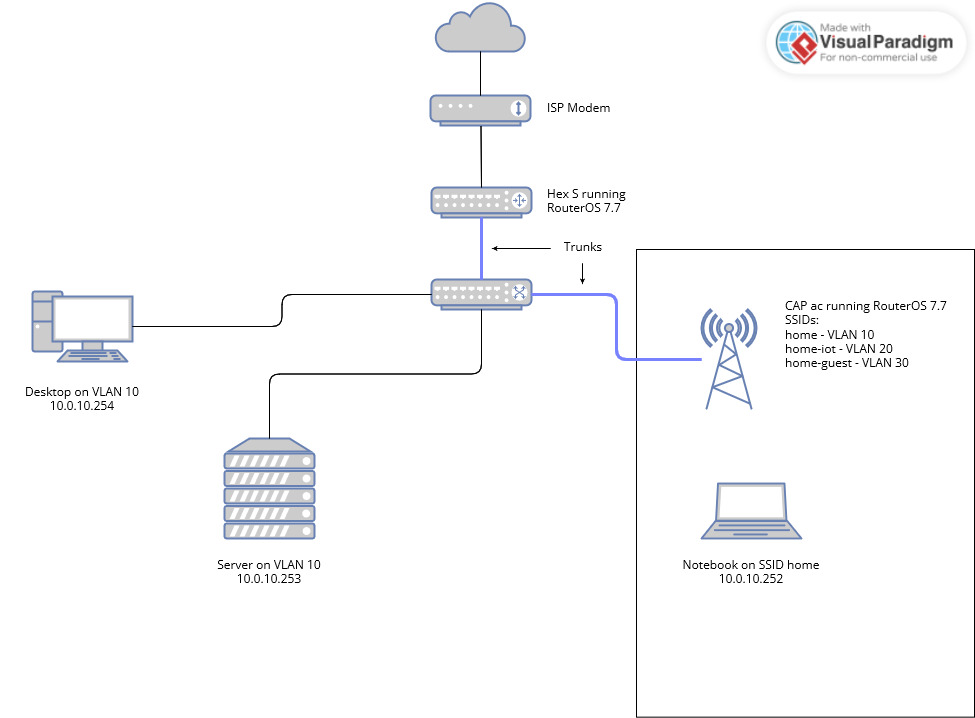
Capac are not devices that facilitate roaming to any great extent. The features you are looking for or found on much newer access points and do not believe actually fully implemented on the newest ax3 devices but perhaps someone can better speak to that part of your question. Should add that roaming is more a function of the device being used ( aka your smartphone ) then it is the access point!
The reason I asked the internet question is because, the input chain rule has nothing to with internet access!!
Its important you understand that the input chain is SOLELY traffic TO the router for SERVICES from the router.
Typically one has LAN to ROUTER traffic and WAN to router traffic ( output chain is advanced usage )
examples users need DNS from router, and an incoming VPN connection needs to access router vpn services.
The forward chain which is traffic thru the router ( WAN to LAN, LAN to LAN, LAN to WAN ) is where we allow LAN to WAN traffic.
add chain=forward action=accept in-interface-list=LAN out-interface-list=WAN
If you are not getting internet when you modify the rules noted. It means your users are not able to access DNS services which is a necessary step to get out to the internet.
Therefore it makes sense that you dont LOL.
However I never said to remove them I asked you to look at them, make sense of them and come to the realization that you have missed !
What you should have noticed is that
add action=accept chain=input comment=“Allow VLANs to access router services”
in-interface-list=MGMT_LIST
add action=accept chain=input in-interface-list=TRUSTED_LIST
add action=accept chain=input in-interface-list=UNTRUSTED_LIST
what you have effectively done here is allow WHO full access to the router… Every stinking soul.
/interface list member
add interface=ether1 list=WAN_LIST
add interface=MGMT list=MGMT_LIST
add interface=MGMT list=TRUSTED_LIST
add interface=MGMT list=UNTRUSTED_LIST
add interface=TRUSTED list=TRUSTED_LIST
add interface=UNTRUSTED list=UNTRUSTED_LIST
add interface=GUEST list=UNTRUSTED_LIST
add interface=ether5-access list=MGMT_LIST
YOUR LISTS NEEDS WORK!
Interface lists are optimal for two or more subnets that will have common firewall rules…
An interface list with a single subnet is the exception and is for the single subnet that is trusted, usually the management vlan but if one does not have a dedicated management vlan then a trusted vlan. You have both trusted and management which is very confusing…
In other words, the trusted subnet is one where the admin normally resides to do all his/her work. Its not clear what you are doing LOL.
I will assume you have created a management interface with an etherport available on the router for you to plug into at any time or on a managed switch on your desk.
I will assume you are normally plugged into the trusted lan.
Recommend. Keep management VLAN and it should be the only member of the MANAGEMENT Interface list.
If you, as admin, are not normally on the MGMT VLAN but are on the TRUSTED vlan then simply make a firewall rule giving you access…
add action=accept chain=forward in-interface=TRUSTED out-interface=MGMT src-address=adminIPaddress
add interface=ether1 list=WAN_LIST
add interface=MGMT list=MGMT_LIST
add interface=MGMT list=LAN_LIST
add interface=TRUSTED list=LAN_LIST
add interface=UNTRUSTED list=LAN_LIST
add interface=GUEST list=LAN_LIST
add interface=UNTRUSTED list=UNTRUSTED_LIST
add interface=GUEST list=UNTRUSTED_LIST
as far as your firewall rules go…
add action=accept chain=input in-interface-list=MGMT_LIST { access to router for config if connected to isolated management vlan }
add action=accept chain=input in-interface=TRUSTED src-address=AdminIP { access to config from Trusted vlan but only from admin IP }
add action=accept chain=input in-interface-list=LAN_LIST dst-port=53,123 protocol=tcp { access to needed services by all }
add action=accept chain=input in-interface-list=LAN_LIST dst=port=53 protocol=udp { access to needed services by all }
In terms of your forward chain your rules are convoluted…
add action=accept chain=forward comment=“Internet Access” connection-state=
new in-interface-list=TRUSTED_LIST out-interface-list=WAN_LIST
add action=accept chain=forward connection-state=new in-interface-list=
UNTRUSTED_LIST out-interface-list=WAN_LIST
add action=accept chain=forward comment=“Allow MGMT → All VLANs”
connection-state=new in-interface-list=MGMT_LIST out-interface-list=
WAN_LIST
add action=accept chain=forward comment=“Allow TRUSTED in → UNTRUSTED out”
connection-state=new in-interface-list=TRUSTED_LIST out-interface-list=
UNTRUSTED_LIST
Much clearer…
add action=accept chain=forward comment=“Internet Access” in-interface-list=LAN_LIST out-interface-list=WAN_LIST
As for trusted to untrusted… its a bit vague for me to comment.
Do you have users on the normal LAN ( trusted subnet ) that needs access to the untrusted or guest network and if so for what purposes.
I am trying to ascertain if its only the admin that needs access or if there is a common device on the guest or untrusted network people need access too.
Further within the untrusted subnets, do guest users need access to untrusted, or vice versa, do untrusted need access to guest users…
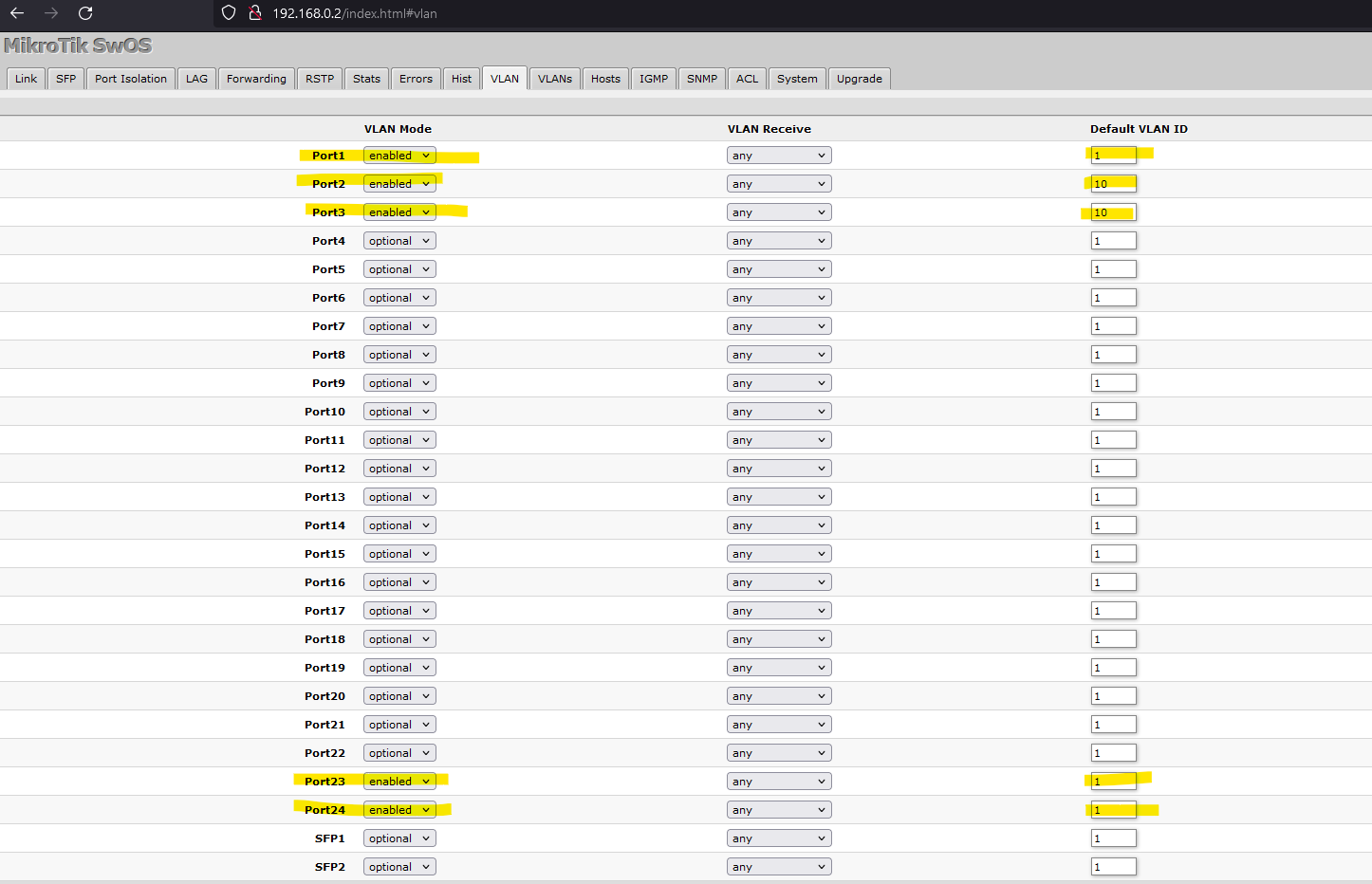
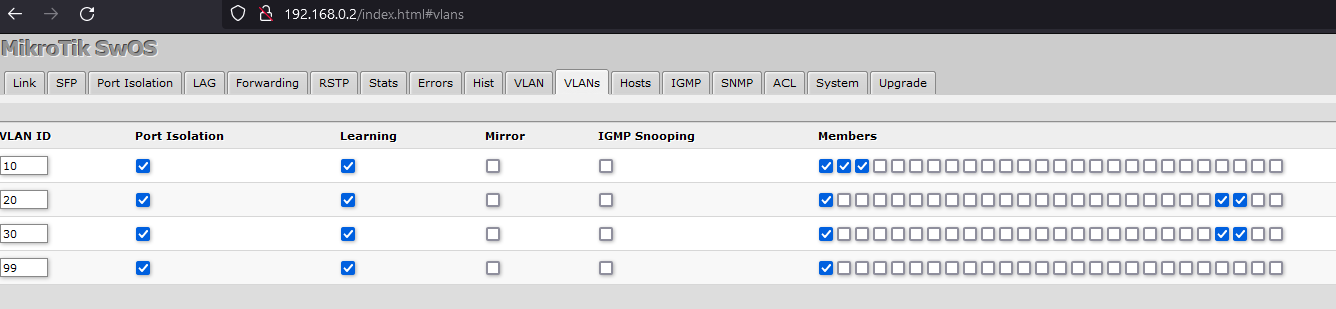
 Congrats on that.