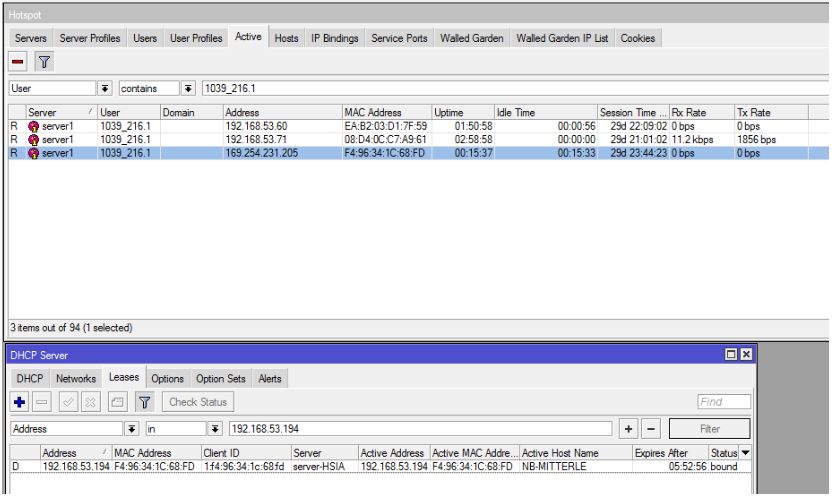
Recently I was troubleshooting a hotspot client who had issues accessing the internet because he had to many devices already hotspot active.
The client assured me that this could not be true since he doesn’t own more devices than the Shared Users limit allows. After looking into it in detail I found that his Windows machine, which could not access the internet, was already hotspot active, but with the Microsoft fallback IP address 169.254.x.x which is invalid. Funny enough the Windows machine had a DHCP lease already with a valid address and only after I deleted the invalid hotspot active entry it was able to access the internet.
I went through all out logs and found that there are a few dozen hosts which face this issue every day.
Did anyone face this issue before?
Is there any explanation how the hotspot learns this address since I don’t see how a host can talk with the firewall without a valid IP address in the first place?
We use MAC Cookies as authentication method.