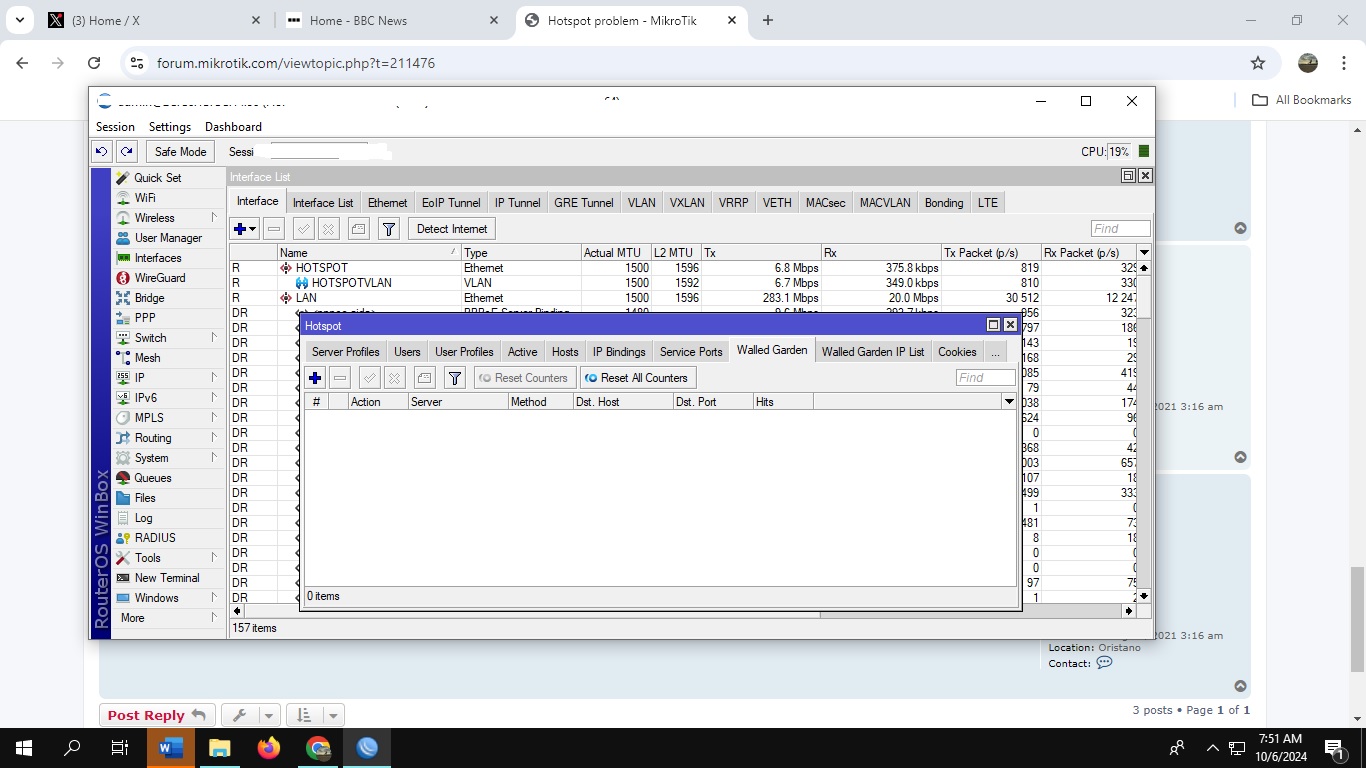
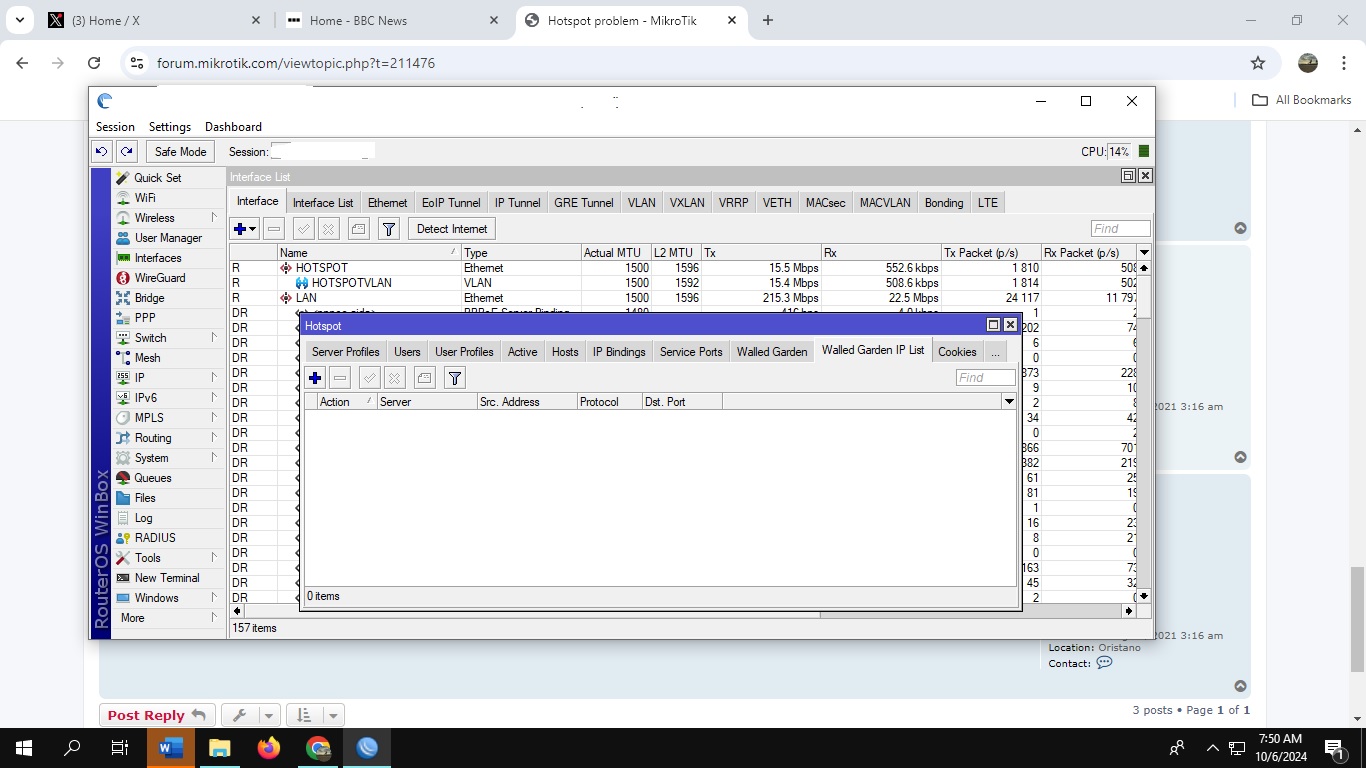
Guys, Here is the export config from my router.
2024-10-06 19:16:16 by RouterOS 7.16
software id = K708-7U56
model = CCR2004-16G-2S+
serial number = HAT07EQ7PC2
/interface ethernet
set [ find default-name=ether7 ] name=HOTSPOT
set [ find default-name=ether3 ] name=LAN
set [ find default-name=ether9 ] name=LAN2
set [ find default-name=ether1 ] name=WAN1
set [ find default-name=ether2 ] comment=“Fiber” disabled=yes name=
WAN2
set [ find default-name=ether13 ] name=test
/interface pppoe-client
add ac-name=" Fiber 2" add-default-route=yes default-route-distance=2
interface=WAN2 name=pppoe-out-Sorsogon service-name=“Fiber 2”
user=homerouter
/interface vlan
add interface=HOTSPOT name=HOTSPOTVLAN vlan-id=XXX
add interface=LAN name=“VLAN PPOE” vlan-id=XXX
/interface wireless security-profiles
set [ find default=yes ] supplicant-identity=MikroTik
/ip hotspot profile
set [ find default=yes ] radius-interim-update=10m use-radius=yes
add dns-name=XXX.XXX.com hotspot-address=150.100.64.1 name=
“HOTSPOT Profiles” use-radius=yes
/ip pool
add name=“PPOE Pool” ranges=X.X.X.X-X.X.X.X
add name=“HOTSPOT Pool” ranges=150.100.64.2-150.100.127.254
add name=“VLAN PPOE” ranges=14.0.0.2-14.0.63.254
add name=“PPOE POOL 2” ranges=172.200.1.2-172.200.1.254
/ip dhcp-server
add address-pool=“VLAN PPOE” disabled=yes interface=LAN lease-time=10m name=
“PPOE DHCP”
add address-pool=“HOTSPOT Pool” interface=HOTSPOTVLAN lease-time=10m name=
“HOTSPOT DHCP”
add address-pool=“VLAN PPOE” disabled=yes interface=“VLAN PPOE” lease-time=
10m name=“VLAN PPOE”
/ip hotspot
add address-pool=“HOTSPOT Pool” addresses-per-mac=1 disabled=no interface=
HOTSPOTVLAN name=HOTSPOT profile=“HOTSPOT Profiles”
/ip smb users
set [ find default=yes ] disabled=yes
/port
set 0 name=serial0
set 1 name=serial1
/ppp profile
add dns-server=1.1.1.1,8.8.8.8 local-address=X.X.X.X name=“6 Mbps”
rate-limit=5120k/5120k remote-address=“PPOE Pool”
add dns-server=1.1.1.1,8.8.8.8 local-address=X.X.X.X name=“10 Mbps”
rate-limit=10240k/10240k remote-address=“PPOE Pool”
add dns-server=1.1.1.1,8.8.8.8 local-address=X.X.X.X name=“50 Mbps”
rate-limit=51200k/51200k remote-address=“PPOE Pool”
add dns-server=1.1.1.1,8.8.8.8 local-address=X.X.X.X name=“2 Mbps”
rate-limit=2048k/2048k remote-address=“PPOE Pool”
add dns-server=1.1.1.1,8.8.8.8 local-address=X.X.X.X name=“14 Mb”
rate-limit=14336k/14336k remote-address=“PPOE Pool”
add dns-server=1.1.1.1,8.8.8.8 local-address=X.X.X.X name=“3 Mbps”
rate-limit=3072k/3072k remote-address=“PPOE Pool”
/ip firewall connection tracking
set udp-timeout=10s
/ip settings
set max-neighbor-entries=8192
/ipv6 settings
set max-neighbor-entries=8192
/interface ovpn-server server
set auth=sha1,md5
/interface pppoe-server server
add disabled=no interface=LAN max-mru=1480 max-mtu=1480 mrru=1500
one-session-per-host=yes service-name=“PPOE Server”
add disabled=no interface=“VLAN PPOE” max-mru=1480 max-mtu=1480 mrru=1500
one-session-per-host=yes service-name=“VLAN PPOE”
/ip address
add address=X.X.X.X/24 interface=LAN network=X.X.X.X
add address=X.X.X.X/18 disabled=yes interface=WAN1 network=X.X.X.X
add address=13.0.0.1/18 disabled=yes interface=HOTSPOTVLAN network=13.0.0.0
add address=14.0.0.1/18 interface=“VLAN PPOE” network=14.0.0.0
add address=192.168.100.2/24 disabled=yes interface=WAN2 network=
192.168.100.0
add address=172.210.1.1/24 interface=LAN network=172.210.1.0
add address=10.10.0.244/18 interface=WAN1 network=10.10.0.0
add address=X.X.X.X disabled=yes interface=WAN1 network=X.X.X.X
add address=150.100.64.1/18 interface=HOTSPOTVLAN network=150.100.64.0
add address=X.X.X.X interface=WAN1 network=10.0.0.0
add address=172.200.1.1/24 interface=LAN network=172.200.1.0
/ip dhcp-server network
add address=150.100.64.0/18 comment=“hotspot network” gateway=150.100.64.1
/ip dns
set allow-remote-requests=yes servers=1.1.1.1,1.0.0.1
/ip firewall filter
add action=fasttrack-connection chain=forward connection-state=
established,related dst-port=53,8080 hw-offload=yes protocol=tcp
add action=accept chain=forward
add action=passthrough chain=unused-hs-chain comment=
“place hotspot rules here” disabled=yes
add action=drop chain=forward dst-port=433 protocol=tcp src-address-list=
expired-users
/ip firewall mangle
add action=mark-connection chain=prerouting comment=
“==================SPEEDTEST.NET==================” new-connection-mark=
speedtest_con passthrough=yes protocol=tcp src-port=8080
add action=mark-connection chain=prerouting dst-port=8080
new-connection-mark=speedtest_con passthrough=yes protocol=tcp
add action=mark-packet chain=prerouting connection-mark=speedtest_con
new-packet-mark=speedtest.net passthrough=no
add action=mark-connection chain=prerouting comment=
“==================FAST.COM==================” dst-address-list=
“fast connections” new-connection-mark=fastcom_con passthrough=yes port=
443 protocol=tcp
add action=mark-connection chain=prerouting new-connection-mark=fastcom_con
passthrough=yes port=443 protocol=tcp src-address-list=“fast connections”
add action=mark-packet chain=prerouting connection-mark=fastcom_con
new-packet-mark=fast.com passthrough=no
add action=mark-connection chain=prerouting comment=“mobile legends”
dst-port=
5000-5221,5224-5227,5229-5241,5243-5508,5551-5559,5601-5700,9001,9443
new-connection-mark=“mobile legends” passthrough=yes protocol=tcp
add action=mark-connection chain=prerouting dst-port=10003,30000-30300
new-connection-mark=“mobile legends” passthrough=yes protocol=tcp
add action=mark-connection chain=prerouting dst-port=
4001-4009,5000-5221,5224-5241,5243-5508,5551-5559,5601-5700
new-connection-mark=“mobile legends” passthrough=yes protocol=udp
add action=mark-connection chain=prerouting dst-port=
2702,3702,8001,9000-9010,9992,10003,30190,30000-30300
new-connection-mark=“mobile legends” passthrough=yes protocol=udp
add action=mark-packet chain=prerouting connection-mark=“mobile legends”
new-packet-mark=ml-pkt passthrough=no
add action=mark-connection chain=prerouting comment=“valorant pc” dst-port=
2099,5222-5223,8088,8393-8400,8446 new-connection-mark=valorantpc
passthrough=yes protocol=tcp
add action=mark-connection chain=prerouting dst-port=7000-8000,8088,8180-8181
new-connection-mark=valorantpc passthrough=yes protocol=udp
add action=mark-packet chain=prerouting connection-mark=valorantpc
new-packet-mark=valorantpc_pkt passthrough=no
add action=mark-connection chain=prerouting comment=“Point Blank” dst-port=
44590-44610 new-connection-mark=“Point Blank” passthrough=yes protocol=
tcp
add action=mark-connection chain=prerouting dst-port=40000-40010
new-connection-mark=“Point Blank” passthrough=yes protocol=udp
add action=mark-packet chain=prerouting connection-mark=“Point Blank”
new-packet-mark=pointblank_pkt passthrough=no
add action=mark-connection chain=prerouting comment=Roblox dst-port=
49152-65535 new-connection-mark=roblox passthrough=yes protocol=udp
add action=mark-packet chain=prerouting connection-mark=roblox
new-packet-mark=Roblox_pkt passthrough=no
add action=mark-connection chain=prerouting comment=“Free Fire” dst-port=“6006
,6674,7006,7889,8001-8012,9006,10000-10012,11000-11019,12006,12008,13006”
new-connection-mark=freefire passthrough=yes protocol=tcp
add action=mark-connection chain=prerouting dst-port=
39003,39006,39698,39779,39800 new-connection-mark=freefire passthrough=
yes protocol=tcp
add action=mark-connection chain=prerouting dst-port=
6006,6008,7008,8008,9008,10000-10013,10100,11000-11019,12008,13008
new-connection-mark=freefire passthrough=yes protocol=udp
add action=mark-packet chain=prerouting connection-mark=freefire
new-packet-mark=“Free Fire_pkt” passthrough=no
add action=mark-connection chain=prerouting comment=“cross fire” dst-port=
16666,10008-10009,13006-13008 new-connection-mark=“cross fire”
passthrough=yes protocol=tcp
add action=mark-connection chain=prerouting dst-port=12000-12080,13000-13080
new-connection-mark=“cross fire” passthrough=yes protocol=udp
add action=mark-packet chain=prerouting connection-mark=“cross fire”
new-packet-mark=crossfire-pkt passthrough=no
add action=mark-connection chain=prerouting comment=“rules of survival”
dst-port=5501-5599,9080,24000-24050 new-connection-mark=ROS passthrough=
yes protocol=udp
add action=mark-connection chain=prerouting dst-port=9000-9999
new-connection-mark=ROS passthrough=yes protocol=tcp
add action=mark-packet chain=prerouting connection-mark=ROS new-packet-mark=
ros-pkt passthrough=no
add action=mark-connection chain=prerouting comment=dota2 dst-port=
27015,27036,27037 new-connection-mark=dota2 passthrough=yes protocol=tcp
add action=mark-connection chain=prerouting dst-port=
4380,4379,3478,27000-28999,27001,27099 new-connection-mark=dota2
passthrough=yes protocol=udp
add action=mark-packet chain=prerouting connection-mark=dota2
new-packet-mark=dota2-pkt passthrough=no
add action=mark-connection chain=prerouting comment=“league of legends "
dst-port=2099,8088,8393-8400,5222-5227 new-connection-mark=LOL
passthrough=yes protocol=tcp
add action=mark-connection chain=prerouting dst-port=
5000-5500,19900,1513,42354 new-connection-mark=LOL passthrough=yes
protocol=udp
add action=mark-packet chain=prerouting connection-mark=LOL new-packet-mark=
lol-pkt passthrough=no
add action=mark-connection chain=prerouting comment=“call of duty” dst-port=
3013,10000-10019,18082,50000,65010,65050 new-connection-mark=
“call of duty” passthrough=yes protocol=tcp
add action=mark-connection chain=prerouting dst-port=
7085-7995,8700,9030,10010-10019,17000-20100 new-connection-mark=
“call of duty” passthrough=yes protocol=udp
add action=mark-packet chain=prerouting connection-mark=“call of duty”
new-packet-mark=cod-pkt passthrough=no
add action=mark-connection chain=prerouting comment=“pubg mobile” dst-port=
10012,13004,14000,17000,17500,18081,20000-20002,20371
new-connection-mark=“pubg mobile” passthrough=yes protocol=tcp
add action=mark-connection chain=prerouting dst-port=
8011,9030,10491,10612,12235,13748,17000,17500,20000-20002
new-connection-mark=“pubg mobile” passthrough=yes protocol=udp
add action=mark-connection chain=prerouting dst-port=
7086-7995,10039,10096,11455,12070-12460,13894,13972,41182-41192
new-connection-mark=“pubg mobile” passthrough=yes protocol=udp
add action=mark-packet chain=prerouting connection-mark=“pubg mobile”
new-packet-mark=pubg-pkt passthrough=no
add action=mark-connection chain=prerouting comment=streaming dst-port=443
new-connection-mark=streaming passthrough=yes protocol=udp
add action=mark-connection chain=prerouting layer7-protocol=*1
new-connection-mark=streaming passthrough=yes
add action=mark-packet chain=prerouting connection-mark=streaming
new-packet-mark=“streaming -pkt” passthrough=no
add action=mark-connection chain=prerouting comment=downloading
connection-bytes=512000-0 dst-port=80,8080,443 new-connection-mark=
downloading passthrough=yes protocol=tcp
add action=mark-connection chain=prerouting connection-bytes=512000-0
dst-port=80,8080 new-connection-mark=downloading passthrough=yes
protocol=udp
add action=mark-packet chain=prerouting connection-mark=downloading
new-packet-mark=dload-pkt passthrough=no
add action=mark-connection chain=prerouting comment=browsing dst-port=
80,8080,443 new-connection-mark=browsing passthrough=yes protocol=tcp
add action=mark-connection chain=prerouting dst-port=80,8080
new-connection-mark=browsing passthrough=yes protocol=udp
add action=mark-packet chain=prerouting connection-mark=browsing
new-packet-mark=browsing-pkt passthrough=no
add action=mark-connection chain=prerouting comment=others connection-bytes=
0-64000 new-connection-mark=others passthrough=yes protocol=tcp
add action=mark-connection chain=prerouting connection-bytes=0-64000
new-connection-mark=others passthrough=yes protocol=udp
add action=mark-packet chain=prerouting connection-mark=others
new-packet-mark=others-pkt passthrough=no
add action=mark-packet chain=forward comment=ping new-packet-mark=ping-pkt
passthrough=no protocol=icmp
/ip firewall nat
add action=redirect chain=dstnat protocol=icmp
add action=masquerade chain=srcnat
add action=passthrough chain=unused-hs-chain comment=
“place hotspot rules here” disabled=yes
add action=masquerade chain=srcnat src-address=X.X.X.X/24
add action=masquerade chain=srcnat comment=“PPOE POOL 2” disabled=yes
src-address=172.150.0.0/24
add action=masquerade chain=srcnat src-address=172.200.1.0/24
add action=masquerade chain=srcnat src-address=14.0.0.0/18
add action=masquerade chain=srcnat src-address=181.16.0.0/24
add action=masquerade chain=srcnat comment=Test disabled=yes src-address=
172.210.1.0/24
add action=redirect chain=dstnat dst-port=80 protocol=tcp src-address=
172.210.1.0/24 src-address-list=expired-users to-ports=8082
add action=masquerade chain=srcnat comment=“masquerade hotspot network”
src-address=150.100.64.0/18
/ip hotspot user
add name=admin
/ip ipsec profile
set [ find default=yes ] dpd-interval=2m dpd-maximum-failures=5
/ip proxy
set cache-on-disk=yes enabled=yes parent-proxy=0.0.0.0 port=8082
/ip proxy access
add action=deny dst-port=80 src-address=172.210.1.0/24
/ip route
add disabled=no distance=1 dst-address=0.0.0.0/0 gateway=10.0.0.1 pref-src=”"
routing-table=main scope=30 suppress-hw-offload=no target-scope=10
add disabled=yes distance=1 dst-address=0.0.0.0/0 gateway=192.168.100.1
pref-src=“” routing-table=main scope=30 suppress-hw-offload=no
target-scope=10
add disabled=yes distance=1 dst-address=0.0.0.0/0 gateway=X.X.X.X pref-src=
“” routing-table=main scope=30 suppress-hw-offload=no target-scope=10
/ip service
set telnet disabled=yes
set ftp disabled=yes
set ssh disabled=yes
set www-ssl disabled=no
set api disabled=yes
set api-ssl disabled=yes
/ip smb shares
set [ find default=yes ] directory=/pub
/radius
add address=X.X.X.X require-message-auth=no service=hotspot timeout=3s
/radius incoming
set accept=yes
/system clock
set time-zone-name=Asia/Manila
/system identity
set name=“Home Router”
/system note
set show-at-login=no
/system ntp client
set enabled=yes
/system ntp client servers
add address=0.asia.pool.ntp.org
add address=1.asia.pool.ntp.org
/system watchdog
set watchdog-timer=no