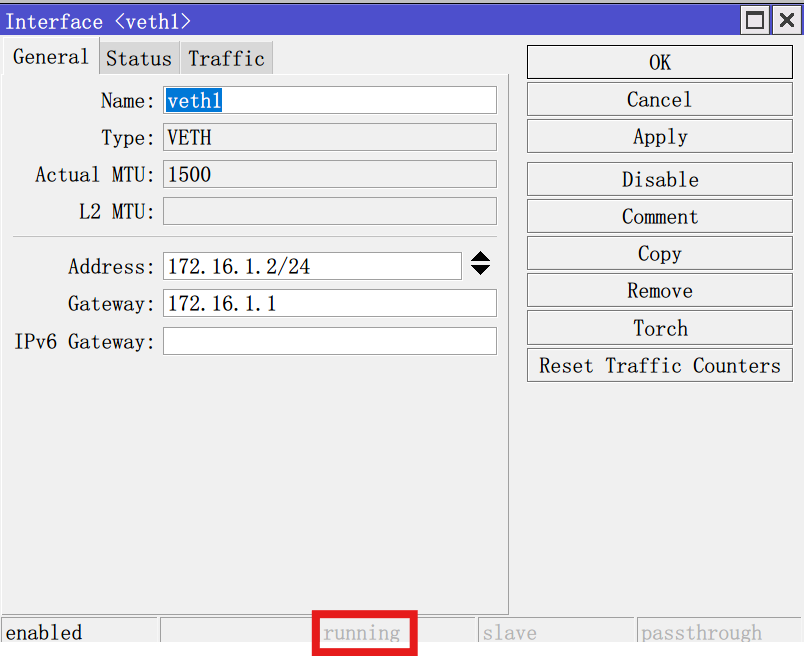
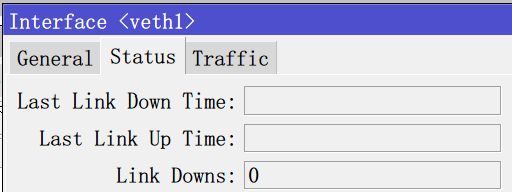
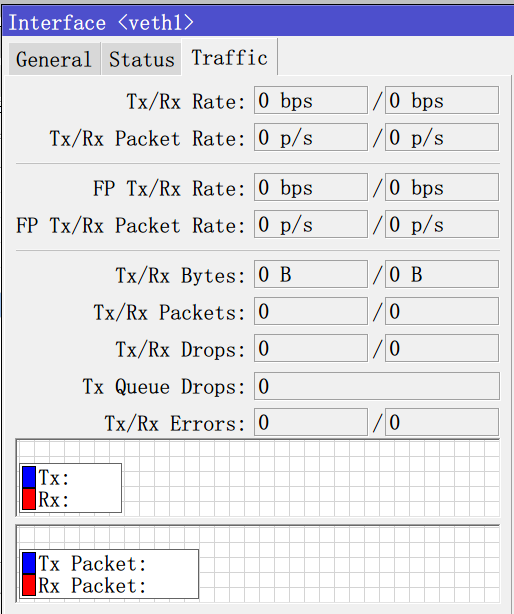
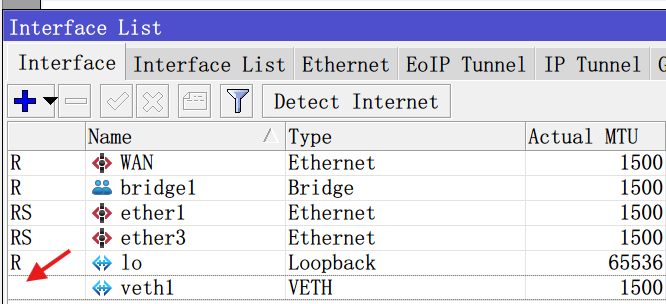
After creating veth1, the running state has been grayed out, I don’t know why. I’ve tried it in RB5009, X86, CHR, without exception, veth doesn’t work, container has started.

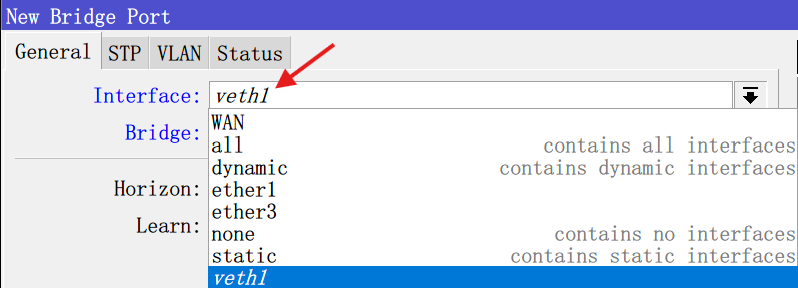
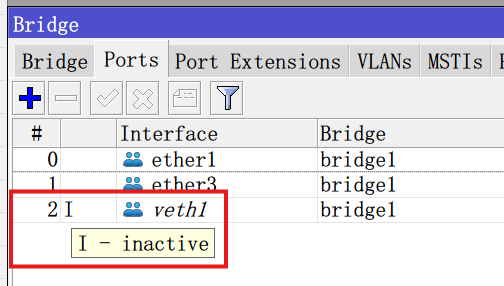
Did you assign veth1 interface to that container ?
PS export of config is a lot more clear for everyone then all those screenshots …
2024-11-06 02:18:57 by RouterOS 7.16.1
software id =
/interface bridge
add name=bridge1
/interface ethernet
set [ find default-name=ether3 ] disable-running-check=no name=WAN
set [ find default-name=ether2 ] disable-running-check=no name=ether1
set [ find default-name=ether1 ] disable-running-check=no name=ether3
/interface veth
add address=172.16.1.2/24 gateway=172.16.1.1 gateway6="" name=veth1
/ip pool
add name=dhcp_pool0 ranges=10.10.20.101-10.10.20.200
/ip dhcp-server
add address-pool=dhcp_pool0 interface=bridge1 name=dhcp1
/interface bridge port
add bridge=bridge1 interface=ether1
add bridge=bridge1 interface=ether3
add bridge=bridge1 interface=veth1
/ip address
add address=10.10.20.253/24 interface=bridge1 network=10.10.20.0
/ip dhcp-client
add interface=WAN use-peer-dns=no
/ip dhcp-server network
add address=10.10.20.0/24 dns-server=10.10.20.253 gateway=10.10.20.253
/ip dns
set allow-remote-requests=yes servers=114.114.114.114
/ip firewall nat
add action=masquerade chain=srcnat
/ip service
set telnet disabled=yes
set ftp disabled=yes
set www disabled=yes
set ssh disabled=yes
set api disabled=yes
set api-ssl disabled=yes
/system hardware
set allow-x86-64=yes
/system note
set show-at-login=no
You are bridging VETH to your LAN. So the VETH IP address need to match the LAN. So the VETH need to be something like:
/interface veth add address=10.10.20.201/24 gateway=10.10.20.254 gateway6="" name=veth1
Otherwise, if you want the container to be a separate IP subnet, then you do not want to put the veth1 into your main bridge. You can instead keep the existing VETH as-is, but removing it bridge, but assign the VETH an IP in the subnet used… so:
/ip address add address=172.16.1.1/24 interface=veth1
What’s new in 7.16 (2024-Sep-20 16:00):
*) container - clear VETH address on container exit and mark interface as running only when VETH is in use;
/interface bridge
add name=bridge1
/interface ethernet
set [ find default-name=ether3 ] disable-running-check=no name=WAN
set [ find default-name=ether2 ] disable-running-check=no name=ether1
set [ find default-name=ether1 ] disable-running-check=no name=ether3
/interface veth
add address=10.10.20.201/24 gateway=10.10.20.254 gateway6=“” name=veth1
/ip pool
add name=dhcp_pool0 ranges=10.10.20.101-10.10.20.200
/ip dhcp-server
add address-pool=dhcp_pool0 interface=bridge1 name=dhcp1
/interface bridge port
add bridge=bridge1 interface=ether1
add bridge=bridge1 interface=ether3
add bridge=bridge1 interface=veth1
/ip address
add address=10.10.20.253/24 interface=bridge1 network=10.10.20.0
I made the modifications as you suggested, but the status of veth1 is still not running.
Changing the gateway to 10.10.10.253 is the same.
I really didn’t pay attention to this. I’ll try configuring it again later. Thank you very much for your reminder.
I tried again, but it still didn’t work. Veth1 still cannot run, Docker image pull also failed, and I tried again, but it still didn’t work. Veth1 still couldn’t run, and the Docker image pull also failed
/container mounts
add dst=/etc/pihole name=etc_pihole src=/disk1/etc
add dst=/etc/dnsmasq.d name=dnsmasq_pihole src=/disk1/etc-dnsmasq.d
/interface bridge
add name=bridge1
/interface ethernet
set [ find default-name=ether3 ] disable-running-check=no name=WAN
set [ find default-name=ether2 ] disable-running-check=no name=ether1
set [ find default-name=ether1 ] disable-running-check=no name=ether3
/interface veth
add address=10.10.20.201/24 gateway=10.10.20.253 gateway6=“” name=veth1
/ip pool
add name=dhcp_pool0 ranges=10.10.20.101-10.10.20.200
/ip dhcp-server
add address-pool=dhcp_pool0 interface=bridge1 name=dhcp1
/container
add envlist=pihole_envs interface=veth1 mounts=etc_pihole,dnsmasq_pihole
root-dir=disk1/pihole
/container config
set registry-url=https://registry-1.docker.io tmpdir=disk1/pull
/container envs
add key=TZ name=pihole_envs value=Asia/Shanghai
add key=WEBPASSWORD name=pihole_envs value=password
add key=DNSMASQ_USER name=pihole_envs value=root
/interface bridge port
add bridge=bridge1 interface=ether1
add bridge=bridge1 interface=ether3
add bridge=bridge1 interface=veth1
/ip address
add address=10.10.20.253/24 interface=bridge1 network=10.10.20.0
/ip dhcp-client
add interface=WAN use-peer-dns=no
/ip dhcp-server network
add address=10.10.20.0/24 dns-server=10.10.20.253 gateway=10.10.20.253
/ip dns
set allow-remote-requests=yes servers=114.114.114.114
/ip firewall nat
add action=masquerade chain=srcnat src-address=10.10.20.0/24
add action=masquerade chain=srcnat
/ip service
set telnet disabled=yes
set ftp disabled=yes
set www disabled=yes
set ssh disabled=yes
set api disabled=yes
set api-ssl disabled=yes
/system hardware
set allow-x86-64=yes
/system note
set show-at-login=no
[admin@MikroTik] > /container/print
0 name=“47a7fb47-a4ac-46a7-8093-6a32cc588c40” tag=“pihole/pihole:latest” os=“” arch=“”
interface=veth1 envlist=“pihole_envs” root-dir=disk1/pihole
mounts=etc_pihole,dnsmasq_pihole status=error
Veth will be running when container will be running.
Check:
/disk print
is storage device called disk1?
I have the same problem. In China, some of websites are blocked, there I made a router RB5009 to become like “HK-gateway”. In PC I could read YouTube, Google without any problems. When the container drew the file “ubuntu”, the result was error. The log was “error getting container config: SSL: internal error (6)”
If I uesed another router AC2 to become another HK-gateway using the method [1], the RB5009 (without HK-gateway) connected the HK-gateway AC2 router, I could draw the file ubuntu without any problems.
How can “error getting container config: SSL: internal error (6)” be solved? The container draw problem will be fixed.
Ref.
[1] https://dimitrije.website/posts/2022-10-09-wireless-fob-with-mikrotik-and-wireguard.html
You have completely different problem, please make separate topic
I am getting an empty response but the container status is running.
So disk1 is getting created on the flash, with the path of “disk1”…
Do you have a USB or other disk connected?
Because… you may be out of disk space on the flash… Check /system/resource/print and look at free-hdd-space.