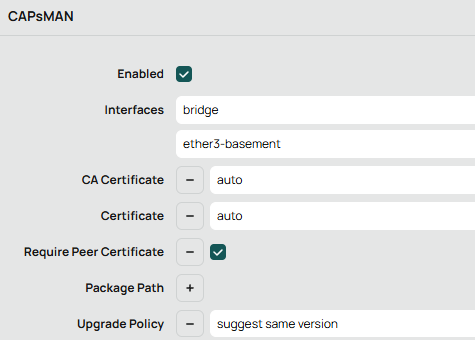
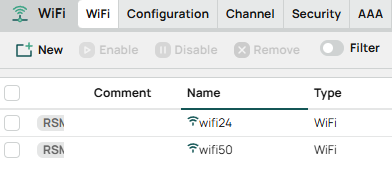
I see you made a post since I started this response. But still could be useful to you or to someone else that comes later.
That may be the defconf, but the defconf is a config that makes the device act like a "wifi router", not an access point. By that I mean that defconf does set it up with an integrated access point, but it also includes many other things in the settings.
What is most useful in your case is to have the cAP ax act only as a wireless access point that is bridged (at layer 2, like an ethernet switch) with the wired ethernet connection to ether3.
If you reset the config so the only thing it saves is your username, it will have config that has no ip address configured at all, then the only way to access it for the initial setup will be to use winbox and the mac address of the cAP's ether1 interface. This should show up in the neighbors display on winbox.
There are multiple ways to do what you want, if you are going to be controlling the basement device, it appears the easy way would be to use CAPsMAN on your hapax3 an set up the cap ax as a CAP device using its own provisioning configuration (so the basement would have its own separate wifi SSIDs and wifi passwords).
This is the first video I would watch
CAPsMAN basics: expand your WiFi network a MikroTip by MikroTik. Note what he states at 2:50 in the video.
If you want a more indepth video, see
CAPsMAN for WiFi6 and beyond - everything you need to know also by MikroTik.
Another way would be to set things up manually without CAPsMAN, but if you want a centrally managed way, CAPsMAN would be better. And if you think you may ever add an additional access point upstairs, then using CAPsMAN from the start would be the best option.
Here's the youtube video that is most applicable to manual setup method. Remember, I have no experience with any MikroTik wireless devices, but on my RB760iGS if I use the command:
Doing the following will reset it with nothing configured (and you will have to use winbox to access it using a mac address)
/system/reset-configuration keep-users=yes skip-backup=yes no-defaults=yes
This is the state the video appears to start with.
How to setup MikroTik cAP ax Gen 6 Setup | Unboxing & Review by TechTalk and Tech Unboxed
It's not a highly polished presentation, but it has a demonstration of what is being done.
It does the following: (starting from a reset without defconf state).
- connects to mac address with winbox
- logs in and resets password (if you do a reset with save-users, this won't be needed).
- adds wifi1 wifi2 ether1 and ether2 to the bridge
- configures wifi using wifi tab in winbox (not wireless). Manually sets everything up
Here's an old redit thread that described what worked for them