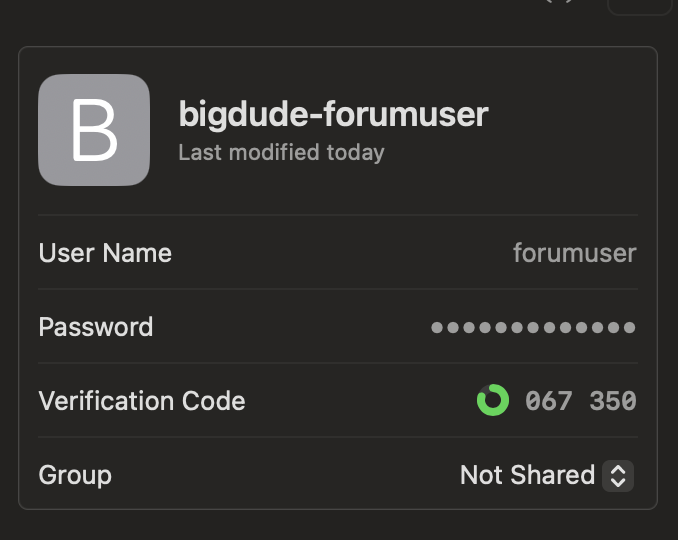
Important:
The RouterBOARD (and the device where the code is generated) must be perfectly synchronized with NTP.
Otherwise, it is impossible to log in.
No RouterBOARD sold since 2007 has an internal battery; the device ALWAYS starts with the wrong time.
ASCII-7 table:
<SPACE>!"#$%&'()*+,-./0123456789:;<=>?@ABCDEFGHIJKLMNOPQRSTUVWXYZ[\]^_`abcdefghijklmnopqrstuvwxyz{|}~
Before starting, as a general rule, use only ASCII-7 characters on usernames and passwords,
and never any other characters because different versions of RouterOS, WinBox, Webfig, etc.,
have completely different responses...
Some work in ASCII-7, some in Windows-1252, some in UTF-8...
Another hint: Do not use spaces at start or at the end or spaces next to each other...
This guide is only for RouterOS v7 and tested only on 7.16.2 and 7.19.4
The scope of this guide is setting up OTP login on WinBox, WebFig, SSH, Telnet, BTest etc.
Since (for now) there isn't a dedicated field in WinBox & Co. for the OTP,
it simply needs to be added to the end of the password.
For example, if the username is myOTPuser and the password is myOTPpass,
the password to be entered becomes the password itself followed directly to the OTP 457 896 (WITHOUT THE SPACE),
such as myOTPpass457896
As you can see in the script, this is where the group the user logs in with is determined:
Mikrotik-Group:full
(default group are full,write,read and, if not specified, for default the user group is read)
For create the 40 OTP characters secret on Base32 (160 bit), use 25 characters password and paste this on terminal:
:put [:convert "LocalHostRadiusPassword!0" from=raw to=base32]
result is like:
JRXWGYLMJBXXG5CSMFSGS5LTKBQXG43XN5ZGIIJQ
On script obviously use your own RADIUS password (any adequate lenght), not LocalHostRadiusPassword
First install user-manager, if not already present, then use this script:
/user-manager
set enabled=yes
/user-manager router
add address=127.0.0.1 name="LocalHost" shared-secret="LocalHostRadiusPassword"
/radius
add address=127.0.0.1 secret="LocalHostRadiusPassword" service=login
/radius incoming
set accept=yes
/user aaa
set use-radius=yes

/user-manager user
add attributes="Mikrotik-Group:full" name="myOTPuser" password="myOTPpass" \
    otp-secret=[:convert "LocalHostRadiusPassword!0" from=raw to=base32]
For create QR for auto setup various authenticators... do not trust...
Add manually the code:
JRXW GYLM JBXX G5CS MFSG S5LT KBQX G43X N5ZG IIJQ

Syntax for QR code generator:
otpauth://totp/MikroTik:rextended@forum.mikoritk.com?secret=JRXWGYLMJBXXG5CSMFSGS5LTKBQXG43XN5ZGIIJQ&issuer=Rextended&algorithm=SHA1&digits=6&period=30
Please add comments on how to improve this guide.
Thanks.
Special thanks to: @biki73
Caveats:
Obviously, every time you open the terminal from WebFig/Winbox,
or when you reboot the device upon reconnection,
it will ask for the password again and you must use a new... OTP...
BUT this is precisely the point of using 2FA, One Time Password, so that a password is only valid once...
(or at least the OTP are 1 milion numbers that not deterministically repeats at least every 347d 5h 20m valid for just 1m30s)