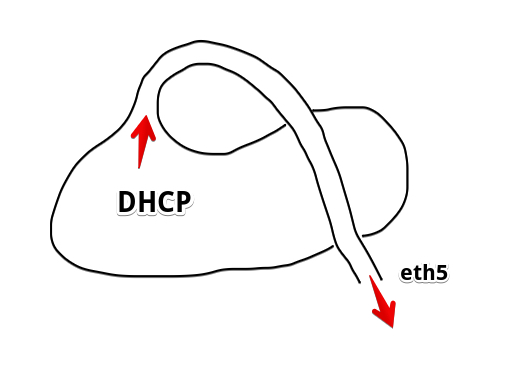
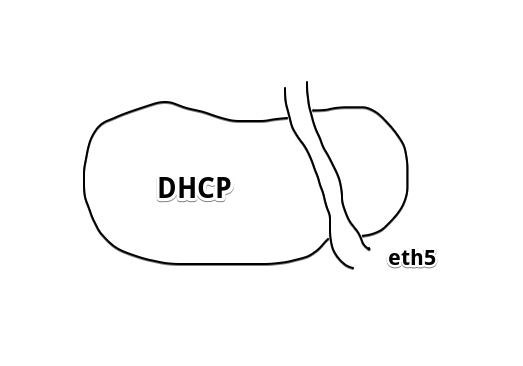
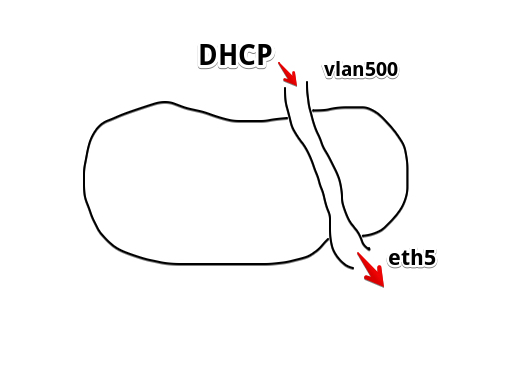
I want a simple vlan500 on ether5, that accepts both tagged and untagged packets. For untagged packets they should default to vlan ID 500. No trunks to other routers/switches needed.
Having a single port on vlan500 doesn’t make much sense as it will be of no use.
As far as I can see, all you need to do is create a “vlan500” bridge, and add ether5 to that. You’ll end up with that port on its own with no connection to anything else.
If you want other ports on the same vlan, just add them to that same bridge. If you need a trunk port, create a vlan subinterface on the trunk port, set to vlan 500, then add that to the bridge as well.
My CCR has no interface or bridge vlan options so I can’t see any other way you could do this. The only thing I’m not sure about without testing is what happens if tagged packets come in ether5; There’s a possibility you’ll also need to create a vlan500 subinterface on ether5 and add that to the bridge to handle the tagged packets, although that seems a bit awkward to me)
a “trunk port” is merely a description of behaviour, i.e. that tagged frames can pass in and out the port without being tagged/untagged as they go. Whether you permit a single VLAN ID or twenty on such port doesn’t matter.
and “access port” means that untagged frames from the wire are tagged with the chosen VLAN ID as they get in, and frames tagged with that VLAN ID are untagged as they get out to the wire. By principle, only one VLAN ID can be handled this way unless you’d inspect something else than absence of tag on the ingress frames.
a “hybrid” port is a combination of the two, so exactly one VLAN gets the “access” treatment and all the rest gets the “trunk” treatment. Some vendors don’t use a special name for this mode and simply call it a “trunk port with default VLAN ID”
.
So normally you would need to configure a trunk port on which only VLAN 500 is permitted and also set as a default VLAN. That way, tagless frames coming from the wire would be tagged with VID 500, and already tagged frames would be accepted while frames tagged with other VIDs would be ignored. On egress, all frames with VID 500 would be untagged.
However, with Mikrotik’s implementation of vlan-filtering, this seems to be impossible:
[me@MyTik] /interface bridge vlan add bridge=bridge vlan-ids=500 tagged=bridge,ether4 untagged=ether4
failure: interface cannot be in tagged and untagged at the same time
So I’m afraid you’re out of luck here, unless it is enough to put the port only to the untagged list.
Without vlan-filtering it should work, but you would have no way to block ingress frames tagged with other VIDs.
So I made either5 tagged but added the bridge itself as untagged, while everything has pvid of 500. I assigned IP address to bridge-vlan500, and ran DHCP also on bridge-vlan500.
With this setting, I seem to be able to use both tagged and untagged clients on the same port (ether5).
Does this make sense at all?
One thing though, tagged and untagged clients on bridge-vlan500 cannot communicate with each other, even though they can talk to the router and route to other interfaces on the router. I believe this is because the switch I’m using is a dumb switch and therefore tagged and untagged clients on that switch cannot understand each other without going through the router where they all get untagged. I guess this can’t be solved unless I upgrade to a smart switch.
The fact that tagged and not tagged clients cannot communicate with each other over a dumb switch is no surprise as the frames between them are forwarded solely up to MAC addresses and no tagging and untagging takes place, and the frames between two clients’ MAC addresses are forwarded directly by the switch, bypassing the Mikrotik.
What does surprise me a lot is that both tagged and untagged clients can communicate with Mikrotik, as in normal case the frames sent out by Mikrotik should be either all tagged or all untagged. So I suspect that something in your unusual setup (which probably works due to some undocumented side effect) enables this. What does /interface bridge host print show? You can obfuscate the MAC addresses if you keep them unique, the particular values are not relevant.
Here the mac ending in 34:06 is the smart client with NIC set to vlan 500, the mac ending in 07:8E is the dumb client. 7c:35 is the bridge mac.
So is this why it’s weird:
ether5 was added as a tagged port, all packets that came in untagged were tagged to 500 per pvid setting of 500, while all packets that came in already tagged 500 retain the 500 tag.
bridge-vlan500 itself was marked as untagged, according to MT’s documentation, “untagged ports remove VLAN tag before sending out frames if the learned VLAN ID matches the port pvid”
So if the documentation is right, the smart client shouldn’t work properly because of this untagging action?
If “smart client” is one which sends and expects tagged frames, then yes, it should ignore the tagless frames where it expects tagged ones. But it may be that it looks into tagless frames as well and if they contain its IP address, it accepts them too. It is “smart” after all, whatever it may mean
If you can sniff at ether5 into a file ( /tool sniffer ) while pinging the Mikrotik’s address from one tagless and one tagged client, and then open the resulting file using Wireshark, you’ll see at once what’s actually going on at Mikrotik end of the cable.
I did this and produced the file, and opened with Wireshark. I’m really new at networking and the outputs are a bit too technical for me to understand, especially it also contains things like “spanning tree”. Is it possible for you to take a look at this file for me? How do I get it to you?
OK I believe I got what I’m supposed to be looking for in the sniffer file
I sniffed the packets by pinging the smart client (192.168.1.102) and dumb client (192.168.1.199) from another client (192.168.89.101) on a separate interface connected to MT.
Smart client:
request:
Ethernet II, Src: Routerbo_xx:7c:35, Dst: WistronI_xx:34:06
802.1Q Virtual LAN, PRI: 0, DEI: 0, ID: 500
Internet Protocol Version 4, Src: 192.168.89.101, Dst: 192.168.1.102
reply:
Ethernet II, Src: WistronI_xx:34:06, Dst: Routerbo_xx:7c:35
802.1Q Virtual LAN, PRI: 0, DEI: 0, ID: 500
Internet Protocol Version 4, Src: 192.168.1.102, Dst: 192.168.89.101
So it seems the vlan tag was present both ways.
Dumb client:
request:
Ethernet II, Src: Routerbo_xx:7c:35, Dst: AsustekC_xx:07:8e
802.1Q Virtual LAN, PRI: 0, DEI: 0, ID: 500
Internet Protocol Version 4, Src: 192.168.89.101, Dst: 192.168.1.199
reply:
Ethernet II, Src: AsustekC_xx:07:8e, Dst: Routerbo_xx:7c:35
Internet Protocol Version 4, Src: 192.168.1.199, Dst: 192.168.89.101
The tag was there for the request, but not from the response.
By MAC addresses I can see that “requests” go from Mikrotik to the external devices, and “responses” go from the devices to Mikrotik.
It means that Mikrotik systematicall sends everything tagged which in my understanding collides with the fact that you’ve made ether5 a bridge port with pvid=500, but on the other hand, it explains why the “dumb” client works as e.g. almost all Windows drivers simply strip any VLAN tags before processing the packet further.
I’ve never really understood the role of pvid parameter of the bridge in Mikrotik’s configration. On normal switches, no tagless packets exist internally, as there is always a PVID on a port so any tagless packet coming from the wire gets tagged. This is not the case with Mikrotik, you can let a tagless packet in to a bridge without tagging it. So your configuration where an /interface vlan is connected to a bridge by its tagged side, but the bridge is declared as a tagless port of itself in the /interface bridge vlan section, doesn’t make much sense to me. I guess that if you move the bridge2-vlan500 from untagged to tagged in that section’s row with vlan-ids=500, it should behave the same, and if you set bridge’s PVID to something else than 500, it should behave the same too. On the other hand, if you move ether5 from tagged to untagged, it could be that it will continue accepting both tagged and untagged packets, but will send untagged ones out, but it is just a wild guess.
So ALL packets were tagged 500 by MT after all. The smart client with vlan id 500 configured works normally, while dumb Windows client simply ignores the vlan id.
Regarding your comment “your configuration where an /interface vlan is connected to a bridge…”, I want to clarify here: I did not create any /interface vlan at all. I did everything from the bridge section.
Regarding the hypothetical scenarios you mentioned:
move the bridge2-vlan500 from untagged to tagged: Nope, instantly breaks both smart and dumb client
set bridge’s PVID to something else than 500: Same as above, break both smart and dumb client
move ether5 from tagged to untagged: Just as you predicted, this sends all untagged packets, result is that the dumb client works, but the smart client doesn’t (it does expect the vlan id after all)
As a matter of fact, the only way to make it work is the combination of ether5 tagged, and bridge2-vlan500 untagged. All pvid set to 500. vlan filtering on (this one is mandatory for this I believe, because the MT wiki says if vlan filtering is off, then no vlan tagging/untagging can work through the bridge vlan)
I suspect that marking ether5 tagged and setting its pvid to 500 is the key here: it is what ensures that all packets (both ingress and egress) that go through the port get tagged as 500. So as long as a dumb client does not mind receiving packets with vid, it essentially becomes a smart one?
I guess the only confusing part right now is: exactly what role does bridge2-vlan500’s “untagged” designation with pvid 500 play here. It is apparently doing something, because as tested above, if I change the pvid or changing it to tagged, both clients break. So it is somehow untagging stuff first, then ether5 tags it right back, for egress traffic? What exactly does this accomplish? Or could this be related to proper DHCP/IP allocation?
The only problem I have with that is that you rely on a totally undocumented functionality which may thus change all of a sudden in future. Although from a particular perspective it does make sense and maybe it is actually an intended one, although not (well?) documented.
As I don’t understand what exactly you mean by “dumb” and “smart” client, I can neither agree nor disagree, but the “dumb” client will happily accept packets with any VLAN ID provided that they bear its IP address as destination. This may not be exactly what you want in an environment where you seemed to care about not accepting frames from other VLANs than the 500 one.
No idea what exactly happens, but I agree that both setting the bridge as an untagged member of itself and setting its pvid is confirmed to be necessary.
I believe everything breaks when you change bridge2-vlan500 from untagged to tagged because you run DHCP on bridge itself.
For DHCP to work when bridge2-vlan500 is a tagged member of a vlan you need to create a vlan interface with corresponding vlan id on the bridge and run DHCP on this interface.
I assume this method is cleaner because it avoids the potential untagging and retagging with untagged bridge2-vlan500 and tagged ether5.
I also assume that with both bridge2-vlan500 and its underlying port ether5 added to the tagged table, there won’t be any "double tagging’ concerns because MT should be able to recognize when a packet is already tagged.
Can you kindly explain to me exactly how was DHCP affected by the vlan tagging, being on bridge2-vlan500 vs interface vlan500?
Also, now we have three interfaces:
The physical ether5,
The bridge2-vlan500 with ether5 as its member
and finally interface vlan500 that has bridge2-vlan500 as a member
It gets my head all spinning. Can you give me a brief high level overview on how exactly traffic that goes into the physical port relates to these 3 interfaces?
An /interface vlan can be seen as an L2 pipe whose one end is attached to an underlying interface specified in /interface vlan’s configuration and the other end is an interface itself, to which you can attach IP configuration or which you can make a member port of some bridge. In the direction from the underlying interface to the other end, only frames tagged with a VID matching /interface vlan’s vlan-id are accepted and are getting untagged as they are forwarded; in the opposite direction, they are getting tagged. Unlike with physical interfaces, when you configure an /interface vlan with some bridge as its underlying port, you don’t have to manually add an /interface bridge port row to indicate that the tagged end of the pipe is a member port of that bridge, and even cannot do that because the tagged end of the pipe does not have a distinctive name to be used in such row, but it works exactly that way.
Also, I have tried once to assign an IP address directly to the bridge interface and assign some pvid to it, assuming that it would work the same way as above, i.e. that the IP packets get encapsulated into frames tagged with that VID. But it didn’t work as I’ve expected so I’ve never tried again, as I didn’t see it worth the effort to find out how to properly use the pvid in /interface bridge configuration just to save one /interface vlan.
And so far all my experience confirmed that the settings in /interface bridge vlan only affected vlan filtering, i.e. which VLAN was be permitted on which port. With vlan-filtering=no on the bridge, all VLANs could freely pass through every port, and the pvid in /interface bridge port row determined which VLAN ID was added to tagless ingress frames and which tagged frames were untagged on egress on which interface. /interface vlan, as said above, did not need to be manually added to this table, and were added there dynamically when vlan-filtering was set to yes on the /interface bridge.
So this setup of yours, where setting a pvid on /interface bridge actually works but you have to use vlan-filtering and an /interface bridge vlan row where the bridge is listed in the untagged list, is a multiple surprise for me.
In any case, the untagged frames from the wire get tagged with VID 500 on ingress, but before Mikrotik’s IP stack gets them, they get untagged again, regardless whether the IP address is attached directly to /interface bridge or /interface vlan.
I’m in the same boat as @sindy regarding not completely understanding the meaning of PVID attribute of a bridge.
Generally bridge can carry plethora of VLANs and if you bind an address to such a bridge, it’s not really clear to which VLAN it belongs (don’t be carried away by the fact your bridge currently only supports VLAN 500, mechanisms work the same way regardless of number of VLANs active). If a VLAN interface is attached to the bridge with VID explicitly set, this uncertainty disappears. A VLAN interface is used as any other physical (or para-virtual such as bridge) interface as basis of all L3 functionality.
I can’t emphasize enough that mixing tagged and untagged traffic inside LAN infrastructure (either internally to LAN switches/routers or on links between LAN infrastructure devices) calls for problems. In your case when you expect to connect both dumb and smart (= VLAN-enabled) devices to the same ether port of RB device this doesn’t work well (as you could see yourself). I would dedicate one RB port to untagged traffic and another one to tagged. That means use of two dumb switches (or one VLAN-capable switch which then does tagging where needed; such switches are not that expensive and I personally would go that way).
After you changed bridge state to tagged, bridge was expecting tagged frames from outside, but have nowhere to get them.
After you created vlan interface and moved DHCP to it. Everything got back to normal.
My explanation why your initial config ever worked:
When you have a “normal” setup with several vlans configured on a bridge, each with it’s own vlan interface and addressing (if needed), you still can use the bridge itself with it’s own DHCP for all the ports that are not members of any vlan - the default vlan. Initially it was PVID=1 but you are free to change it to whatever. (Thou I’m almost sure that if you change it from PVID=1, you need to do it on all the ports manually as well, they wont change it automatically).
I see the only difference from configuring +1 vlan interface is that this default vlan exists “inside the bridge only” so anywhere else in you config (e.g. in firewall) you will refer to the bridge itself.