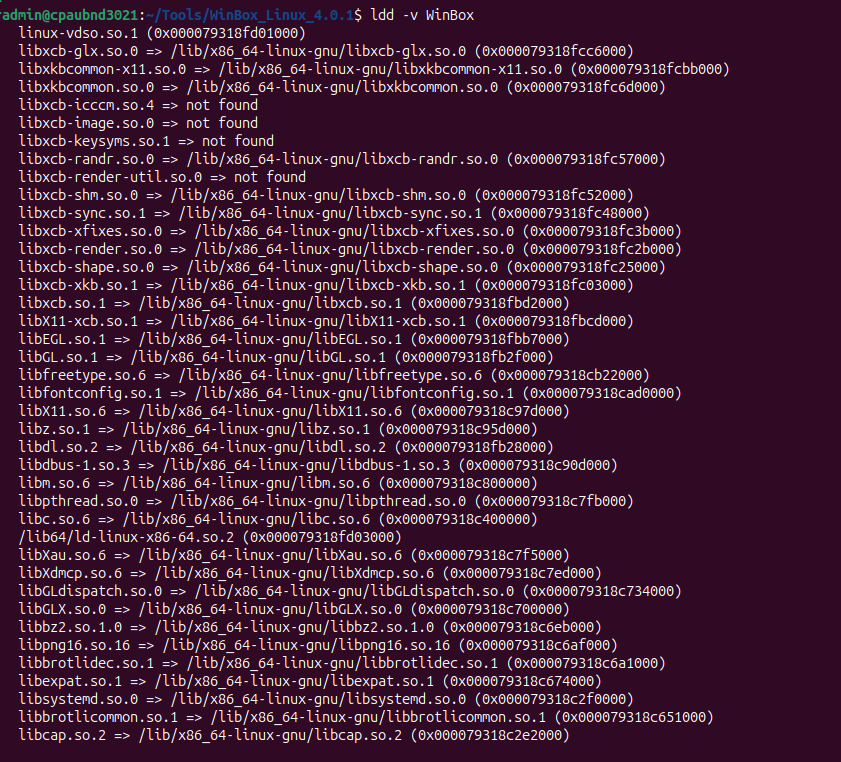
I had a separate Ubuntu installation running, so in comparing the 2 installations, I could extract the needed 4 files.
I copied these files to the new system and ‘vupti’ - it worked…
If you need the same files, I’ve shared them here: https://hello.cloudpilot.dk/index.php/s/Ri9rc7m7EoMfDAx
Good luck
…hmmm, I’m a little sorry to see, the none-constructive comments, but I guess that’s frustration at play…:-/
When you have an issue like that (some library not found) the best solution is not to get a file and put it somewhere, but to use the software package manager to install the package that provides that library file.
That way, it becomes part of the maintained system and will be updated when necessary.
Usually you can find the proper package typing the first part of the name, e.g. libxcb-icccm, in the search box of the package manager. Sometimes it may be required to reduce the name a bit, e.g. type only icccm and see what that matches.
Re-try starting WinBox after every package you install, some packages may provide multiple libraries from that list.