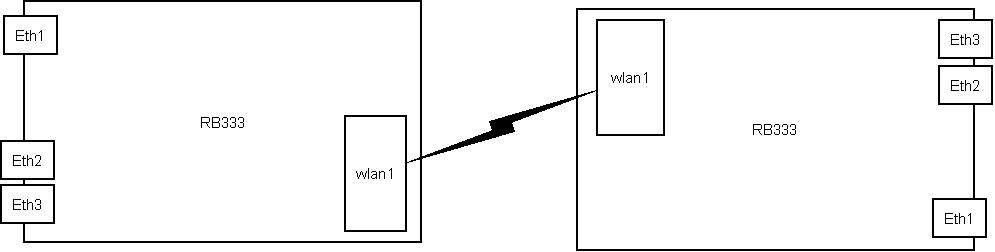
(2) A routerOS device with fasteth interface having ip 10.0.0.2/24 and default route to 10.0.0.1.
Between (1) and (2) I have a L2 switch and two other routerOS devices.
How have I to configure the last two routerOS devices to transport Vlan X from (1) to (2)?
Create a WDS link.
Make a bridge interface. include both ether1 and wds interface to the bridge, check if it’s works as expected.
If yes, make the VLAN interface on ether (or connect the another vlan to ether2).
Make another VLAN interface on top of WDS device (wlanX if you are using station-wds).
make a vlan-bridge, what includes vlan-ether and vlan-wds.
add (management) ip address to vlan-bridge. that should work.
I was try vlan via wireless, only radio RB52 minipci can ping stable, but if use other product radio minipci ping very2 not stable, i’m using mikrotik v3.7 any other exprience …?
I think VLAN and MiniPCI cards have no relation. If connection is OK, VLAN should be passed.
One important thing: VLAN have extra 22bytes so, MTU and MRU (i think) should have size of at lease 1522 , not 1500.
Sadly untagged AND tagged frames cannot be handled at same time, if you want to have tagged frames (multiple VLANs on a link - wireless or even wired) you have to remove the host interface from any bridge.
added interfaces:
-wds (wds link between two wlan1)
-wds_vlan10 (VLAN interface tagged with id 10, bound to wds)
-wds_vlan11 (VLAN interface tagged with id 11, bound to wds)
The following will NOT work:
bridge1 ports: eth1,wds
bridge2 ports: eth2,wds_vlan11
but this works:
bridge1 ports: eth1,wds_vlan10
bridge2 prots: eth2,wds_vlan11
that means, the vlan or bridging code is buggy, the interface should handle tagged and untagged frames too (in the same time).
the AP is configured in ap bridge and wds dynamic
the bridge consists of eth1 and wlan1
cpe is station wds, wds dynamic and same bridge config.
the rb450 is configured as follows:
eth1 has 3 vlans: 10,20,30
i also have three bridges one for each vlan interface and a fisical interface.
this works just fine for me the management ip is set on the bridge of the radios and the physical ether1 interface, those go untaged and belong to the native vlan of the trunk.