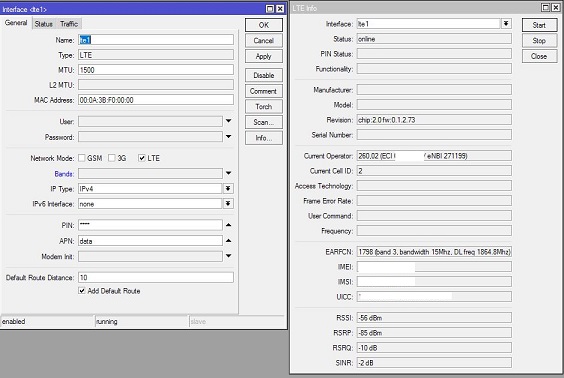
I want to use a Huawei E3372 LTE modem as failover when my wired internet fails. I purchased an unlocked E3372, because it is supposed to be compatible with Router OS on my RB951G-2HnD. Stick is working when plugged into a macbook. PIN disabled and APN setup correctly.
When I insert the stick into the USB port of the router, not much happens. No LTE interface is created.
Resources - USB shows
Device 1:5
Vendor HUAWEI_MOBILE
Name HUAWEI_MOBILE
Serial Number
Vendor ID 0x12d1
Device ID 0x14dc
Speed 480 Mbps
USB Version 2.10
Ports 0
What do I need to do to make the router recognize the LTE modem?
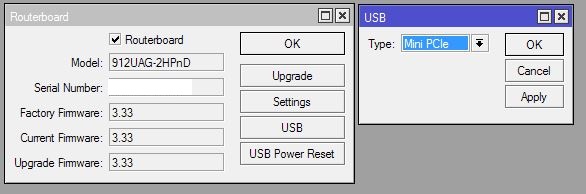
Have you tried change what I have in the photo? I had to do this for a mini-pcie LTE modem to get it to recognize the interface
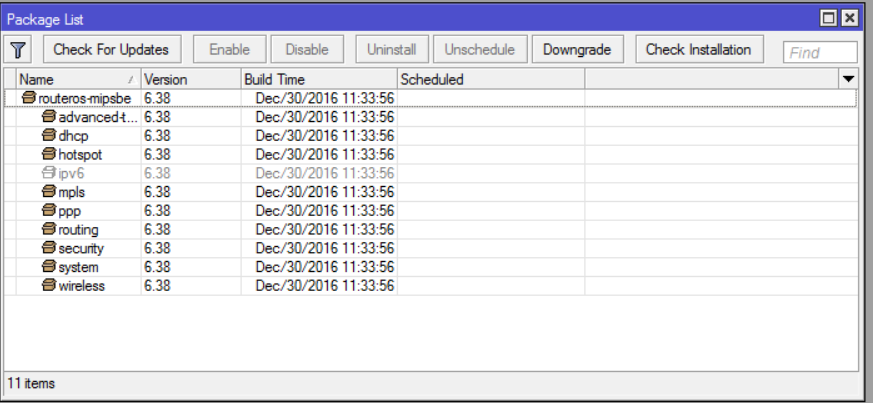
ALSO, do you have the LTE package installed on the router? Check in system packages, you might have to download it in “all packages” RouterOS version for your OS version.
.
tnx. I just checked. Seems I don’t even have that USB button under system - routerboard (pic removed, showed serial)
I also don’t see the LTE package in the list. How and where should I download that? (see attached pic)
Ok, then you simply don’t have the package installed
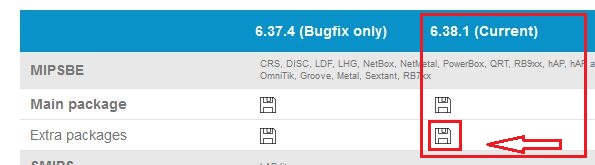
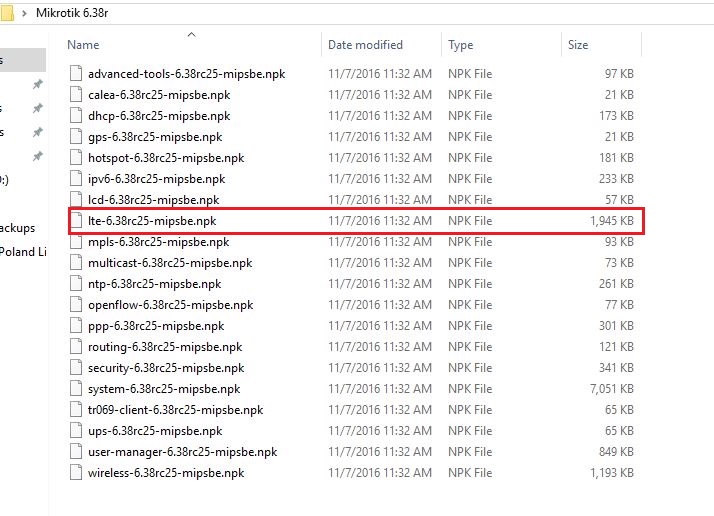
Go download and install the LTE package from https://mikrotik.com/download (see pictures). Unzip the file, drag & drop (ignore the version type on my screenshot) it in winbox, and then reboot. Should work after that.
Better to update all to 6.38.1, as well so that all packages/ system are the same version. Just leave out the packages you don’t need…like gps, lcd ..ect
tnx, I installed the lte package, and while at it, upgraded all packages to 6.38.1
Rebooted with high hopes, but still not showing under interfaces. Any other extra package I might need?
[edit:] Also tried to powercycle, but still no lte interface. I could try to find a powered USB hub, to rule out any power issues although specs of E3372 say: 3.5W Power supply 5V/500mA
I forgot that usb works differently, you need to create a ppp-out interface and add the APN and pin to that. I normally use SXt LTE and mini-pcie setups
You can watch the video from the link below in Spanish but you will see what he does. The main info is in the first 10 min of the video. This should work after this.
According to http://wiki.mikrotik.com/wiki/Supported_Hardware#4G_LTE_cards_and_modems the Huawei E3372 should work with the LTE interface, not necessary ppp. Although the latter doesn’t show up either.
From everything I have found and seen so far, I was expecting the LTE to show up under interfaces, after sticking in the USB… But alas, not today
I could be wrong, but I believe it is needed for boards that have the sim slot on them or when a mini pci-e LTE modem is attached so that you can add in the APN, which LTE band, and so on. No much more is offered for monitoring , that I see, but then of course I only use it enough so that it works.
Likely the LTE package is only required for PCI LTE cards and not for USB devices (that have all the LTE specific processing already onboard).
The E3372 can operate in 3 modes:
as a PPP (serial) modem
as a network device with NAT and a webpage, 192.168.8.x network
as a transparent network device
The latter is unfortunately not yet supported in RouterOS. Usually the E3372 will be in the second mode and
will appear as a network device with lte1 name on which you only have to put a DHCP client.
Search for it on the internet. It is a complicated procedure, you need to hack the device and flash different firmware. Not some easy parameter setting, unfortunately.
You need to be lucky and find a seller who has the product not hilink. I have a airtel 4G product which I converted to hilink, just the opposite of what you want.
If you need E3372 which works as PPP modem, I can sell you as much as you want
I am looking for the opposite, E3372 which works as native LTE interface